
Screenshots

App details
- Version
- 1.8
- Updated
- May 22, 2023
- Requires
- Mac
- Language
- English
- License
- Free
- Developer
- Dennis Oberhoff
- Category
- Mac OS
About DaftCloud
Download DaftCloud – Desktop SoundCloud Player, Free & Secure
Overview
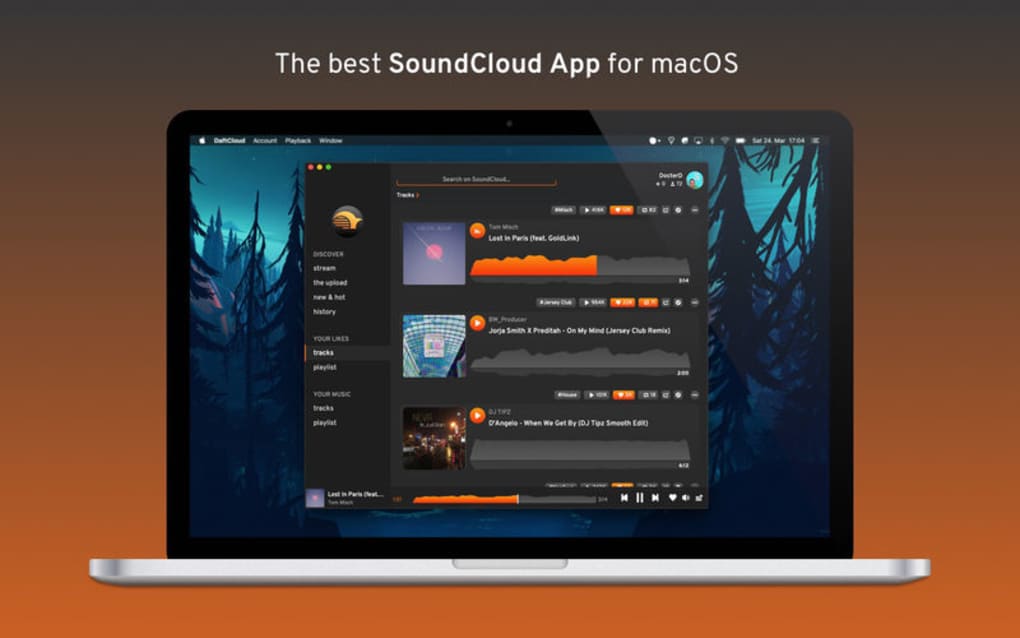
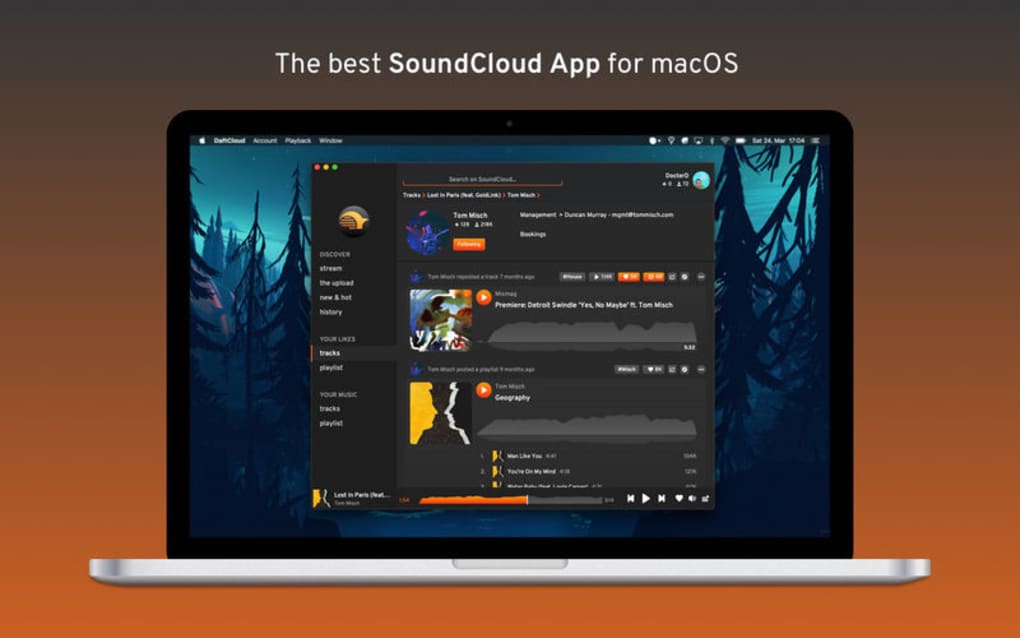
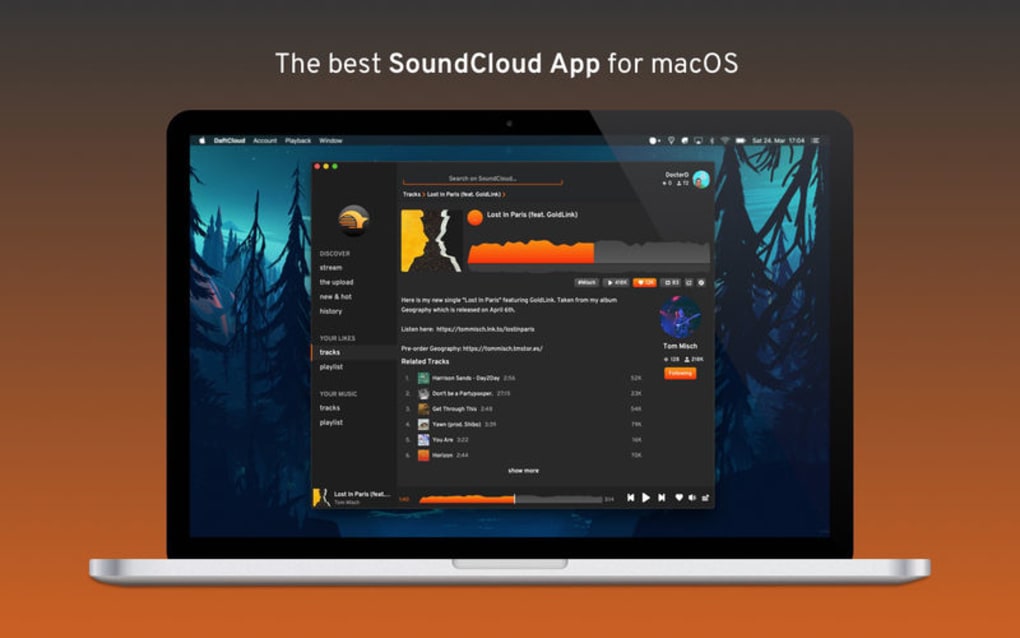
DaftCloud is a dedicated desktop client built exclusively for SoundCloud enthusiasts who want a richer, more focused listening experience without the distractions of a web browser. The app mimics SoundCloud’s signature design language—dark tones, bold icons, and intuitive navigation—while adding a lightweight, window‑less interface that lives directly on your desktop. After a quick sign‑in with your SoundCloud credentials, DaftCloud instantly syncs your liked tracks, playlists, and followings, allowing you to stream fresh tunes with just a few clicks. Because it runs as a native application, you benefit from lower CPU usage, smoother playback, and offline‑ready controls such as volume shortcuts, track skipping, and a built‑in search bar. Whether you’re a casual listener who enjoys background music while working or a power user curating massive playlists, DaftCloud turns the SoundCloud ecosystem into a desktop‑first experience that feels both familiar and refreshingly new.
Key Features & What They Mean for You
- Seamless SoundCloud Integration – Direct OAuth login pulls your entire library, including likes, reposts, and custom playlists, without the need to copy URLs or manage separate accounts.
- Window‑Less Desktop Interface – The app lives as a floating panel that can be pinned to any screen edge, keeping your workspace clutter‑free while music plays in the background.
- High‑Performance Streaming – Built on Electron with hardware‑accelerated audio decoding, DaftCloud reduces latency and CPU spikes compared with browser playback.
- Smart Search & Filters – Real‑time search across your personal collection, with filter options for genre, upload date, and popularity, letting you discover tracks faster.
- Customizable Skins – Choose from three pre‑loaded themes (Dark, Light, Midnight) or create your own color palette to match your desktop aesthetic.
- Keyboard Shortcuts & Media Keys – Control playback, volume, and track navigation using global hotkeys, perfect for multitaskers.
- Playlist Management Tools – Drag‑and‑drop reordering, bulk delete, and quick “Add to Queue” options streamline playlist curation.
- Secure Data Handling – All authentication tokens are stored locally with AES‑256 encryption; no data is transmitted to third‑party servers beyond SoundCloud’s API.
- Automatic Updates – The built‑in updater checks for the latest version nightly, ensuring you always have the newest features and security patches.
- Cross‑Platform Availability – Native builds for Windows, macOS, and Linux let you enjoy DaftCloud regardless of your preferred operating system.
Installation, Usage & Compatibility
Step‑by‑Step Installation Guide
- Visit the official DaftCloud website and click the Download button that matches your OS (Windows 10/11, macOS 12+, or popular Linux distributions).
- For Windows, run the
.exeinstaller; for macOS, open the.dmgfile and drag DaftCloud to your Applications folder; for Linux, download the.AppImageor use the provided.debpackage. - Follow the on‑screen prompts—accept the license agreement, choose an installation directory (default is recommended), and let the installer finish.
- Launch DaftCloud from your start menu, Launchpad, or desktop shortcut. The first launch will request permission to access your SoundCloud account via OAuth.
- Sign in with your SoundCloud credentials. Once authenticated, DaftCloud syncs your library automatically—this may take a few seconds depending on the size of your collection.
Getting Started with Everyday Use
After the initial sync, the main panel appears at the bottom of your screen. The left side displays your playlists, while the central area shows the currently playing track with album art, track title, and artist name. Use the play/pause button or press the spacebar to control playback. The volume slider is located on the right, and you can mute with a single click.
To add a new playlist, click the + Playlist button, give it a name, and drag tracks from the “All Tracks” view into the new list. The search bar at the top accepts keywords, artist names, or tags; results are filtered instantly. For power users, enable “Global Hotkeys” in Settings to assign custom key combinations for actions like “Next Track” (default: Ctrl + Right Arrow) or “Like Track” (default: Ctrl + L).
Compatibility Overview
DaftCloud is engineered to run smoothly on the following platforms:
- Windows: 10 (64‑bit) and newer, with .NET 5 runtime bundled.
- macOS: Catalina (10.15) and later, supporting both Intel and Apple Silicon (M1/M2) chips.
- Linux: Ubuntu 20.04+, Fedora 33+, and any distribution that can execute an AppImage or DEB package.
System requirements are modest: a dual‑core CPU, 2 GB RAM, and at least 150 MB of free disk space for the application and temporary cache files. Because DaftCloud uses SoundCloud’s public API, a stable internet connection (minimum 3 Mbps) is required for streaming high‑quality audio.
Pros, Cons & Frequently Asked Questions
Pros
- Free to download and use, with no hidden subscription fees.
- Native desktop experience eliminates browser clutter and improves performance.
- Full synchronization with existing SoundCloud account—including playlists, likes, and follows.
- Low CPU usage thanks to optimized Electron rendering and hardware‑accelerated audio.
- Customizable skins and keyboard shortcuts for a personalized workflow.
- Secure handling of authentication tokens; no third‑party data harvesting.
- Automatic nightly updates keep the app current without manual intervention.
Cons
- Relies on SoundCloud’s API; any API changes could temporarily affect functionality.
- No offline download capability—streaming requires an active internet connection.
- Limited to SoundCloud; cannot import playlists from other services like Spotify or Apple Music.
- While lightweight, the Electron base adds a modest memory footprint compared with pure‑native apps.
Frequently Asked Questions
Is DaftCloud safe to use with my SoundCloud credentials?
Yes. DaftCloud uses OAuth 2.0, which means your password never touches the app. Authentication tokens are encrypted locally with AES‑256, and no third‑party servers store your data.
Can I run DaftCloud on a low‑end laptop?
Absolutely. The minimum requirement is a dual‑core processor, 2 GB RAM, and a stable internet connection. Most low‑end laptops meet these specs, and users report smooth playback even on older hardware.
Does DaftCloud support dark mode?
Yes. The default theme is dark, but you can switch to Light or Midnight, or even create a custom color scheme from the Settings menu.
What should I do if playback stops unexpectedly?
First, check your internet connection. If the issue persists, open DaftCloud’s built‑in diagnostics (Settings → Troubleshoot). The tool will attempt to reconnect to SoundCloud’s API and clear any corrupted cache files.
Is there a way to export my playlists from DaftCloud?
Yes. Right‑click any playlist and choose “Export as .json”. The file can be imported back into DaftCloud or other SoundCloud‑compatible tools.
DaftCloud delivers a sleek, distraction‑free desktop experience that feels native to SoundCloud users. Its performance is impressive, especially compared with browser tabs that often hog memory. While the lack of offline download is a minor drawback, the free price tag and regular updates make it a top choice for anyone who lives in the SoundCloud ecosystem.
Conclusion & Call to Action
If you spend a significant portion of your day streaming SoundCloud tracks, DaftCloud is the missing link that brings your favorite music directly to your desktop without the clutter of a web browser. The app’s lightweight design, secure authentication, and feature‑rich playlist management make it an essential tool for creators, curators, and casual listeners alike. Best of all, it’s completely free, regularly updated, and available for Windows, macOS, and Linux.
Ready to upgrade your listening workflow? Download DaftCloud now and experience SoundCloud the way it was meant to be heard—smooth, secure, and right at your fingertips.
Guides & Tutorials
How to install DaftCloud
- Click the Download button above.
- Once redirected, accept the terms and click Install.
- Wait for the DaftCloud download to finish on your device.
How to use DaftCloud
This software is primarily used for its core features described above. Open the app after installation to explore its capabilities.
User Reviews
No reviews yet. Be the first to share your experience.
You may also like
more
DiffusionBee
Generate unique art with this app DiffusionBee is a free and accessible artifici...

Excire Foto Light
Organize your snapshots Excire Foto Light is a free-to-download AI -powered phot...

Topaz Photo AI
Photo enhancement tool with AI Topaz Photo AI is a premium AI image editor for P...

anonymoX
Surf anonymously with Firefox anonymoX for Firefox is an add-on that gives you f...

DownThemAll
Download Them All! Downloading anything or everything on a webpage can be a labo...
.webp)
DuckDuckGo Privacy Essentials
A free program for Mac, by DuckDuckGo, Inc.. DuckDuckGo Privacy Essentials is a...
