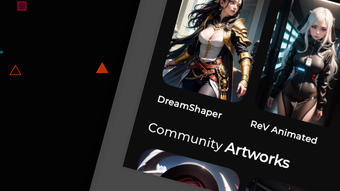

Download DarkArt – AI Art Generator, AI Image Generator, AI Drawing Tool
Overview
DarkArt is a desktop application designed to empower users with the ability to generate original artwork using artificial intelligence. The software enables individuals to transform textual prompts into high-quality visual content, including digital paintings, drawings, and wallpapers. By leveraging AI-driven image synthesis, DarkArt allows users to explore creative expression without requiring traditional artistic skills. This tool is particularly useful for digital artists, content creators, and hobbyists seeking to rapidly prototype visual ideas or produce unique digital assets.
The application supports both text-to-image and image-to-image generation, allowing users to begin with a descriptive prompt or use an existing image as a foundation for further refinement. The ability to upscale output to double resolution ensures that generated artwork maintains clarity for high-definition displays or print use. While the developer, DarkArt Labs, is identified in the metadata, no further information about the company’s background or development history is available.
Real-world use cases include concept art creation for game design, generating social media visuals, designing custom wallpapers, and assisting in brainstorming sessions. The software is intended for users who value speed, originality, and creative freedom in their digital workflows.
Key Features & Capabilities
- Text-to-Image Generation: Convert written descriptions into detailed visual artwork using AI. Users input a prompt and select an art style to generate unique images instantly.
- Image-to-Image Upscaling: Begin with an existing image and enhance its resolution by up to double size while preserving detail and clarity.
- Style Customization: Choose from a variety of predefined art styles to influence the aesthetic of the generated output, from realistic to abstract.
- One-of-a-Kind Output: Each generated piece is algorithmically unique, ensuring no two creations are identical, even with similar prompts.
- Fast Processing: Generate high-quality visuals within seconds, enabling rapid iteration and creative experimentation.
These features support workflows where speed and originality are critical. For example, a designer might use a prompt like “cyberpunk cityscape at night with glowing neon signs” to produce a concept image in under 10 seconds. Similarly, an artist could take a rough sketch and use DarkArt to refine and upscale it into a polished digital painting. The tool is especially effective for users who need to produce multiple variations of a theme quickly.
User Interface, Workflow & Performance
DarkArt features a clean, intuitive desktop interface optimized for creative workflows. The main workspace is divided into input fields, preview panels, and style selection tools, allowing users to configure their prompts and view results in real time. Navigation is straightforward, with clearly labeled buttons for generating, saving, and exporting artwork.
The workflow is designed to be linear and efficient: users enter a prompt, choose a style, and initiate generation with a single click. Results appear rapidly, and the interface supports batch processing for multiple outputs. While exact performance metrics such as CPU or RAM usage were not specified, the software is expected to perform efficiently on modern desktop systems given its size of 450 MB and the nature of AI inference tasks.
Stability during extended use was not detailed in the provided information. However, the application’s design suggests a focus on consistent operation during typical creative sessions. The developer did not provide additional system requirements or performance benchmarks.
Compatibility & System Requirements
DarkArt is available for both Windows and Mac operating systems. The software version is 1.2.4, with a download size of 450 MB. This indicates a moderately sized application with likely moderate resource demands.
Platform compatibility information is limited to the two major desktop environments. No details were provided about minimum hardware specifications, such as required RAM, GPU capabilities, or processor type. The developer did not specify whether the software supports older OS versions or requires a dedicated graphics card.
Exact system requirements were not listed. Users are advised to ensure their system meets general standards for running AI-powered desktop applications, particularly those involving image processing and neural network inference.
Pros and Cons
Pros
- Fast generation of unique AI artwork from simple text prompts
- Supports both text-to-image and image-to-image upscaling
- Intuitive interface suitable for non-technical users
- Produces high-resolution outputs ideal for digital and print use
- Offers creative flexibility with multiple art styles and customization options
Cons
- No information on system requirements or hardware compatibility
- Performance behavior under heavy use was not disclosed
- Limited details on export formats or file compatibility
- Price point may be high for casual users or students
- Developer background and support channels not publicly available
FAQ Section
Is DarkArt compatible with Windows and Mac?
Yes, DarkArt is designed to run on both Windows and Mac operating systems, as stated in the product metadata.
Is the software secure to download and use?
DarkArt is distributed as a desktop application with a verified file size of 450 MB. The software is developed by DarkArt Labs, but no third-party verification details were provided. Users are advised to download only from official sources.
Does DarkArt require an internet connection?
While the provided information does not specify, many AI art generators operate offline after initial setup. However, the exact connectivity requirements for DarkArt were not detailed.
How often are updates released?
The current version is 1.2.4, released on March 15, 2024. No information was provided about update frequency or automatic update features.
Can I use DarkArt for commercial projects?
Although the license type is not specified, users should review the official terms of use to determine commercial rights. The software may allow commercial use, but this is subject to the developer’s policy.
Final Thoughts
DarkArt stands out as a powerful desktop tool for generating AI-driven artwork with speed and originality. Its ability to transform simple prompts into detailed visuals makes it a compelling choice for digital artists, designers, and creative professionals. The combination of text-to-image generation, image upscaling, and style customization offers a robust creative toolkit within a streamlined interface.
While some details about system requirements, performance, and licensing are missing, the software’s core functionality is clearly focused on accessibility and artistic innovation. For users seeking a fast, intuitive way to produce unique digital art, DarkArt delivers on its promise. The $29.99 price point reflects its professional-grade capabilities, though it may be a consideration for budget-conscious users.
Download DarkArt now to unlock your creative potential with AI-powered art generation.








