
Download DBScribe – Free MySQL Documentation Tool
Overview
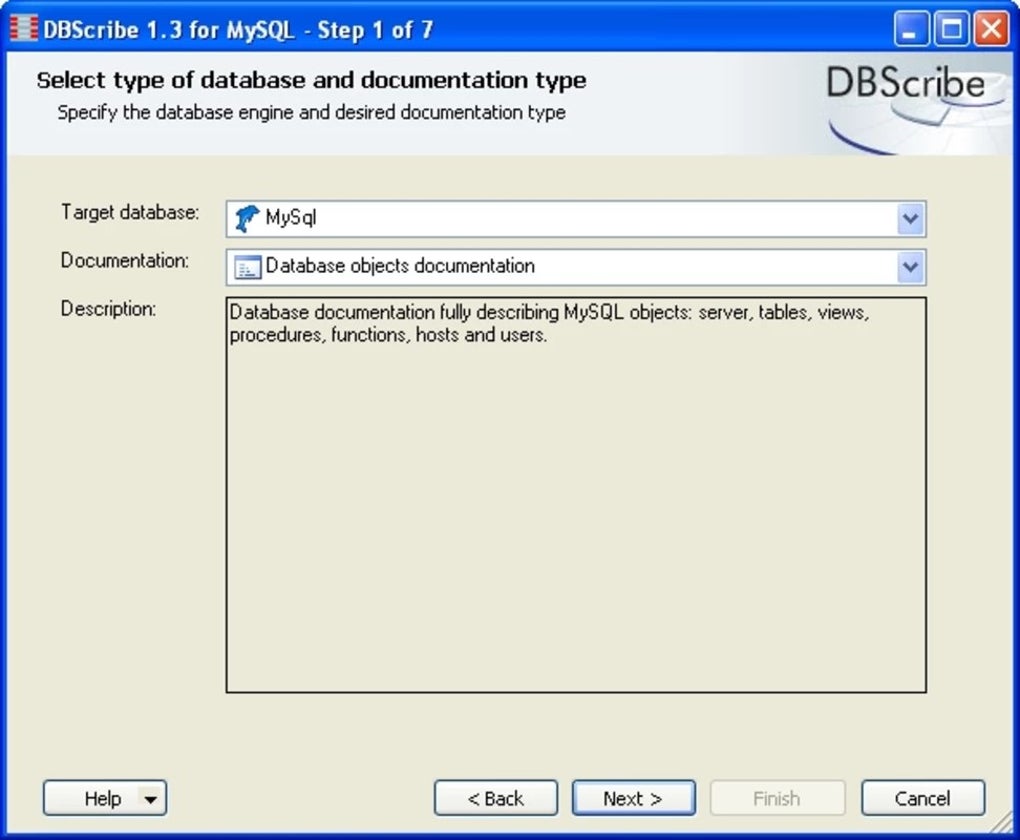
DBScribe for MySQL, developed by Leadum Software, is a completely free utility that transforms complex MySQL database schemas into clear, professional‑looking documentation. In environments where databases grow quickly—think e‑commerce platforms, SaaS products, or legacy applications—understanding table relationships, column definitions, and stored procedures can become a bottleneck. DBScribe eliminates that bottleneck by scanning a live MySQL instance (or a set of .sql dump files) and producing a structured report that captures every object you select. The output can be exported as an HTML Help file (CHM), a Microsoft Word document (DOC/DOCX), or a set of inter‑linked HTML pages, giving teams the flexibility to share the documentation in the format that best fits their workflow. Because the tool is free and does not require a license key, small development shops and independent consultants can adopt it without worrying about cost. The interface is intentionally lightweight, focusing on the core task of extraction and formatting rather than on heavyweight IDE features. This makes DBScribe especially suitable for quick audits, onboarding new developers, or creating compliance artifacts for audits. In short, DBScribe streamlines the documentation phase of database management, reduces manual effort, and helps maintain a single source of truth for MySQL schema information.
Key Features and Customization Options
- Multi‑format Export: Choose between HTML, CHM (HTML Help), and Microsoft Word. Each format preserves tables, relationships, and comments in a readable layout.
- Selective Object Inclusion: Decide which database objects—tables, views, triggers, stored procedures, functions, and even user‑defined types—should appear in the final report.
- Template‑Driven Styling: DBScribe ships with several built‑in templates (classic, modern, compact) and also supports custom XSLT templates for branding or corporate standards.
- Comment Extraction: All MySQL comments attached to tables, columns, and routines are harvested and displayed, ensuring semantic meaning is not lost.
- Relationship Mapping: Automatic detection of foreign‑key relationships, with visual diagrams generated for HTML and CHM outputs.
- Batch Processing: Document multiple databases in a single run using a simple command‑line interface, perfect for scheduled documentation tasks.
- Unicode Support: Full UTF‑8 handling guarantees that international character sets appear correctly in the generated documents.
- Free and Open Distribution: No hidden fees, no trial period, and no registration required—just download and start documenting.
Beyond the listed features, DBScribe offers a range of hidden gems that power users appreciate. For instance, the tool can embed database statistics (row counts, index sizes) directly into the documentation, giving readers a quick performance snapshot. Additionally, the export engine respects MySQL version differences, ensuring that syntax highlighting and data‑type representation match the source server version. These nuances make DBScribe a robust choice for both small projects and enterprise‑scale environments.
Installation, Usage Instructions, and Compatibility
Installation Steps
Getting DBScribe up and running is straightforward. Follow these steps to ensure a smooth installation on any supported platform:
- Visit the official Leadum Software download page and click the Download DBScribe for MySQL button. The file is a compact ZIP archive (≈ 5 MB).
- Extract the archive to a folder of your choice, e.g.,
C:\Program Files\DBScribeon Windows or/opt/dbscribeon Linux/macOS. - Ensure that the .NET Core runtime (version 3.1 or later) is installed. Most modern Windows installations already include it; macOS and Linux users can obtain it via the official Microsoft package manager.
- Add the installation folder to your system PATH if you plan to invoke DBScribe from any command prompt. This step is optional but recommended for convenience.
- Launch the application by double‑clicking
DBScribe.exe(Windows) or running./dbscribefrom the terminal (macOS/Linux). The first launch may trigger a brief security prompt—grant permission to proceed.
How to Generate Documentation
Once installed, the workflow consists of three main phases: connection, selection, and export.
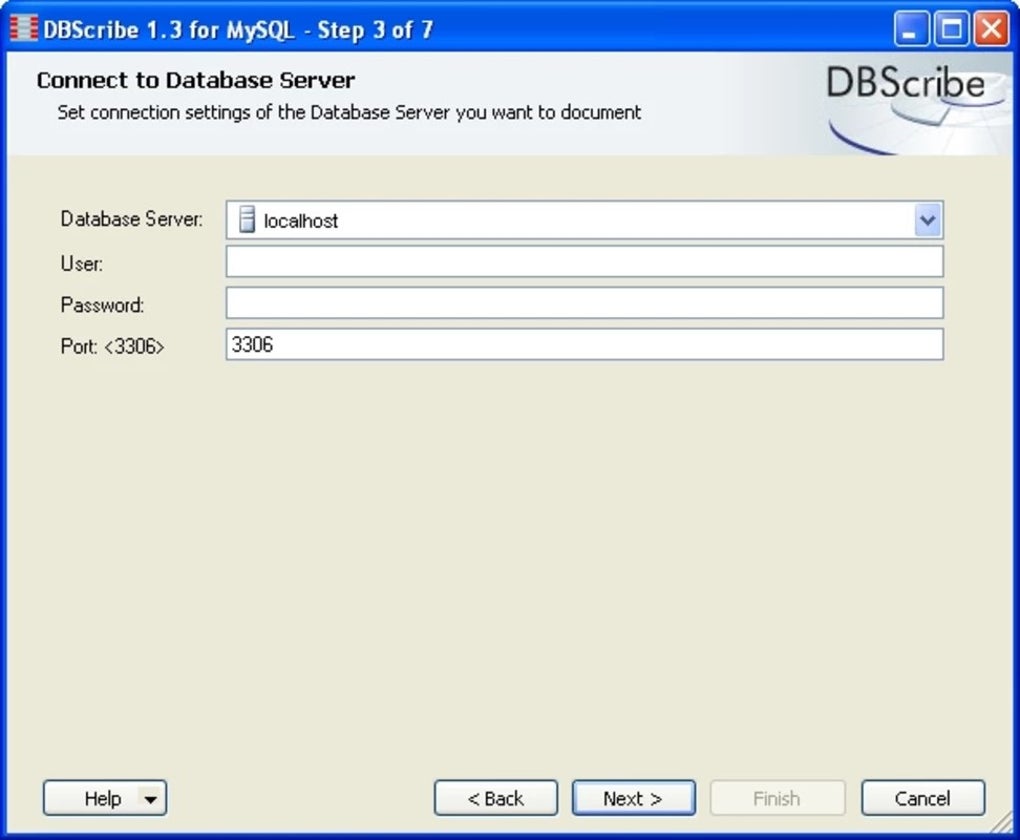
- Connect: Provide the MySQL server address, port (default 3306), user credentials, and optionally a specific database name. DBScribe supports SSL connections for added security.
- Select Objects: In the UI, tick the checkboxes for the object types you wish to document. Advanced users can switch to the “Command‑Line Mode” and pass a JSON configuration file that defines inclusion rules.
- Export: Choose the desired output format, select a template, and specify the destination folder. Click “Generate” and let DBScribe process the schema. The tool will display a progress bar and log any warnings (e.g., missing comments) for review.
For repetitive tasks, you can save a project file (.dbsp) that stores connection details and selection settings, enabling one‑click regeneration whenever the schema changes.
Supported Operating Systems
DBScribe runs on Windows 7, 8, 10, and 11; macOS 10.13 (High Sierra) and later; and any modern Linux distribution that can host the .NET Core runtime (Ubuntu, Fedora, Debian, etc.). The application is 64‑bit only, reflecting the architecture of current MySQL servers.
Because DBScribe relies on standard MySQL client libraries, it can also be used in containerized environments. Simply mount the DBScribe binary into a Docker container that already contains the .NET runtime and MySQL client, and execute the tool as part of a CI/CD pipeline to keep documentation up‑to‑date automatically.
Pros, Cons, and Frequently Asked Questions
Pros
- Completely free with no hidden licensing costs.
- Multiple export formats (HTML, CHM, Word) cover most documentation needs.
- Highly customizable templates and selective object inclusion.
- Straightforward installation on Windows, macOS, and Linux.
- Supports SSL connections and can be scripted for automation.
- Clear visual representation of foreign‑key relationships.
Cons
- User interface is functional but not as polished as commercial alternatives.
- No built‑in PDF export; users must convert HTML/Word to PDF externally.
- Limited support for non‑MySQL databases (e.g., PostgreSQL, SQL Server).
- Requires .NET Core runtime, which may be an extra step for some Linux users.
FAQ
Is DBScribe truly free for commercial use?
Yes. DBScribe is released under a free‑to‑use license with no restrictions on commercial deployment. There are no hidden fees, trial periods, or mandatory registrations.
Can I generate PDF documentation directly?
DBScribe does not include a native PDF exporter. However, you can easily convert the generated HTML or Word files to PDF using Microsoft Word, LibreOffice, or any PDF printer.
Does DBScribe support stored procedures and triggers?
Yes. The tool can extract and document stored procedures, functions, triggers, and even view definitions, preserving their original MySQL syntax and comments.
What MySQL versions are compatible with DBScribe?
DBScribe works with MySQL 5.5 and newer, including MariaDB. It automatically detects version‑specific features, ensuring accurate documentation across releases.
Can I automate documentation as part of a CI/CD pipeline?
Absolutely. DBScribe offers a command‑line interface and accepts JSON configuration files, making it easy to script documentation generation during build or deployment stages.
Conclusion and Call to Action
DBScribe fills a niche that many development teams overlook: the need for a reliable, cost‑free solution that can turn a sprawling MySQL schema into a polished, shareable document. Its strength lies in simplicity—there are no subscription headaches, no licensing audits, and no steep learning curve. By providing multi‑format export, flexible templates, and the ability to target specific database objects, DBScribe empowers both junior developers and seasoned DBAs to keep documentation current and accessible. While the UI could benefit from a visual redesign and native PDF output would be a welcome addition, these minor shortcomings are far outweighed by the tool’s core capabilities and zero price tag.
If you are responsible for database maintenance, compliance reporting, or simply want to improve knowledge transfer within your team, downloading DBScribe is a logical first step. The installation process takes only minutes, and the first documentation run can be completed in seconds for modest databases. For larger environments, the batch‑processing feature ensures that you can keep multiple schemas documented with a single scheduled task.
Ready to streamline your MySQL documentation workflow? Download DBScribe today, generate your first report, and experience the time savings for yourself. Remember, the tool is free, secure, and constantly updated by Leadum Software, so you can trust that your documentation process will stay reliable as your databases evolve.








