
Download Deceive – appear offline, League of Legends, Valorant, Legends of Runeterra, offline mode, chat, communication, gameplay, privacy, gaming
Overview
Deceive is a lightweight utility tool designed for gamers who wish to maintain privacy during gameplay in popular titles such as League of Legends, Valorant, and Legends of Runeterra. The app enables users to appear offline in their friends’ lists without disrupting core functionalities like in-game chat or participation during the hero selection phase. This makes it particularly useful for players who want to avoid unwanted invitations or interruptions while still remaining fully engaged in the game environment.
Target users include casual and competitive players seeking control over their online visibility. Whether you're taking a break from social interactions, managing your time, or simply prefer to play without distractions, Deceive offers a discreet solution. The app operates silently in the background, minimizing system impact and ensuring a smooth gaming experience. It is especially beneficial in multiplayer environments where constant visibility can lead to pressure or unwanted engagement.
Developed by Deceive, the tool is positioned as a privacy-enhancing utility rather than a cheat or exploit. According to the developer, using Deceive does not violate platform terms of service, and there are no known bans associated with its use. While the app is not officially endorsed by Riot Games or other game developers, it functions within the boundaries of acceptable use. Its small size—under 1.5MB—and minimal resource consumption make it a practical choice for users across various device configurations.
Key Features & Functionality
- Offline Mode Activation – Automatically sets the user as offline in League of Legends, Valorant, and Legends of Runeterra, without affecting gameplay or communication.
- Background Operation – Runs minimized in the taskbar, consuming negligible system resources and remaining unobtrusive during gameplay.
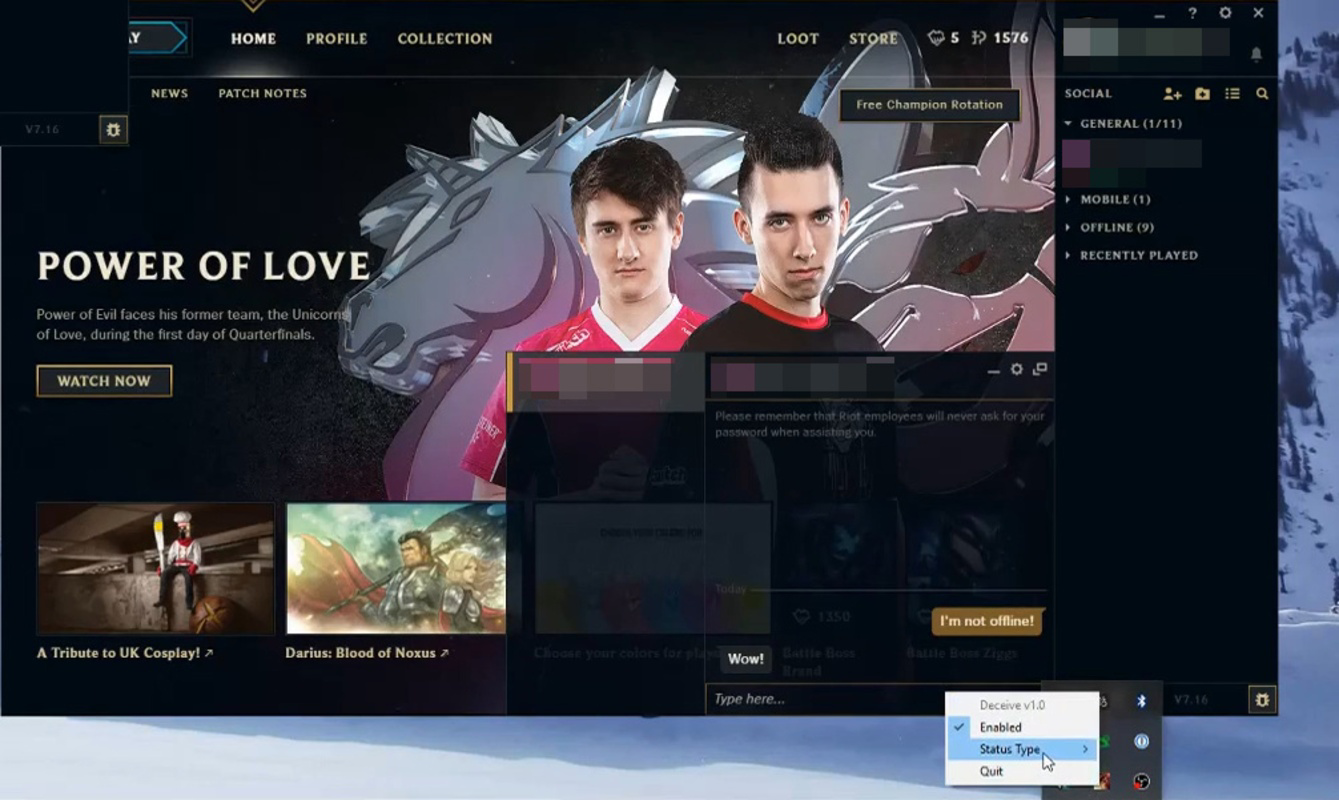
- Real-Time Toggle – Allows users to instantly switch between online and offline status via a right-click menu on the system tray icon.
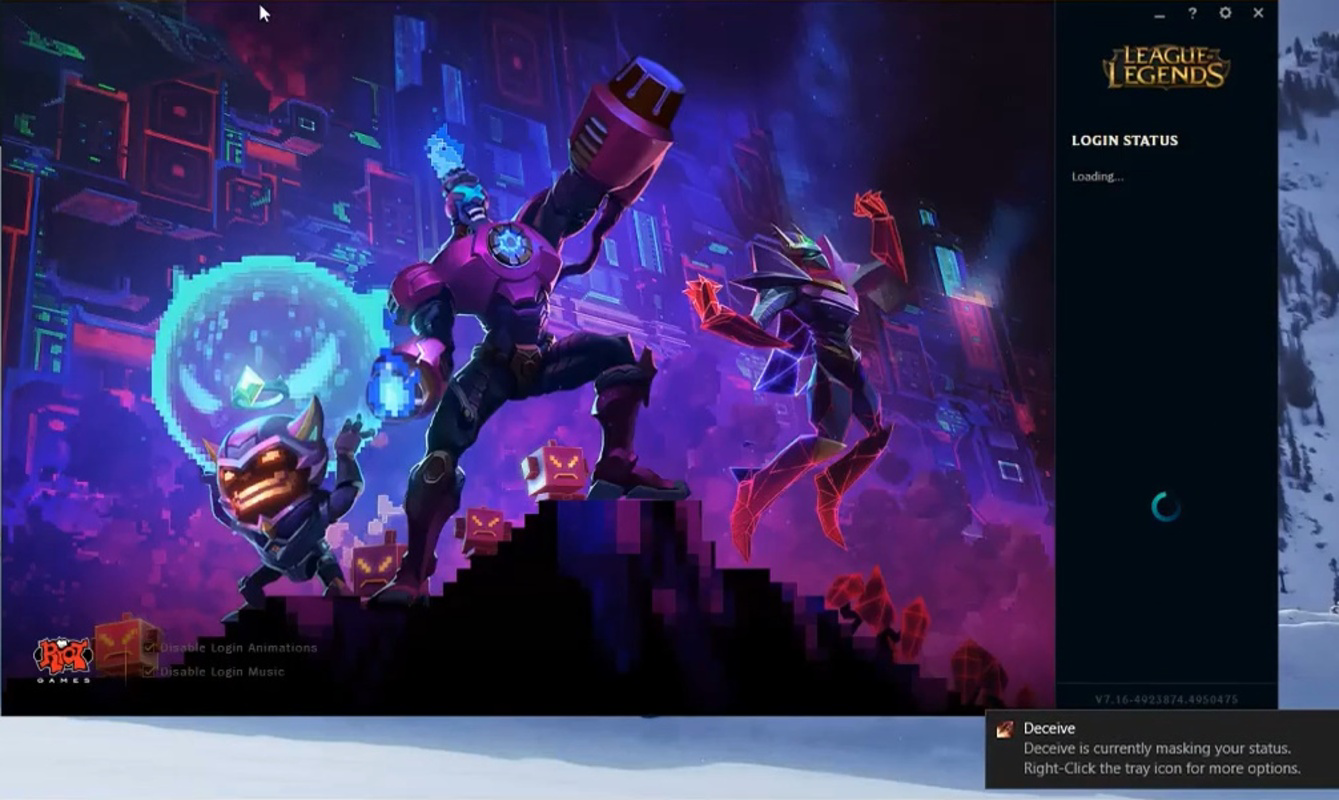
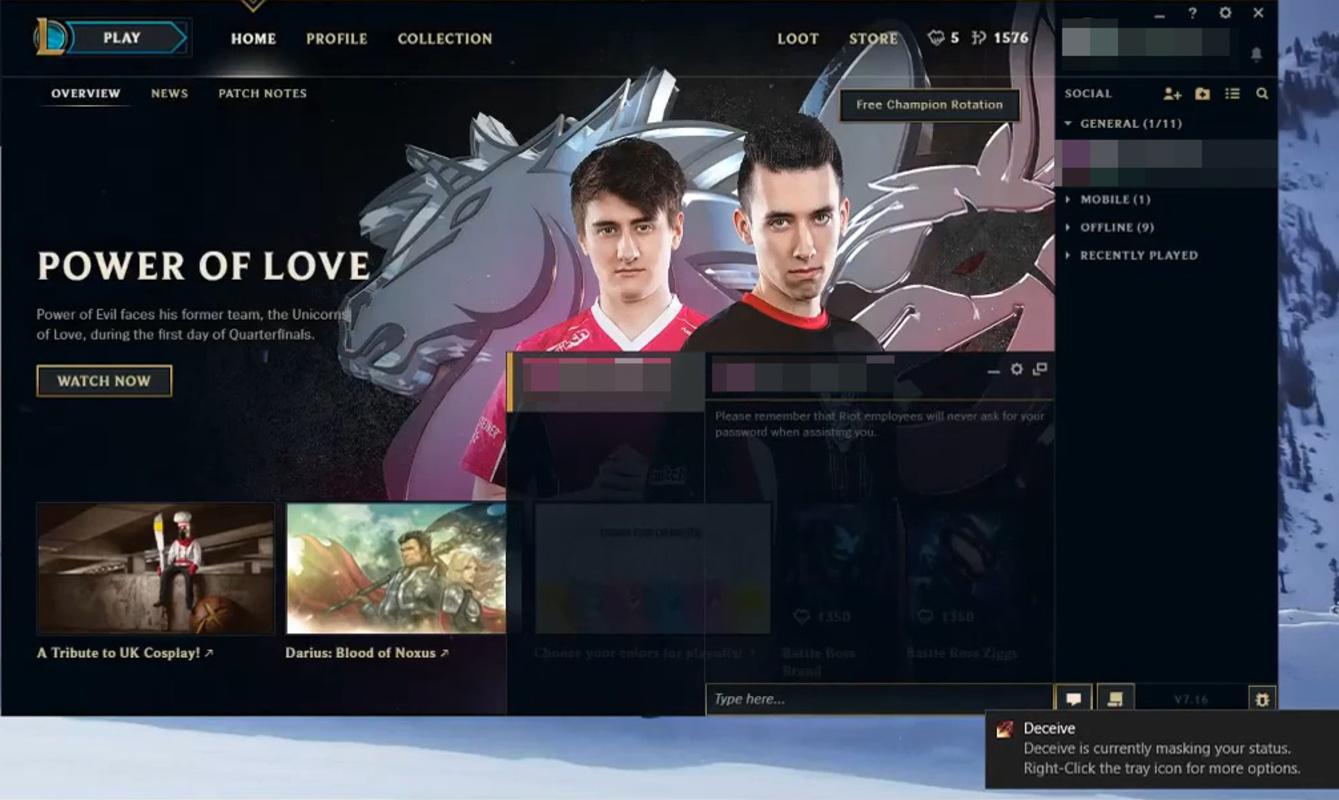
- Notification Feedback – Provides a subtle visual indicator in the bottom-right corner of the screen to confirm the app is active and functioning.
- Preserved Chat Functionality – Maintains the ability to send and receive messages during matches, including the hero selection phase.
- Invitation Control – Prevents friends from inviting you to games while allowing you to initiate invitations to others.
For example, a player preparing for a ranked match might use Deceive to avoid distractions from friends who frequently send invites. Despite appearing offline, they can still coordinate with teammates through chat. Similarly, someone taking a mental break from competitive play can remain in the game without being seen, preserving both privacy and engagement. The app’s design prioritizes usability and discretion, making it ideal for users who value autonomy over their online presence.
Interface, UX & Performance
The user interface of Deceive is intentionally minimal, reflecting its role as a background utility. Upon installation, the app runs in the system tray, accessible only through a right-click on its icon. This design reduces visual clutter and ensures it does not interfere with gaming sessions or multitasking.
Navigating the app’s features is straightforward. Users can toggle the offline mode on or off with a single click, and a small notification confirms the current status. The layout is consistent and intuitive, requiring no onboarding or tutorial. This simplicity enhances accessibility for users of all technical skill levels.
Although the developer did not list formal performance metrics, the app’s file size of 1.4MB suggests it is optimized for low resource usage. It is designed to operate without affecting game performance, frame rates, or system responsiveness. Stability appears to be a focus, as the app runs continuously in the background without reported crashes or conflicts. Compatibility with different Windows device categories is not fully disclosed, but its lightweight nature suggests broad support across standard configurations.
Platform Compatibility & Technical Requirements
Deceive is available exclusively for Windows operating systems. The current version is 1.1.2, with a file size of 1.4MB. This compact footprint indicates efficient coding and minimal system overhead. The app does not require high-end hardware or specific drivers to function.
The developer did not specify minimum OS requirements or compatibility details for older Windows versions. However, given its small size and background operation, it is likely compatible with most modern Windows installations. Users are advised to ensure their system is up to date to avoid potential conflicts. No additional software dependencies were listed, suggesting a standalone executable.
Pros and Cons
- Lightweight and fast, with under 1.5MB file size
- Operates in the background without disrupting gameplay
- Allows chat and communication during matches while appearing offline
- Simple, intuitive interface with real-time toggle control
- Free to download and use, no in-app purchases
- Does not interfere with the ability to invite others to games
- Not available for macOS or mobile platforms
- Specific OS compatibility details were not provided
- Functionality may be affected by future game updates
- Relies on third-party game client behavior, which could change
- Does not offer advanced customization options for visibility settings
FAQ
Is Deceive safe to use?
Yes, according to the developer, Deceive does not violate the terms of service of League of Legends, Valorant, or Legends of Runeterra. It is not classified as a cheat or exploit, and there are no known cases of users being banned for using it.
Can I still chat with friends while appearing offline?
Yes, the app preserves in-game chat functionality. You can send and receive messages during gameplay, including the hero selection phase, even when you appear offline to others.
Will Deceive affect my game performance?
No, the app is designed to consume virtually no system resources. With a file size of only 1.4MB, it operates in the background without impacting frame rates or gameplay smoothness.
Is Deceive compatible with all Windows versions?
The developer did not specify minimum OS requirements. However, its lightweight nature suggests compatibility with most modern Windows systems. Users should ensure their system is updated to reduce the risk of conflicts.
Can I use Deceive on multiple games at once?
Yes, Deceive supports multiple games simultaneously, including League of Legends, Valorant, and Legends of Runeterra. It automatically detects and applies the offline status across all supported titles.
Final Thoughts
Deceive offers a practical, privacy-focused solution for gamers who want to control their online visibility without sacrificing gameplay or communication. Its minimal design, ease of use, and low system impact make it a compelling choice for users seeking a quiet, distraction-free experience. While it is limited to Windows and lacks advanced customization, its core functionality is reliable and effective.
For players who value autonomy, discretion, and uninterrupted focus, Deceive delivers real value. It empowers users to manage their social presence in multiplayer games without fear of penalties. Whether you're taking a break, preparing for a match, or simply want to play in peace, this tool provides a seamless way to appear offline while staying fully engaged.
Download Deceive now


