
Screenshots
App details
- Version
- 6.5.1
- Size
- 24.65 MB
- Updated
- July 12, 2019
- Requires
- Windows 2000
- Language
- English
- License
- Trial version
- Developer
- Desktopauthor
- Category
- Windows OS
About Desktop Author
Download Desktop Author – 3D Flip Book Creator & eBook Publishing Tool
Overview: Why Desktop Author Stands Out in the Digital Publishing Landscape
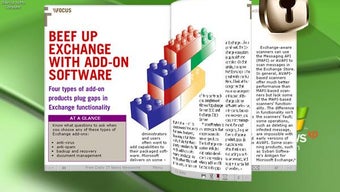
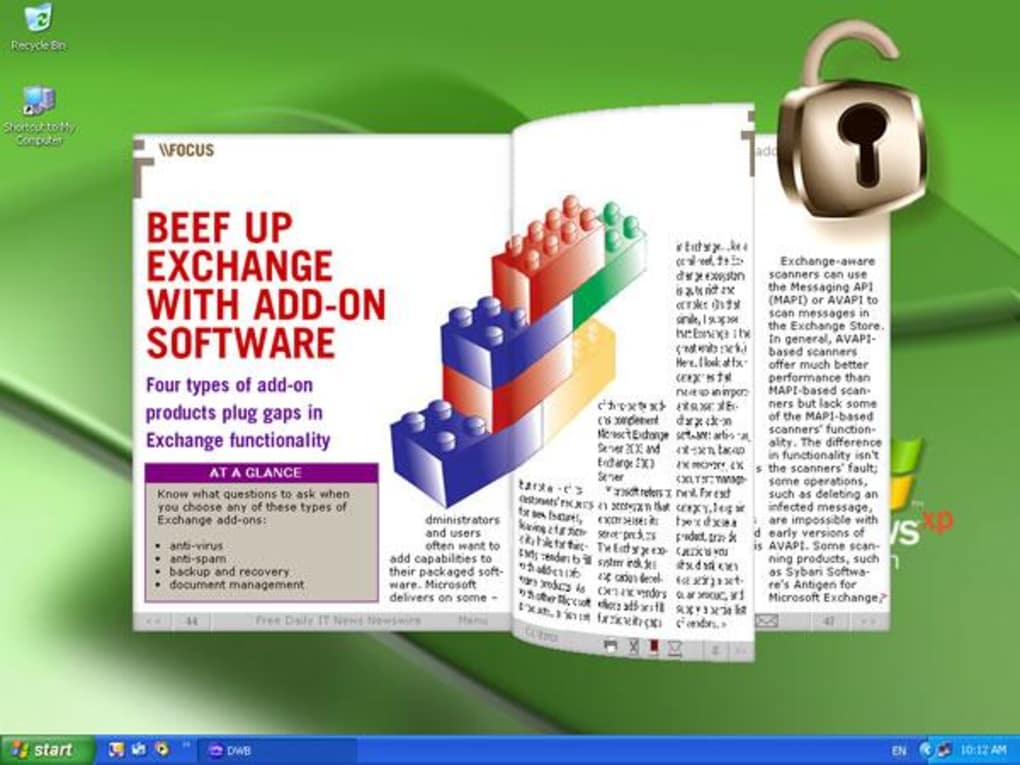
Desktop Author promises a complete, beginner‑friendly solution for turning static documents into interactive, 3D page‑turning digital books. In an era where readers expect the tactile feel of a real book combined with the convenience of online delivery, this software fills a niche that many heavyweight DTP tools ignore. Whether you are a marketer crafting a product brochure, a photographer showcasing a portfolio, or an author looking to self‑publish an e‑book, Desktop Author gives you the tools to embed text, high‑resolution images, MPEG videos, and even Flash or HTML5 media directly onto the pages of a virtual tome. The flip animation mimics the experience of turning a paper page, offering a “real‑book” feel that keeps users engaged longer than flat PDF scrolls. The program’s interface mirrors classic desktop publishing layouts, complete with snap‑to guides, shape drawing, and a built‑in image editor, yet it eschews the steep learning curve of industry giants like InDesign. While the trial version limits you to two pages, the full version unlocks unlimited pagination, DRM protection, and a built‑in payment gateway, making it a solid investment for creators who need a polished, interactive presentation without hiring a developer.
Core Features & Tools that Power Your Interactive Publications
- Real‑time 3D page‑turning engine – Click the right side of a page to advance, the left side to go back, with smooth animations that work on Windows, Mac, and web browsers.
- Multimedia integration – Embed MPEG, MP4, WAV, and HTML5 video/audio clips, as well as Flash (legacy) or modern HTML5 animations directly onto any page.
- Built‑in image editor – Crop, resize, and apply basic effects without leaving the application.
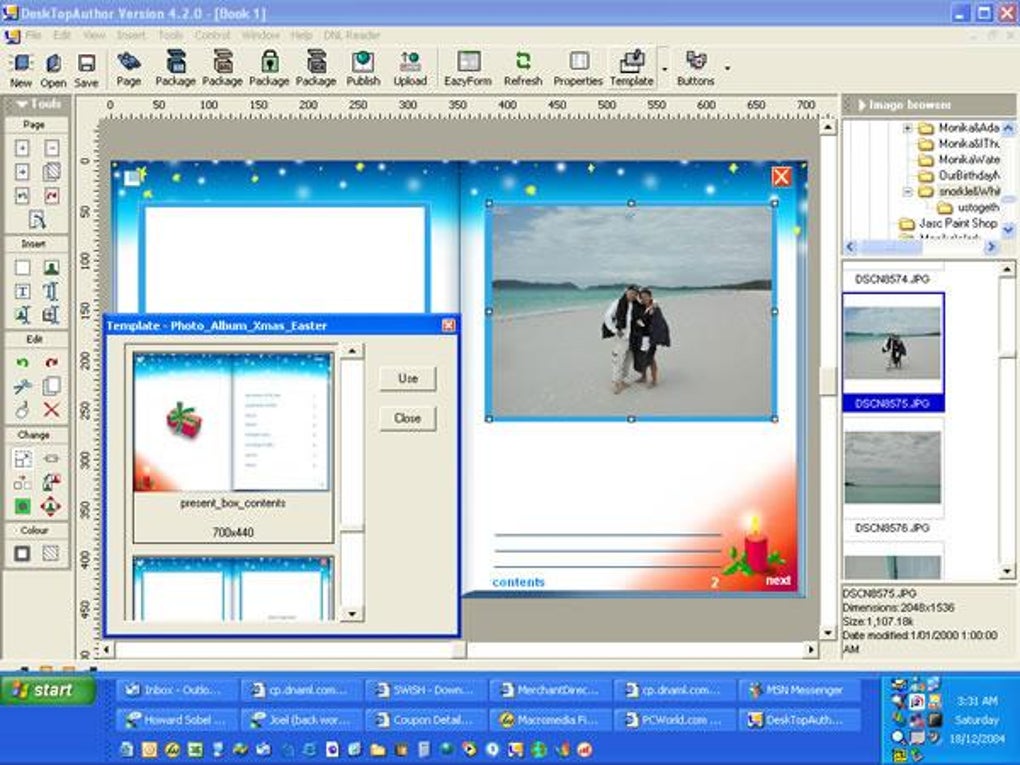
- Template library – Start with professionally designed e‑brochure, photo‑album, or magazine templates to speed up production.
- Drag‑and‑drop layout tools – Snap‑to guides, shape drawing, and text box linking make arranging content intuitive.
- DRM and payment gateway – Protect your digital books with built‑in DRM and sell them directly from the app.
- Export options – Publish as a self‑contained DNL file, an executable (.exe) for Windows, or embed the flipbook into a website with a single HTML snippet.
- Cross‑platform preview – Test how your publication looks on desktop, tablet, and mobile devices before publishing.
Beyond the feature list, Desktop Author shines in its simplicity. The “Publish” button automates the packaging process: it compiles all assets, generates the DNL file, and optionally creates a stand‑alone executable that can be shared via email or download links. For users who need a quick turnaround, the preset buttons let you add common page elements—like page numbers, footers, or navigation arrows—with a single click. While the tool does not replace a full‑blown DTP suite for complex typographic work, its balance of power and ease‑of‑use makes it an excellent choice for small businesses, educators, and indie authors who want to produce a polished, interactive product without a steep learning curve.
Installation, Usage Workflow, and Compatibility Overview
Getting Desktop Author up and running is straightforward. Download the installer from the official website—available as a 64‑bit Windows .exe file and a macOS .dmg bundle. The installer is digitally signed, ensuring a secure, virus‑free installation. Follow the on‑screen prompts: accept the license agreement, choose the destination folder, and click “Install.” Once installed, launch the application; the first run will prompt you to register your license key (if you’ve purchased the full version) or start a trial.
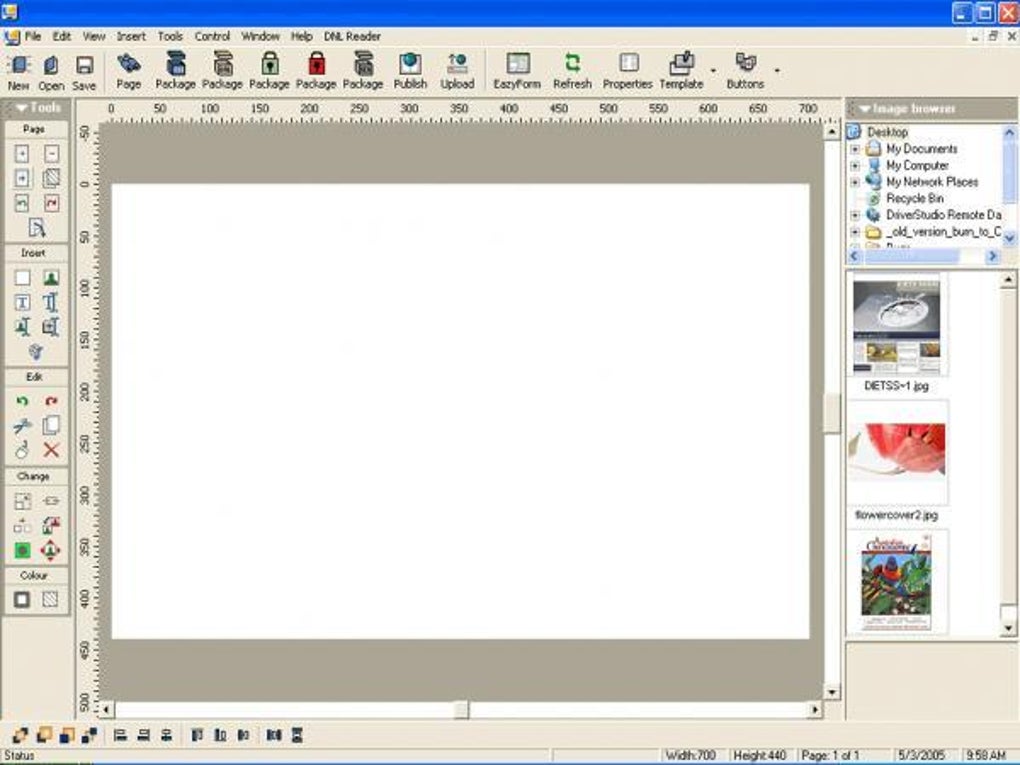
After launch, you are greeted with the main workspace: a central canvas flanked by a toolbar, a page navigator, and a properties pane. Begin by selecting a template or creating a blank document. Drag images from your file explorer onto the canvas, or use the built‑in image editor to adjust them. Text boxes can be linked across pages to enable continuous flow—ideal for long narratives or catalogues. To embed video or Flash content, use the “Insert Media” dialog, which automatically generates the necessary HTML5 fallback for modern browsers.
When you’re satisfied with the layout, click the Publish button. Choose one of three export formats: DNL (Desktop Author’s native package), Executable (a Windows .exe that bundles a reader), or HTML embed code for website integration. The publishing process may take a few minutes, depending on file size, as the software compresses media and generates the flip‑book engine.
Compatibility: Desktop Author runs on Windows 10/11 (64‑bit) and macOS 10.14 or later. The generated flipbooks are viewable on any modern browser (Chrome, Firefox, Edge, Safari) and on mobile devices through the DNL Reader app (available for iOS and Android). The HTML embed option ensures that your interactive book works on tablets and smartphones without additional plugins.
System requirements are modest: a dual‑core processor, 2 GB RAM (4 GB recommended for multimedia‑heavy projects), and at least 500 MB of free disk space for the application plus additional space for assets. Because the software leverages hardware acceleration for page‑turning animations, a graphics card with OpenGL 2.0 support improves performance, especially for large, media‑rich publications.
Pros & Cons, Frequently Asked Questions, and Final Verdict
Pros
- Intuitive drag‑and‑drop interface suitable for beginners.
- Real‑time 3D page‑turning provides a premium reading experience.
- Built‑in multimedia support (video, audio, Flash/HTML5).
- Templates and preset buttons accelerate production time.
- DRM and integrated payment gateway for selling e‑books directly.
- Cross‑platform publishing: Windows executable, web embed, and mobile reader.
Cons
- Trial version limits you to two pages, which may feel restrictive.
- Interface can feel cluttered at first; lacks a dedicated properties inspector.
- Advanced typographic controls are limited compared to InDesign.
- Flash support is deprecated; modern users must rely on HTML5 alternatives.
- Price point ($189) may be high for occasional hobbyists.
FAQ – Your Questions About Desktop Author Answered
Can I publish a flipbook that works on iOS and Android without the DNL Reader?
Yes. By choosing the HTML embed export option, the flipbook runs in any modern mobile browser. The DNL Reader is only required for the native executable format.
Is there a way to update a published book after it’s been sold?
Desktop Author allows you to re‑publish the project as a new version. You can then upload the updated executable or DNL file to your distribution platform and notify purchasers via the built‑in payment gateway.
What video formats are supported for embedding?
MPEG‑1, MPEG‑2, MP4 (H.264), and WebM are supported. The software automatically generates HTML5 fallbacks for browsers that do not natively play the original format.
Do I need a constant internet connection to view the flipbook?
No. When you publish as an executable or DNL file, the entire book is self‑contained and runs offline. The HTML embed version requires an internet connection only to load the initial page.
Is there a discount for educational institutions?
The developer offers volume licensing and special pricing for schools and non‑profits. Contact sales through the official website for a personalized quote.
Conclusion & Call to Action
Desktop Author delivers a compelling blend of ease‑of‑use and interactive polish that many larger DTP suites lack for the specific niche of 3D flip‑book publishing. While the interface may require a short learning curve and the price tag sits at a premium level, the inclusion of DRM, built‑in e‑commerce, and cross‑platform export options justify the investment for businesses and creators who want to stand out in a crowded digital market. If you’re ready to transform static PDFs into engaging, page‑turning experiences, click the button below to download the free trial, explore the template library, and see firsthand how Desktop Author can elevate your next e‑book or digital brochure.
Download Desktop Author Free TrialGuides & Tutorials
How to install Desktop Author
- Click the Download button above.
- Once redirected, accept the terms and click Install.
- Wait for the Desktop Author download to finish on your device.
How to use Desktop Author
This software is primarily used for its core features described above. Open the app after installation to explore its capabilities.
User Reviews
No reviews yet. Be the first to share your experience.
You may also like
more
Llama 2
Free-to-use large language model As the new addition to Meta’s arsenal of langua...

NotebookLM
Revolutionizing the note-taking and idea-generation process NotebookLM is an exp...

Github co pilot
AI-inspired software development and coding platform GitHub Copilot is a browser...

Google Gemma
Google’s lightweight AI models Introducing Google Gemma , a family of cutting-ed...

AI Image Enlarger
A free app for Windows, by ai-image-larger. AI Image Enlarger is a free software...

DALL E
AI-driven text-to-image transformation engine DALL·E is a free graphic and desig...
