
Screenshots
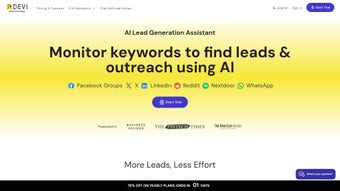
App details
- Updated
- February 5, 2025
- Requires
- Chrome
- License
- Subscription
- Developer
- ddevi
- Category
- Web Apps
About Devi
Download Devi – Automated Social Media Lead Generation Tool
Overview
Devi is a cutting‑edge browser extension that turns the tedious task of social‑media lead hunting into an effortless, automated workflow. By continuously monitoring platforms such as Facebook, LinkedIn, Twitter, and Reddit for custom‑defined keywords, Devi surfaces high‑intent prospects the moment they appear. What truly sets Devi apart is its ability to peer into private Facebook groups, unlocking curated audiences that are otherwise invisible to standard advertising campaigns. Leveraging the power of ChatGPT, the extension can draft personalized comments, send outreach messages, and trigger real‑time notifications—all without ever leaving the browser. The result is a dramatic reduction in manual effort—up to 160 hours saved each month—while boosting conversion rates and revenue. With a 14‑day free trial that requires no credit‑card, over 1,000 companies have already adopted Devi’s patent‑pending technology to supercharge their sales pipelines. All data processing happens locally in the user’s browser, ensuring privacy and compliance with the strictest security standards.
Core Features & Automated Workflow
Devi’s feature set reads like a checklist for any modern growth hacker or B2B marketer. First, the keyword engine continuously scans public and private feeds for phrases you define—think “looking for a CRM solution” or “need a marketing automation platform.” When a match is found, Devi instantly pushes a desktop notification, allowing you to act while the lead’s intent is still hot. Second, the integrated ChatGPT module can auto‑generate contextual comments or outreach messages that feel human‑crafted, eliminating the need to copy‑paste boilerplate text. Third, the extension supports bulk tagging and export, so you can aggregate identified leads into a CSV file for seamless import into your CRM or email automation tool. Fourth, a robust analytics dashboard gives you visibility into daily lead counts, engagement rates, and estimated revenue impact, empowering data‑driven decision making. Finally, Devi’s security layer encrypts all keyword data locally, meaning no sensitive information ever touches external servers. Together, these capabilities form a closed‑loop system: discovery, engagement, capture, and analysis—each step fully automated or assisted by AI, freeing your sales team to focus on closing deals rather than chasing prospects.
- Real‑time keyword monitoring across Facebook, LinkedIn, Twitter, Reddit, and private Facebook groups.
- AI‑powered comment and message generation using ChatGPT for personalized outreach.
- Instant desktop notifications for high‑intent posts.
- One‑click export of leads to CSV, Google Sheets, or direct CRM integration.
- Built‑in analytics dashboard showing lead volume, engagement, and revenue estimates.
- Local‑only data processing ensures privacy and compliance.
- 14‑day free trial with no credit‑card required.
- Patented technology for exclusive access to private group conversations.
Installation, Compatibility & Usage Guide
Getting started with Devi is intentionally simple, designed for both tech‑savvy marketers and newcomers alike. First, visit the official Devi website and click the “Add to Chrome” or “Add to Edge” button—Devi is distributed as a standard WebExtension compatible with Chromium‑based browsers. Once installed, a small icon appears next to your address bar; clicking it opens the configuration panel. Here, you define your target keywords, select which platforms to monitor, and choose whether you want notifications, auto‑generated comments, or both. The extension automatically detects the operating system and adjusts its background scripts accordingly; it runs on Windows 10/11, macOS Monterey and later, as well as Linux distributions that support Chrome/Edge. For mobile users, a lightweight companion app is available on Android and iOS, synchronizing settings via a secure cloud token (optional). After configuration, Devi begins scanning in the background. When a match is found, you receive a pop‑up with the post preview and suggested AI‑crafted comment. You can accept, edit, or reject the suggestion with a single click. All actions are logged in the activity feed, allowing you to track which leads were contacted and when. The onboarding wizard also includes a short video tutorial and a best‑practice guide that recommends optimal keyword strategies and compliance tips for each platform, ensuring you stay within each network’s terms of service while maximizing lead quality.
Supported Operating Systems: Windows 10/11, macOS 12+ (Monterey and later), Linux (any distro with Chrome/Edge), Android 8+ (Devi mobile app), iOS 13+ (Devi mobile app).
Pros, Cons & Frequently Asked Questions
Pros
- Massive time savings – up to 160 hours per month.
- Access to private Facebook groups that are normally off‑limits.
- AI‑driven outreach eliminates writer’s block and ensures personalization.
- Local data processing guarantees privacy and compliance.
- Free 14‑day trial with no credit‑card required lowers entry barrier.
Cons
- Only available as a browser extension; no standalone desktop app.
- Requires a stable internet connection for AI generation.
- Subscription pricing may be a hurdle for very small businesses.
- Platform policies can change, potentially affecting monitoring capabilities.
Frequently Asked Questions
Can Devi monitor multiple social platforms at once?
Yes. Devi simultaneously tracks Facebook, LinkedIn, Twitter, Reddit, and private Facebook groups. You can enable or disable each platform individually from the settings panel.
Is my data stored on Devi’s servers?
No. All keyword definitions and lead data are processed locally within your browser. The only data transmitted to Devi’s servers is anonymized usage statistics, which you can opt‑out of in the privacy settings.
Do I need a ChatGPT subscription for the AI features?
Devi includes a licensed access to OpenAI’s API within its subscription tier, so you do not need a separate ChatGPT account. The AI usage limits are generous enough for most small‑to‑medium teams.
What happens after the 14‑day free trial?
If you decide to continue, you’ll be prompted to choose a subscription plan—starting at $49 per month. The transition is seamless; all your saved keywords and lead data remain intact.
Can I export leads to my CRM automatically?
Devi offers CSV export and native integrations with popular CRMs like HubSpot, Salesforce, and Pipedrive via Zapier. You can set up a one‑click workflow that pushes new leads directly into your pipeline.
Rating: 4.6/5
Summary: Devi delivers a powerful blend of AI‑driven outreach and deep social‑media monitoring, making it a must‑have for any growth‑focused team, despite a few minor limitations around platform‑specific restrictions.
Conclusion & Call to Action
In a landscape where every minute counts, Devi stands out as a comprehensive solution that not only discovers high‑intent prospects across the most popular social networks but also engages them with intelligent, human‑like messaging. Its ability to penetrate private Facebook groups opens a goldmine of niche audiences that traditional advertising simply cannot reach. Coupled with a privacy‑first architecture and a generous 14‑day trial, Devi offers a low‑risk, high‑reward proposition for startups, agencies, and enterprise sales teams alike. While the subscription cost may require justification for very small outfits, the measurable time savings and revenue uplift quickly offset the expense. If you’re ready to replace endless scrolling and manual outreach with a streamlined, AI‑enhanced pipeline, now is the perfect moment to give Devi a try.
Guides & Tutorials
How to install Devi
- Click the Download button above.
- Once redirected, accept the terms and click Install.
- Wait for the Devi download to finish on your device.
How to use Devi
This software is primarily used for its core features described above. Open the app after installation to explore its capabilities.
User Reviews
No reviews yet. Be the first to share your experience.
You may also like
more
3D AI Studio
3D AI Studio Overview 3D AI Studio is a web-based AI-powered tool developed by S...

3D textures by Polycam
Generate Realistic 3D Textures Effortlessly 3D Textures by Polycam is an innovat...

3DAiLY
Customizable 3D Modeling Tool: 3DAiLY 3DAiLY is an online platform that harnesse...

3DFY
Revolutionizing 3D Model Creation: 3DFY Review 3DFY is an AI-powered service, de...

AI Dungeon
AI Dungeon: Deep Learning Text Adventure AI Dungeon is an artificial intelligenc...

Alpha3D
A subscription-based program for Web apps, by alpha3d. Alpha3D is a subscription...
