-
-
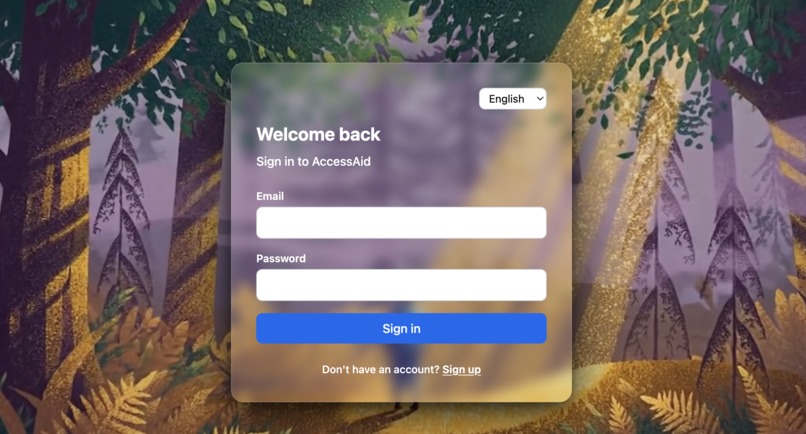
Signin page
-
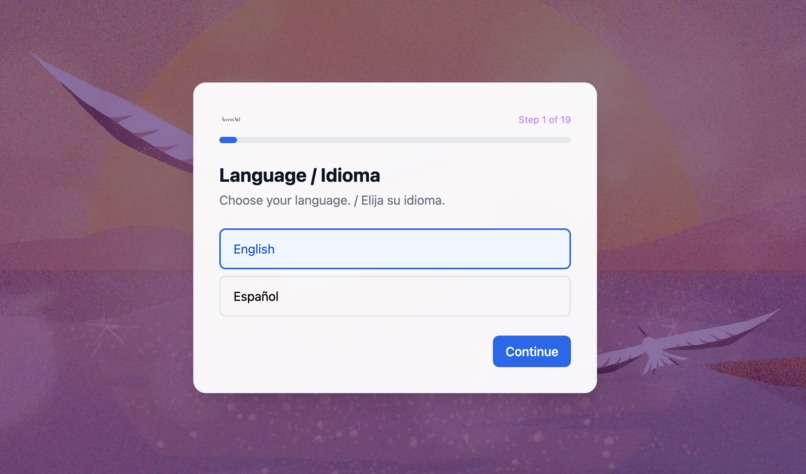
Onboarding
-
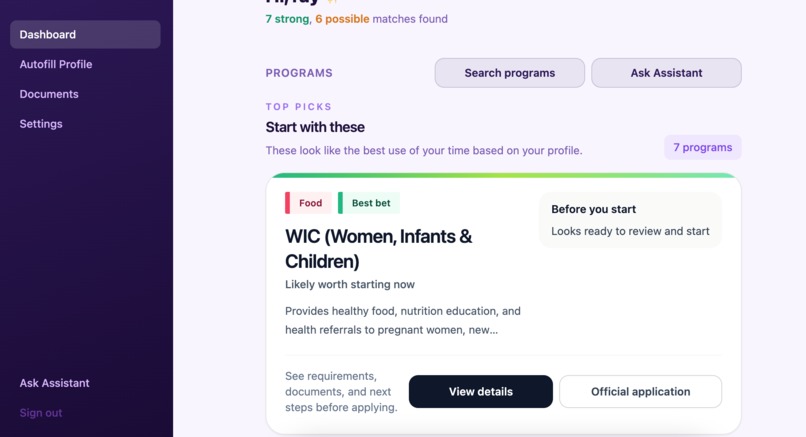
Dashboard
-
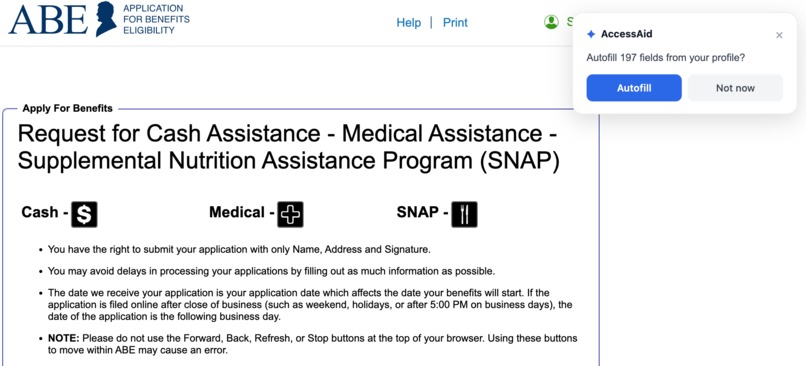
Chrome extension


Inspiration
AccessAid came from a simple product idea: the hardest part of getting benefits is often not eligibility itself, but the process around it.
People have to figure out which programs exist, understand different rules by program and state, gather documents, and then re-enter the same information across multiple forms and portals. From the code, the product is clearly aimed at reducing that repeated effort.
Instead of building only a chatbot or only a screener, AccessAid is trying to connect the whole flow:
- collect profile data once
- score likely programs
- extract reusable facts from documents
- answer questions in plain language
- reuse those facts for form autofill
- help the user move into real application steps
What it does
AccessAid is a benefits navigation app with an autofill workflow for both in-app forms and supported external portals.
Today, based on the implemented code, the product does the following:
- users sign up and complete an onboarding flow with profile details such as name, age, state, employment status, income bucket, household size, citizenship status, children, disability status, and student status
- the backend scores the user against 16 seeded programs and stores matches as
strong,possible, orunlikely - the dashboard surfaces recommended programs and application status
- users can open program detail pages and application-style forms inside the app
- users can upload documents like driver's licenses, passports, W-2s, pay stubs, utility bills, lease agreements, and benefit letters
- the system extracts structured facts from those documents and lets the user review and edit them before saving
- those saved facts are reused for autofill in supported forms
- a chat assistant answers questions about benefits and application steps
- the assistant also supports voice input and spoken responses
- there is a dedicated SNAP autofill profile page for ABE.illinois.gov
- a Chrome extension runs on a whitelist of supported government-related domains and attempts to fill detected form fields using the user's stored facts
The extension does not auto-submit forms. It fills what it can, highlights missing fields, and reports submission events back to the backend as a status update.
How we built it
Frontend
The frontend is a React 19 + Vite + Tailwind CSS single-page app deployed to Vercel.
Key flows visible in the code:
- protected auth and onboarding routing in
frontend/src/router.jsx - onboarding wizard in
frontend/src/pages/onboarding - dashboard, matched programs, and tracker in
frontend/src/pages/dashboard - document upload and extraction review in
frontend/src/components/documents - program application forms in
frontend/src/pages/programs/ApplicationForm.jsx - dedicated SNAP portal prep flow in
frontend/src/pages/programs/AbeAutofillPage.jsx
Backend
The backend is a Node.js + Express 5 API server.
Implemented route groups include:
/api/eligibilityfor scoring programs/api/chatfor the assistant/api/extractfor document fact extraction and confirmation/api/programsfor program listing/api/profileand/api/accountfor user data/api/extensionfor portal autofill and submit-status reporting/api/voicefor voice-related features
Database and auth
AccessAid uses Supabase for:
- authentication
- Postgres tables for profiles, program matches, documents, renewal tracking, and user facts
- storage for uploaded documents
pgvectorembeddings for retrieval
Row-level security is enabled on the user-owned tables, including:
user_profiledocumentsuser_programsuser_facts
AI and voice stack
The current implemented product flows use:
- a multimodal AI layer for chat, document extraction, translation, eligibility explanations, and semantic field mapping
- ElevenLabs for text-to-speech and speech-to-text in the voice assistant flow
For document processing, the current main upload flow:
- uploads the original file to Supabase Storage
- converts images or the first page of a PDF to base64 in the browser
- sends that payload to
/api/extract/facts - runs schema-based extraction on the backend
- stores extracted facts for review before confirmation
For document processing, the user-facing flow is model-based extraction from uploaded images and PDFs rather than a traditional OCR-first review flow.
Matching and autofill
Program matching is currently driven by a deterministic eligibility engine:
- income threshold checks
- state restrictions
- employment checks
- children / disability / student requirements
- age-based category checks
The engine calculates a ratio of matched checks and assigns strong, possible, or unlikely.
It does not currently use an LLM to judge eligibility after the rules run. Instead, an LLM is used to generate a short plain-language explanation for non-unlikely results.
For autofill, there are two implemented patterns:
- in-app autofill that maps stored user facts into AccessAid form schemas
- extension-based autofill for whitelisted external portals
The extension first uses cached portal_field_mappings from the database. If a field label is unknown, it asks the backend for an LLM-assisted semantic mapping and caches successful matches for future use.
Challenges we ran into
The main challenge is that benefits software is messy in ways normal product forms are not.
Some examples visible directly in the code:
- eligibility logic varies by program: rules are stored as JSON and differ across SNAP, Medicaid, LIHEAP, Pell, unemployment, and other programs
- income is coarse in onboarding: the core scoring engine works from income buckets like
<15kor15-30k, which is useful for a demo but lossy for real-world edge cases - field labels are inconsistent on live sites: the extension has to detect labels from
label[for], wrapping labels,aria-label,aria-labelledby, placeholder text, nearby siblings, table cells, and nearby section text - unknown fields still happen: the extension needs an LLM fallback to map portal labels to saved facts
- document extraction has to stay editable: extracted facts are never blindly committed; the user gets a review/edit step first
- PDFs are awkward: the current browser pipeline only renders the first PDF page for extraction
- privacy requirements shape the architecture: user documents are stored in a private bucket, RLS is enabled on user-owned tables, and full SSNs are normalized down to
ssn_last4
There is also ordinary engineering complexity in keeping the product loop coherent:
- onboarding writes both profile rows and fact rows
- scoring updates match tables
- document upload updates both storage and database state
- chat can save new facts into the profile
- extension flows need to align stored facts with external portal fields
Accomplishments that we're proud of
The strongest accomplishment is that AccessAid is already more than a static concept.
From the current code, there is a real end-to-end loop:
- sign up
- complete onboarding
- score programs
- review matches
- upload a document
- confirm extracted facts
- reuse those facts for autofill
- ask the assistant for help
- move into an in-app application flow or a supported external portal flow
Specific accomplishments visible in the implementation:
- a full onboarding-to-dashboard experience exists
- 16 programs are seeded with structured eligibility rules
- program matching is persisted per user
- document uploads save structured facts instead of just raw OCR text
- the system only stores
ssn_last4rather than full SSNs - the app supports multilingual UX through localized frontend copy
- a dedicated ABE.illinois.gov SNAP prep flow exists
- the Chrome extension supports multiple whitelisted domains, not just one portal
- the extension can cache new field mappings so autofill improves over time
- the chat surface includes optional voice input/output backed by ElevenLabs
What we learned
The code makes one thing very clear: the hard part is not only "using AI." The hard part is building a reliable stateful workflow around messy real-world inputs.
We learned that:
- a benefits assistant is much more useful when it combines matching, document handling, and autofill instead of treating them as separate products
- deterministic rules are still important for eligibility scoring because they make the matching logic inspectable
- AI is most useful here when it is constrained to specific jobs like explanation generation, structured extraction, and semantic field mapping
- privacy decisions have to be embedded in the data model, not added later
- external portals are inconsistent enough that label detection and fallback mapping are product features, not implementation details
We also learned that demo claims need to stay close to the actual implementation. In this repo, the strongest story comes from the flows that are already working in code, not from features that are only implied.
What's next for AccessAid
The most natural next steps, based on the current codebase, are:
- improve eligibility precision beyond coarse income buckets
- expand and harden the program rule coverage
- support more complete PDF and multi-page document extraction
- broaden the portal mapping system across more real application sites
- deepen the renewal and case-tracking flows already hinted at in the schema
- make deployment cleaner across the Vercel frontend, backend service, and extension
- continue tightening the UI so the product feels more trustworthy and less cluttered
At a product level, AccessAid is moving toward a clear goal: not just helping users discover programs, but helping them carry their information through the entire benefits application process with less friction and less repeated work.


Log in or sign up for Devpost to join the conversation.