-
-
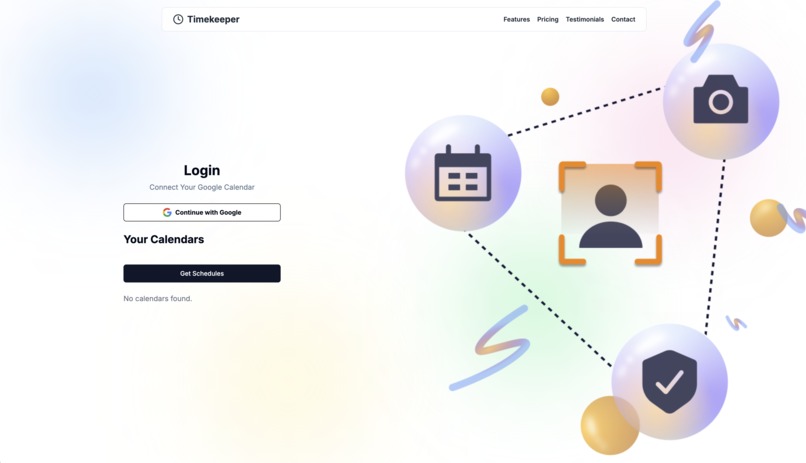
The landing page
-
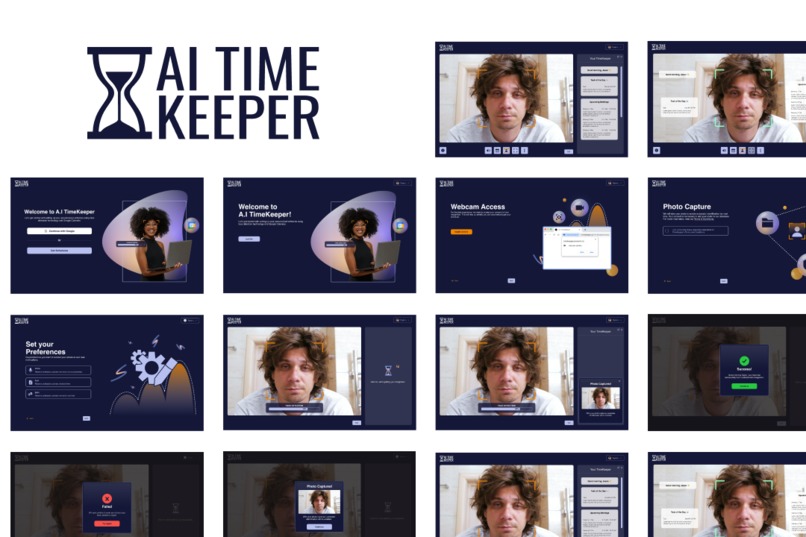
Dark Mode
-
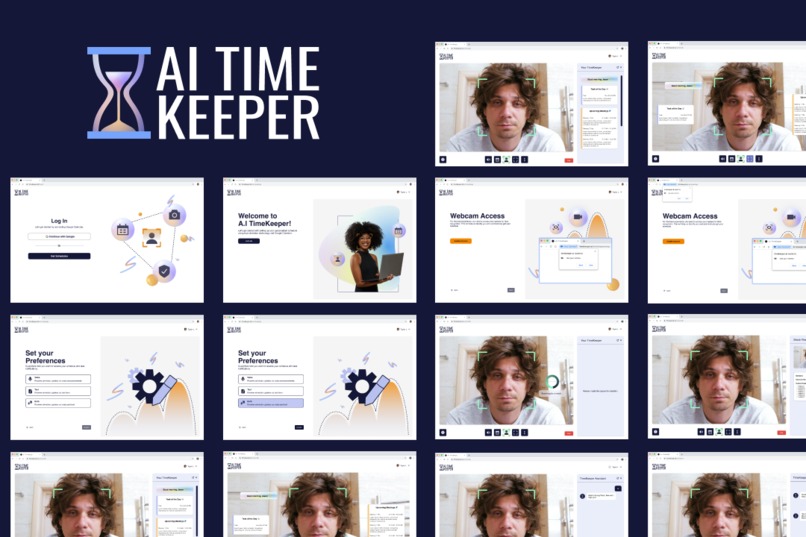
Light Mode


Inspiration
Employees often arrive at work without a clear understanding of their daily schedule. Traditional timekeeping systems are passive and don't provide personalized daily planning. This causes employees to manually check calendars, which can be time-consuming and prone to oversight. Knowing the numerous times this happens within the workforce, we decided to create a web application to tackle the problem.
What it does
Scenario: Imagine walking into the office feeling groggy and instantly obtaining a breakdown of all your daily meetings and activities. That's where AI TimeKeeper comes in.
AI TimeKeeper is a web application that utilizes Google Calendar and Face recognition software to help users gain instant access to their schedules. From synching with Google Calendar to the product adapting to your mood, you can access a whole new personalized experience like never before.
Feature Overview
AI Bot with Face Recognition: Automatically recognizes employees as they enter the office.
Google Calendar Integration: Fetches daily meeting schedules from Google Calendar. By merging both integrations, employees can obtain their schedules automatically when their faces are recognized.
How We Built It
- Back-end: FastAPI (Python)
- Host Deployment: Vercel, AWS EC2, Docker, Github Action
- Front-end: Next.js, Tailwind CSS, Vercel
- UX/UI Design: When we finalized the user flow, many iterations of each screen were designed to get the ball rolling for the A.I TimeKeeper concept. Design changes were based on testing, feedback and the overall response from the back-end. When the project was further in development, more detailed UI concepts were designed to ensure user-friendly interactions between all the integrations. The low to high-fidelity versions of the web application, landing page, and graphics were created on Figma. Finalized visuals were done in Adobe Illustrator.
Challenges we ran into
One of our biggest challenges was integrating multiple technologies such as AI, face recognition, and Google Calendar. Ensured they worked smoothly together, which required a lot of troubleshooting and debugging. The front-end and back-end needed to check in to resolve it regularly.
In addition, with everyone trying to balance their lives outside of the hackathon, it took a lot of work for proper team coordination, mainly since we all lived in different time zones. With Cadline creating a live spreadsheet of our time zones on Excel, Hoang leading our meetings, and everyone constantly updating each other on task progress, we overcame this obstacle.
Lastly, since there was only one UX/UI designer, creating new screens, iterations, and overall components took time. Our team was very ambitious, and many UI screens were requested; however, only a portion of them were implemented. On the flip side, this allowed the design system to grow rapidly, making it easier to provide the front end with quicker updates for the AI TimeKeeper Web App and landing page over time. The unused concepts leave room for a lot of potential for the future of AI TimeKeeper, and that's something to look forward to.
Accomplishments that we're proud of
We successfully merged AI, face recognition, and Google Calendar integration into a single web application. This achievement showcases how we could creatively solve the initial workforce problem with advanced technologies, making daily scheduling more convenient and secure.
What we learned
To start, with the scale of our project and the pressure of a hackathon, we learned how necessary clear communication is for working in a team. Also, task delegation was crucial for each project section to progress. This experience improved our ability to iterate promptly, adapt to changes quickly and take a leap in learning new concepts to complete the AI TimeKeeper.
What's next for AI TimeKeeper
- Onboarding: Providing a user-friendly tour and set up to the platform.
- Voice Command Integration: Allow employees to query their schedule via voice.
- Smart Notifications: Alerts for last-minute schedule changes.
- Cross-Platform Integration: Compatibility with other calendar services like Outlook.
- Employee Preferences: Customizable greeting messages and meeting reminders.
- AI Chatbot: Live assistance, settings/preferences inquiry, and task management.
Built With
- adobe-illustrator
- amazon-web-services
- aws-recognition
- css
- docker
- fast-api
- figma
- google-calendar
- google-calendar-api
- javascript
- luxand-api
- next.js
- node.js
- postgresql
- typescript
- vercel


Log in or sign up for Devpost to join the conversation.