-
-
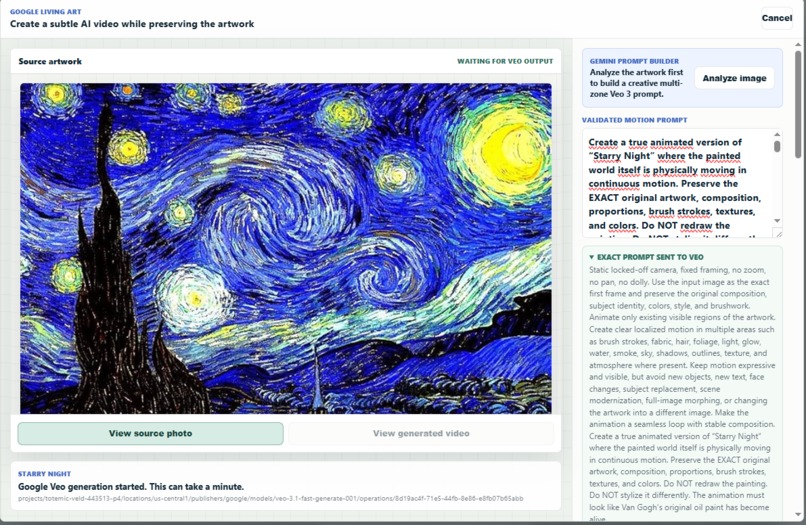
Brush editor
-
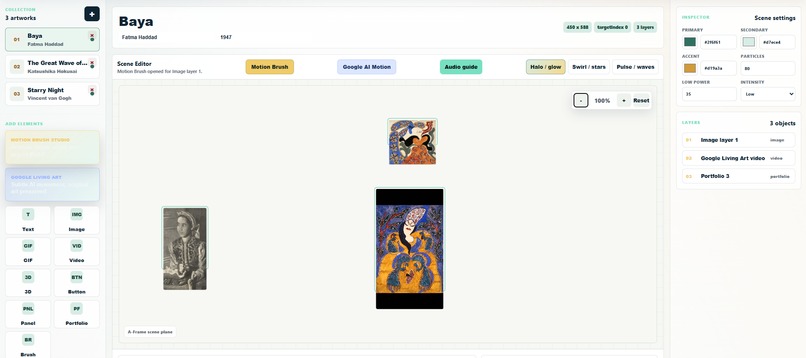
Workbench
-
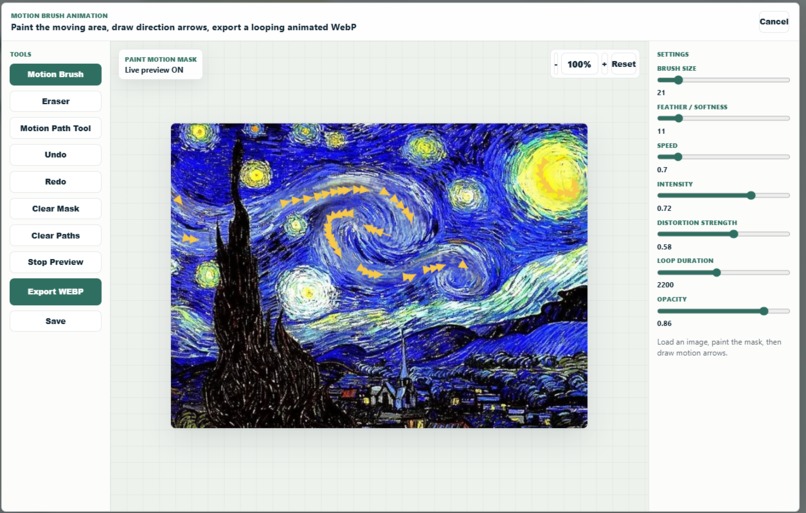
Living art
-
-
-
-
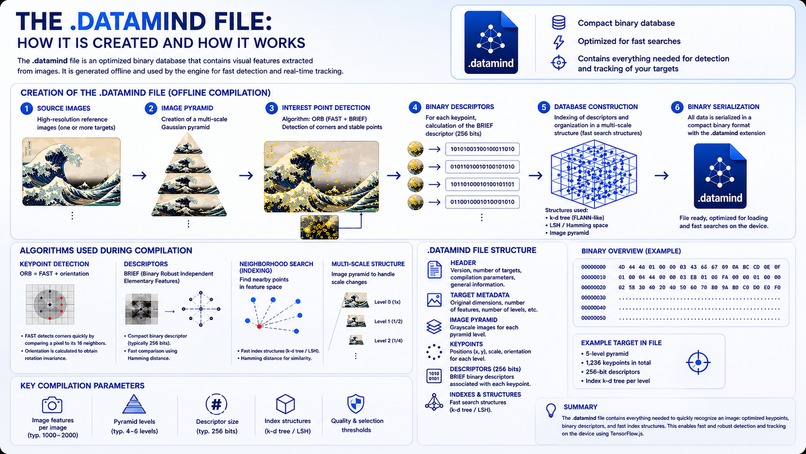
Auto-Detect AR Source Explanation
-
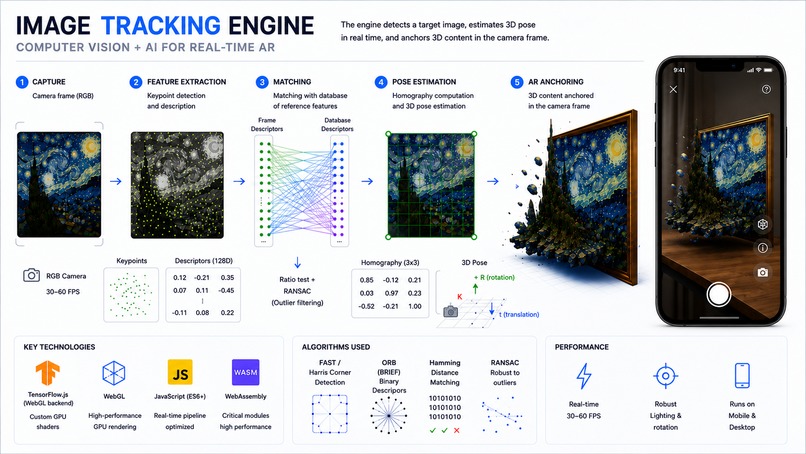
Auto-Detection and Tracking Engine Explanation
-
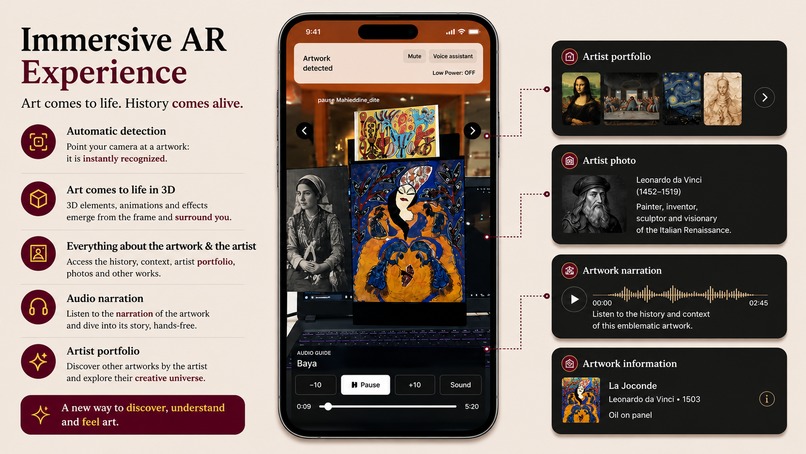
Immersive AR Explanation


Inspiration
Walking through a museum, we noticed the same problem every time: people walk past masterpieces without stopping, not because they don't care, but because they don't know where to start. Art has a discovery problem. Spotify solved it for music. Netflix solved it for film. We wanted to solve it for art. So the question here is how to resolve this problem ?
We were also inspired by how AR technology is transforming physical spaces and thought: what if you could point your phone at a painting and step inside it? That became Artify.
What it does
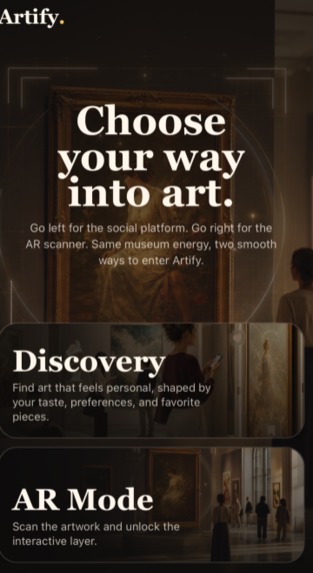
Artify is a two-part platform that makes art discovery intuitive and immersive:
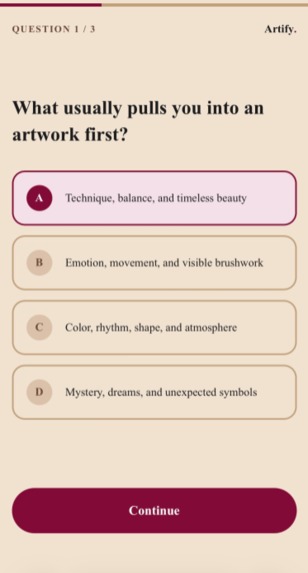
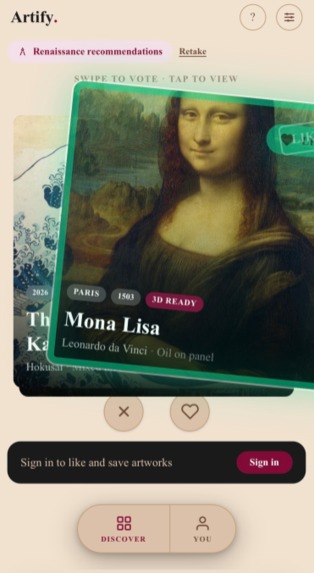
Discovery App : A Tinder-style swipe interface where you swipe through masterpieces, like what moves you, and skip what doesn't. The more you interact, the more personalized your feed becomes. First-time users answer 5 quick questions about their taste to immediately get a curated starting point. ** AR Museum Experience: ** At participating museums, scan any tagged artwork with your phone to see it rendered in 3D augmented reality and animated. An AI-powered audio guide narrates the artwork automatically , its history, technique, and what you're seeing in the AR overlay. Ask any question by voice and Gemini AI answers in real time, spoken back to you. No app download required.
Key features:
-Swipe to like or pass on artworks -5-question taste quiz on first launch -Category filtering (Baroque, Renaissance, Portraits, New 3D) -Full AR/3D experience in the browser, no app download required -Works as a guest
- Auto detect the Art pieces in Real-time. (no QR code needed)
-AI voice assistant: user speaks, STT transcribes, Gemini answers using artwork context, then TTS speaks the response
- ElevenLabs-style narrated guide voice for polished audio recitation
-Living Art generator: Gemini analyzes the artwork and writes a Veo 3 prompt to animate selected visual regions while preserving the original composition
-Motion Brush editor to paint animated regions manually
-Workbench for museums/artists to create and configure AR experiences without touching code
In the workbench, museums can attach: -3D models over the artwork -image overlays -videos -text explanations -artist portfolio panels -interactive buttons -historical photos -audio guides -AI-generated living-art videos -voice Q&A with an AI museum guide
How we built it
Artify is a Next.js monorepo with two applications:
apps/social-artify: The social discovery interface built with Next.js App Router, Zustand for state management, and Framer Motion for swipe animations. Authentication uses JWT stored in httpOnly cookies, with bcrypt password hashing. We built a clean service-layer architecture: API route handlers call typed service functions, keeping business logic away from the HTTP layer. apps/ar-web: The AR experience powered by A-Frame and WebAR, delivered entirely in the browser. No app install needed, museum visitors just tap a link.
Stack highlights: -TypeScript end-to-end -Tailwind CSS with a custom warm art-museum palette -Optimistic UI updates (like/save feel instant)
-PostgreSQL
- Tensorflow.JS, JavaScript, WebAssembly, A-Frame, Three.js/WebGL , Artoolkit (Tracking) for AR -Google Gemini AI for voice Q&A about artwork. -Google Cloud Speech-to-Text for voice input in the AR experience
- Gemini and VEO3 for video generation
- Three.js + GSAP for 3D rendering and animations
- Check the Picture on the devPost to see how the AR system Auto-detect and 3d Works.
Challenges we ran into
WebAR & AR Tracking. Making AR stable across Android and iPhone browsers was difficult because of camera permissions, unstable tracking, lighting conditions, and mobile performance limits. AI Pipeline. Processing images, audio, translations, and voice generation in real time without long loading times or failures was difficult. Workshop System. Building an easy-to-use workshop with all the tools needed to create AR experiences while making sure everything works correctly and consistently with the AR system was difficult.
The AR engine and .datamind generation system were some of the most technically difficult parts of the project. The system is not just displaying a 3D object on screen — it must continuously analyze the camera feed in real time, detect visual keypoints, compare descriptors against a compiled binary database, estimate the exact 3D pose of the artwork, and keep the AR content perfectly anchored while the user moves the phone. This required combining computer vision algorithms such as FAST, ORB, BRIEF, Hamming matching, homography estimation, and RANSAC filtering while still maintaining smooth performance directly inside a mobile browser using WebGL, TensorFlow.js, WebAssembly, MindAR, and ARToolkit5.
The .datamind file generation pipeline was also highly complex. Each artwork first had to be compiled offline into an optimized binary tracking database containing pyramids of multi-scale images, thousands of feature points, binary descriptors, and spatial indexing structures for ultra-fast matching. The challenge was making the tracking both lightweight enough for mobile devices and robust enough to work under different lighting conditions, rotations, distances, and camera qualities while still loading quickly in real time on the web.
Accomplishments that we're proud of
-A fully working swipe-based art discovery flow that genuinely feels great to use -The 5-question taste quiz that meaningfully personalizes the first feed experience -Building a complete platform combining social discovery, AI, accessibility, and immersive WebAR experiences into a single ecosystem. -Successfully creating a fully browser-based AR experience that works directly on mobile without requiring an app download. -Developing a custom AR tracking and generation pipeline optimized for real-time performance on mobile devices. -Building an easy-to-use workshop system allowing users to create and customize their own AR experiences without technical knowledge. -Integrating AI-powered features such as artwork analysis, voice interaction, speech-to-text, translation, and audio narration into the platform. -Designing an accessible experience for visually impaired users, allowing them to explore and understand artworks through voice-guided interactions. -Managing and deploying a complex full-stack architecture combining frontend, backend, AI services, AR systems, cloud infrastructure, and real-time media processing.
What we learned
-WebAR on mobile browsers is difficult because every device behaves differently.
-Real-time AR requires heavy optimization to stay smooth on phones.
-Stable AR tracking depends a lot on lighting, image quality, and camera movement.
-Building an easy-to-use AR workshop with powerful features is harder than expected.
-Combining AI, AR, audio, and real-time interactions creates many synchronization challenges.
-Accessibility must be integrated directly into the platform architecture from the beginning.
-Mixing AI systems, cloud infrastructure, and WebAR into one platform adds major technical complexity.
What's next for Artify
-Real museum partnerships: Artwork auto-decte that launch the AR experience directly -Artist profiles: Living artists can claim their work, post process videos, and connect with collectors -Social layer: Follow friends, see what they're saving, discover art through people you trust
- Do an AR map with real navigation when the phone is looking down (gyroscope)
- Multiplayer Interactif mode.
Built With
- ai
- nextjs
- tailwaind
- typescript


Log in or sign up for Devpost to join the conversation.