-
-
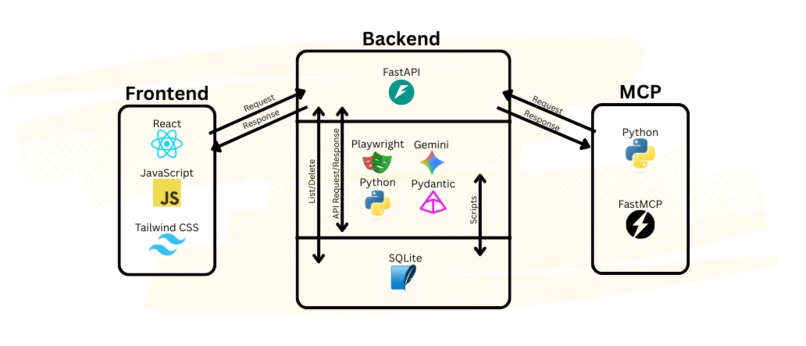
System Diagram
-
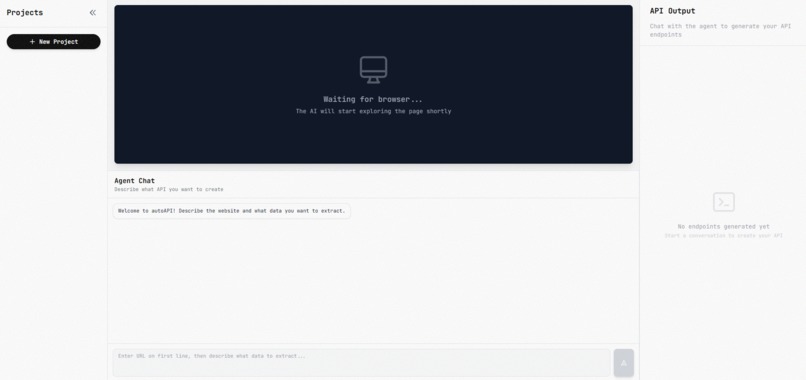
Dashboard
-
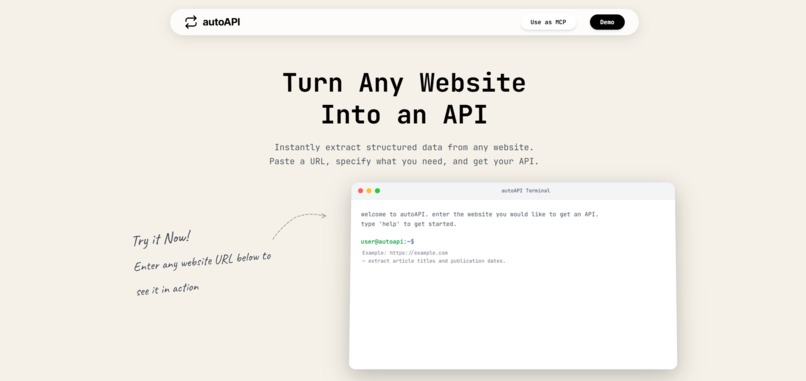
Homepage
-
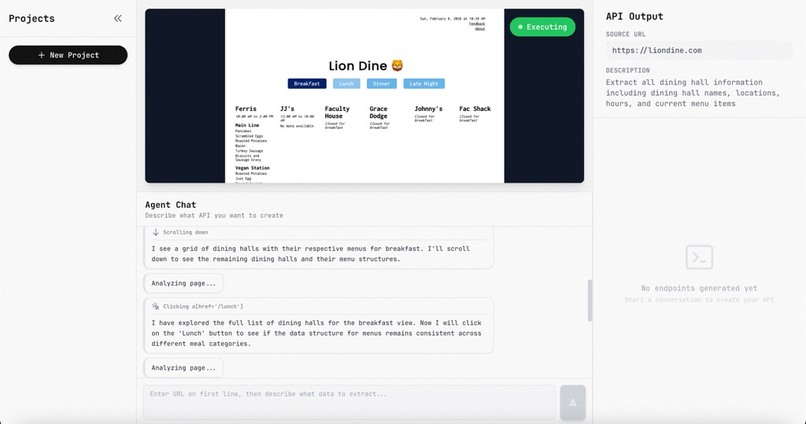
Dashboard-1


Inspiration
A lot of the data of websites used today are perfectly readable for humans; for machines, however, it becomes incredibly difficult to process data from the variety of websites people may use on a daily basis. With AI, it becomes possible to grab this information without manual intervention.
What it does
From a user, it takes a URL and a prompt telling it what data the user wishes to extract. AutoAPI takes this scrapes the website for visual information with screenshots and structural information through the HTML of the website. From that information, we generate an API that users can use that contains all the information they requested.
How we built it
For the frontend, we decided to use React and Tailwind CSS framework for a clean, modern-looking UI. Inspiration was taken from Apple’s minimalist style.
For the backend, we used Python, along with FastAPI and FastMCP for easy API/MCP connections. For the core feature, we used a combination of Playwright for scraping, Pydantic for data validation, and Google Gemini 3 Flash as our agent. To store and manage generated scripts, we used SQLite.
Challenges we ran into
We had issues initially with getting the computer agent to work reliably to extract structured data from websites. It was possible for the agent to hallucinate data that didn’t exist, or gloss over data that was incredibly obvious to the human eye. With trial and error, and multiple changes in our implementation, we were able to get some consistent reliability.
Accomplishments that we're proud of
That we were able to complete our project made us feel proud. We learned to combine visual data and structural data to maximize our ability to get tangible and useful results, and in the result we engaged with tools and concepts we had little knowledge of before, yet are able to comprehend and use now.
What we learned
On top of learning to use tools such as playwright, we learned that with the variety of websites in the world, HTML can get messy. Though our first instinct was to go through the HTML for information, this can get much messier for some websites than others. Our realization was that given websites are meant for human eyes, visual information is just as important as the HTML behind the website.
What's next for autoAPI
In future iterations, we hope autoAPI can dive deeper into websites, being able to handle menus and forms if necessary to extract information the user needs. As well, since websites can update and change, we are hoping to implement auto-healing: if our provided recipe no longer works, autoAPI would automatically update the API for the given webpage.
Built With
- fastapi
- fastmcp
- gemini-3-flash
- javascript
- playwright
- pydantic
- python
- react
- sqlite
- tailwindcss


Log in or sign up for Devpost to join the conversation.