-
-
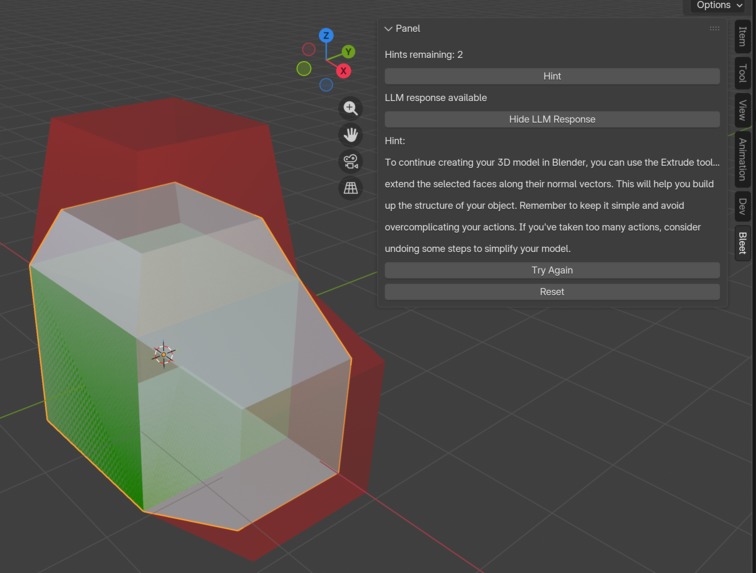
Example of a submission, the red denoting unaligned vertices and green denoting matching vertices.
-
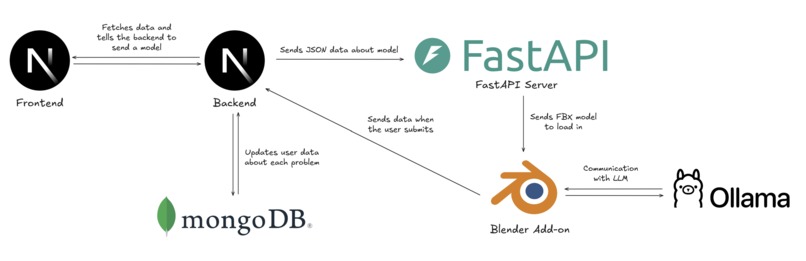
Architecture of the app.
-
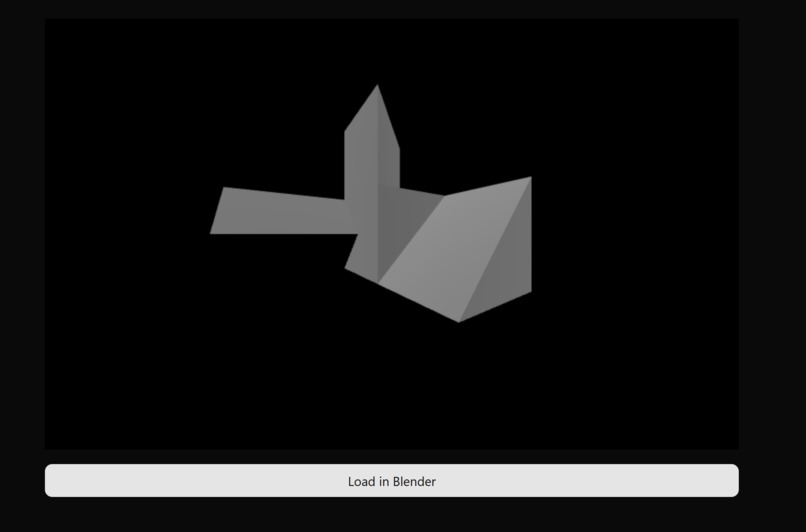
A preview of a hard problem right in the browser using Three JS.
-
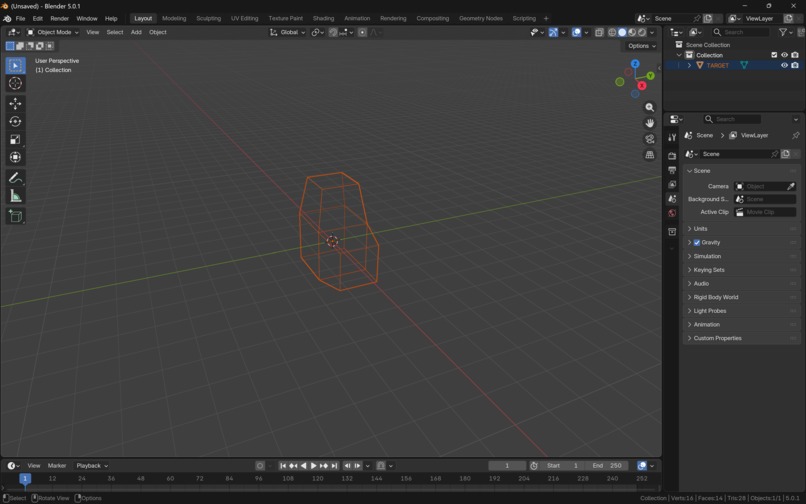
Example of a wireframe of the target object loaded into Blender.
-
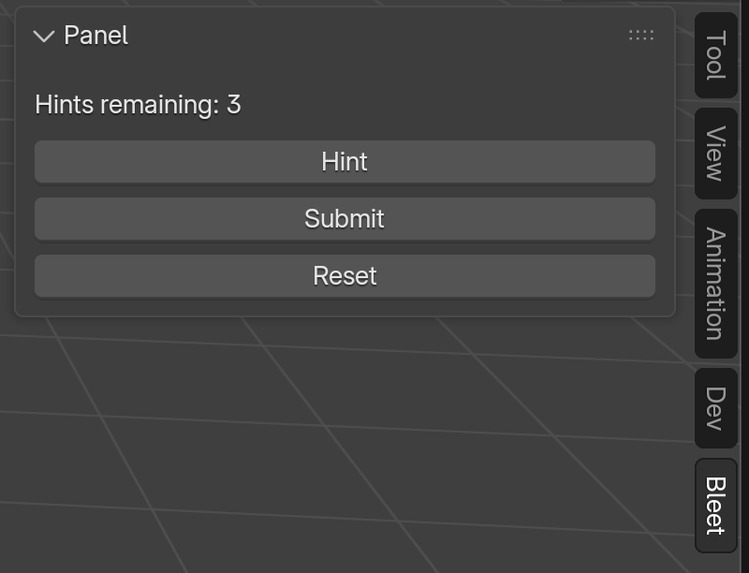
A panel for interacting with the Blender addon.
-
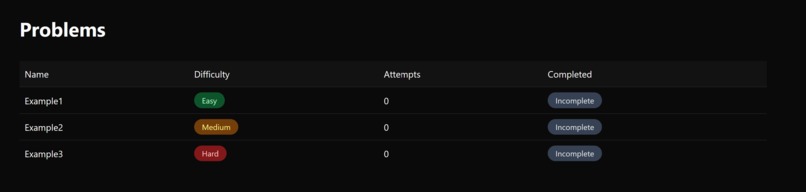
List of problems with difficulties.
-


Inspiration
When we were first starting to learn Blender (a free and open source program for 3D modeling among other things) we started by going through Blender Guru's donut series. It's basically several videos on how to create a donut in blender, the scene around it, and more. Sounds pretty useful, but this video bascially bottles up how we felt after going through it:
https://www.youtube.com/watch?v=lVg8y-rERlk
Now, after watching this series, we were basically just stuck in tutorial hell. If we had to model a simple car then we couldn't do it without going onto YouTube and watching a tutorial.
Wait, this kind of sounds familiar, isn't it the same for when you're studying data structures and algorithms? You think you understand the theory until the co-op interview, and, uh oh, there goes your internship at Meta. What do people do to combat this? Grind Leetcode (usually).
Having seen this, we decided to take inspiration from how Leetcode works, giving the user several difficulties of problems that are essentially puzzles, and apply it to 3D modeling in Blender. That's essentially how we came up with bLeet.
What it does
It's pretty straightforward, you go to the website, you select a problem, you click it, and then it's going to redirect you to Blender. Inside Blender, the problem is essentially to model a particular object and match up the vertices. While doing so, you have access to three hints where the current object data and a screenshot of a viewport is sent to a LLM to provide a hint on. If all the vertices match up within a certain tolerance then all the faces will light up green, and boom, you solved the problem. Then you simply continue the grind as one does.
Just like how solving a lot of leetcode helps you think efficiently, using blender would help one build their spatial awareness. The medium and hard questions really push one to model the 3d image in their head.
How we built it
- There is a Blender addon which has a FastAPI server that listens for a post request on the route "/convert." This essentially takes in a JSON input containing the object the user has to model and it converts it to an FBX that Blender can load in.
- The rest of the Blender addon is also coded in Python. It deals with loading the object in the viewport as a wireframe, checking if the user's vertices line up, and highlighting faces green or red depending on whether they match up to the target model. When the user clicks submit it sends a request to a NextJS API which then contacts MongoDB and updates data on the number of attempts and whether the user passed or not.
- For LLM functionality inside the Blender addon we run a LLM (specifically Llava since it's multi modal) locally using Ollama. When the user clicks the hint or the submit button the addon will get the information on the positions, scales, and rotations of objects, the actions the user has taken up to this point (e..g extrudes, scales, etc.), and a screenshot of the viewport. The screenshot is encoded into Base64 and passed off to the multimodal LLM.
- As mentioned before, we use NextJS for our frontend app as well as all the API routes for submitting a model from the Blender addon, providing the Blender addon with the JSON data for the model the user selected, and it communicates with MongoDB.
Challenges we ran into
- MERGE CONFLICTS!!!
- Integrating the FastAPI server within the Blender add-on. This is because FastAPI and the Blender add-on run on different threads, and we had to call a function (load_model) from FastAPI. We ended up running the FastAPI server on a thread that is essentially running inside the Blender add-on so the function could be called.
- We ran into issues connecting to MongoDB because Atlas was blocking our requests due to IP address restrictions. We fixed it by whitelisting all IP addresses.
Accomplishments that we're proud of
- Not staying conflicted over conflict merge and handing them gracefully.
- Staying up overnight, fixing bugs.
- Hooking up cross server APIs that run on different languages
- Securely using environment variables, exposing only what's necessary
What we learned
- Being able to just communicate is really important. If someone is stuck, communicate, if someone has a win, communicate. Helps the team understand how our progress looks like.
What's next for bLeet
- Increasing the complexity of questions asked, including things like texturing, shading, etc.
- Adding streak for increased sense of competition.
- Solutions tab explains efficient way to solve the question.
- Making the product and codebase available open source.


Log in or sign up for Devpost to join the conversation.