-
-
Main Menu
-
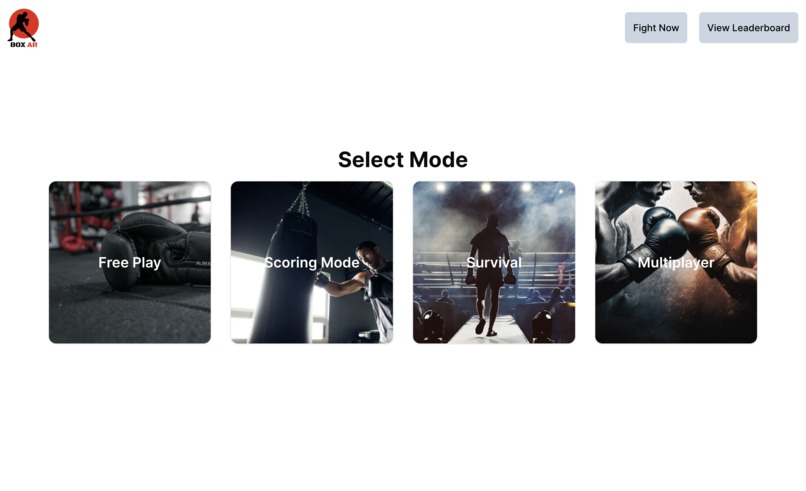
Select Mode Screen
-
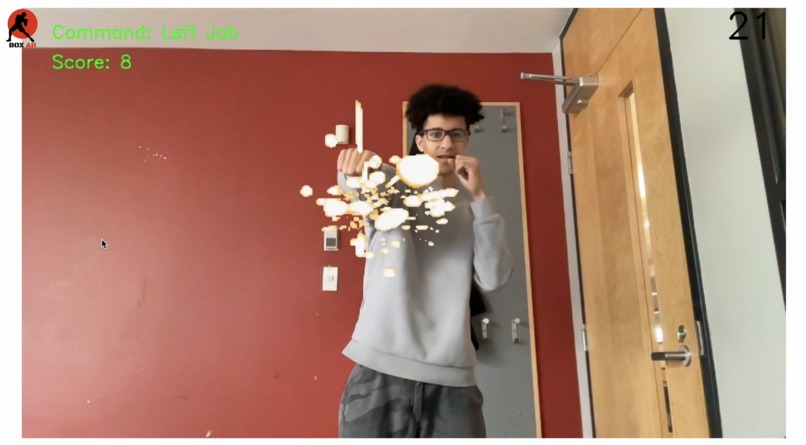
Gameplay
-
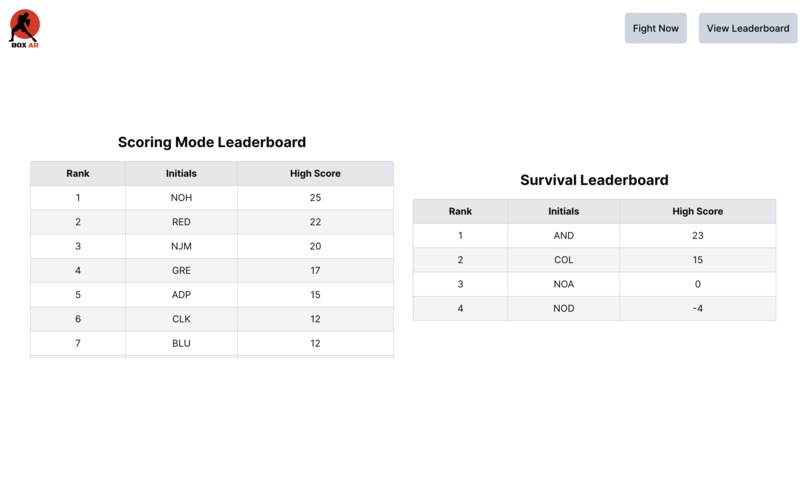
Leaderboard


BoxAR
Inspiration
We really wanted to make something fun that would get people to be active. This gave us the idea to create an augmented reality boxing simulator that anyone can use from the comfort of their own home on a laptop.
What it does
BoxAR is an AR-based boxing game that helps you improve cardio and hand-eye coordination through punching and dodging. Play in 4 different modes!
- Free Play: Practice your punches, dodges and timing!
- Scoring Mode: Follow the prompts to punch and dodge your way to a high score!
- Survival: Punch and dodge as long as you can!
- Multiplayer: Compete with a friend in a 1v1 match!
How we built it
- We used opencv and media pipe to track body movements
- We used flask to pass our game to our frontend
- We used react to create our frontend
Challenges we ran into
- Trying to track what is a punch- there were a lot of parameters we had to set and fine-tune to detect punches without tracking other movements
Accomplishments that we're proud of
- Making our game multiplayer allowing you to fight your friends
- How much we were able to do considering it was our first time working with augmented reality and tracking body movements with opencv
- Designing the system to be esaily extensible to multiple modes and ultimately multiplayer was a challenging task. It was a good test of our OOP knowledge, and we were able to design the system in a way that was fairly easy to extend and improve as the hackathon continued!
What we learned
- Learned to use OpenCV to track body movements through landmarks (points of interest on the body)
- Learned how difficult it is to properly track body movements on a camera without proper depth perception
- We learned how to stream video to a web client from a backend server
What's next for BoxAR
- Polishing/improving core gameplay mechanics through fine-tuning morphological skeleton params and training
- Look into hosting options + online multiplayer
- Add more modes (target practice, workout, etc.) and difficulty levels
- Adding voice controls/output, and other options for accessibility
Tech Stack
- Uses a morphological skeleton in OpenCV to track user movement
- Client webview is built with React.js
- Video is streamed to the client using Flask
Setup
To run our application first you need to set up conda. After creating you conda environment run ```pip install -r requirements.txt''' This will ensure you have all the dependencies. Finally follow the running steps to start the application.
Conda environment setup
First, ensure you have conda installed. If not, you can download it from here.
Then, create a new conda environment with the following command:
conda env create -f conda_env.yml
This will create a new environment called boxar with all the necessary dependencies. To activate the environment, run:
conda activate boxar
Then, install the necessary python dependencies with:
pip install -r requirements.txt
Running Steps
- navigate to
frontendand runnpm install, follower bynpm run dev - in the main directory, run
flask run --port 8000




Log in or sign up for Devpost to join the conversation.