-
-
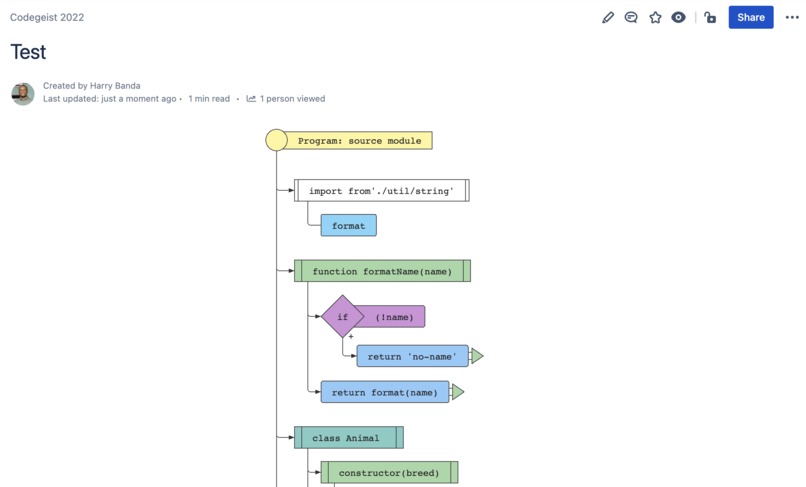
Flowchart
-
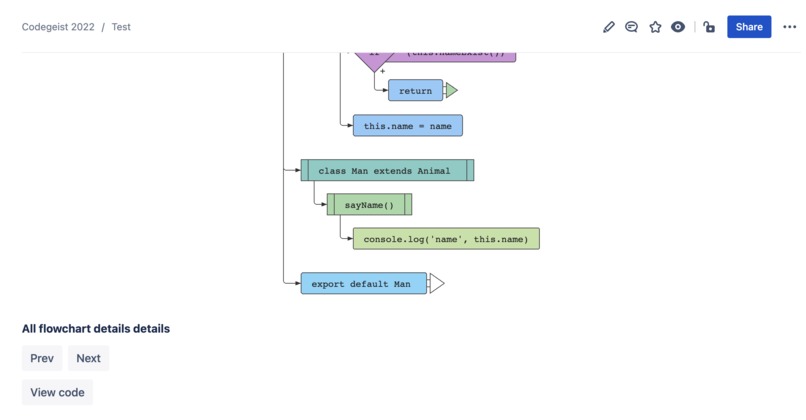
Flowchart and controls
-

Code view
-
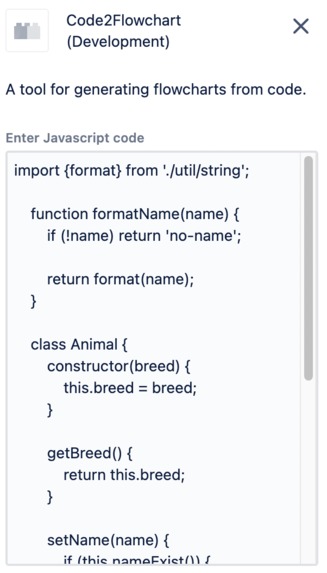
Code input


Inspiration
As a software engineer trying to explain or document complex algorithms from your code is not always an easy task, it can be a challenge to make colleagues on your team understand how your algorithms work. One way to clearly describe complex source code is through graphic representation such as flowcharts. However, making flowcharts can come with some problems such as:
- Complex code: When the code is very complex a lot of effort is needed to draw the flowchart.
- Costly: If the application or the system is very large, the time taken to draw the flowcharts is also large, and hence the cost of development goes out of proportion.
- Difficult to modify: If there is any change in the source code or algorithm, it is necessary to redraw the flowchart. For complex flowcharts that is not a simple task.
- No update: As per the software requirements, the programs are updated regularly. However, the corresponding changes in the flowchart may not be documented quickly enough.
I believe that with a powerful collaboration tool such as Confluence combined with a Forge app to generate flowcharts from source code all the problems listed above can be solved.
What it does
Code2Flowchart is a Forge app that allows you to pass in any Javascript code as input and return a complete flowchart algorithm from it. Users can insert the code in the configuration of the macro and save it to view the flowchart and the code.
Abstraction Levels:
Users can view the code logic from different abstraction levels.
Let's say for a given module, you are interested only in what the module exports, or, what classes it contains. There is a list of defined levels you can do that with, users can press the "next" or "prev" buttons to view the code at different abstraction levels.
Use Cases:
- explain/document your code by flowcharts in Confluence
- learn other's code by visual understanding
- create flowcharts for any process simply described by valid JS syntax right inside Confluence
How we built it
I built Code2Flowchart with Forge and used a node module called js2Flowchart. Forge allowed me to create a macro for Confluence with a few commands and deploy it in no time. The generated diagram is an SVG image that is attached to a Forge UI Image component.
Accomplishments that we're proud of
I'm proud of creating a tool that will be useful to me as a software engineer.
What we learned
I learned how to create macros with Forge
What's next for Code2Flowchart
Next, I plan to add support for more programming languages and more configuration options.


Log in or sign up for Devpost to join the conversation.