-
-
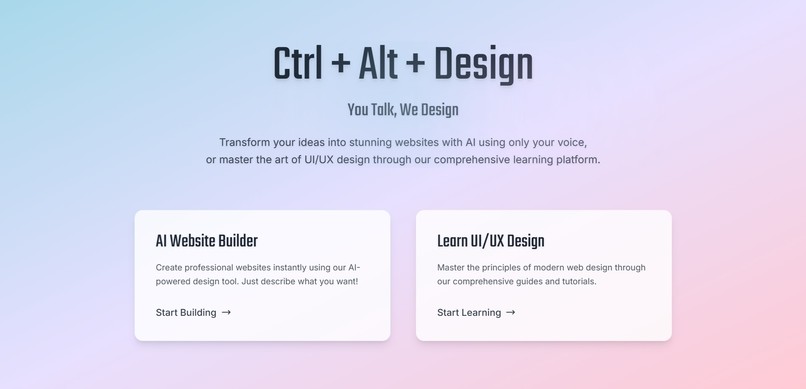
Landing page
-
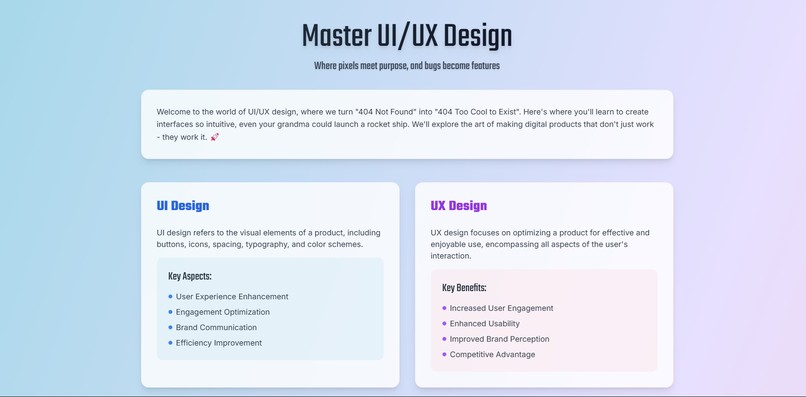
Learning section
-
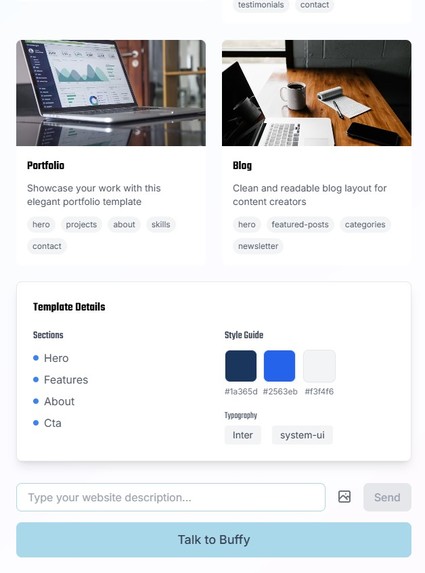
Template section
-
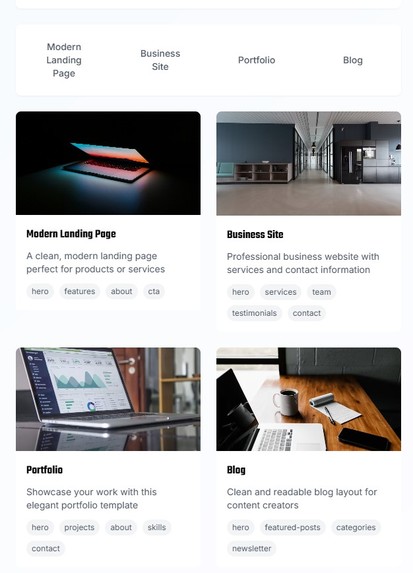
AI powered website builder


Inspiration
I was inspired by the overwhelming complexity of web design and the steep learning curve that comes with it. As a developer and designer, I wanted to simplify the process and make it more accessible for everyone, from beginners to pros. The idea of merging voice control, AI, and intuitive design tools sparked the creation of Ctrl + Alt + Design. I envisioned a tool that could turn any idea, whether spoken, typed, or visualized, into a polished, responsive design.
While there are many tools out there that can help users create websites and apps, none integrate voice control in such a way that makes the process accessible to people who may have difficulty typing. This unique combination of voice interaction and AI is what sets Ctrl + Alt + Design apart, allowing anyone, regardless of physical ability or technical expertise, to easily create beautiful, functional websites with just their voice.
What it does
Ctrl + Alt + Design simplifies web design by merging AI, voice control, and intuitive design tools into one powerful platform. Whether you're a beginner or an experienced designer, the app allows you to create beautiful, responsive websites with ease—by simply speaking, typing, or visualizing your ideas.
With Ctrl + Alt + Design, you can:
Speak your ideas: Use voice commands to generate layouts, select design elements, and customize your website.
Mobile first generation: Everything that is generated is done so with all devices kept in mind, so the sites are responsive out of the box. There's also an option to preview the site in different devices or in a separate tab entirely.
Generate Code: Alongside creating the desired UI, the app also allows you to view your code and download it.
Access AI-powered design: The app’s AI interprets your input and transforms it into a polished, responsive design that fits your vision.
Customize effortlessly: With intuitive tools, you can tweak your design in real-time, making adjustments as needed without deep technical knowledge.
Learn as you go: A dedicated learning section teaches you about the importance of UI/UX design and its principles, empowering you to create not just good designs but effective, user-friendly experiences.
How I built it
I combined multiple cutting-edge technologies to bring Ctrl + Alt + Design to life. On the backend, I used Qwen2-VL-72B-Instruct vision model thanks to Nebius AI studio for code generation, GPT-4o for image generation made possible by a hosted api endpoint by Magic Loops and ElevenLabs for voice synthesis and recognition to create an inclusive experience for all users. The frontend utilizes React with TailwindCSS for clean, responsive designs with express in the backend. I also integrated real-time voice interaction, allowing the app to listen to user commands and provide feedback or guidance. Used monaco as the in-house code editor and iframes for rendering. To make the experience as seamless as possible, I designed the UI to be interactive and user-friendly, ensuring that users can view and tweak their designs in real-time.
Challenges I ran into
A major challenge was making the voice control system intuitive and seamless. It took a lot of fine-tuning to ensure that voice commands were recognized accurately and converted into meaningful actions. Integrating the AI in a way that felt responsive and natural was also tricky. I had to make sure the AI’s design suggestions matched the user’s vision, which required continuous refinement and a lot of time spent on prompt engineering.
Accomplishments that we're proud of
I'm incredibly proud of creating a tool that makes web design more accessible, especially for individuals who struggle with typing or navigating traditional interfaces. The seamless integration of voice input and AI-powered design is a major accomplishment, as is the real-time customization feature, which gives users more control over their designs. Additionally, this is the first full-stack app I’ve built solo, and the experience of combining these cutting-edge technologies into a cohesive, functional tool has been both challenging and rewarding. It’s been exciting to see my vision come to life and provide a product that truly enhances the design process for everyone.
What I learned
Do not overoptimize Always be committing to git Codebuff is pretty good Prototypes take forever LLMs can be stupid Voice recognition is chaotic and magical when it works If it ain't broke, don't fix it
What's next for Ctrl + Alt + Design
Next, I plan to further enhance the AI’s capabilities, improve voice interaction features, and expand the learning section to include more in-depth tutorials and UI/UX insights. Additionally, I aim to expand the tool’s functionality to support more complex web design features, and eventually include advanced customization options for users who want to dive deeper into the design process. Also saving the designs lol
Built With
- codebuff
- elevenlabs
- express.js
- git
- magicloops
- monaco
- nebius
- node.js
- openai
- qwen
- react
- tailwindcss




Log in or sign up for Devpost to join the conversation.