-
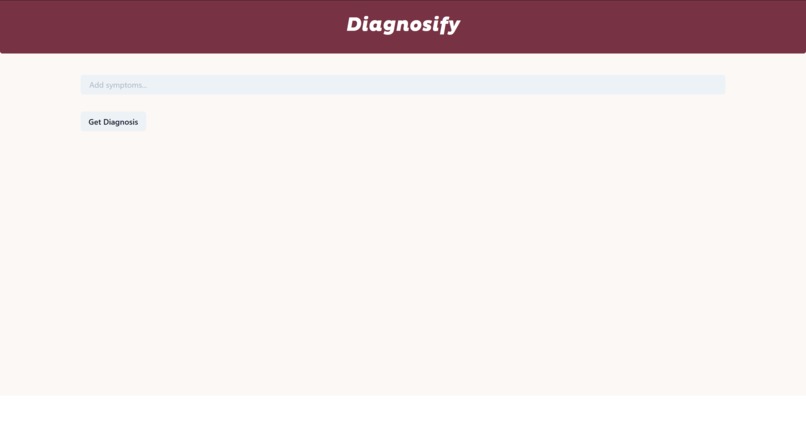
The default home page
-
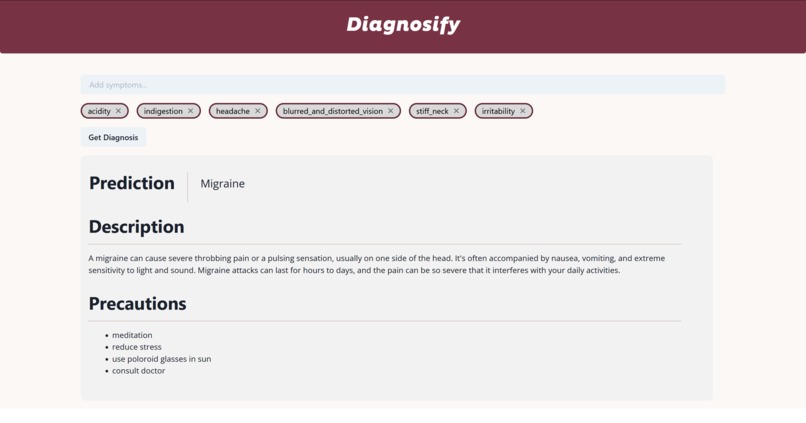
Information presented after a user enters their symptoms


What it does
Diagnosify presents an easy-to-use GUI for a user to input possible symptoms of sicknesses that they are feeling into a search bar. After they have entered in as many as they can, the user clicks the diagnose button. Then, our trained model predicts the illness they may have, and presents it to the user. In addition, the user receives a concise description of the diagnosis as well as general precautions.
How we built it
We used a Python back-end to both format the dataset and train our models on the data. We utilized scikit-learn models to build our logistic regression, decision tree, and random forest classifiers and optimized them to provide the most accurate predictions on both training and testing data. We incorporated FastAPI to build endpoints between our back-end and front-end.
The front end was built using React to create functional components that updated as users entered information. ChakraUI and Boostrap were utilized to construct various elements of the UI, such as the search bar functionality. General HTML and CSS was used to format on the web page.
We also used tensorflow, pytorch and transformers to train distilbert model available at huggingface, a pretrained transformer model, to "finetune" it to our own dataset and create our own model generalized to our wide dataset. We trained it for text completion based on user input regarding medical terminology.
Inspiration
Our original interest was to learn how to use machine learning models like decision trees, logistic regression, and random forest classifiers and apply our existing knowledge to gain a better understanding of how to apply these techniques to real world problems. After we searched for a suitable dataset to work with, we decided on a symptom-diagnosis based dataset because it was large and comprehensive enough for our goals while also sparking our personal interests. We have always wanted to work on a ML project together, and understand the different open sources model and how they can be used for working with all kinds of datasets.
Challenges we ran into
For all of us, this was the first time that we had built an application UI. As such, we spent a lot of time learning, testing, and building the front end of the application. Throughout this project, we had to learn how to use various front end languages, such as HTML and CSS, as well as TypeScript and React. Despite this, we were able to complete it to our satisfaction and deliver a good UI for our application. In addition, we needed to select the best model that both fit the training data as well as performed well on the testing data. To do this, we tweaked numerous hyperparameters to try to achieve the best performance. Another one of the other big challenges we faced was working with hugging face and incorporating its available pretrained models and pytorch for text generation. We decided to use distilbert, a cheaper and lighter transformer pretrained model, and tried to finetune it to our disease-symptom dataset, envisioning it to generate text upon user prompts. The model was able to train well with a decrementing and low training error. However, due to platform restrictions such as the lack of strong GPUs, the model couldn’t be used to generate text but rather play a key part in language modeling and text completion based on provided input.
Accomplishments that we're proud of
We are proud of how well we were able to build a React UI and our utilization of various libraries to enhance our application like ChakraUI and Bootstrap. Despite all the challenges and emotions we faced throughout this project, we're proud of the end project that we've created over the course of this Hackathon. Although we were unable to use the text generation model itself due to software and hardware limitations, we were able to familiarize ourselves with and train all kinds of machine learning models.
What we learned
We have a much better understanding of how to build front-end with React after doing this project, something that will be useful in the far future as we have only had experience working on back-end. This Hackathon also taught us about many Python libraries that we had never used, such as transformers, PyTorch, and TensorFlow which we will definitely be diving deeper into to learn more about of their use-cases and implementations with different models and datasets.
What's next for Diagnosify
We want to work further with the generative AI to try and combine it with the work we have already completed. If we can do this, we would be able to explain in further detail about illnesses to the user.
Built With
- bert
- fastapi
- python
- pytorch
- react
- scikit-learn


Log in or sign up for Devpost to join the conversation.