-
-
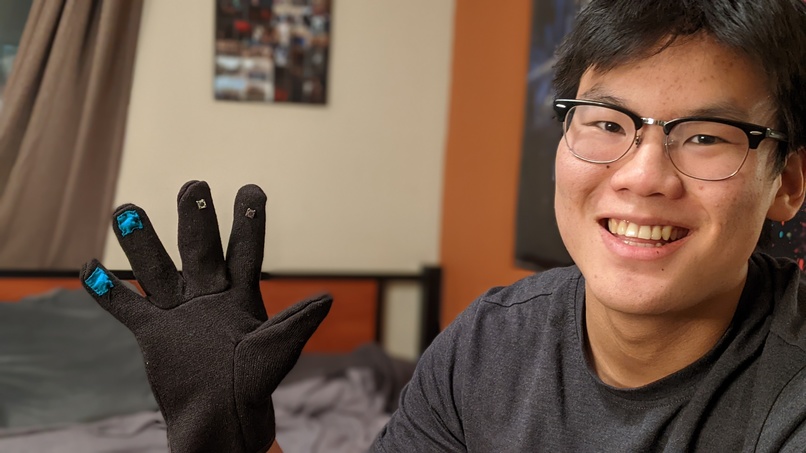
Chris wearing the DrinkMaster glove prototype
-
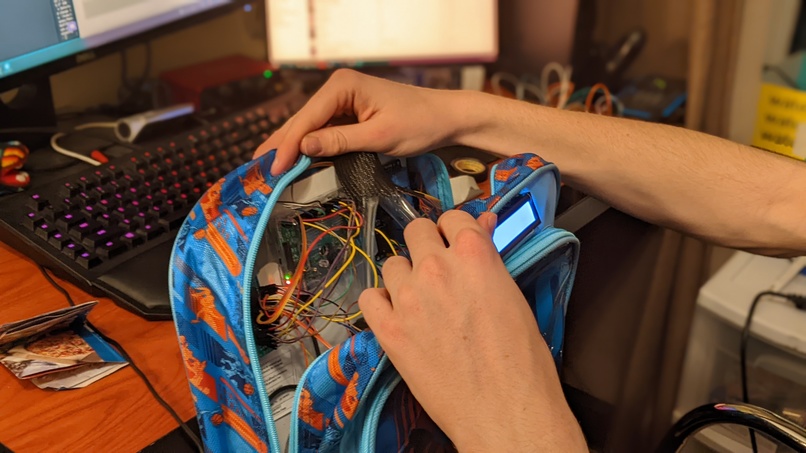
Inner workings of the DrinkMaster
-
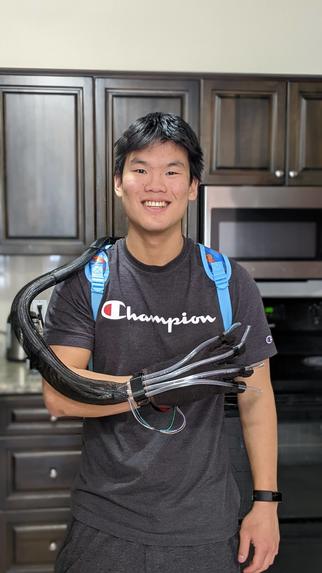
Chris showing the DrinkMaster glove with tubes
-
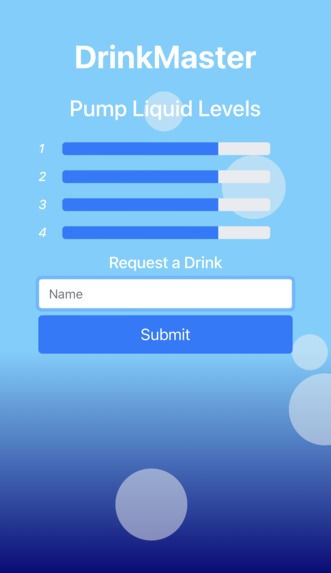
The DrinkMaster web app, where users can request drinks
-
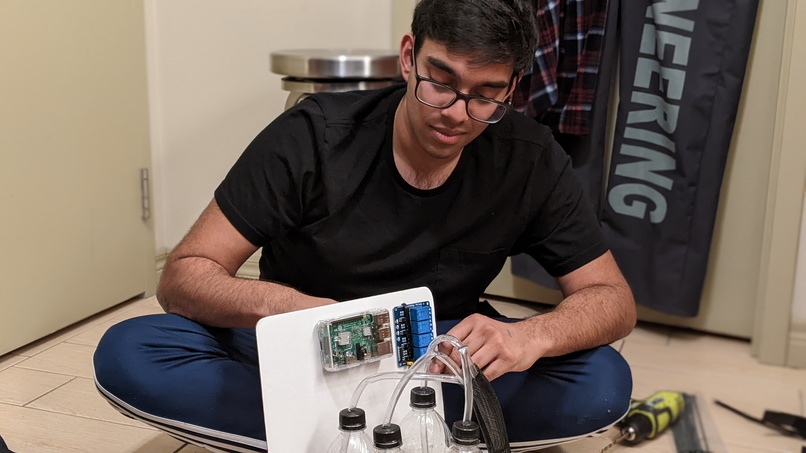
Nicholas, assembling our prototype board
-
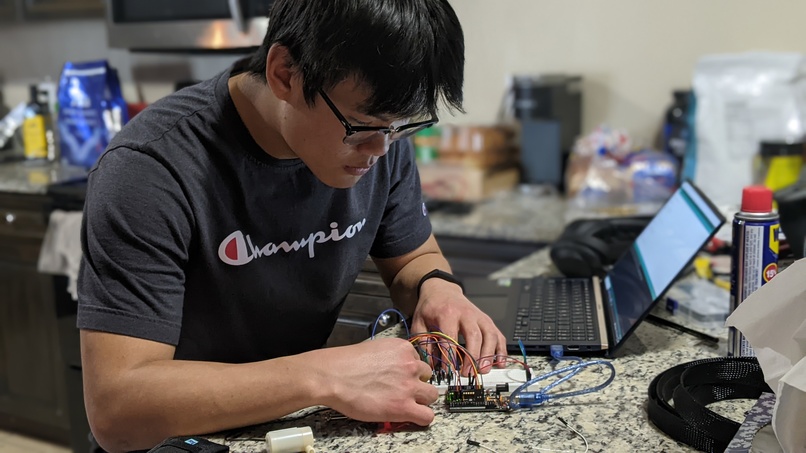
Chris, working on the Arduino water pump prototype


Inspiration
Coming into this hackathon, we wanted to create something fun and unique, while combining technologies in ways we've never done before. Originally from the idea of people passing out water at concerts, DrinkMaster was the perfect project!
What it does
The DrinkMaster is a wearable machine that dispenses drinks at your fingertips. Complete with a companion web app hosted directly from the machine itself, a real-time LCD screen for displaying the device status, and dispensing action from any of four different beverages at the touch of a button, it’s perfect for bringing life and energy to parties, sporting events, or anything in between.
How we built it
The DrinkMaster is comprised of four 1L bottles connected to liquid pumps with tubes running down the length of your arm. These pumps are relay-activated and controlled by a Raspberry Pi 3B+. Each individual button on the DrinkMaster’s glove controls one of these four water pumps.
This Raspberry Pi simultaneously runs a DrinkMaster web app in Flask on the Raspberry Pi’s local network. This allows anyone who visits the web app to put their name into a queue to be visited by the DrinkMaster, as well as view the DrinkMaster’s current liquid levels. Whoever’s wearing the DrinkMaster has their own version of the DrinkMaster web app that allows them to remove names from the queue as they’re visited and reset the liquid levels calculated by our hardware once the DrinkMaster is refilled. On the hardware side, we used a 5V 4 relay module directly controlled by the Raspberry Pi, which activates all four 5V water pumps individually. The Raspberry Pi is communicating with the 1602 LCD screen through a custom serial interface, and all of the hardware is elegantly strapped to a backboard that slides perfectly into our backpack. As mentioned earlier, each of the four buttons sewed into the fingertips of the DrinkMaster’s glove provides tactile control over the four 5V water pumps. By touching a single finger and thumb together, you’re able to trigger the water pump.
To make sure we’d be able to strap the DrinkMaster to its newest user properly, we CADed and 3D printed mounts for the sleeve of wires and tubes that control the DrinkMaster.
We keep track of how long each pump is on for, and with the average rate of the pumps, we were able to calculate the liquid level left in each bottle. We constantly poll our calculated values to update the LCD display.
On a separate concurrently running Python process, we have our Flask-Bootstrap web app. Anyone connected to our home Wi-Fi network can access the web app via a special IP address and request drinks on the web app simply by plugging in their name and pressing a button, sending an HTTP request to our Flask backend that records the name.
On the DrinkMaster wearer side, the same Flask backend controls and serves a web app that shows them their current liquid levels, any names currently in the DrinkMaster queue, and allows them to remove names and reset the liquid levels for refilling. The data acquired between these two sides of the application is passed betweeen the hardware side and web app side interchangeably using Python’s multiprocessing module.
Challenges we ran into
We ran into challenges with integrating our physical hardware together, running multiprocessing between the hardware output and web app, and building a Flask app for the first time.
Integrating our physical hardware together proved to be difficult: the motor pumps we initially bought were not strong enough to siphon water up the tubes, cutting and crimping our own Dupont wires to be long enough to run up the side of the user's arm and backpack was more time-consuming than initially expected, and we spent a lot of time debugging the connections on the LCD screen. Additionally, when we first ran our motor tests on the Arduino, we ended up frying an entire board! We drew far too much power from the outputs we were using. This led us to put in current-consumption firewalls into our final Raspberry Pi program.
Passing data between our two Python processes (web app and GPIO) took more time than expected, due to finding and figuring out how to use Python's thread-safe objects in between the different parts of our two processes. Finally, the members who built our entire Flask app had never used the framework before, and learned it all in the 24 hours available!
Accomplishments that we're proud of
After completing DrinkMaster we are proud of the pre hackathon planning, electromechanical integration, and IOT aspect of the project.
Prior to the hackathon, our team had several meetings where we discussed what we wanted to build, and what it would require to complete (in terms of software and hardware components). We had a multi stage test plan with rough timelines that would allow us to make our hack on time and add extra features if we were ahead of schedule. This was extremely useful as everyone knew what to do, and where we could find information on how to do it before we started creating anything.
Our team integrated mechanical, hardware, and software components seamlessly to create our hack. We were proud of the steps we took to test each component separately to ensure the overall integration would go as smoothly as possible and we could isolate issues as they arise. Our team enjoyed using many different aspects of engineering to create something fun and enjoyable!
Finally, the IOT aspect of the hack was something our team was proud of as it gave our hack a unique way to interact with others with and without the DrinkMaster. The companion web app gave the user a simple and useful way to interact with the DrinkMaster and give it a special touch of connectivity.
What we learned
Our team learned many new skills and practices while planning and developing DrinkMaster. Specifically, the team learned how to interface with Raspberry Pi GPIOS, event callbacks, and shell scripting, circuitry techniques such as soldering, crimping, and prototyping, and web app integration using the Flask framework.
Other than hard skills, our team learned the importance of in depth planning, team collaboration, and time management which all played key roles in developing our hack on time, to the planned specifications, and without major roadblocks.
Note: Our CAD models (the arm's tube mounts) were created and 3D printed before the hackathon. Per MakeUofT rules, here are the files!
What's next for DrinkMaster
DrinkMaster was a fun hack to develop and is something that can be constantly iterated upon to make even better. Some things that we would like to upgrade in the future are the types of pumps being used, and the web app capability to connect others with the DrinkMaster.
Currently, our pumps can only pump in one direction. In the future, we would love to use pumps that have finer controls to add features such as pumping liquid in the opposite direction (into the DrinkMaster) and free range over the flowrate of each pump, giving the user a more complete experience.
In the future, our team would like to continue to add upon the web app to allow greater connectivity between DrinkMaster wearers and users, along with adding more quick look features such as total liquid dispensed and most popular drinks. We would like to add a notification system where the DrinkMaster wearer would get notified when certain liquid levels are about to run out as well as a enabling users to request certain drinks to the DrinkMaster wearer instead of just the request.
Take a look at our DrinkMaster web app!


Log in or sign up for Devpost to join the conversation.