-
-
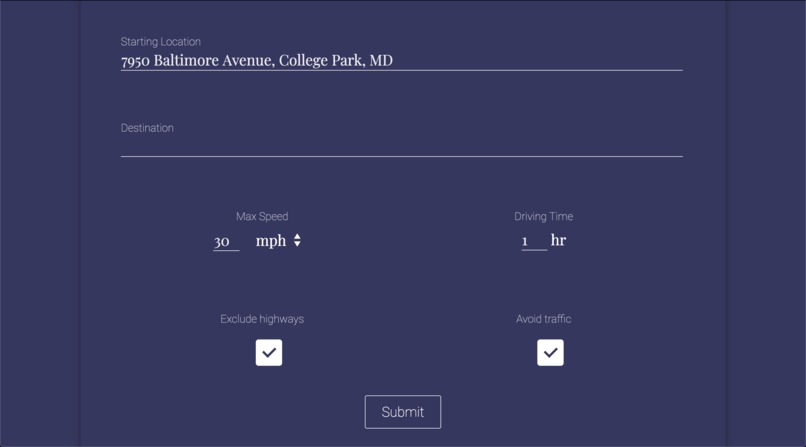
User can enter starting/final addresses and constraints such as the max. speed they're comfortable with and desired driving time
-
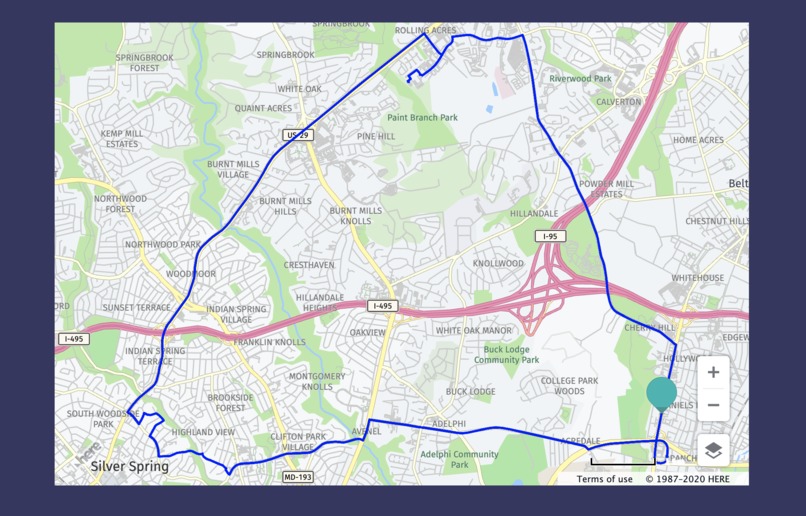
If you leave the destination address blank, you can generate a loop to drive around...
-
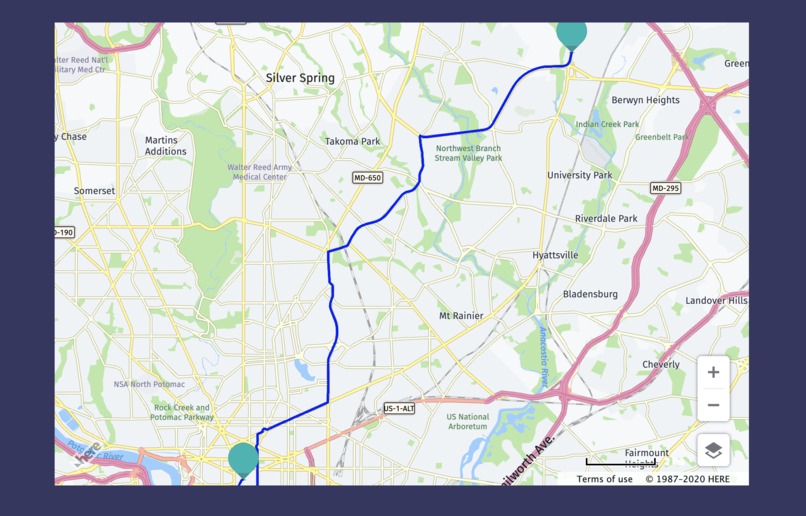
...or you can fill in a destination and drive to a specific location
-
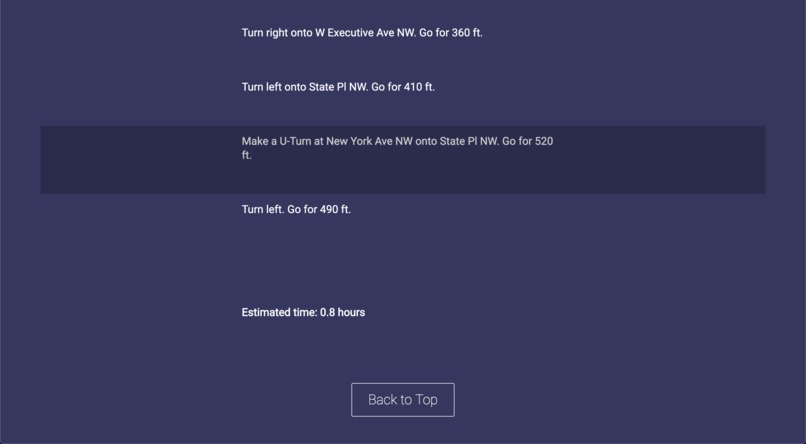
Instructions and estimated driving time
-
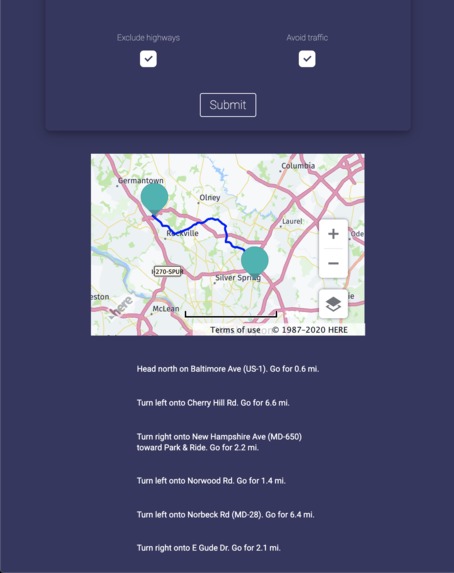
You can exclude highways to stick to smaller roads...
-
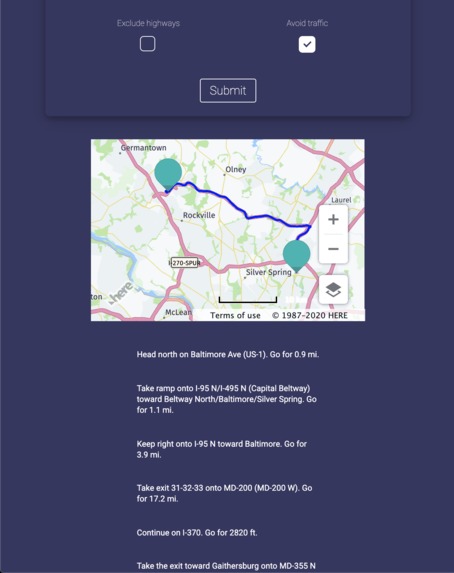
Or you can include highways in your directions if you are comfortable with them
-
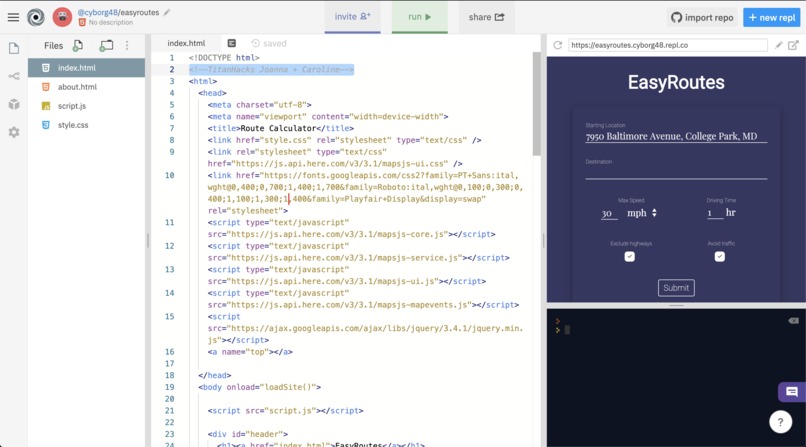
We programmed this using repl.it for ease of collaboration (+TitanHacks comment highlighted)


Profile
Our team consists of two juniors from Richard Montgomery High School in MD—Joanna Ge (Discord @jojo#5606) and Caroline Dinh (Discord @guillotinequeen#2523).
Inspiration
High school is the time where many of us first start driving, with getting our driver's permits and trying to obtain our licenses. Personally, when I first started, it was extremely intimidating. Even with my parents as a guide, the roads were very scary, especially with other cars around, highways, and high speed roads. Thus, we wanted to create a website that would help drivers of different skill levels practice.
What it does
EasyRoutes generates safe driving routes for beginner drivers based on the constraints they provide. The user can enter the maximum driving speed they are comfortable with, and whether or not they want to avoid highways and traffic as these two features are rather intimidating to navigate.
The user can either enter a starting address and a destination and have the website calculate an optimal route based on the constraints, or they can leave the destination blank and have the website calculate a “loop” for them to drive around to practice based on how long they want to practice for.
How we built it
We built the website using HTML/CSS/JS, using the Here Maps API to generate the routes. This API provided various services which we used to retrieve different types of data.
First, we used Here’s geocaching service to fetch the longitude and latitude of the user’s starting and final addresses.Then, using the routing service, we generated a route using filters such as the exclusion of motorways (highways) and avoiding traffic, and verified that the speed limits along this route matched the maximum comfortable speed that the user provided.
We used Ajax to fetch JSON objects provided by the API and displayed the data (such as the directions and the driving time) to the user. Because the Here API provides data in metric units, we allowed the user to choose between Imperial (mph) and metric (km/h) units and converted the data to their desired unit.
Finally, Here’s maps service allowed us to embed a map in the website. Using the route we generated previously, we added a path and starting/stopping markers to the map API allowing the user to visualize the generated route as well as read the directions.
Challenges we ran into
Learning to use the API and ensuring that the API provided enough information for us to create a route based on the user’s constraints was challenging—we spent a lot of time looking at the documentation to figure out how to make the API calls and gather the data we wanted from the result.
We also needed to figure out a method of generating a random route for the user that adhered to the maximum speed and the desired driving time. When I started learning how to drive, often I circled around my area in various loops to become familiar with the roads, and I wanted to accommodate this practice style by allowing the user to generate a random loop that started and ended at the provided location. At first I generated a single position for the user to drive to and drive back, but this generated two duplicate routes—one forward and one backward—instead of a loop. Then I added an additional point to have the user drive around a “triangle,” creating a more diverse path than the path generated by two points. Finally I randomized the two points to give the user more options in selecting a generated route.
Formatting the UI proved challenging as well and it took a while to be able to neatly format the UI elements.
Accomplishments that we’re proud of
-Creating a slick and intuitive UI
-Embedding a customized map with path markers in the website
-Allowing the user to select from a variety of options
What we learned
-How to use the Here Maps API
-How to use webkit animations in CSS
-How to use Ajax to retrieve JSON objects from APIs
What's next for EasyRoutes
The purpose of our project is to promote safe driving, especially for beginners, but in order for the user to follow our routes they must be looking at their map or the directions while driving. This goes against our promotion of safety by requiring the user to look at their phone for instructions, so in the future we can connect this app to GPS and text to speech so that the user can hear the instructions while driving. Also, we can add more safety constraints for the user to select (i.e., driving only in neighborhoods, avoiding narrower lanes, etc.)


Log in or sign up for Devpost to join the conversation.