-
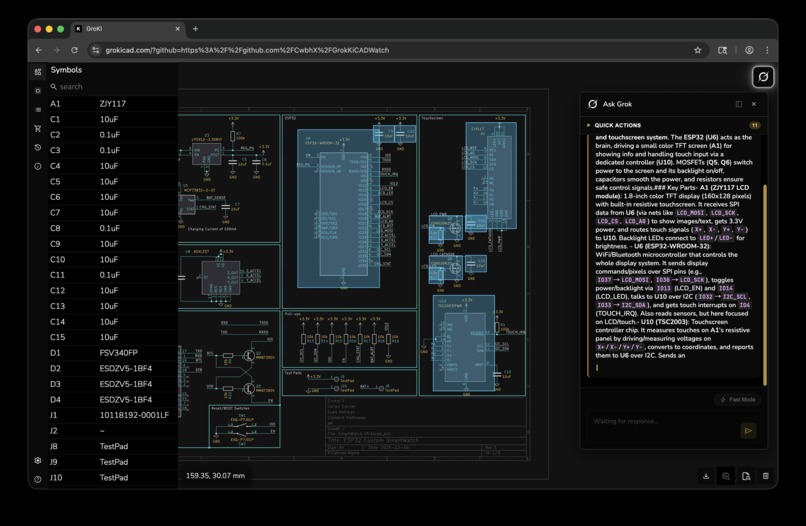
GroKI giving a overview of a highlighted region of our netlist
-
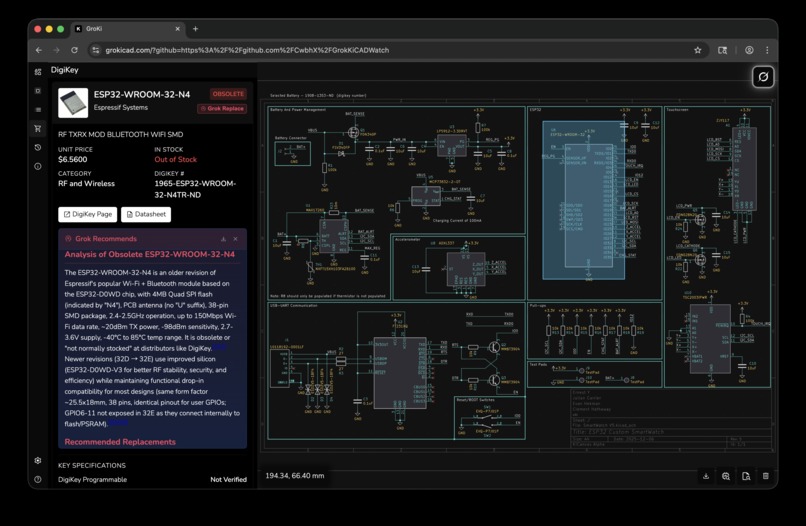
Grok replace doing deep research on the obsolete selected part and its datasheet, searching for the most compatible replacement options
-
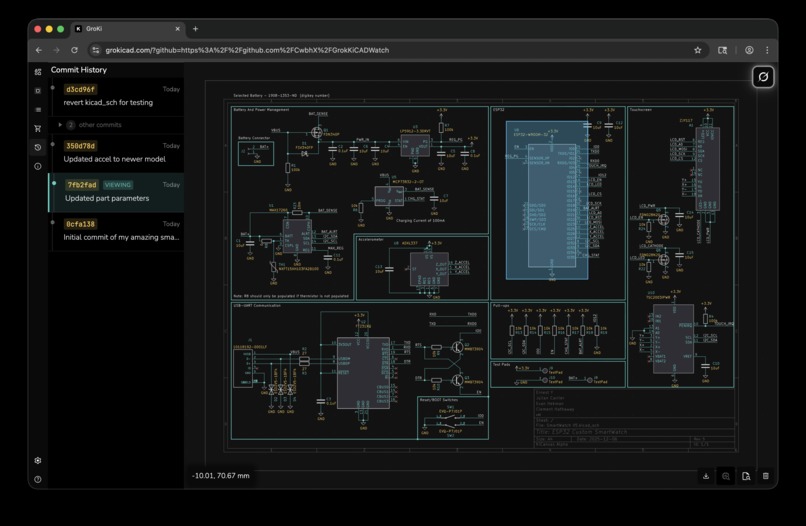
Navigable git history for your open schematic
-
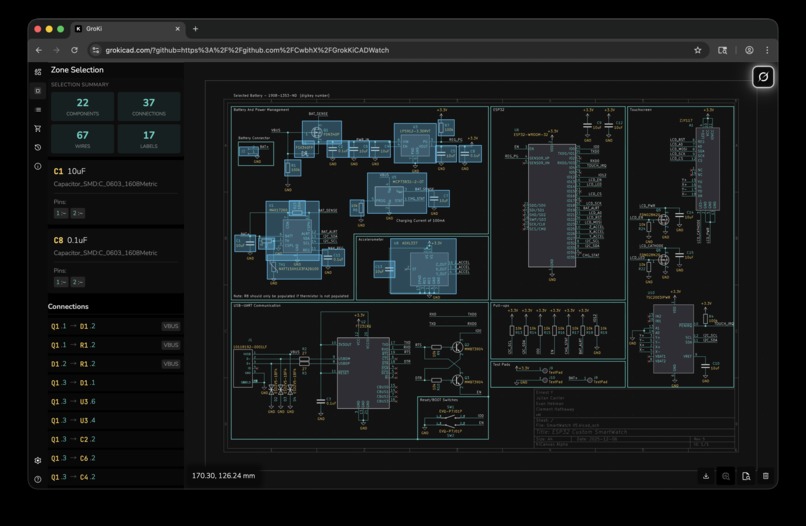
Zone selection displaying connections and parts to quickly interpret the schematic


Inspiration
We were inspired by tools like Cursor and GitHub, as well as the challenges we face at work every day. Today, EEs generally benefit far less from state-of-the-art language models and even basic development niceties due to the lack of intelligent parsing. Interpreting netlists in a semantically meaningful way is still difficult, especially within the version-control workflows that software developers take for granted. This tool aims to help anyone understand complex electrical schematics more intuitively.
What it does
GroKi is an integrated review environment where you can paste a link to your KiCad repository, and our backend automatically downloads and distills it into a structured format that models like Grok can interpret.
You can explore elements of the netlist and ask Grok for reviews that help you quickly understand portions of the schematic and their roles within the system. It can also perform power analysis, suggest design minimizations, and offer various improvement recommendations.
We also provide a git history view for the schematics, making it easy to see how a design has evolved over time. With our DigiKey integration, you can select individual parts to check for obsolescence, view specifications, and even ask Grok to intelligently research and propose replacements along with downloadable reports for your team.
How we built it
We’re big fans of Rust, so the backend is written in Rust using SQLx for stateful operations and hosted on EC2 behind Cloudflare. For the frontend, we built on top of an existing WebGL-based netlist rendering application and added most of the interactivity ourselves. It’s pure TypeScript, CSS, and WebGL, hosted on Cloudflare Pages. The backend proxies traffic to GitHub and to xAI for AI-powered features. This is also where we invoke our custom semantic netlist parser, written in Python, which processes KiCad schematic files into a format optimized for Grok so it can provide informed, context-aware responses.
Challenges we ran into
We iterated heavily on both the prompting and the semantic parser to determine what information would provide the highest signal for Grok. Another major challenge was shaping the netlist explorer so that it aligned with EE workflows, felt smooth, and integrated cleanly with DigiKey.
Pre-processing KiCad’s schematic format into an efficient, useful representation was also nontrivial. We additionally faced obstacles extracting part information for replacements, since these details are often buried in poorly formatted PDFs before being passed into the Grok API.
Accomplishments that we're proud of
We’re particularly proud of our UI/UX and overall ease of use. The ability to drop in any KiCad project from a Git repository makes onboarding effortless. Our schematic-formatting pipeline allows Grok to deliver highly accurate, contextual explanations of circuits and present them clearly to users. AI-assisted part replacement adds another major capability: users can trust that suggested components are appropriate because Grok considers the broader function of the entire system searching for these things manually is a real pain!
What we learned
We learned a great deal about combining interdisciplinary skill sets under tight timelines and about designing prompts that produce output tailored to a specialized engineering domain. We also gained valuable insight into structuring data for efficient LLM consumption.
What's next for GroKi
We plan to expand GroKi’s knowledge and functionality. It would be exciting for Grok to actively modify or suggest changes to files similar to Cursor. Every PCBA design includes a physical PCB layout tightly coupled to the schematic. Analyzing this is challenging but incredibly valuable for ensuring functional designs and improving understanding of physical placement decisions.


Log in or sign up for Devpost to join the conversation.