-
-
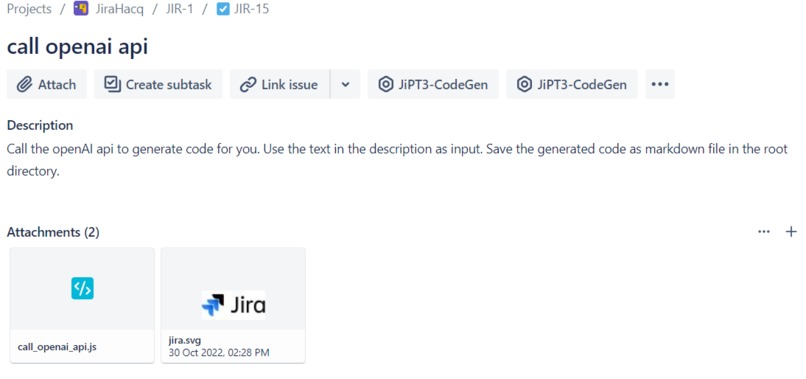
1. Create a issue with a programming specific description.
-
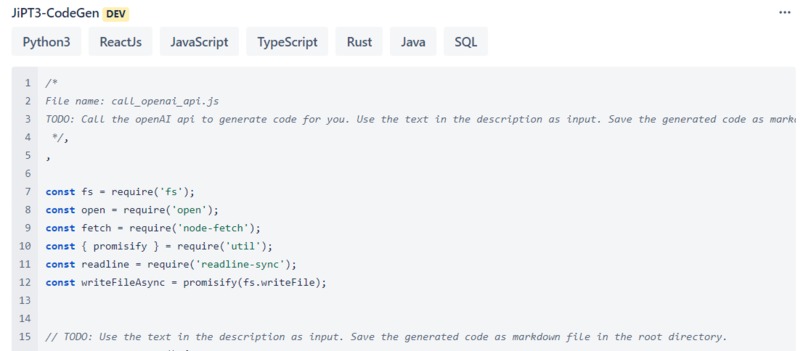
2. Choose a laguage and hit the button until the generated code pleases your eyes
-
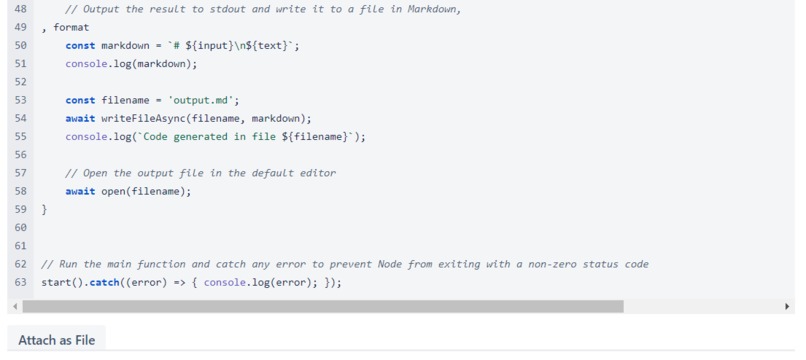
3. Keep hitting the button until the script is complete or your finger numb
-
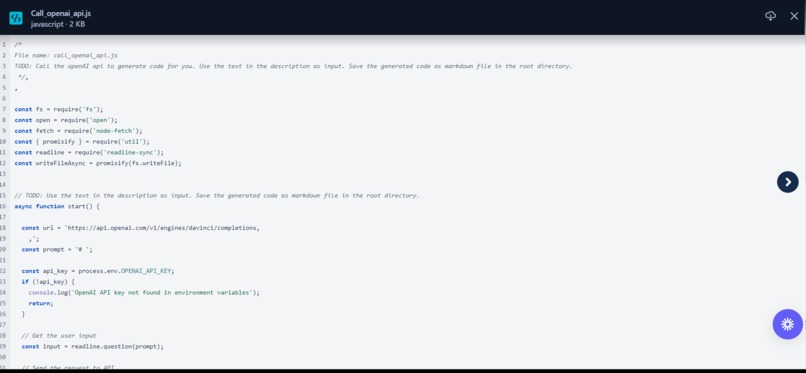
4. Save the script as attachment and let your collegues know you comleted the issue


Inspiration

Have you worked with Github's Copilot yet? If so, you are already familiar with the power of Codex, the heaviest and most powerful AI model of our time.
What it does
JiPT at your service. Let the latest GPT3 model generate code for you. Simply choose the desired programming language and save the generated code. Write your Jira-issue as specific as you can. The more precise the description, the better the generated script.
Assuming that your issue describes a coding task, this Jira app takes the issue title + description and generates a complete script for you, solving the task at hand.
How we built it
We leverage the OpenAI api to generate a complete program for us.
The accessed endpoint is for text completion, thus we promt the api with what looks like the beginning of a script file.
Herefore we convert the issue title into a file_name.{ext} with language specific extension.
The issue description is converted into a TODO: which devOps use to signal the need to implement a task.
Then filename and TODO: are encapsuled in an again program specific multi-line comment and used as input for Codex.
Here an example promt (inception 😜) for JS:
/*
File name: call_openai_api.js
TODO: Call the openAI api to generate code for you. Use the text in the description as input. Save the generated code as markdown file in the root directory.
*/
The app generates about 250 new tokens. If the generated code reads promising, the user can keep generating until the script is complete, otherwise the action can be restarted.
Finally the user can add the script in form of a file with the earlier forged filename as attachment to the Jira issue. This preserves the generated code and lets co-workers make use of it 2.
Accomplishments that we're proud of
- Creating an app which my colleagues will love.
- Learning the tricqs and tunes of how to make such an intelligence monster like GPT3 follow your instructions.
- Hacking the Jira app-template into using yarn commands without installing
forgeglobally 🐳
What's next for JiPT
While the results already look quite impressive, even better performance can be achieved by fine-tune the model promt for every language. Further this app could leverage the project information of the team and the involved project by using the project code from bitbucket to create even better promts with higher prior knowleage. The future is bright 🌞
DEMO: the generated inception script
This is the full generated script for the above shown input promt. I hate to say the obvious but yess, I created Frankenstein's DevOps monster. JiPT3 can teach me some nodeJs tricks 😅
/*
File name: call_openai_api.js
TODO: Call the openAI api to generate code for you. Use the text in the description as input. Save the generated code as markdown file in the root directory.
 */
const fs = require('fs');
const path = require('path');
const fetch = require("node-fetch");

var call_openai_api = async function (description) {
  var encodedDescription = encodeURI(description);

  var response = await fetch("https://api.openai.com/v1/engines/davinci/completions", {
    method: 'POST',
    headers: {
      "Authorization": "Bearer sk-q3f0QwErIcZa7G8PzT9IeoGxFmHq3Vh1BgWX9Yn",
      "Content-Type": "application/json"
    },
    body: JSON.stringify({
      prompt: encodedDescription,
      max_tokens: 100,
      temperature: 0.7,
      top_p: 1,
      n: 1,
      stream: false,
    })
  });

  var json = await response.json();

  console.log(json);

  var generatedCode = json.choices[0].text;

  return generatedCode;
}

var saveGeneratedCode = function (generatedCode, filePath) {
  fs.writeFile(filePath, generatedCode, function (err) {
    if (err) {
      return console.log(err);
    }

    console.log("The file was saved!");
  });
}

var getDescription = function () {

  var filePath = path.join(__dirname, '../../README.md');

  var description = "";

  var readStream = fs.createReadStream(filePath);

  readStream.on('data', function (chunk) {
    description += chunk;
  });

  readStream.on('end', function () {
    console.log("description: " + description);

    var generatedCode = call_openai_api(description);

    saveGeneratedCode(generatedCode, filePath);
  });

  readStream.on('error', function (err) {
    console.log("err: " + err);
  });
}

getDescription();
Built With
- ai
- codex
- forge
- jira
- openai
- typescript
- yarn


Log in or sign up for Devpost to join the conversation.