-
-
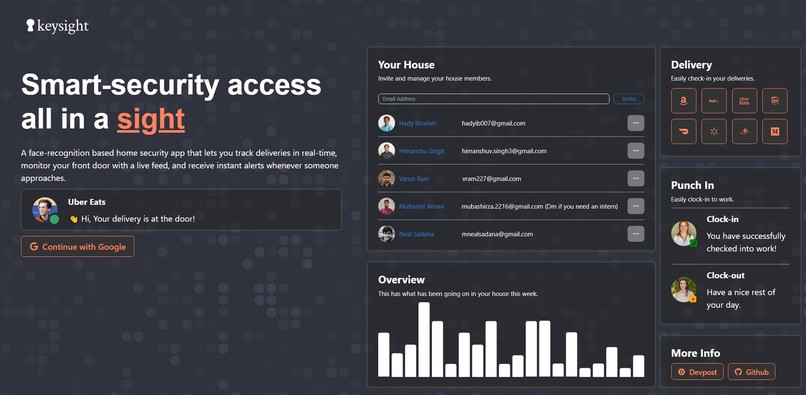
The homepage that we designed for our dashboard application.
-
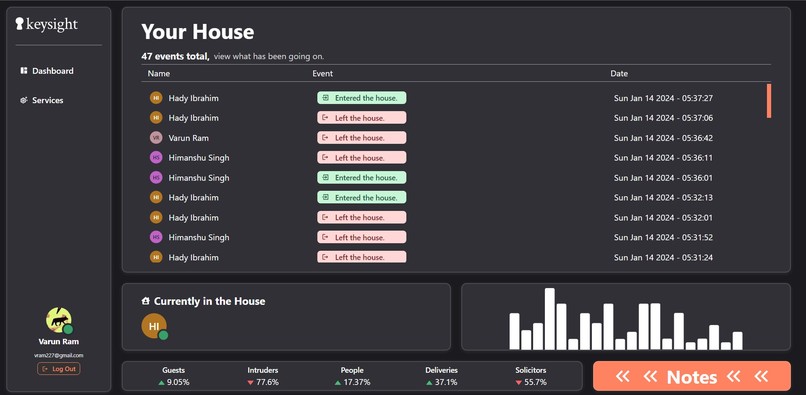
The main dashboard page that showcases all of the user logs, notes, and individuals currently in the household.
-
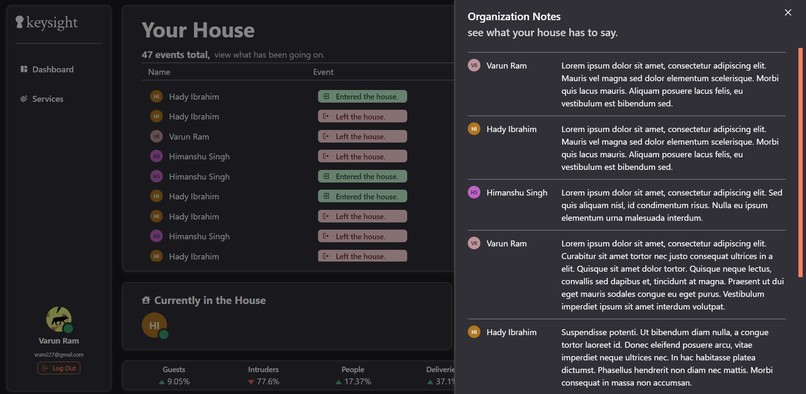
Group notes that allow you to convey important messages between organization members.
-
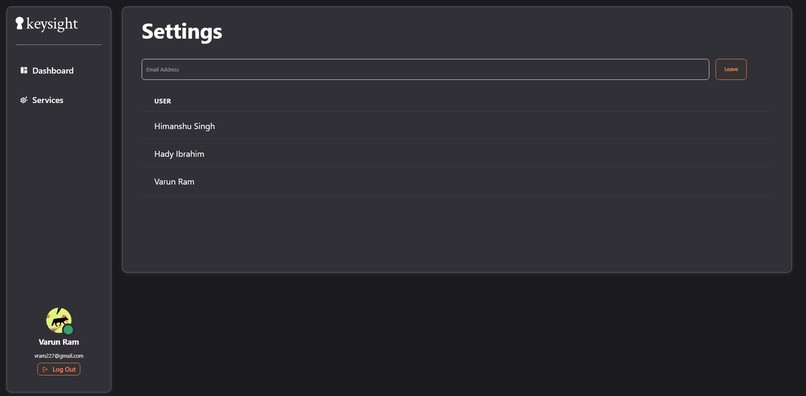
The setting page that allows you to invite other users and create your own groups.
-
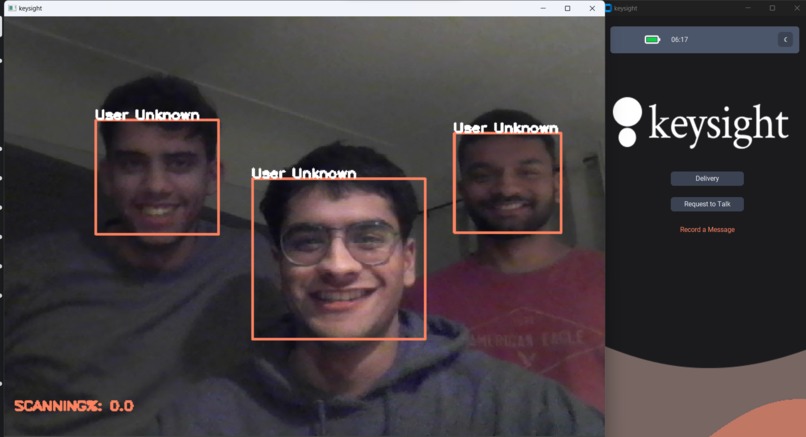
The facial and speech recognition platform that we developed alongside a python gui.
-
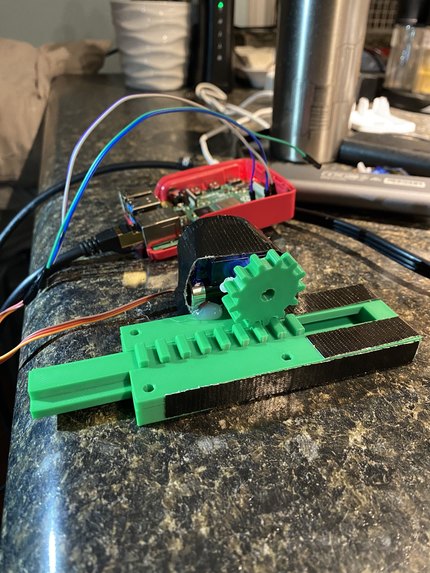
Our raspberry pi server alongside a gRPC connection to allow our database to physically our locking mechanism.


keysight
GitHub created by Hady Ibrahim, Himanshu Singh, and Varun Kothandaraman.
Inspiration
Whether you are at work or at home, the nagging worry of "who's at home?" fades away but it is hard to truly understand what is going on where you relax. Research labs, punch-in machines, and traditional home cameras not only are slow to use but provide limited data as to who is moving in and out of your house.
What it does
Keysight is a two-part web security system that allows homeowners to monitor and track movement in and out of their household. Utilizing facial recognition and voice detection, Keysight is able to quickly identify whitelisted individuals as well as send notifications alerting of any guests or deliveries. Whenever there is any abnormal activity or threats, everyone in your house will be notified safely and remotely.
How we built it
Keysight is a combination of three distinct components that communicate with each other simultaneously to provide security to your home. Each component was created in parallel and consisted of the following:
Web Application
Keysight was built using a combination of React, Firebase, and Chakra UI through UI/UX designs created in Figma. Firebase was utilized as the database to document and log user information that was initialized through Google authentication. We chose React as our main framework due to its ability for hot refresh alongside Firebase.
Our design consists of a main dashboard that showcases all main information alongside a settings tab that allows for group creation through email invites.
Facial Recognition
We began by using OpenCV for computer vision to cascade the face using an online facial recognition library (LBPHFaceRecognizer). By taking several hundred images of each user's face, converting them to grayscale, and passing them through a trainer, we were able to create models to match and compare future faces to.
Voice Recognition
Live audio is captured continuously throughout the duration of the program. Using Google Speech to Text API, we are able to process the audio and filter for keywords.
gRPC
To link our web application to a physical locking mechanism, we hooked up our python program to a raspberry pi using gRPC. gRPC allowed us to host a server on the pi and make remote procedure calls to it in order to physically lock and unlock a latch that functioned via a servo.
Challenges we ran into
While working on the gRPC and hardware side of things, we ran into challenges where the code would execute in a weird way and there was little to no documentation online to help us. On top of that, since it is a raspberry pi library, it had limited functionality. With hardware, it always takes some trial and error to get right so with perseverance, we got the servo motor rotating back and forth consistently at the right angles. We also encountered quite a few challenges with firebase and react as we wanted to be able to push logs from the python client and automatically load the logs onto the web app without the need to refresh.
What we learned
We put more emphasis and time while delivering code while trying to keep our code maintainable while helping us generate ideas on the way. In a short period of time, we were especially proud of the number of features and work that we were able to accomplish - alongside going outside of our comfort zone with machine learning and gRPC.
From our last hackathon, we found Figma as an extremely useful tool for web development UI/UX design and through leveraging the tools it provides in this project we were able to quickly create a visually appealing dashboard.
What's next for Keysight
For the future, we aim to continue working on Keysight and bring it to a more professional product stage:
- Be able to live stream video to all users in a household.
- Create a physical prototype of the door screen + locking mechanism
- Have proof of concept of multiple households working
- Integrate our product with business in order to secure and facilitate signing in and out of work
- Secure our auth tokens for all APIs
Built With
- chakra
- css3
- facedetection
- firebase
- grpc
- html5
- javascript
- opencv
- python
- react
- speech-to-text
- twilio


Log in or sign up for Devpost to join the conversation.