-
-
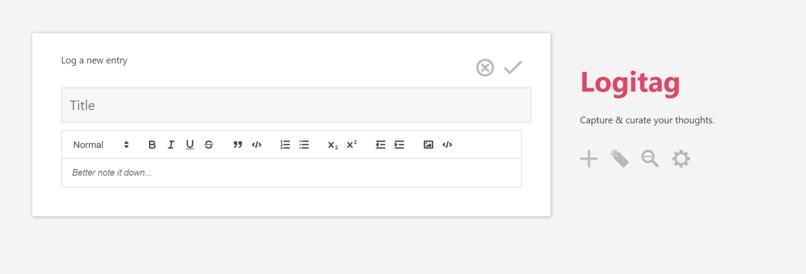
log entry page of logitag webapp

Inspiration
This has been something I've always wanted to make for myself after finding myself always writing "interesting" thoughts/ideas/memories on almost everywhere (online docs, physical notebooks, scraps of papers) but having no tool to aggregate them. I hardly read them back because of how unsorted & unorganized they were, but this format allows me to track my train of thoughts along time. While this is good, there are better alternative ways to view my ideas/thoughts to facilitate brainstorming and linking ideas, or to better understand my thought patterns and how it may be affecting my personal goals. Especially for a busy person who has a insight spark every now & then, a no-nonsense thought logger is a productive tool that pays dividends down the line.
What it does
logitag has two parts: a log entry page & a dashboard page. The log entry page is designed to allow you focus on logging your thoughts easily, tag them, and carry on with your day. When you want to review them, you can go to the dashboard & filter your logs based on tags. You have several options to view your logs: tiles, timeline, kanban. When you like how several ideas are connected, you can mark them & save them into a separate folder. It is supposed to be cross platform to make it accessible on any device, so that you don't miss that spark.
How we built it
Due to our beginner level, we decided to focus on one platform first - web app on browsers. We used HTML, CSS, Javascript (frontend) & opted for Firebase (backend). We had to do a lot of googling to get some input & direction on the feasibility of pulling this off. And made some progress in the frontend part of the web app.
Challenges we ran into
Unfamiliarity with Javascript & Css techniques in web development. Incorporating a tag system in a NoSQL database like Firebase.
Accomplishments that we're proud of
Stuck through the program, not get overwhelmed by the huge tasks ahead, broke them into small steps, and made it to the end of the hackathon. We may not win, but at least we lose trying & giving our best.
What we learned
Using web dev tools on browser, understanding the logic of implementing such a DOM model from reading others html code.
What's next for Logitag
We will brush up on our web dev skills and applying our knowledge in Logitech incrementally. At least I really hope that I can make a tool I find useful, and in doing so, provide a tool that others find useful too. Cross platform, fast tags & querying, cleaner interactive interfaces.


Log in or sign up for Devpost to join the conversation.