-
-

The start screen
-
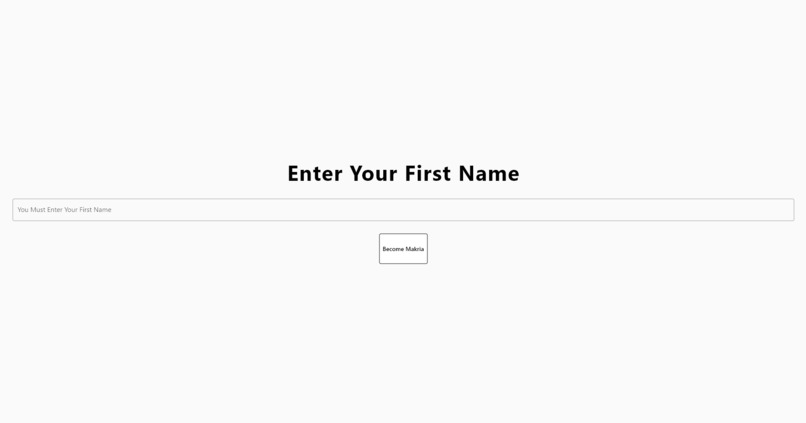
Entering your name
-
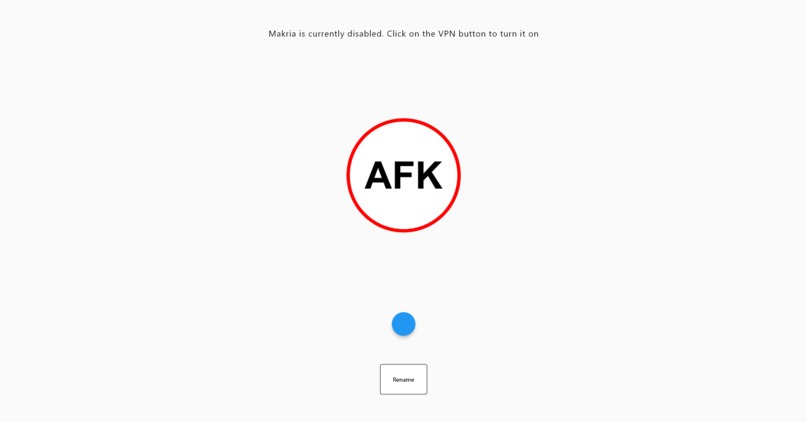
When Makria is disabled
-
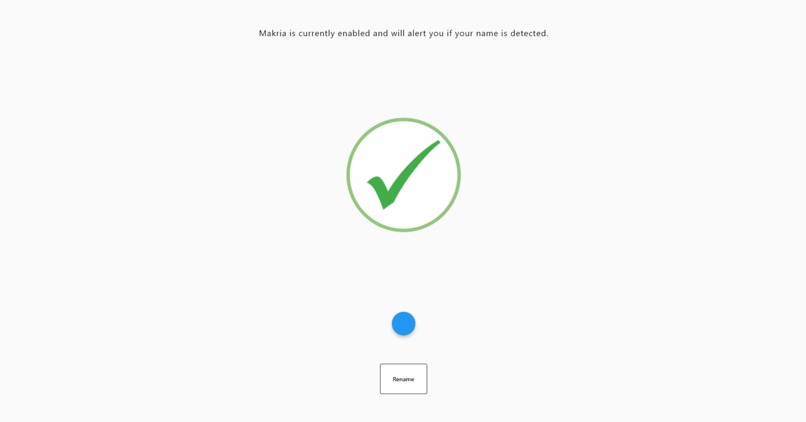
When Makria is enabled
-
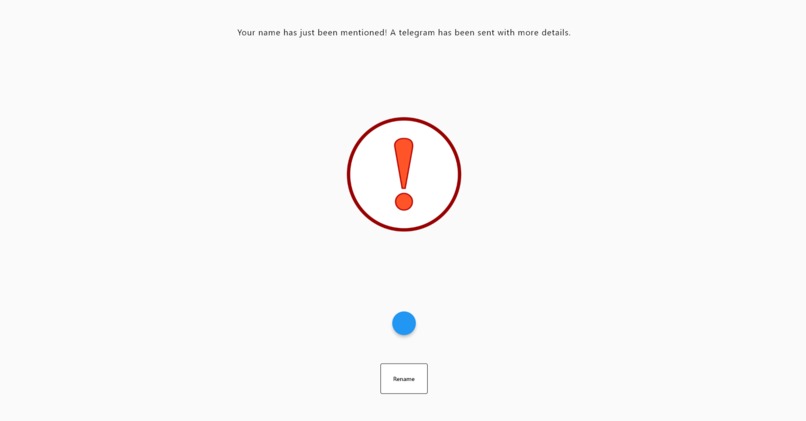
When the user gets called on in a meeting


Inspiration
We got our inspiration from an amazing YouTube video called “I prerecorded myself in video meetings for a week (and nobody knew)” by Jesse Orrall. We even used the same audio software, Loopback, for our audio capture script. After watching the whole video, we decided that we wanted to do something similar, but since actual automation was too much and wouldn’t even save any time or stress for the average student, we went for a similar semi-autonomous structure instead. Sometimes students just have more important things to do than sit in a meeting for two hours doing nothing but staring into the camera dreading a possible question a teacher or professor may ask.
What it does
Zoom calls have become an integral part of all our lives. However, compared to a traditional classroom or office, being in the comfort of your home with your camera off and microphone muted gives you the liberty of dozing off or walking away from your computer. “Nobody will ever know!” you think to yourself… that is until someone calls on you to speak and is met with silence as you scramble to think of something to say during that long boring English class.
Makria is an automatic speech recognition software that quietly runs in the background of your computer and sends you a telegram when it detects that your name has been spoken in a call. A transcript of the last few lines of conversation will also appear in the telegram, allowing you to understand the context of why you were called on. Now that the user has been notified, they can simply unmute, turn their camera on, and decide what to say based on the transcript.
How we built it
The backend speech recognition software of the application is built with Python. It utilizes the PyAudio module to continuously provide a stream of internal audio from the user’s computer. The program then calls Google Cloud’s Speech-To-Text API, in which it uses machine learning models to accurately determine what word is being said. Once the word matches the user’s name, a message is sent through Telegram to the user containing the last 10 words captured by the program, thus giving some context to the user.
Created using Dart and the Flutter SDK, Makria’s front-end product is an easy-to-use desktop application. Upon clicking begin, the only setup required is your name and sending a telegram to us at Makria. No account creation is necessary. A large dynamic button has three states. By default, it is off, and the speech recognition software will be deactivated. When Makria is turned on and your name has not been detected, the button becomes a green check mark. When your name has been detected, it turns into a warning sign and a telegram will be sent to you.
Challenges we ran into
Over the past 48 hours, we encountered a variety of different issues including long installation times, lack of hard drive storage, and of course excruciating debugging. The four of us were also working on different operating systems, with two on macOS and two on Windows. We especially had issues with the audio, because most Flutter audio support we found, only worked for macOS, Android, or IOS, but not Windows. Because of this issue, we had to scrap the audio alert idea and only have telegrams. Cooperating over the weekend on the internet also brought a variety of issues, as the high demand of software running for development would cause problems in Discord, and so, the audio would be corrupted and become unusable.
Accomplishments that we're proud of
We are proud of the fact that we managed to create a working and consistent quality product in our first-ever hackathon. We went into OneHacks II knowing next to nothing about app development, scripting, and speech recognition software. We came out understanding how to develop the front-end and back-end of an application and integrate the two. We are also very proud of the progress we have managed to achieve in the two short days we were given to learn all this material, as we developed everything from scratch. Of course, none of this would have been possible without the external motivation that OneHacks II has provided us, and we are extremely grateful for this.
What we learned
Prior to this hackathon, none of us had any experience using Flutter or developing computer applications. With the help of YouTube videos and online documentation, by the end, we understood all of the code we had written and pieced it all together to form Makria. Understanding the similarities between Dart, the Flutter SDK, and Java greatly accelerated our understanding of the structure and complexities of creating an app. Luckily for us, we already had a basic understanding of Java, so picking up Dart was not as difficult of a transition due to the similarities in syntax. We also experienced the tight scheduling and intense pacing of a hackathon for the first time, and it was extremely motivational to our development process, helping us plan for our tasks in a timely and efficient manner. This short timeframe helped us build time management skills that will help us in all future endeavors.
What's next for Makria
Our vision for the future of Makria is to implement cross-platform capability, more diverse name detection, and some consumer-friendly monetization. Allowing the app to connect from mobile devices will enable users to do far more important tasks than listening to the fifteenth homework take-up class, as they would be able to prepare responses from Makria. Furthermore, the Makria team highly values diversity, so we definitely want to modify the speech recognition software to account for uncommon and/or foreign names. Finally, we would like to implement a subscription system for some consumer-friendly monetization. Consumers will be able to support us while receiving some special features at the same time. Some ideas we have for special features are customizable telegrams and button icons.
Built With
- dart
- flutter
- google-cloud
- py-audio
- python
- star-flut
- visual-studio


Log in or sign up for Devpost to join the conversation.