-
-
Notebook 2
-
Equation Solver 1
-
Equation Solver 2
-
Notebook 1


Inspiration
The inspiration for this project comes from many places. The main inspiration was the fact that in our math classes, it was very hard to fully solve every single challenging problem that comes our way. Many questions end up with a complicated mathematical expression with radicals, brackets to expand, and complicated fractions. Sometimes, the question would have a polynomial or exponential equation that it would just be pointless to solve, since the method to solving both are standard (For example, by using rational root theorem or Newton's method). Hence, having a mathematical equation solver to solve these pesky equations. Especially since in the IB program, there are many math problems one needs to solve every single day. Many of these math problems lead to real coefficient polynomials or exponential equations that are simple to solve with some time, but would be much easier to do with a computer. Hence, this application is very useful for achieving both taking notes and having a whiteboard to use as scrap paper to attempt the problems, while also having another tab on the side that one can use to solve equations.
Since the only type of solutions that are usually given for homework problems are answer keys, this often leads to many students to not complete all the homework, missing out on learning important problem solving techniques that would be very valuable on the test. This equation solver could easily come out with a numerical answer that the student could easily use to check if their answer is numerically correct.
What inspired us the most was an application called WolframAlpha. It is an existing application that many of us use already to solve equations when we end up with a complicated equation after many steps in the process of solving a complicated math problem. We thought that it would be amazing if that type of software could be integrated in a whiteboard application that could allow for computations to be made while in the process of problem solving on the whiteboard.
Furthermore, many math problems require the use of a graphing calculator, and are not algebraically solvable. A lot of the time, one leaves their calculator at school, or in an inconvenient place. Integrating an equation solver that could achieve the same purpose as a graphing calculator (with even more convenience since you do not have to graph the two equations in order to find their point(s) of intersection) would make our lives much easier since you do not have to go and get your calculator every single day- the graphing calculator would be "integrated" into your note-taking application, which we thought would be very useful.
What it does
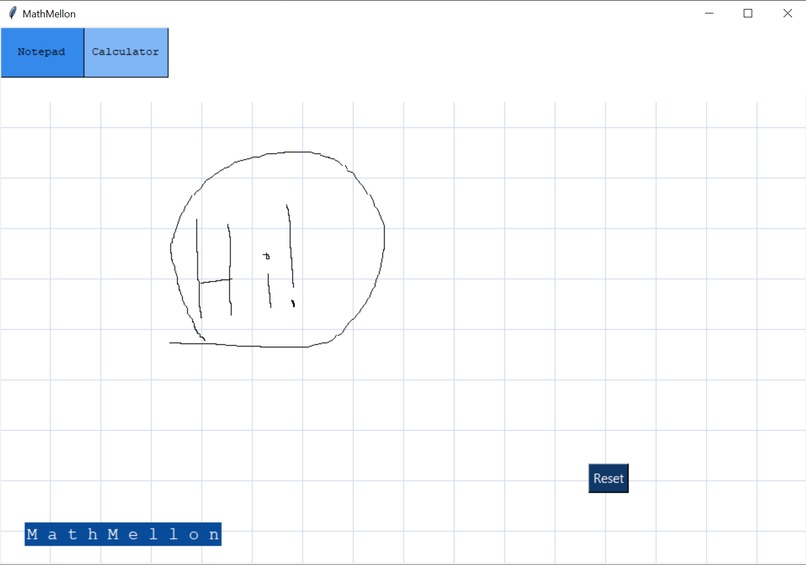
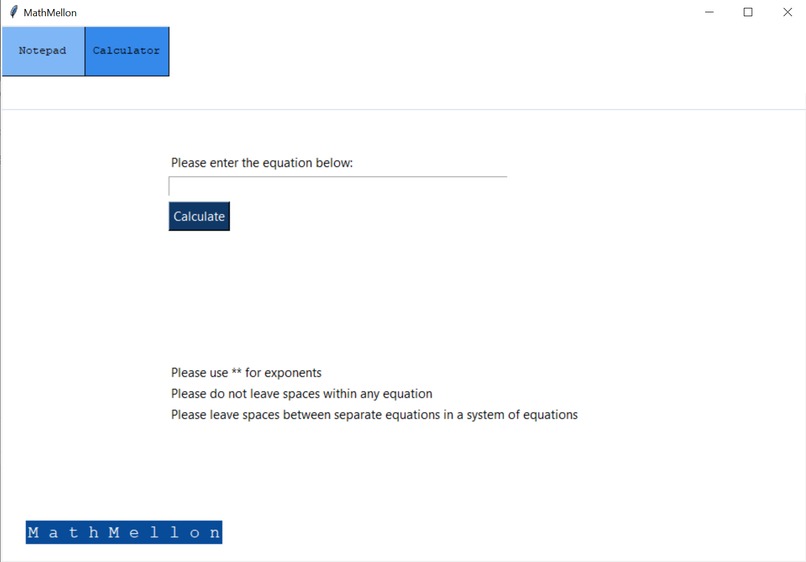
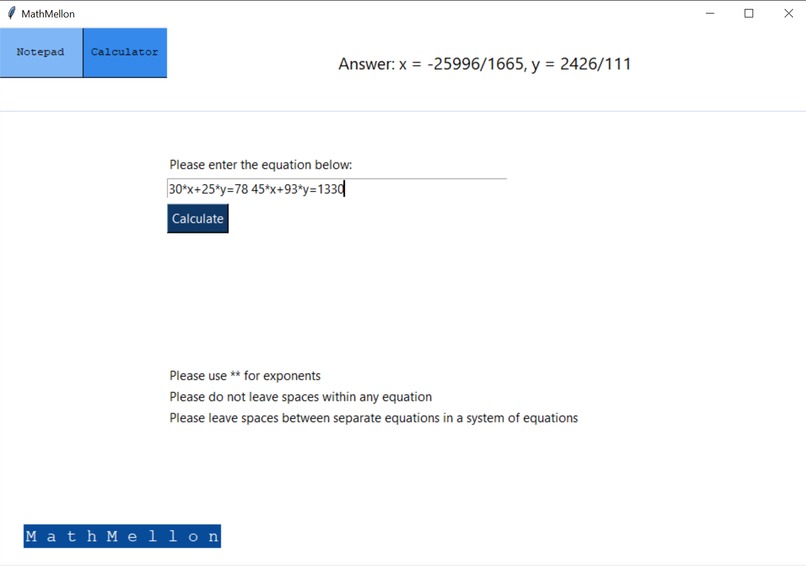
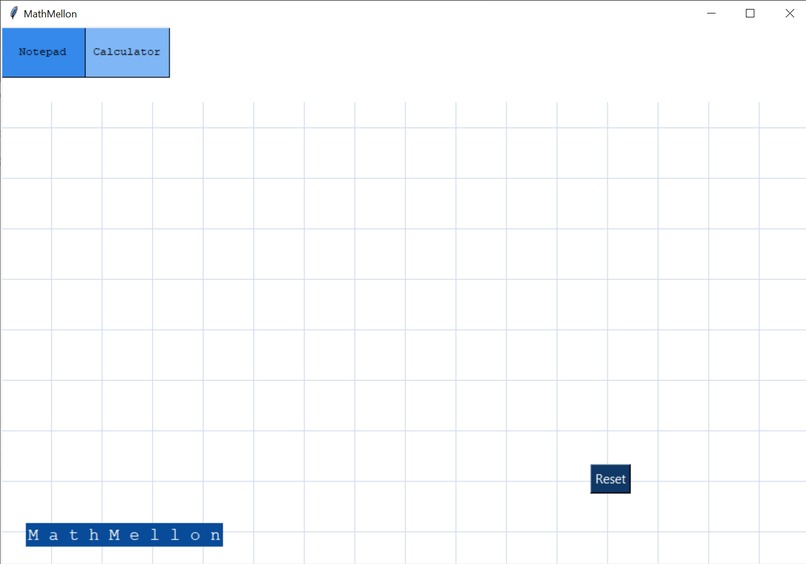
Our project is able to combine a note-taking application with an equation solver, all in the same window! On the majority of the screen is a grid where one can take there neat math notes. One can then take a screenshot of their beautiful math notes to save for later. Using advanced math methods and amazing functions in Tkinter, we were able to create a note taker that traces the clicked mouse in order to create the symbols that the user is drawing. On the side, there is a math equation solver in which the user can input equations into. The equation solver then outputs the solution(s) to the equation(s), giving the user convenience and simplicity. The math equation solver by detecting any letters of the alphabet as variables and then solving the equation(s) for the given variables. If there are more variables than equations, say k variables and n equations, then the math equation solver will solve the system for the first k variables, going left to right, then top to bottom, from the order the variable first showed up in the equations. Our sophisticated math equation solver is able to combine simplicity with convenience to provide the best note-taking application to the user.
How we built it
We built our project in three parts. The first part was creating the equation solver. To do this, we used the library Sympy to simplify the equation solving process. The equation was passed into the function to solve equations as a list, and then steps were taking to parse the list of equations into the format that would be suitable to pass into the method that would solve the equation. The second part was the note-taking application. This was done using Tkinter, and using casework and events to draw the shapes that the user was drawing onto the screen. The final part was the user interface. Buttons were made to go between the two functions of the applications and a beautiful user interface was made to make the user experience the best possible.
Challenges we ran into
We encountered many challenges on the road to success. The original idea of the project was to create a note-taking application that could take in an input as drawing and convert into math to use in the math equation solver. The main issue was that the neural network that we created was not working. This prompted us to change our project into creating a note-taking app and math equation solver with the two working parts that we had.
After this, we encountered some issues in creating the user interface. For example, there were problems going between the two pages, and there were problems getting the user's drawing to show up properly on the screen. Using our advanced problem solving techniques, we were able to conquer these challenges and eventually produce an application that was working and usable.
Accomplishments that we're proud of
We are proud of creating a workable application in the end that could actually be applied in real life to use for note-taking and solving math equations to make students' lives easier. We are proud of being able to conquer our challenges to create a working application that could improve the lives of many people. We hope to continue creating projects such as this to help communities like the education community better their lives.
What we learned
Throughout our journey, we learnt many things about machine learning and math. By building this tool, we were able to strengthen our knowledge in both mathematics and app development. Furthermore, we also broadened our knowledge on GUI applications such as Tkinter and were able to develop a strong foundational knowledge in programming.
What's next for MathMellon
There are a variety of new features that we could implement onto our application. One feature we could implement is to combine the two existing parts of our function, and make MathMellon a hand-written calculator application. Furthermore, we could add features that allow the user to graph various functions and solve more complex equations.
Built With
- sympy
- tkinter
![Jacob Yan [Student]](https://lh3.googleusercontent.com/a-/AOh14GjMJCZiYvYoANRynGKNznYLGIzfOuXnUgFUjeH-=s96-c?type=square "Jacob Yan [Student]")
![Jacob Yan [Student]](https://lh3.googleusercontent.com/a-/AOh14GjMJCZiYvYoANRynGKNznYLGIzfOuXnUgFUjeH-=s96-c?height=180&width=180 "Jacob Yan [Student]")

Log in or sign up for Devpost to join the conversation.