-
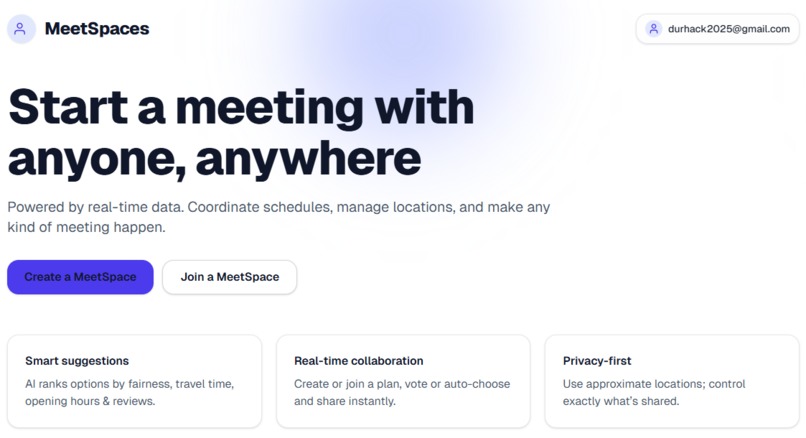
Home page
-

MeetSpace Creation
-
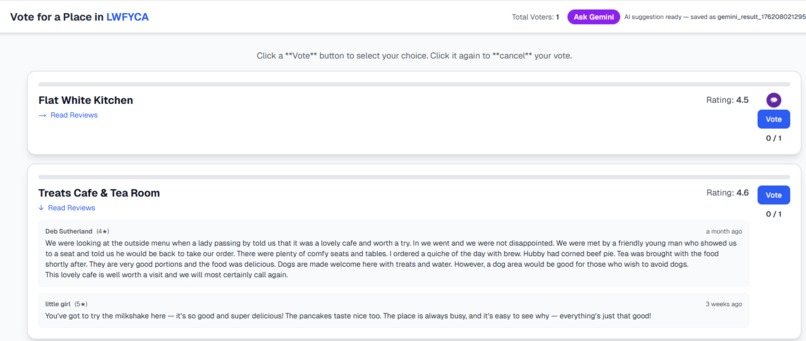
Reviews scene
-
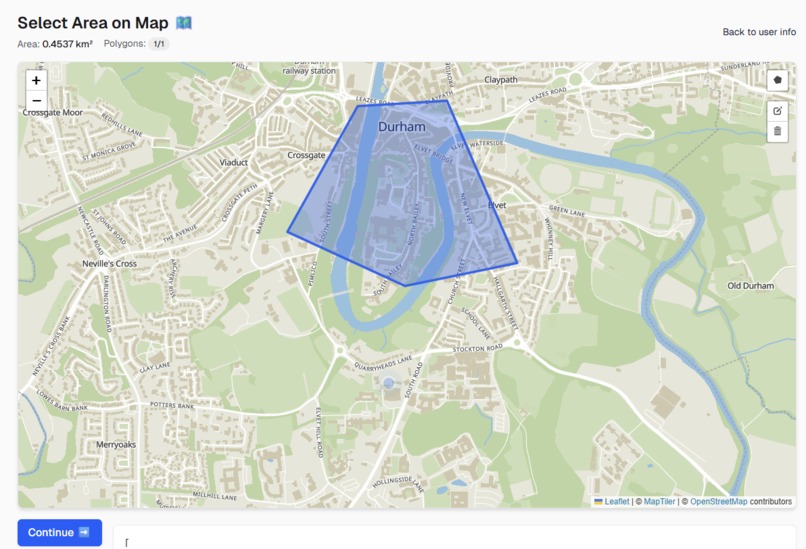
Location Mapping
-
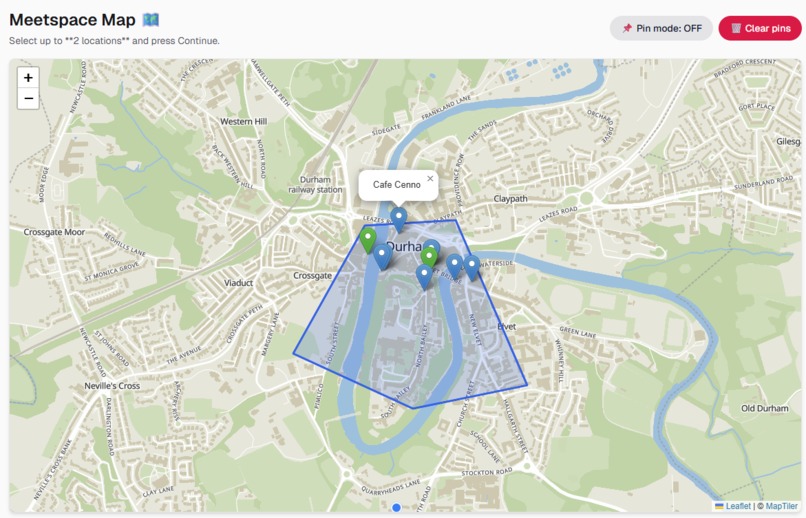
Selected Area Results
-
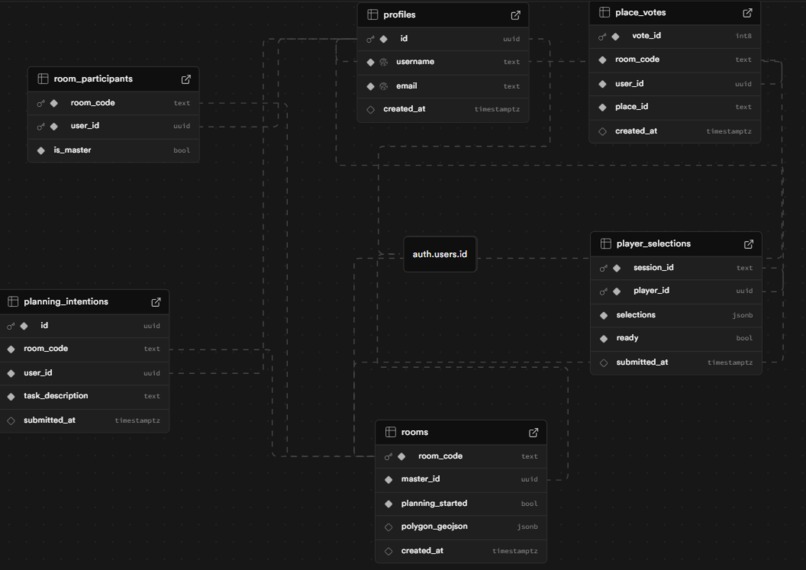
Our database Schema
-
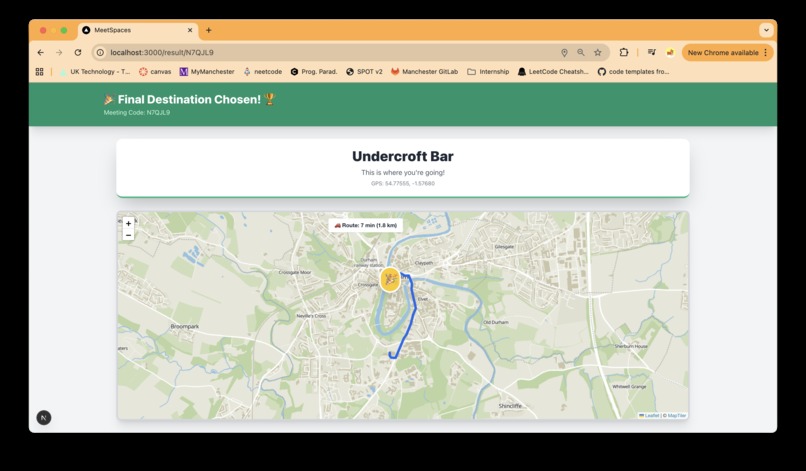
Route displayer
-
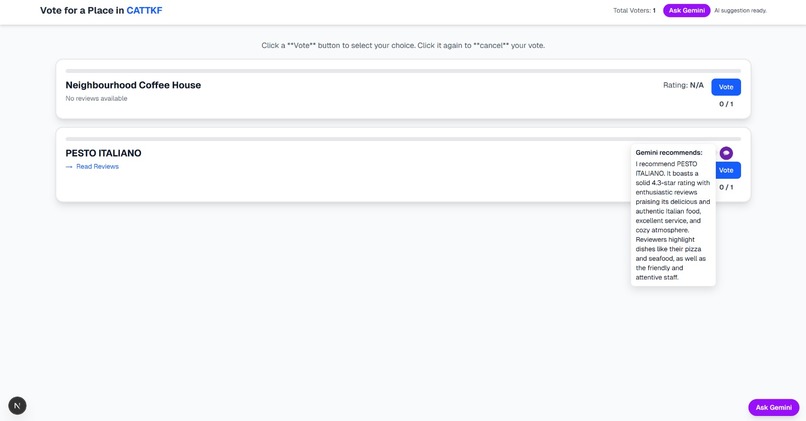
Gemini recommendation system


Inspiration
MeetSpaces is a collaborative location discovery platform that helps people decide where to meet by democratically selecting places within a shared geographic area.
Finding a meeting spot that works for everyone is surprisingly difficult. Whether it's choosing a café, restaurant, or park, groups often struggle with endless back-and-forth messaging. We wanted to solve this common pain point by creating a visual, interactive way for friends to express their preferences and find the perfect middle ground, both literally and figuratively.
What it does
MeetSpaces allows users to:
- Create collaborative sessions with unique room codes that friends can join
- Define a geographic boundary using an interactive map polygon tool
- View and select from nearby points of interest (restaurants, cafés, parks, etc.) fetched from -OpenStreetMap data
- Add custom pins for personal favorite spots not in the database
- Vote on up to 2 locations they'd like to visit
- See real-time progress as other players make their selections
- Automatically aggregate results once everyone is ready, showing the group's collective preferences
- Track their current location with a pulsating marker that updates in real-time
How we built it
Frontend:
- Built with Next.js 14 (React) and TypeScript for a modern, type-safe development experience
- Used Leaflet and React-Leaflet for interactive mapping functionality
- Implemented dynamic imports to ensure SSR compatibility with map components
- Styled with Tailwind CSS for rapid UI development
- Integrated Geolocation API for real-time user location tracking with animated markers
Leveraged Supabase for:
- PostgreSQL database to store rooms, participants, and selections
- Real-time subscriptions for instant synchronisation across players
- Authentication for user management
- Created custom API endpoints for fetching location data from OpenStreetMap's Overpass API
- Implemented GeoJSON storage for polygon boundaries
Key Technical Features:
- Client-side local storage for user-added pins
- Realtime synchronisation using Supabase channels to track readiness status
- Smart marker sampling (limiting to 10 API pins to avoid overwhelming the map)
- Custom icon system (green for selected locations, blue for available ones)
- Propagation logic ensuring all participants receive the same selection data
Challenges we ran into
Marker Icon Visibility: Default Leaflet markers weren't rendering for non-admin users due to CDN path issues. We fixed this by explicitly setting icon URLs to use unpkg CDN links.
Real-time Synchronisation: Getting all players to see instant updates when others made selections was tricky. We implemented Supabase's real-time channels to broadcast changes across all active sessions.
Race Conditions: Initially, the "all players ready" check had timing issues where fast clickers could redirect before slower players finished. We solved this by separating the submission logic from the readiness check and using a dedicated effect for navigation.
SSR Compatibility: Leaflet doesn't support server-side rendering. We had to use Next.js dynamic imports with ssr: false for all map-related components.
Polygon Storage: Converting between Leaflet's coordinate format and GeoJSON required careful latitude/longitude ordering (GeoJSON uses [lon, lat] while Leaflet uses [lat, lon]).
Selection Propagation: Ensuring late-joining players or those who didn't actively select still received the group's choices required implementing a propagation system that backfills missing selections.
Accomplishments that we're proud of
- Seamless real-time collaboration that actually works reliably across multiple devices
- Clean, intuitive UX that requires no tutorial—users immediately understand how to use the map
- Smart location sampling that balances providing options without overwhelming users
- Robust error handling and loading states for a polished experience
- Mobile-responsive design that works beautifully on phones (crucial for on-the-go planning)
- Successfully implementing geolocation tracking with smooth animations
What we learned
- How to effectively use Supabase's real-time features for multi-user coordination
- The intricacies of working with geospatial data and coordinate systems
- Techniques for making third-party libraries (Leaflet) work seamlessly with modern React
- The importance of optimistic UI updates vs. server-confirmed state
- How to handle browser geolocation permissions gracefully
- Creative solutions for state synchronisation in distributed systems
What's next for MeetSpaces
- AI-powered recommendations based on group preferences and past selections
- Time-based polling to coordinate not just where but when to meet
- Route optimisation to show travel times and suggest the most convenient locations for everyone
- Integration with booking platforms (OpenTable, Resy) for instant reservations
- Social features like sharing favourite spots with friends and building custom collections
- Weather integration to suggest indoor/outdoor options based on forecasts
- Accessibility improvements including voice commands and screen reader support
- Analytics dashboard showing most popular meeting spots in different cities
- Mobile native apps for iOS and Android with push notifications
- Event creation directly from selected locations with calendar integration
Built With
- 14
- api
- authentication
- css
- draw
- geojson
- gps
- leaflet.js
- maptiler
- next.js
- openstreetmap
- overpass
- postgresql)
- react
- react-leaflet
- realtime
- supabase
- tailwind
- typescript




Log in or sign up for Devpost to join the conversation.