-
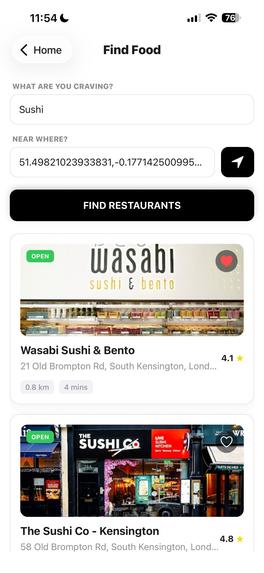
Find a restaurant
-
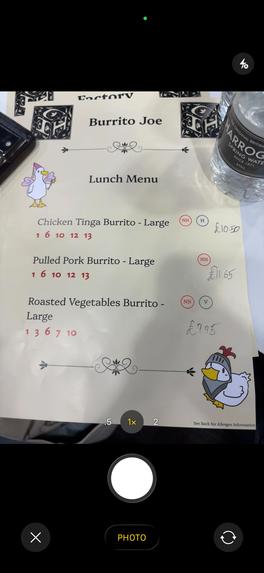
Scanning Menu
-
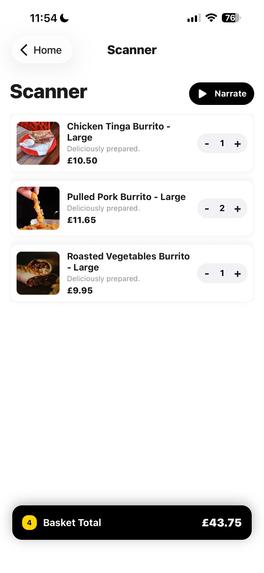
See Menu
-
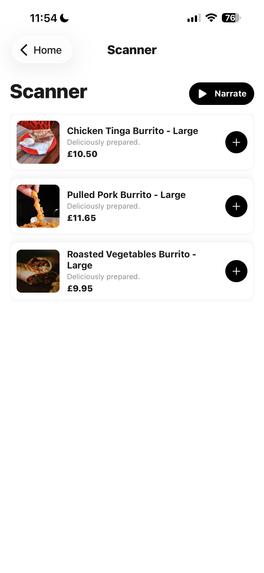
See Menu


Project Description
The Problem
We've all been there: sitting in a restaurant, staring at a wall of text.
- "What does the 'Chef's Special' actually look like?"
- "Is this a big portion?"
- The Reality: We eat with our eyes, but physical menus are stuck in the 1900s. You shouldn't have to copy-paste dish names into Google Images one by one just to decide what to eat.
The Solution
Menulator digitizes the physical world.
- Snap a photo of any paper menu.
- AI parses the text to understand dish names, descriptions, and prices.
- The Visual Engine (powered by Pexels API) instantly finds high-quality reference photos for every single item.
- The Result: The boring paper menu transforms into a rich, scrollable, "Deliveroo-style" feed on your phone.
How It Works
We built a seamless pipeline using React Native and Expo.
- Image Capture: We use
expo-image-pickerto capture high-resolution menu photos. - The Brain (GPT-4o): The image is sent to OpenAI's GPT-4o Vision model. We engineered a system prompt to strictly extract structured JSON data (IDs, names, prices) from the raw image, handling complex layouts and fonts.
- The Visuals (Pexels API): Once we have the dish names, we asynchronously query the Pexels API to fetch mouth-watering reference images for each item in parallel.
- Local Recommendations: We also added a "Local Food" feature that uses Google Places API combined with GPT reasoning to find authentic spots nearby based on your current craving.
Challenges We Ran Into
Hallucination vs. Reality.
- The Problem: Initially, the AI would try to guess what the food looked like or fail to read fancy cursive fonts.
- The Fix: We had to refine our system prompts to be strict about JSON formatting. We also had to implement a robust error-handling fallback so the app doesn't crash if the AI misses a price.
- Performance: Fetching images for 20 menu items simultaneously caused lag. We optimized this by using efficient React rendering and image caching.
Accomplishments that we're proud of
- The "Visual Pop": It is genuinely satisfying to snap a picture of a boring list and see it turn into a colorful, visual menu in seconds.
- GPT-4o Integration: We successfully implemented a multimodal AI pipeline (Image -> Text -> Structured Data) entirely within a mobile app.
- Cross-Platform: The app runs smoothly on both iOS and Android thanks to our Expo architecture.
What we learned
- Prompt Engineering is UI: We learned that the quality of our app's UI depends entirely on how well we prompt the model to structure the data.
- API Orchestration: Managing three different APIs (OpenAI, Pexels, Google Maps) requires careful state management to ensure the user isn't stuck watching a loading spinner forever.
What's next for Menulator
- Dietary Filters: We plan to update the AI prompt to auto-tag items as "Vegan", "Spicy", or "Gluten-Free" so users can filter the list instantly.
- AR Overlay: Moving from a "Scan & List" view to a live Augmented Reality view where food photos pop up directly on top of the physical paper.


Log in or sign up for Devpost to join the conversation.