-
-
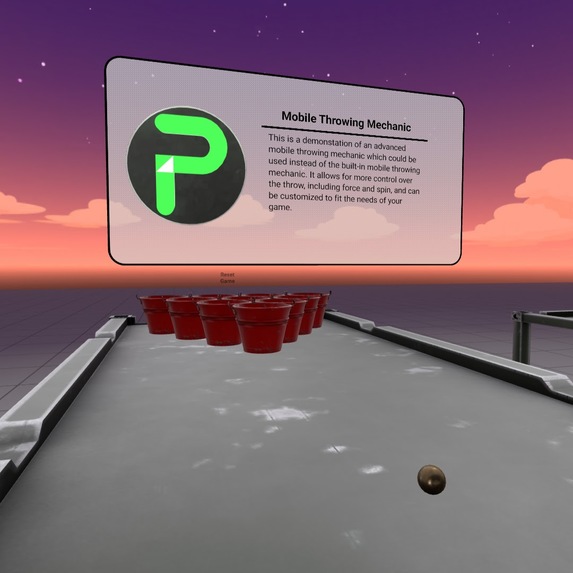
Try out this simple flinging game on mobile, then customize it for your game.

Inspiration
During my time trying to teach myself about Focused Interaction this spring, I saw those around me still playing Pokemon Go as a casual way to unwind at the end of the day. I saw an opportunity and a mechanic that was missing in Horizon Worlds. While there was a built-in method of throwing for mobile players, it was only a crude overhand throw without much control. There were many games that were both competitive and relaxing that needed the ability for mobile players to throw objects in a more controlled, precise, and intuitive way. I took on the challenge and my mobile throwing mechanic was completed soon after.
What it does
It allows the player to grab an object, touch the screen and flick upwards and release your touch to toss the object like an underhand throw. Players can also grab the object and twirl their finger around in a circle before flinging it upwards which will add both spin and curve to their throw. Try out other examples based off this mechanic by visiting Bunky's on mobile to play basketball and Poppa Pong.
Place this script called 'ProtoThrow:ThrowableObject' onto any grabbable object and disable the built-in throwing controls. Adjust the properties such as the ReturnDelay (how long after a throw until it returns), the ScaleForce (which is a force multiplier based on how far away the targets are located from the player), and ScaleCurve (another force multiplier for how much spin/curve a player can put onto the object).
How I built it
I started out by building a custom UI HUD that simply gave me a readout of the first 5 multi-touch points. From observing how those numbers changed from a single touch point, I was able to structure the basic concept for this throwing mechanic. From the beginning I wanted this to be easy to apply to any gameplay, so I created a separate unregistered class in this script called ThrowController with several methods that can be called and placed within the focused interaction event callbacks such as startGesture, updateGesture, and finalizeGesture. The ThrowableObject class/script in this example is functional, but primarily for demonstration purposes to apply the ThrowController into the creator's existing gameplay for extending a better experience to mobile players.
Challenges I ran into
I ran into one problem near the very end where I later learned that I was overcomplicating the finalizeGesture method. In the end there ended up being a simple solution just using the screen position data from the focused interaction. It's too easy to fall into the pit of solving problems mathematically instead of stepping back to see the solution staring you in the face.
Accomplishments that I'm proud of
This ended up being a fun and simple mechanic that I have been able to put onto several different game types. If there was more time I would put this onto a collection of carnival games as public assets, but there just wasn't enough time to pull that off.
What I learned
While building this I learned a deep understanding of focused interaction and confident I could now build more advanced focused interaction experiences if needed.
What's next for Mobile Throwing Kit
Since creating this there has been a Gestures API released which gave us a few simple multitouch gestures, but I am confident I could make more general and niche gestures when needed. I am always contemplating how I could use focused interaction multi-touch to create an immersive racing or flying experience for mobile players.




Log in or sign up for Devpost to join the conversation.