-
-
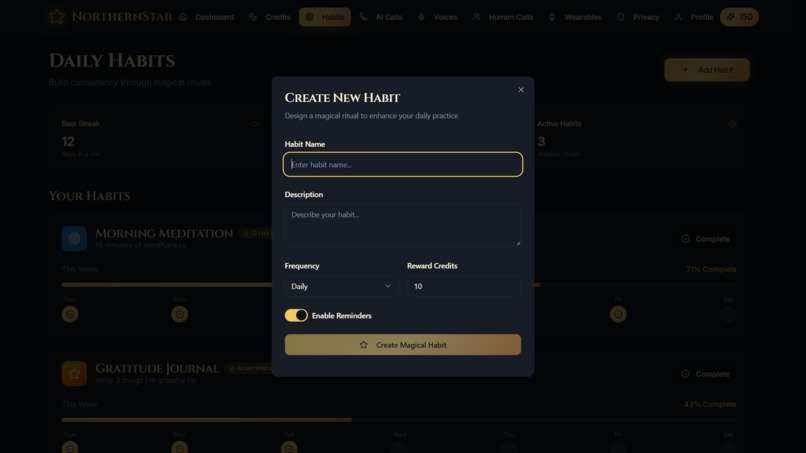
Habit Creator
-
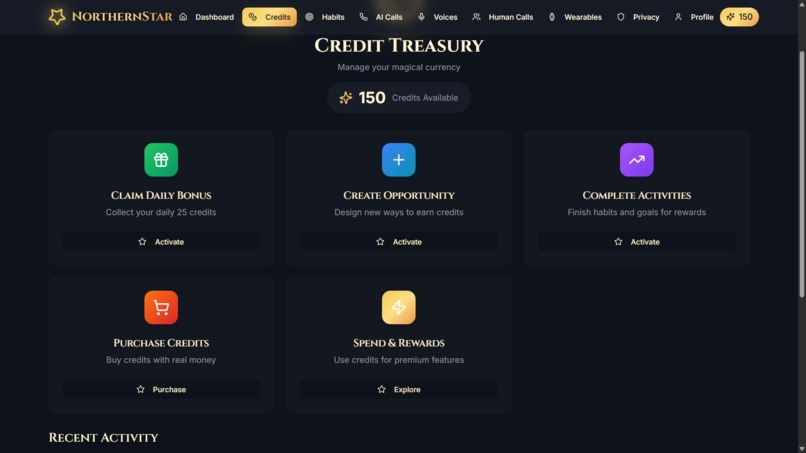
Credit Treasury
-
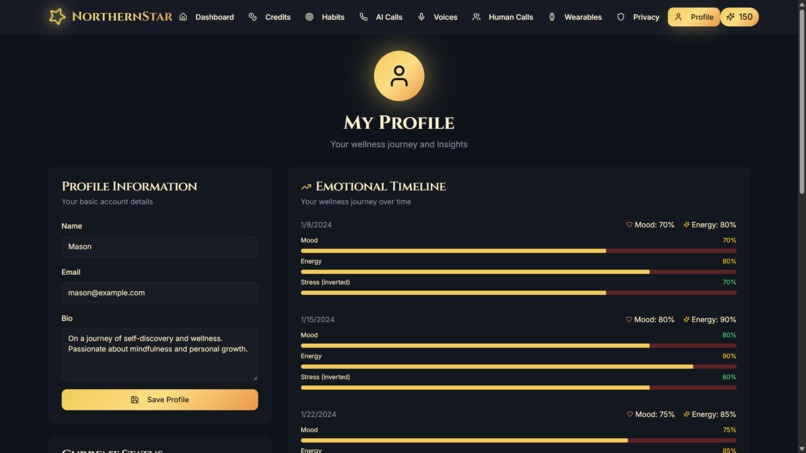
Profile Page
-
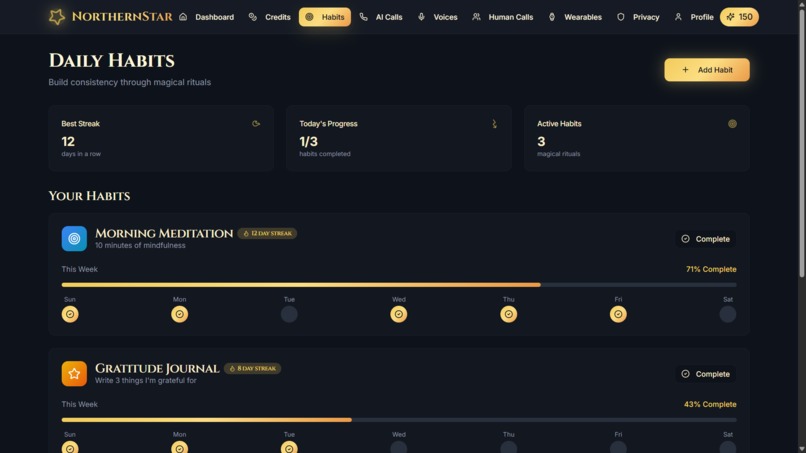
Habit Tracker
-
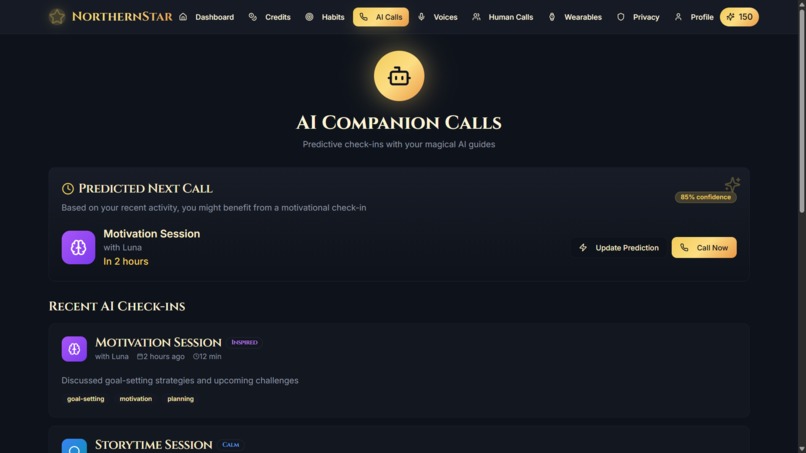
Check In calls
-
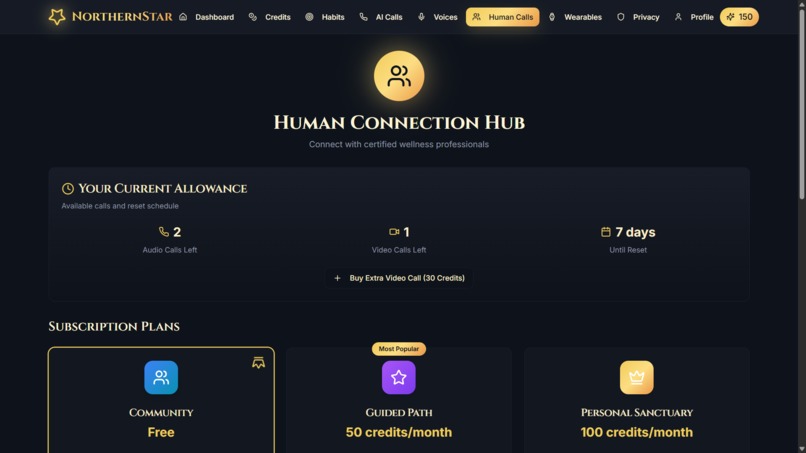
Human Touch
-
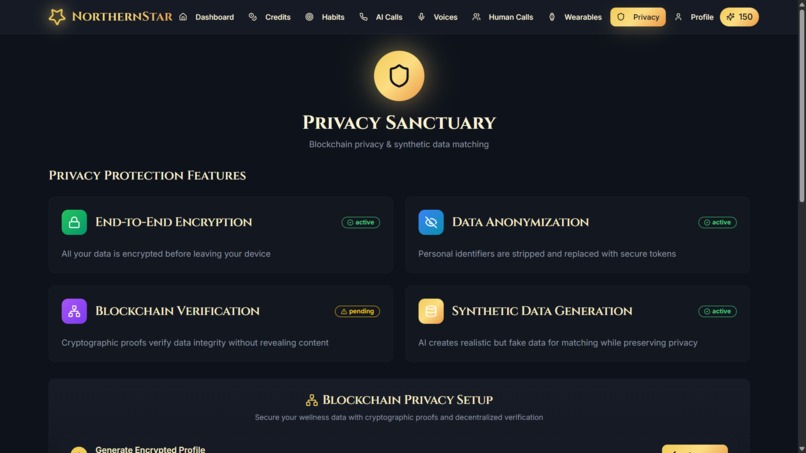
Privacy Page
-
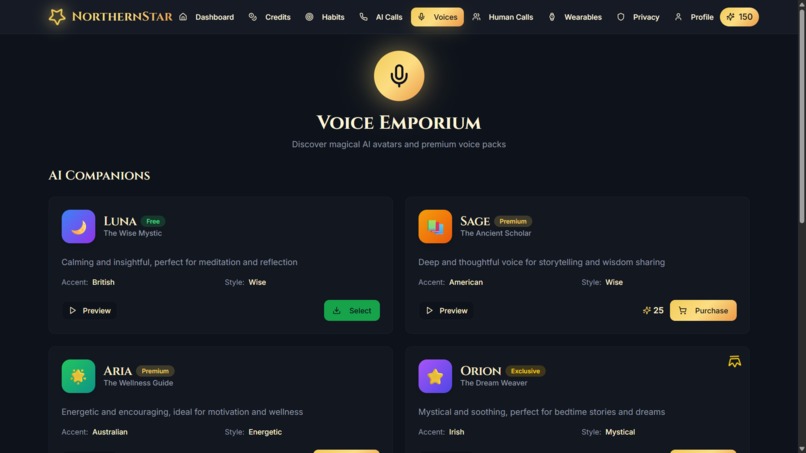
Voice Store
-
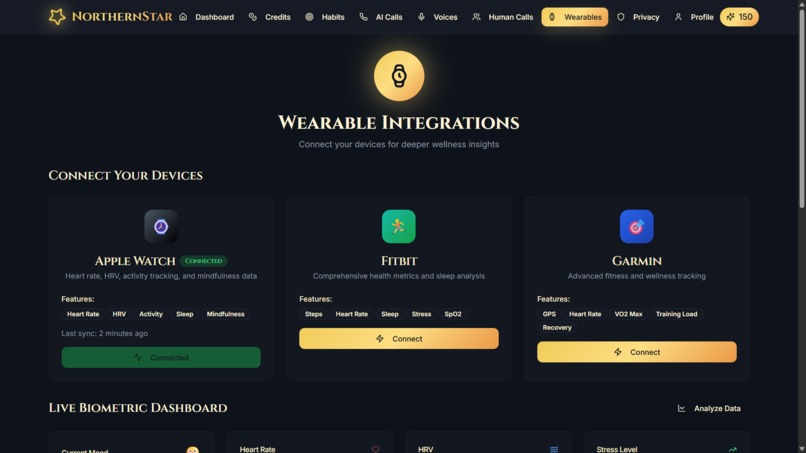
IoT integration
-
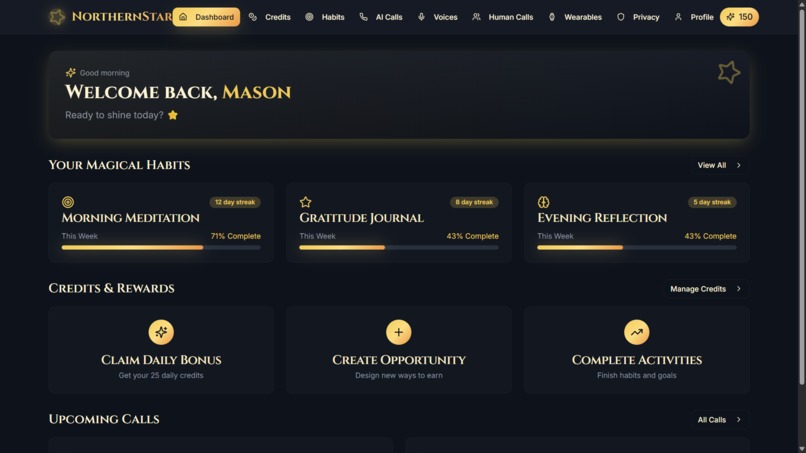
Dashboard
-
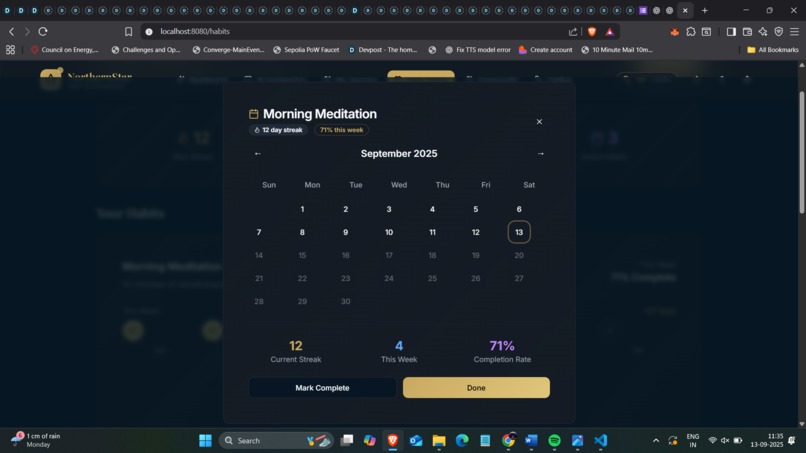
Habit Calender
-
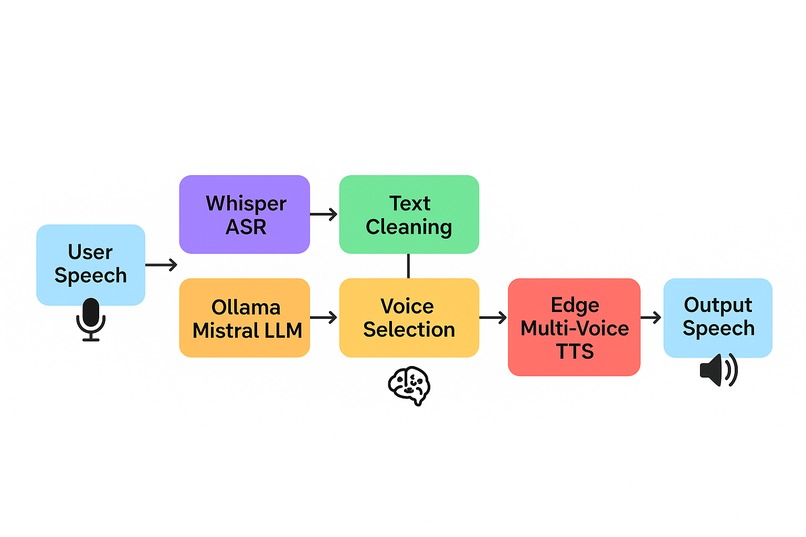
Flow for communication with AI


🌟 Inspiration
Life is *busy*. Professionals set goals, but many—especially those managing disabilities or cognitive challenges—struggle with consistency and productivity.
Barriers can be physical: low vision, motor impairments, or difficulty navigating digital tools. Other barriers are psychological: anxiety, ADHD, depression, or burnout.
We were inspired by the question:
“How might progress, engagement, and productivity feel inclusive, AI-driven, and human-centered for everyone?” ✨
That became the seed for NorthernStar 🌠, an AI-powered enterprise companion platform designed to help teams and individuals stay consistent, productive, and connected—while ensuring tools are accessible and data remains 🔒 private.
🛠️ How We Built It
Accessible Enterprise Dashboard 💻 – Modular pages for Habits & Productivity, Credits Treasury, AI Collaboration Chat, Human Support Calls, and Privacy Hub, designed with screen-reader support, high-contrast visuals, and voice command navigation.
Multi-Dialect AI Interaction 🗣️ – Users can communicate with AI in different dialects and accents, improving inclusivity across diverse teams. AI adapts tone, clarity, and pace depending on cognitive or language needs.
Voice Command Control 🎙️ – Navigate dashboards, log tasks, or schedule reminders entirely by voice, supporting professionals with visual impairments, cognitive overload, or mobility limitations.
Habit & Productivity Tracking 📅 – Streak calendar, audio summaries, and AI-driven motivational nudges help maintain focus, improve consistency, and reduce burnout.
Credits & Rewards System 💰 – Earn credits by completing tasks, achieving KPIs, or reaching milestones. Credits can be redeemed for premium services, coaching sessions, or AI-generated insights, supporting engagement and self-belief.
AI Collaboration Chat 🤖 – Text, voice, and video AI assistant that facilitates meetings, generates summaries, and provides context-aware recommendations. Clear speech modes and calming tones reduce anxiety and improve comprehension.
Human Support Hub 🧑🤝🧑 – Professional calls for mentorship, emotional support, or accountability, reinforcing AI guidance with authentic human interaction.
Wearable & Sensor Integration ⌚ – Tracks heart rate, fatigue, and stress signals. AI provides simple, actionable alerts without overwhelming users, optimizing productivity and wellbeing.
Privacy & Compliance Hub 🔐 – End-to-end encryption and synthetic data pipelines ensure enterprise-grade security and regulatory compliance, building trust for sensitive personal and corporate data.
📚 What We Learned
- Inclusive AI Design 🧩 – Multi-voice and multi-dialect AI increases engagement and inclusivity for diverse teams.
- Voice UX 🎙️ – Voice-driven navigation supports professionals with visual impairments or cognitive challenges while providing comfort and clarity.
- Balance ⚖️ – AI supports engagement and productivity, but human guidance remains essential for authentic inclusion.
- Privacy Matters 🔐 – Professionals need trust in how sensitive data—both psychological and productivity-related—is handled.
⚡ Challenges
- Universal UX 🔄 – Designing features usable for professionals with different abilities, attention spans, and cognitive needs.
- Wearables 💡 – Delivering health and productivity feedback without causing stress or overload.
- Privacy 🔒 – Ensuring secure pipelines for sensitive corporate and personal data without friction.
- Emotional & Human-Centered Design 💖 – Making the platform feel supportive rather than a sterile productivity tool.
💫 Closing Thought
NorthernStar isn’t just an app—it’s an AI-powered enterprise companion 🌠. It removes physical and cognitive barriers, supports psychological wellbeing, and helps teams feel connected, capable, and motivated.
✨ Follow your NorthernStar… because productivity feels better when no one is left behind. ✨
🧮 Bonus (LaTeX Example)
To calculate earned credits for employees:
$$ \text{Credits} = \sum_{i=1}^{n} \text{task}_i \times \text{reward}_i $$
💻 Example AI + Voice Integration Code
const completeTask = (taskId: string) => {
  updateStreak(taskId);
  addCredits(10); // reward employee
  console.log("✨ Task completed, credits earned!");
};

// Voice command trigger
voiceAssistant.onCommand("complete task", (taskName) => {
  const taskId = getTaskId(taskName);
  completeTask(taskId);
});
Built With
- amazon-web-services
- blockchain
- edge-tts
- elevenlabs
- end-to-end-encryption
- expo.io
- express.js
- firebase
- github
- javascript
- mongodb
- node.js
- notion
- ollama
- postgresql
- python
- react
- shadcn/ui
- supabase
- tailwindcss
- typescript
- wearable-apis
- webrtc
- whisper


Log in or sign up for Devpost to join the conversation.