-
-
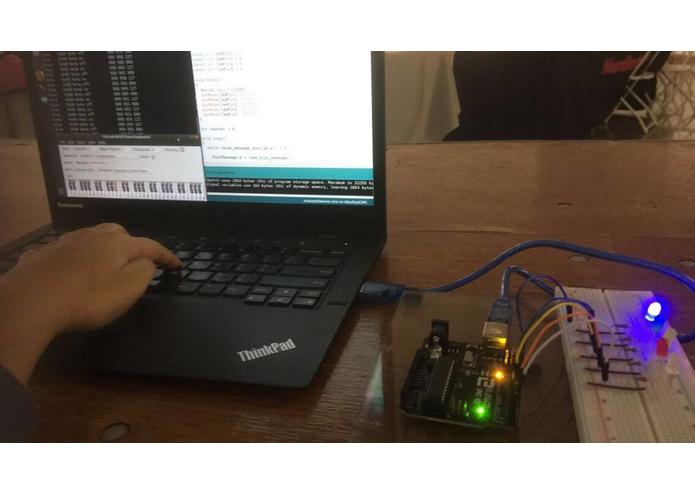
In action
-
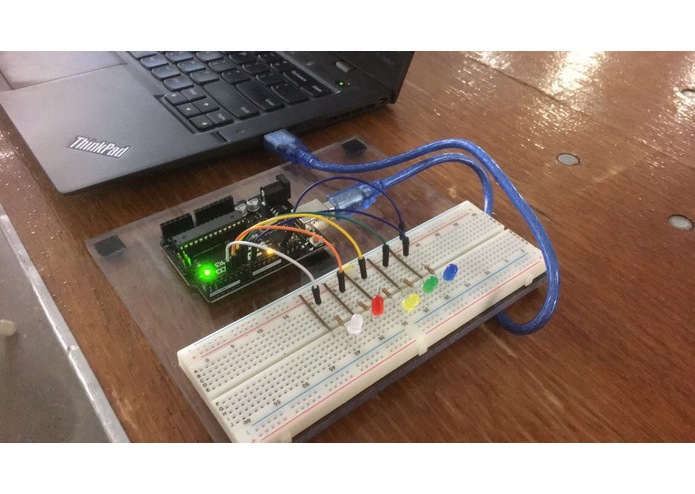
Hardware


Inspiration
I wanted to learn how to play a piano/keyboard but, I didn't want to invest the money into buying one. So, I decided to convert my laptop keyboard into a MIDI keyboard. Each key on my laptop's keyboard corresponds to a key on a piano/keyboard. Now I can play the piano anytime and anywhere I want with modulations in sounds, pitch, frequency, and more, all thanks to the Musical Instrument Digital Interface. Then, I thought that if I can make music, why not turn it into a complete party with some dancing LEDs!
What it does
My hack simulates a hardware synthesizer on my laptop using my laptop's keyboard and communicates with computer sequencing software running on the same laptop using MIDI messages. It makes use of virtual MIDI cables instead of physical MIDI ports which makes life much easier and your bag much lighter since you don't have to carry a bulky synthesizer and MIDI ports around. It connects two applications with these virtual MIDI cables and detects keystrokes which then sends MIDI signals from one application to another, converting that to the corresponding note associated with the key. These MIDI signals are then, inputted into the Arduino IDE. The Arduino UNO controls the LEDs using Serial communication. Each LED is associated with certain keys. When those keys are pressed, the MIDI audio signal is inputted, and the corresponding LED lights up, making the LEDs dance with the notes played.
How I built it
Refer to the README.md on the GitHub repository linked below to be equipped with all the tools needed to make this project yourself.
Challenges I ran into
1) I did not have a physical MIDI port as I first thought I would use in the project. This forced me to come up with another way to make this project work. 2) Figuring out the mechanism and perfect application needed for Virtual MIDI ports and cables took way too much time. 3) Not enough documentation for Linux OS to get MIDI outputs from the keyboard and send that to another application as inputs using virtual MIDI cables. 4) The Arduino UNO I used had a UART port which does not support any kind of MIDI interface. So, I had to find and tweak the 'hairless-ttyMIDI' source code and compile it for my Arduino UNO in order for it to support the MIDI interface. 5) The recommended library in the Arduino IDE that is supposed to read MIDI signals from Serial, did not recognize the signals that were being inputted from my applications. It took 5 hours of my time to debug the code and realize that it wasn't me, it was the library. So, I had to search github for another MIDI library.
Accomplishments that I'm proud of
Creating such a project in my first Hackathon and getting through all of these challenges without giving up. Also, creating a hack for a FREE instrument without any additional hardware other than your laptop. Who doesn't want that?!
What I learned
A lot about audio signals, MIDI programming and the fact that everything can be simulated on you laptop!
What's next for not-MIDIocre
I want to write my own keyboard driver that converts my laptop's keyboard into a MIDI device. After which I will make use of tactile buttons that will then act as MIDI keys. Maybe, even create a game that makes use of a correct sequence of MIDI notes.
Built With
- amsynth
- arduino
- qmakeclt
- ttymidi
- vmpk


Log in or sign up for Devpost to join the conversation.