-
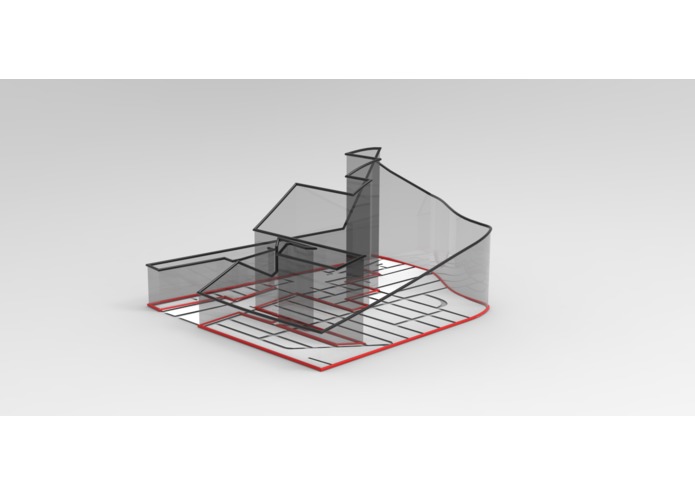
Computer app incorporates altitude information and shows the 3D view
-
Logo
-
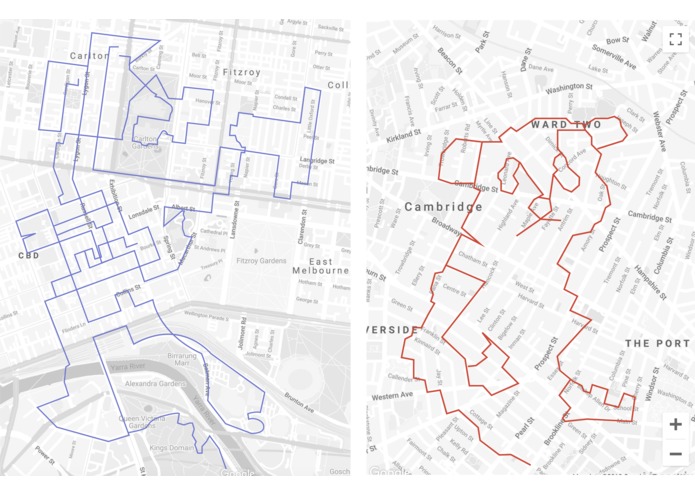
(Left) Travel track (Right) Creating GPS Art
-
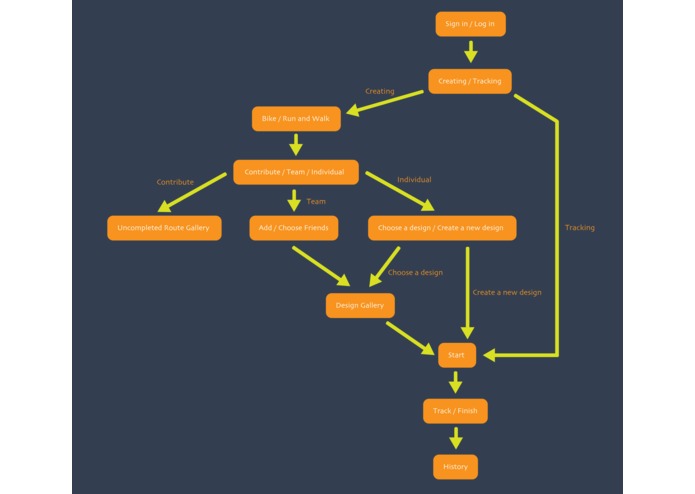
Smartphone app screen chart
-
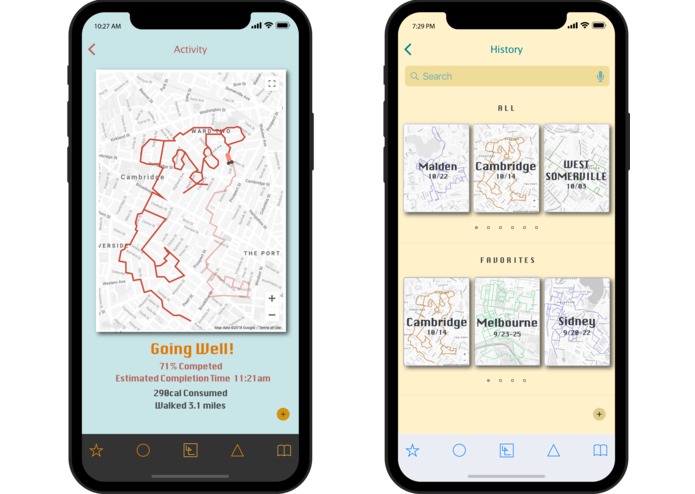
Smartphone app screen (individual)
-
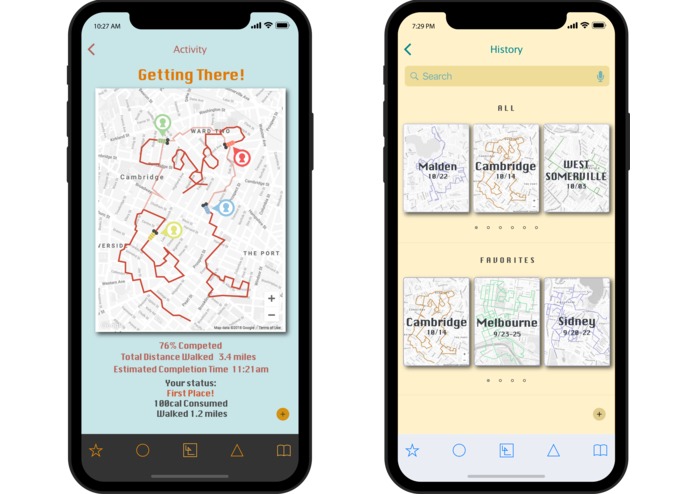
Smartphone app screen (team)
-
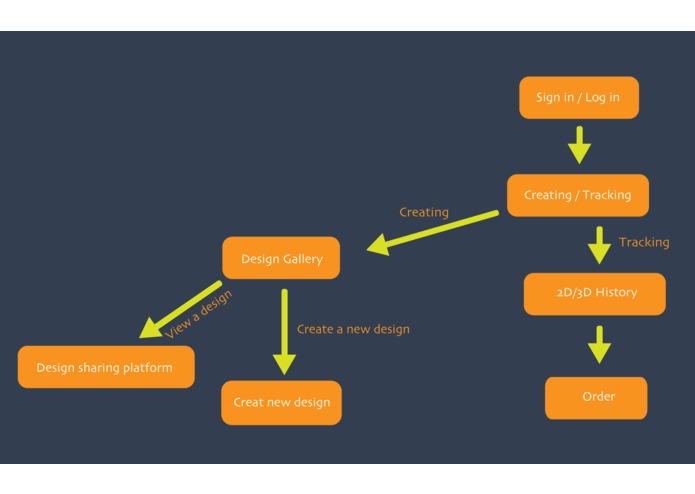
Computer app screen chart
-
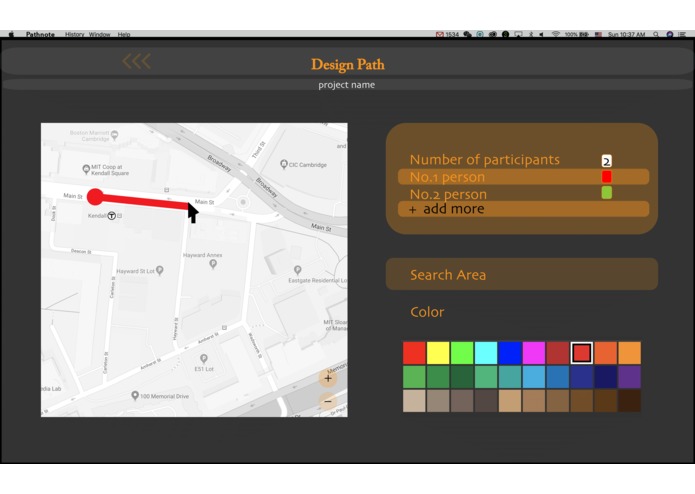
Designing path on computer
-
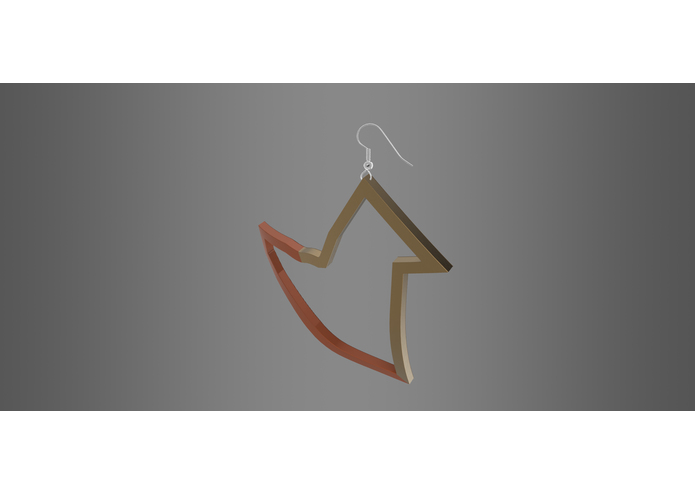
3D rendered product from a trip (earring)
-
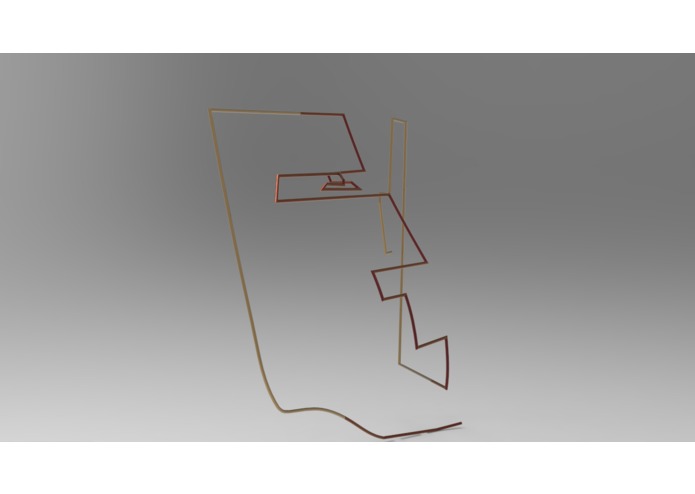
3D rendered product from a trip
-
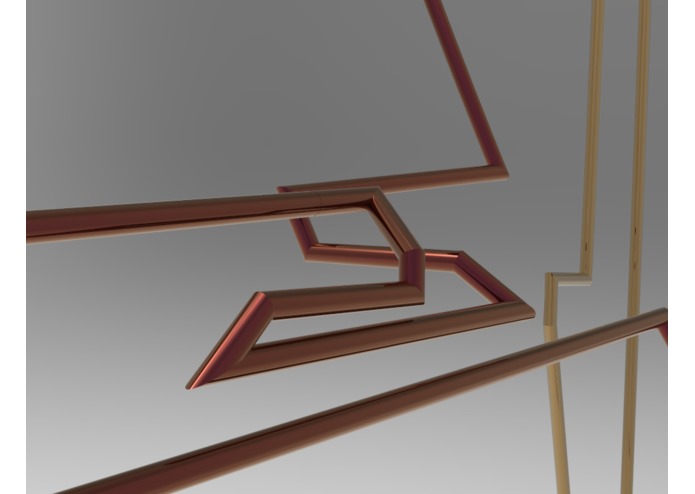
3D rendered sculpture (detail)


Inspiration
Our project is inspired by GPS Art.
What it does
Our app records users' GPS track. It encourages people to exercise outside by creating a platform to share designs. Users can either choose an existing design on platform to create a GPS art, or create a custom route and share it with people. They can either work individually or team up with their friends, partners, or family to create a design. Or they can find incomplete designs in the cloud and contribute to it. Users choose either bike or running/walking, since app calculates calorie consumption and distance traveled. If a user creates a custom route (a new design), they can either simply record the track on smartphone during traveling, or design the route on computer at home.
It also has a function to track users’ travel history. It records the entire journey of the user on trip. While GPS art has designs which encourages users to exercise, this trip tracking function is solely meant to record a trip. App does not calculate distance and calories for this function.
When running app on computer, it includes altitude data and provides a view of a 3-dimensional track of users’ trip on computer. It shows users a clearer view of their exercise history by showing the steeps. Finally, users can order a 3D printed or manufactured sculpture of their GPS art and their travel track. For example, a couple can create a heart shape in a town and order to create a ring or necklace of the shape they create. And users can order a sculpture of their trip, to get a physical structure that summarizes their experience of the trip.
How we built it
Collectively, we came up with the purpose and functionality of our product. Then, we divide the works into technical and graphical parts. Throughout the development process, we kept discussing our progresses and what can be improved in our plan.
Challenges we ran into
We struggled the most in the technical practice. When implementing online libraries, a compatibility issue occurred after a recent update. Hence, some major functionalities in our program could not be implemented on time.
Accomplishments that I'm proud of
We are satisfied with the graphics we created and concept we developed in one day.
What I learned
We learned that it is important to stay open-minded when we communicate to our teammates, which brings us to more understanding of different perspectives.
What's next for Pathnote
We will complete a fully functional model, add more refined visuals and designs, and let people try out the app and collect the user response for continuous improvements. We will then explore ideas of business and functions such as matching user accounts, let users chat, co-operating with a company to create products, etc.
Built With
- adobe-aftereffect
- adobe-illustrator
- html
- javascript
- photoshop
- premiere
- rhino


Log in or sign up for Devpost to join the conversation.