-
-
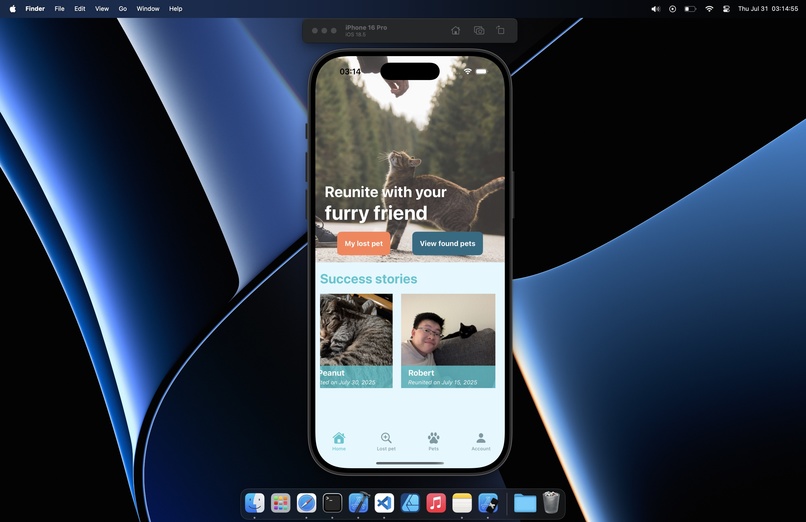
Running App View
-
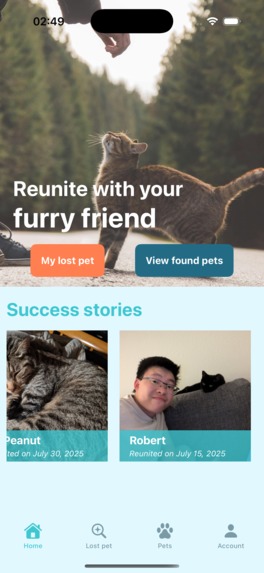
Home Page View
-
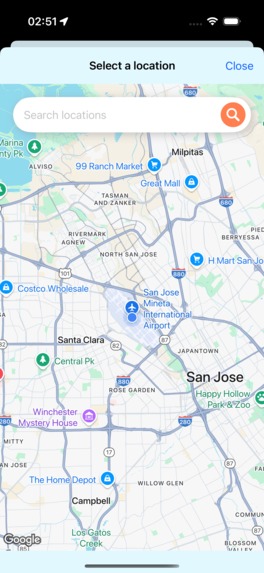
Map Search View
-
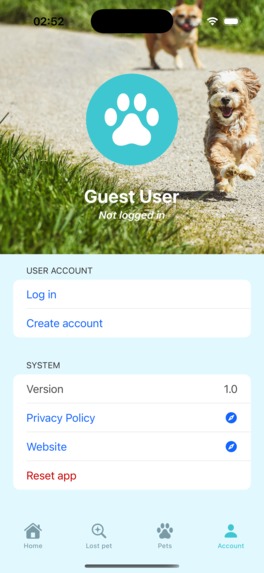
Account View
-
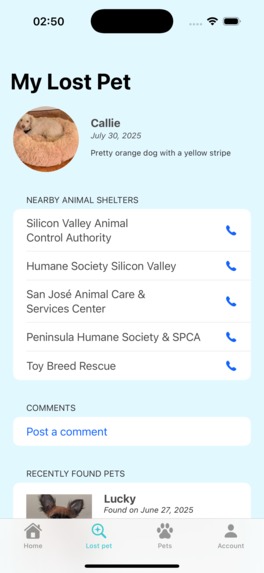
My Lost Pet View
-
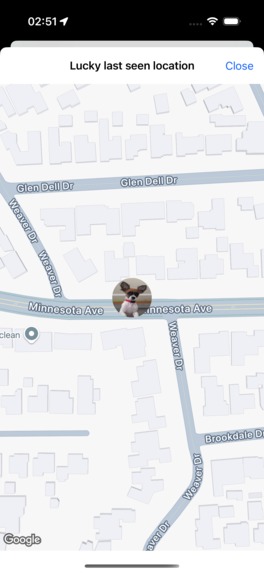
Pet Location View
-
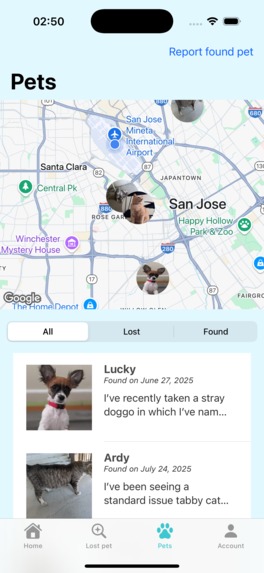
Reported Pets View
-
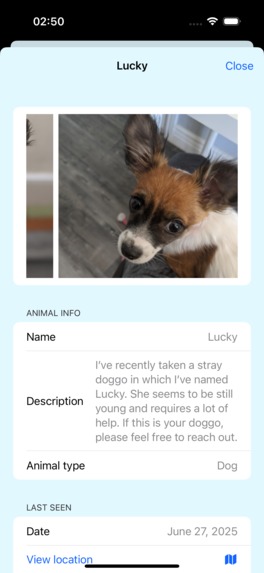
Pet Details View
-
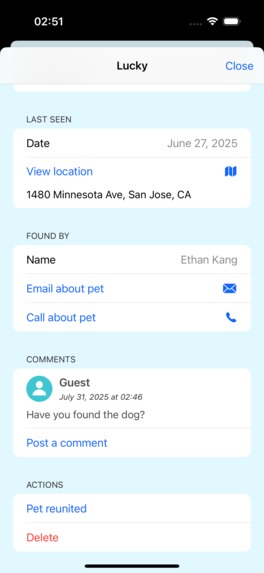
Pet Details View Continued
-
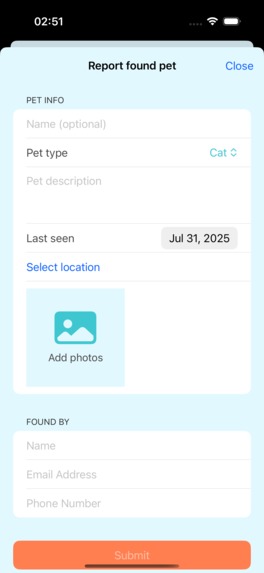
New Posting View
-
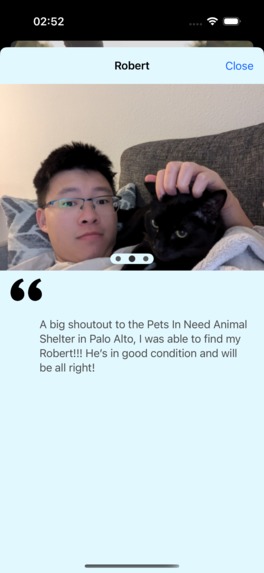
Reunited Pets View


Inspiration
As pet owners one of the scariest things is losing your pet. Having a reliable place to post found pets or post your lost pet is critical to connect to other pet owners and lovers in a sustainable way without relying on paper flyers. It is critical for social to help each other and connect with fellow pet lovers to get all pets back home.
What it does
This app allows you to quickly post a found pet or lost pet to help reunite the owner with their pet. This app runs on iOS and providers a way to post anonymously or with an account (in the future). Each post can be commented on and when the poster gets the pet back home or finds their pet they can mark it as reunited and share their experience and reunited pictures to be showcased on the app's home page. For posting and seeing nearby found/lost pets all items appear on Google Maps. The Google Maps view includes markers to show nearby lost pets with their photo as well as when posting about a pet you can choose where you last saw the pet via the Google Maps view or by searching for pointer of interests or cities to instantly place a marker on the map.
How we built it
The app is built as a native iOS application written in Swift using SwiftUI for the user interface. We utilize the Google Maps SDK for iOS for adding Google Maps connections to our app and providing map pinning and visualizations. We needed a basic backend to work with our client. For this we used PHP to create a basic API server with CRUD operations. This talks to a MySQL database to store all information.
Challenges we ran into
Being our first real iOS application and first time trying the Google Maps SDK for iOS we struggled to get things working initially. Once we understood how to use Google Maps SDK with wrapping to use with SwiftUI we were able to develop the views and get the app running in time for the deadline. We also struggled with some of the user flows to find a way to simplify finding and posting pets, I think we could have found ways to simplify and showcase more information quicker to the end user. We struggled with the ScrollView logic as well and had to find creative ways to get it to work by using tap gestures on top of children. We had also hoped to utilize AI image processing to match the posted lost pet images to the posted found pets and using percent of accuracy to list out the closest possible matches based on AI image processing.
Accomplishments that we're proud of
We were proud of getting images to work to allow the user to select images and then upload them in smaller formats to the server. We were also excited to about getting the Google Maps SDK for iOS integrated. This allowed us to use the map view to provide an easy to visualize map for picking where you last seen the pet and for visually seeing all pets posted around your current location.
What we learned
We learned a lot about creating iOS applications and how to utilize Google Maps in our app for showing markers and providing address visualizations for users with the easy to recognize and comprehend Google Maps view. We learned how to build and perform network calls within our iOS application and how to use SwiftUI more efficiently and the different type of elements like stacks and overlays which was complicated but now that we have it working we have a deeper comprehension for it.
What's next for PawsitiveID
Due to time constraints we had to limit our MVP to what we will showcase in this demo. But we have more goals on what we would like to see the app do. This includes:
- Utilizing AI image processing on the device to match the lost pet images with the posted found pets.
- Improving the design of the reunited pet details page. Making it more visually appearing and providing more information about the reunited pet.
- Providing autocomplete via the Google Places API on the map search bar. Allowing for searching and providing top 5 closest options to allow the user to click based on their search.
- Add account flows to the app. This includes creating an account and logging into the app with this account via Google oAuth or Apple oAuth. As of now the app only supports "Guest" posting. Logging in allows better managing of posts and protecting all posts.
- Allow users who created a post to edit and manage the post. Currently you can delete and mark as reunited (PUT). But we would like to support users editing all aspects; including images, pet info and location.
- Providing testimonies on the home page of the application to showcase people's opinion of the app and provide a reason to use the app after seeing other success stories.
- Providing a way to click a photo to open full screen and zoom and view the photo in more details or share it to others via iOS Share menu.


Log in or sign up for Devpost to join the conversation.