-
-

Posturai Logo
-
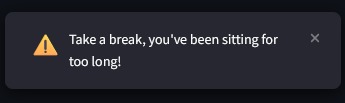
Warnings about taking breaks if you've been sitting for too long
-
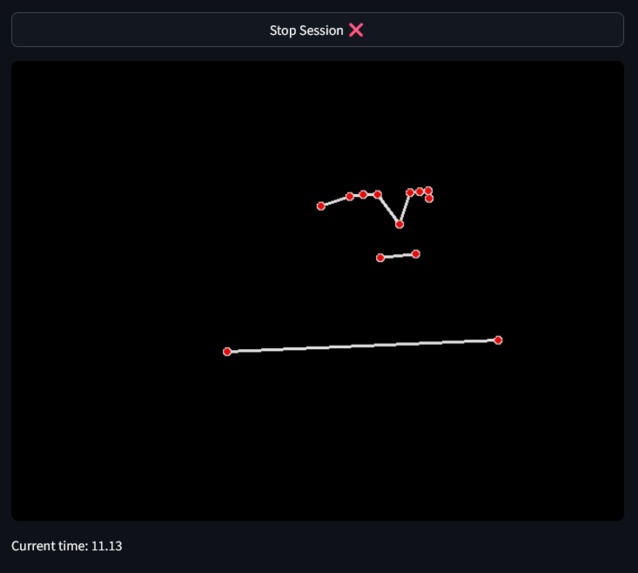
An example of the points displayed if your posture is bad
-
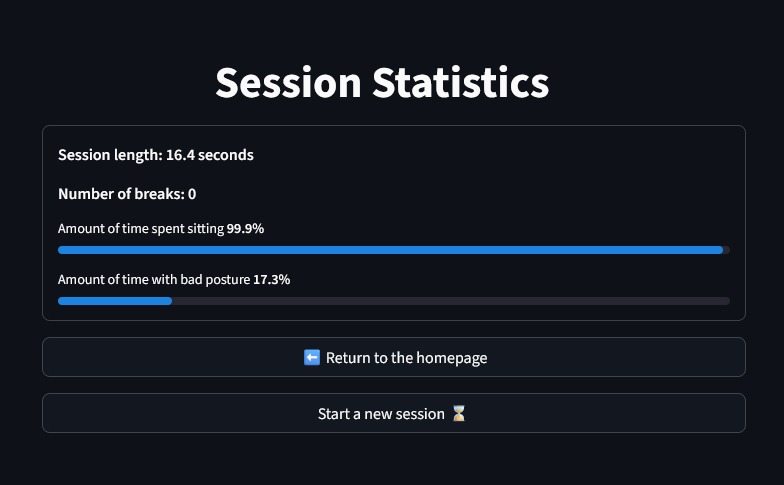
The session statistics after you're done recording the session


Inspiration
“Inspiration came from one day when I woke up with a sore neck and back.” - Ethan
Seeing this problem of the fact that sometimes we had sore necks after waking up or just working for long sessions we decided we wanted to solve it. We also realized that many people work in office environments, sitting for long periods of time so it was also a prominent problem there. To address this problem we created Posturai (Posture + AI).
What it does
Posturai notifies the user when they are slouched or if they need to take a break. After, Posturai provides statistics such as how long the user was slouched for, how many breaks they took, how long they sat for and how long the session was.
How we built it
We used Mediapipe's Pose Landmark detection models to place landmarks on several places of the body for several images that we took of ourselves. These images were split between good postures and bad postures. Then we created a binary classification model using PyTorch to classify each of these images as either good or bad posture and then we trained it. Once it was trained we had to create an app that allowed the user to be able view themselves and their posture. To do this we utilized Streamlit which allowed us to make a web app using Python. Once the main video feed and posture detection was put into place on the web app we moved onto adding other pages such as statistics, a homepage and a learn more page.
Challenges we ran into
- The dataset that we trained our ML model on initially allowed it to get a very high accuracy (~97% on test data) but then when we applied it to our own images it just kept on giving the same output.
- We then created our own dataset by taking pictures of ourselves and then passing those to the model but the accuracy was still quite low (ranging from 50% to 60%), so the model was basically guessing.
- When we tried to create a web app for displaying everything we initially tried using NextJS but running Mediapipe with JavaScript was incredibly laggy and there were also a lot more steps involved in getting the model written in Python to run in the browser with Javascript.
- Once we created the Streamlit app our main issues revolved around styling because Streamlit didn't allow you to use CSS in a very clean way and you had to inject it into markdown. Getting around this and getting the UI that we wanted was a bit of a challenge as well.
Accomplishments that we're proud of
“I’m proud of the challenges we overcame and the friends we made along the way.” - Jinay
Of course that, but here's some other stuff we're proud of:
- Making a ML model that could actually detect posture.
- Using Streamlit for the first time (we've only had experience in web development with JavaScript before).
What we learned
We learned how to use pose landmark detection and how to train a ML model on these points in space. We also learned how to use Streamlit and create web apps on it using Python.
What's next
Some of our next goals include:
- Improving the accuracy of our AI model by collecting more diverse data beyond just us so the model could work for a broader audience because right now it's just trained on 2 people, so if it sees people of different heights and stuff it may not be able to pick up their posture as accurately.
- Hosting the web app, we weren't able to do this because it would require us to rewrite large chunks of our Streamlit app since Streamlit doesn't let you run the camera through OpenCV once you actually deploy it so you'd have to use something like
streamlit-webrtcto get around that. - Adding in more features like detecting if a person had drank water or not using object detection.


Log in or sign up for Devpost to join the conversation.