-
-

preseed logo
-
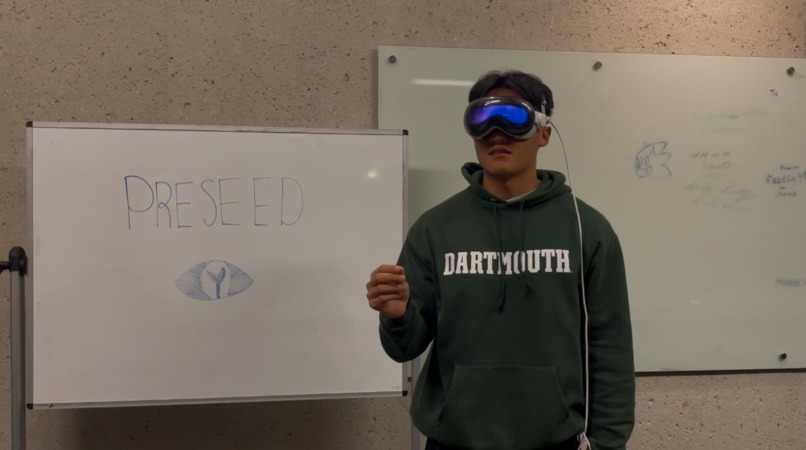
demo with apple vision pro
-
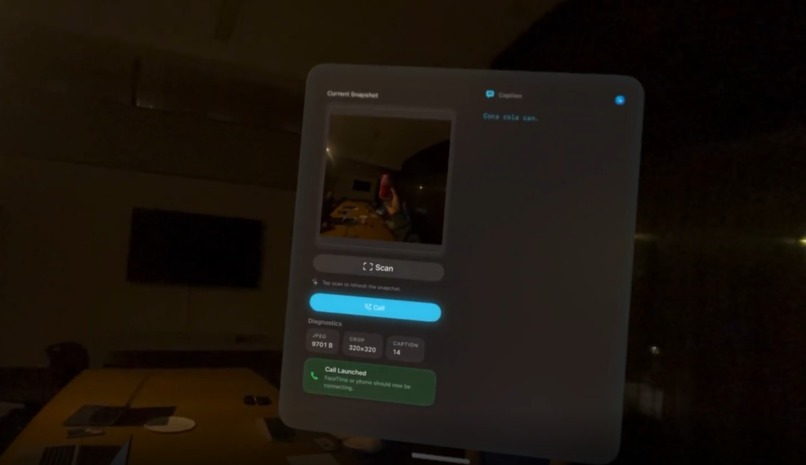
main app ui (demo 1)
-
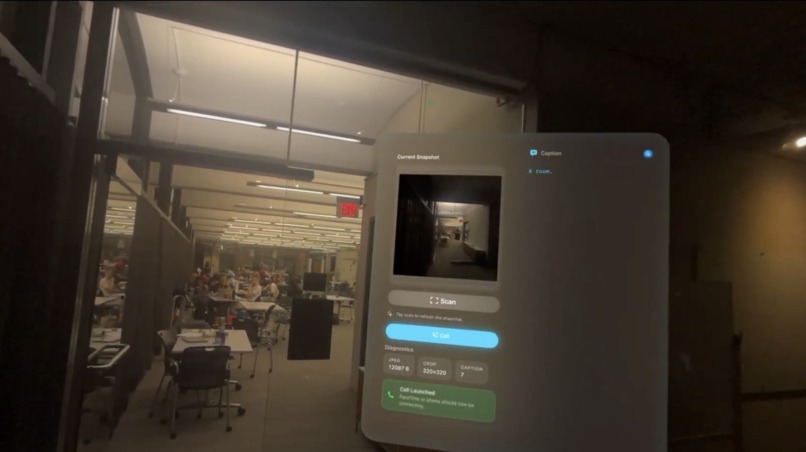
main app ui (demo 2)
-
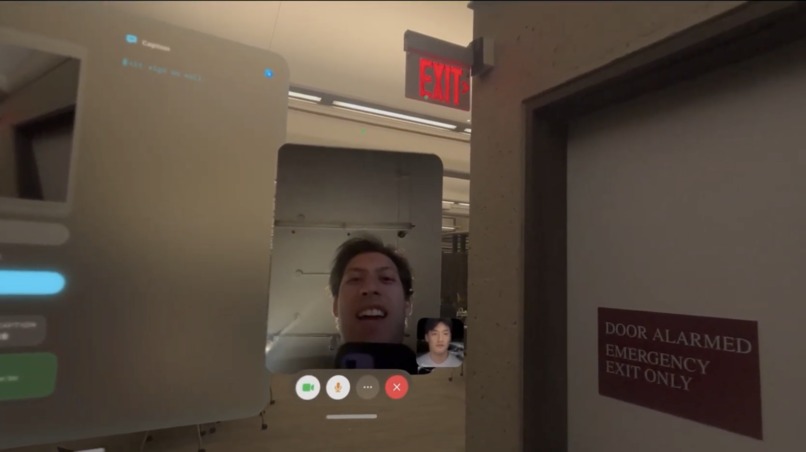
professional visual interpreter ui


PreSeed
PreSeed is a hands-free accessibility app for Apple Vision Pro that delivers real-time scene understanding and spatial awareness through AI-powered audio—no phone, no pointing, no friction.
Why it matters
Accessibility tools have historically centered on total blindness, but vision loss is a spectrum. Roughly 295M people live with low vision versus 43.3M who are fully blind yet tools for people with residual sight remain underbuilt. PreSeed targets this gap with instant, contextual audio that works while you move, look, and live without juggling a handheld device.
Inspiration
At our opening ceremony, a researcher studying children with blindness highlighted this problem and cited the line often attributed to Einstein: “Those who have the privilege to know, have the duty to act.” That talk pushed us to focus on scalable accessibility for the much larger low-vision population.
The device gap: products like Be My Eyes and Aira are powerful, but they rely on precisely aiming a smartphone and interacting through a small screen—often impractical for partial or uncorrectable vision loss.
Apple Vision Pro created a new path: a wearable that can see what you see—continuously and hands-free. PreSeed grew from the belief that accessibility should be seamless, natural, and empowering.
How we built it
High Level Pipeline: Capture (Vision Pro) → Preprocess (ROI JPEG) → Send (FastAPI) → Caption (Ollama + LLaVA-7B) → Speak (TTS)
- Capture layer (visionOS): On tap, we fetch the most recent photo and trigger the pipeline (keeps UX reliable within current platform constraints).
- Preprocess (client): Center-crop the image to a square ROI, resize to ~320×320, and JPEG encode (~20–60 KB typical) for fast LAN transfer.
- Backend API (Python + FastAPI): Accepts raw JPEG (application/octet-stream) and forwards to a local VLM; includes a simple status page for debugging. Model serving (Ollama + LLaVA-7B): Runs locally on LAN to minimize latency; strict prompt + post-processing enforce ≤12-word one-liners.
- Audio feedback (visionOS): On return, the caption is displayed and spoken with AVSpeechSynthesizer for immediate, hands-free comprehension.
- Latency: End-to-end round-trip is tuned for a “tap → hear” experience (hardware/model dependent).
What we learned
- Accessibility isn’t binary. Designing for partial vision loss is as critical as designing for total blindness.
- Latency is everything. Even small delays break immersion and trust in assistive contexts.
- Empathy beats features. The best feature is the one users don’t have to think about.
Challenges we faced
1) Platform & input constraints (visionOS) We lacked direct camera access in our mode, so we built a “latest photo” workflow with custom PHAsset → ROI crop → JPEG handling and solid iCloud/permission fallbacks. 2) Latency requirements We hit our budget by compressing images on-device, sending over LAN to a locally hosted VLM (Ollama LLaVA-7B), and using on-device TTS—keeping the loop tight end-to-end. 3) Accessibility-first UX We designed for zero friction: a one-tap trigger, ≤12-word captions for glanceability, on-device AVSpeech for voice feedback, large high-contrast text, predictable gestures, clear error/retry states, and a quick “repeat caption” action—all usable with limited attention or low vision.
The future
With deeper visionOS support, PreSeed can:
- Run fully offline with on-device vision-language models (no network).
- Surface critical details (e.g., expiration dates, allergens, IDs) with clear, discreet highlights.
- Guide by distance using real-time spatial mapping and an interruptible “you’re off-path” navigator.
- Handoff to humans when AI confidence is low—seamlessly and with preserved context.
PreSeed’s goal is simple: make the promise of spatial computing inclusive—usable by everyone, not just those with perfect vision.
Built With
- accelerate
- apple-vision-pro-sdk-/-simulator-api-via-xcode
- bash-scripting
- bash/shell-scripting-(run.sh-automation)
- cuda-acceleration
- endpoints-(/caption
- fastapi
- git
- http-apis-for-testing-with-curl/httpx/requests/xh)
- httpx
- neovim
- ollama
- ollama-api-http://localhost:11434/api/generate
- pillow
- python
- python-3.11+
- requests
- sips-(macos-tool)
- swift
- torch-mps
- typescript
- uvicorn


Log in or sign up for Devpost to join the conversation.