-
-
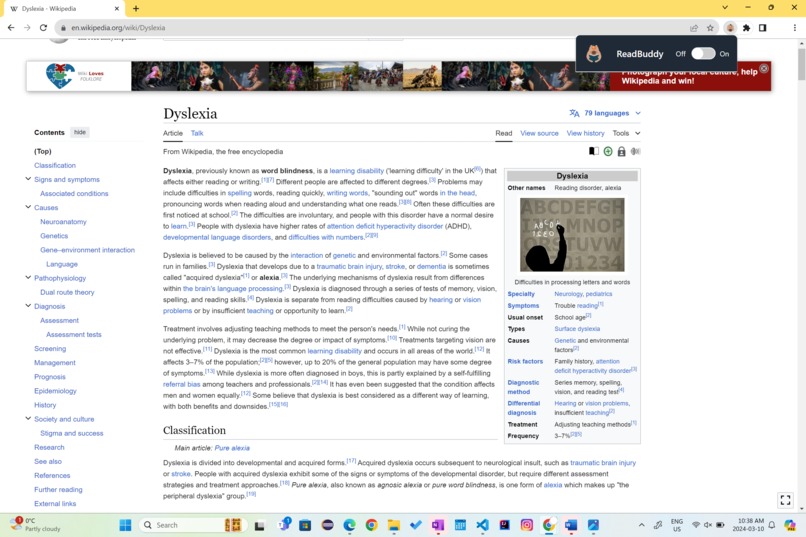
Website without ReadBuddy
-
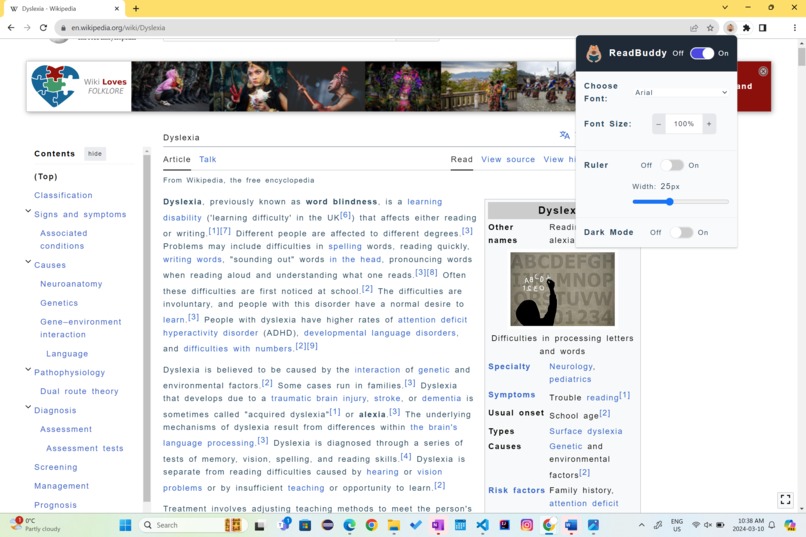
Website with ReadBuddy settings
-
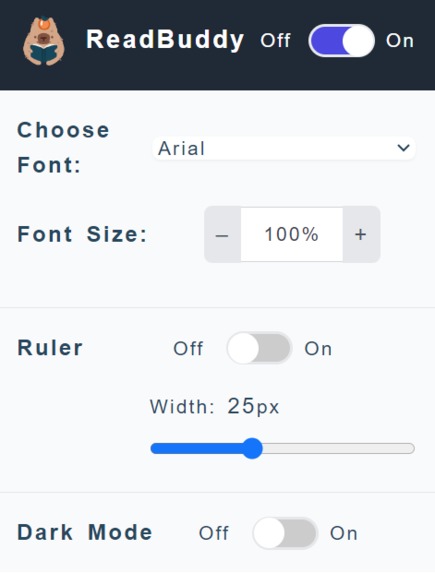
ReadBuddy UI
-
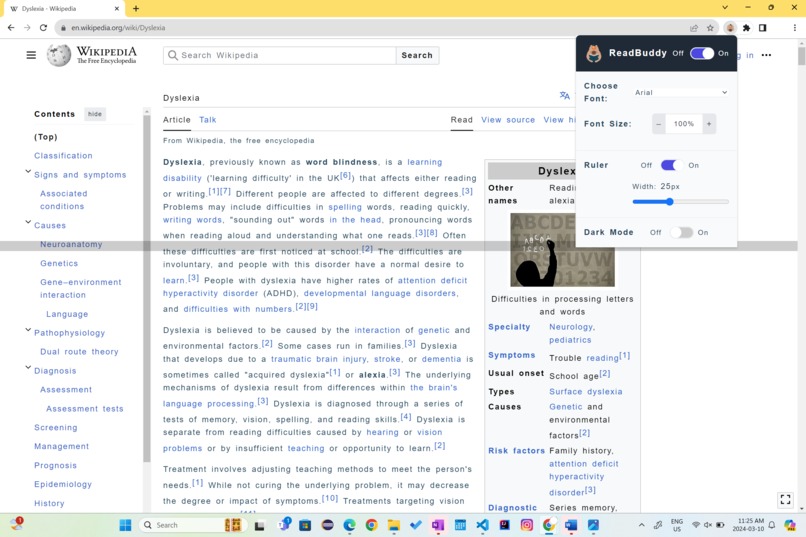
Ruler Feature Activated
-
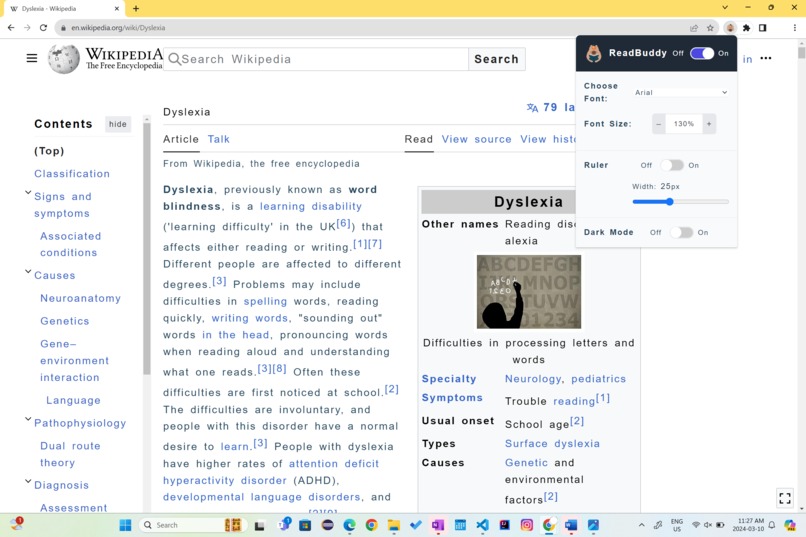
Increase font-size feature


Inspiration
It is estimated that about 1 in every 10 people globally are affected by dyslexia. Dyslexia can impact an individual's daily lives, affecting their reading comprehension and posing challenges in academic, professional and personal endeavours. With the growing influence of the online world, we recognized the importance of web accessibility for users of all backgrounds and stories. Specifically, we were inspired to create a solution to help bridge the gap between individuals with dyslexia and the countless educational resources online.
What it does
ReadBuddy is an online chrome extension aimed to provide users with dyslexia a comfortable reading experience across all websites. This extension allows users to customize features of the website’s text such as font, font size, word-spacing, and colour, to increase legibility and accommodate their personal preferences. By creating a more dyslexic-friendly, ReadBuddy ensures that individuals with reading difficulties have equal opportunity and access to online educational resources and materials.
How we built it
We used HTML and CSS to build the pop-up interface to allow user's to select their website settings. We used JavaScript for the backend to retrieve user input information and inject new CSS to the HTML of the website.
Challenges we ran into
While it was all of our first time building a Chrome extension, we encountered a major learning curve with understanding and managing background scripts and content scripts. We also faced difficulties retrieving information on the user's selection of features through the UI, and adding persistence.
What we learned
Through building this ReadBuddy, we learned more about the communication between UI and scripts used to create a web extension. We also learned about the role of background.js in managing extension-wide functionality and background tasks and content.js in interacting and modifying the content of the web pages.
Accomplishments that we're proud of
While it was our first time building a web extension, we were proud to be able to learn and apply many new concepts in such a short time period. We are also very excited that we were able to create a final product to contribute to making the web more inclusive and user-friendly for a diverse audience!
What's next for ReadBuddy
In the future, we intend to extend our functionality to allow users to hover over a word to view a pop-up definition of the word, pronunciation, and possible synonyms. We also intend to implement word prediction and spell-checking functionalities to support dyslexic learners in generating and editing written text.


Log in or sign up for Devpost to join the conversation.