-
-
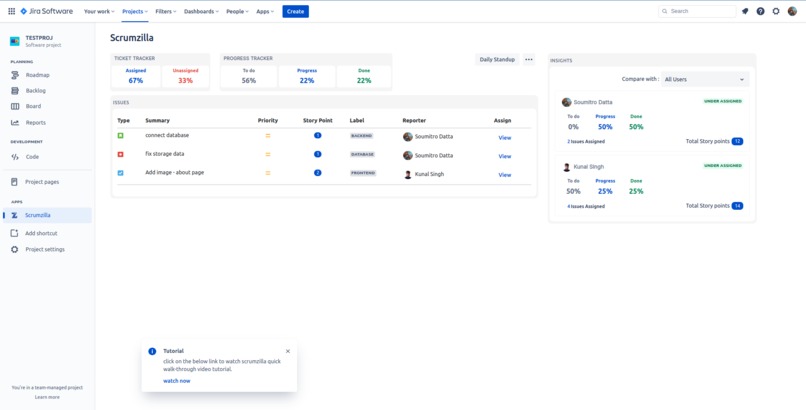
Home Page Scrumzilla
-
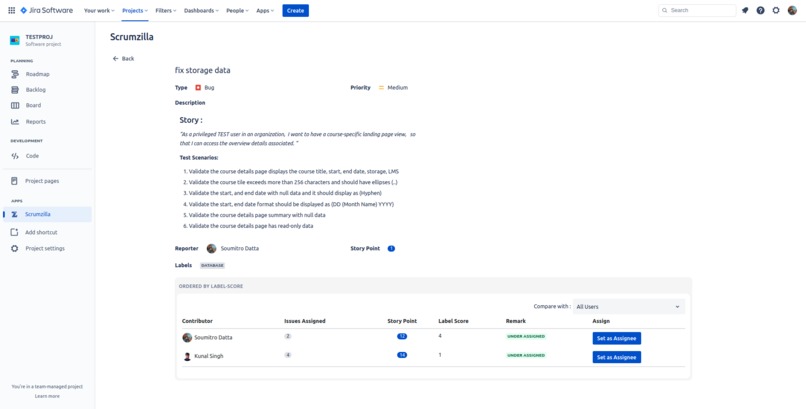
Issue Assignment
-
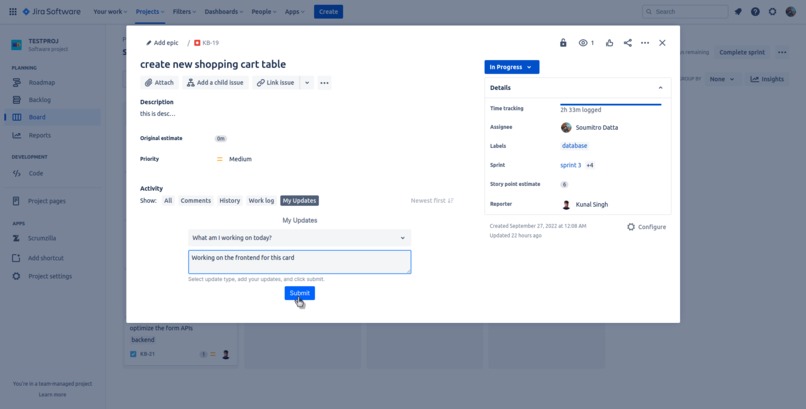
My Updates
-
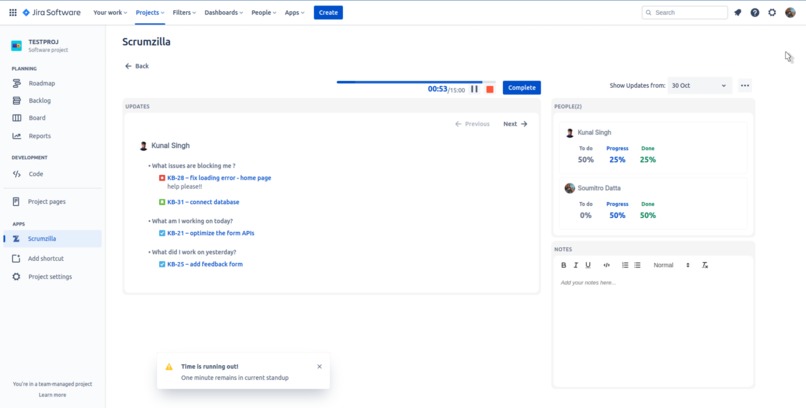
Daily Standup Warning End of Meeting
-
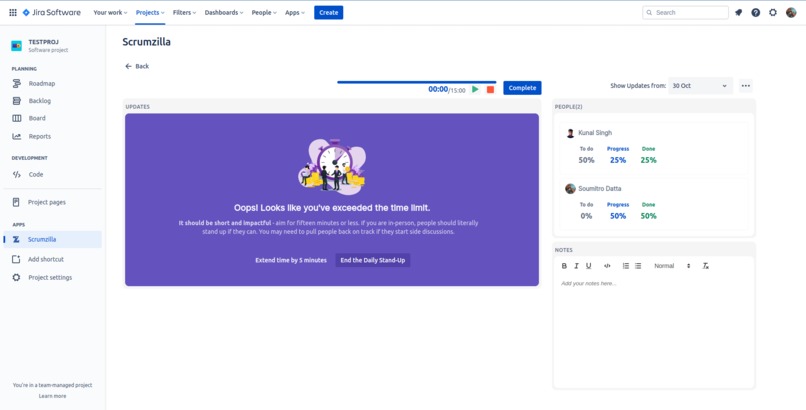
Daily Standup Time Exceeded


Inspiration
My scrum masters frequently comment about how challenging it is to monitor individuals' sprint progress. The process of deciding who resolves a specific ticket frequently takes a substantial amount of time. They struggle to properly and effectively distribute work among users in a way that maximizes productivity. They also struggle to manually organize daily stand-up updates that address more key aspects and meeting minutes. These scrum masters may be able to work in a much more pleasant environment by using our solution, Scrumzilla, which was developed to address the aforementioned problems.
What it does
What really is Scrumzilla, then🤔?
It's a clever tool that makes it easy to monitor your team's performance in real-time. It also facilitates the distribution of workload effectively and eliminates the overburdening issue. Smart insights are given for the complete sprint as well as the user, also a remark that tells us if a user is under assigned/over assigned additionally using "compare with" we can see different metrics to compare the burden on our colleagues.
📌Metrics to compare user burden is
- Self: number of story points that are calculated using users' previous velocity data.
- All Users: which is the total number of story points divided by the total number of users (used to assign an equal no. of story points to each user).
- Sprint Limit: limit set by the scrum master which is the expected story point from each user.
👉 using these compare with filters, Scrumzilla shows whether a user is under-assigned or over-assigned so that scrum masters can use this to reduce the workload.
We also keep track of updates from all the colleagues using My Updates in the issue activity card. These updates are stored and are shown on the Daily Standup Tab arranged by the number of blockers with the highest number of blockers first. This daily standup tab also has a timer integrated which helps us pace the meeting.
How we built it
We effectively used the Forge starter templates of Issue Activity, and Project Page to implement our solution. Forge makes it extremely easy to work and integrate our application with Atlassian tools (Jira Confluence) and gives us a wide range of controls, while also effectively taking away the stress of handling storage or any keys/data. Additionally we also put to use the Atlaskit design system and even went by their guidelines to create an app that would perfectly blend into the Jira infrastructure. The frontend is mostly react based, and APIs are being called using forge bridge, another really effective tool.
Challenges we ran into
The first and most difficult was to get ourselves educated on forge functionalities. Be it the use of Forge CLI, or modifying the manifest.yml for adding modules/permissions. Another major challenge was to clearly understand and implement a tool that would remove complications from the scrum masters' tasks. For this we kept getting feedback from our own scrum masters on how they would better like the solution we're looking forward to implementing it.
Accomplishments that we're proud of
Finally being able to implement our complete solution along with a robust structure which can weather any major test cases would be what we're truly proud of.
What's next for Scrumzilla
In upcoming versions of Scrumzilla, we look forward to making it further robust, and hopefully make it to Atlassian Marketplace. Finding and adding more features that can further improve the quality of work and the improved efficiency of deliverables.
▶ Walk-through tutorial
Here is the link to the walkthrough video you can refer.


Log in or sign up for Devpost to join the conversation.