-
-

logo
-
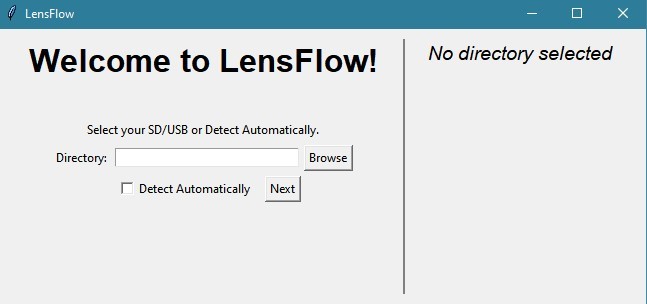
landing page
-
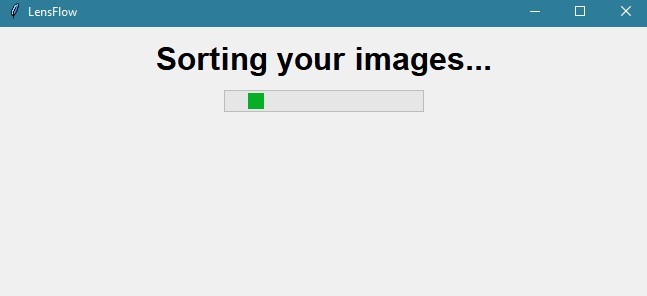
loading
-
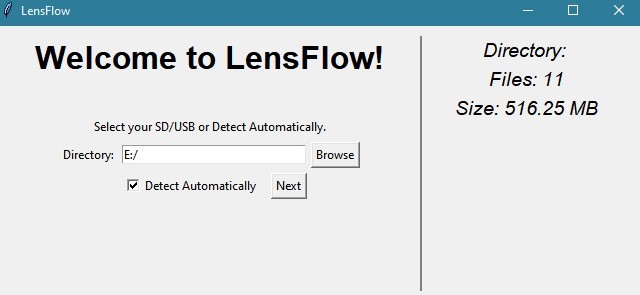
landing page w/ dir details


Inspiration
Our teammate Jonathan, a passionate photographer, often found himself overwhelmed by the tedious task of sorting through countless photos post-shoot. LensFlow was conceived to tackle this very challenge.
What it does
LensFlow redefines photo management for photographers and videographers returning from shoots with SD cards full of unsorted images. It eliminates the tedium of manual file organization, effortlessly organizing hundreds of photos by date in directories of your choosing. This automation ensures a swift transition to editing, with all images readily accessible and neatly filed. Embrace simplicity with LensFlow—where sorting is streamlined and creativity unfettered.
Features
-Date-based automatic photo organization
-Custom directory selection
-Supports various file formats
-Simple, intuitive GUI
-No technical expertise required to operate
How You Can Use It
In output/gui, you can download the .exe file to run it locally on your machine. Ready to use out of the box, no setup or CS know-how required!
If you wish to use the repo and run it directly, run "pip3 install -r requirements.txt" and run the "gui.py" file.
How we built it
We used Python in VS Code, using tkinter GUI library. and Pillow to read metadata.
Challenges we ran into
Slight differences between UNIX/Windows made debugging a challenge.
Accomplishments that we're proud of
We're delivering a solution that automates a previously time-consuming task, validated by real-world application and necessity.
What we learned
Exploring Python's capabilities in GUI and system operations was very interesting, from utilizing libraries like psutil, os, and Pillow, to interacting with various storage devices.
What's next for LensFlow
Expanding features to include more options, such as separating file types and detecting proprietary brand unique file architecture (Sony vs Nikon vs etc.) Prettier UI. "Remember Me" settings, so you dont have to re-select directories everytime.
Built With
- pillow
- python
- tkinter
- visual-studio


Log in or sign up for Devpost to join the conversation.