-
-
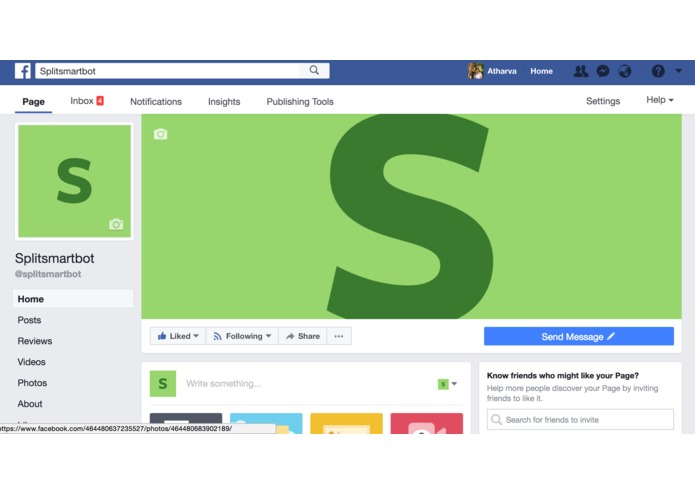
Welcome
-
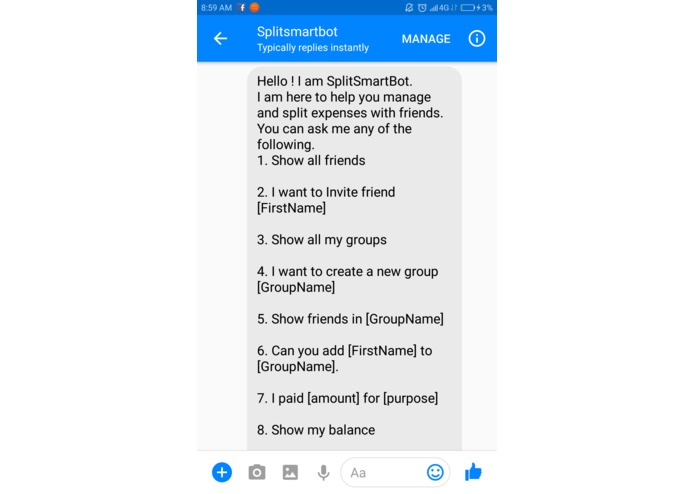
Say Hi
-
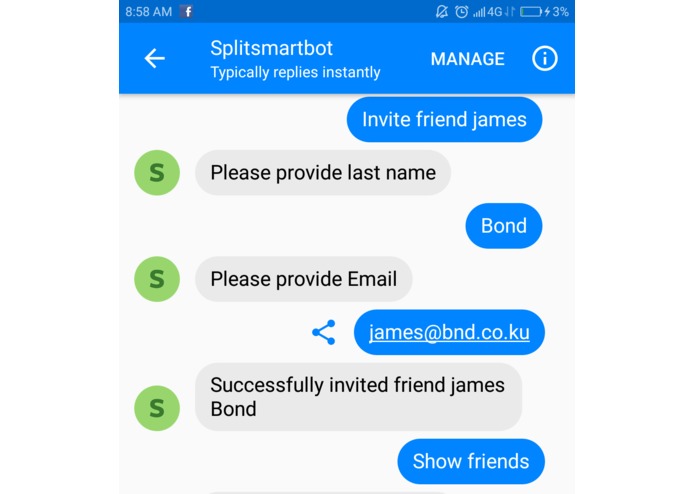
Invite friend
-
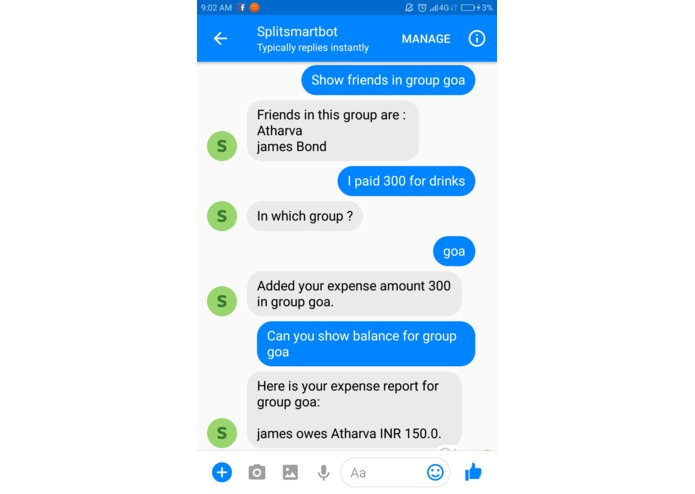
Add bill


Inspiration
This is a story of four friends Bob, Alice, Carol and Dan. Last month they went to Las Vegas and had a great time. But when they came back from trip, they had a huge fight over splitting bills. They realized that this was not the first time. Every time they went out together for a trip or a movie, they faced the same problem - manage and split shared expenses. They tried some of the web based and mobile applications. However, they are looking for a simpler way to chat with friends and split expenses in one place.
How can they save their friendship and share expenses at the same time ?
* ---------- Drum Rolls -----------*
Introducing SplitSmartBot - Your chatbot assistance on Facebook messenger. Chat, Split expenses and Enjoy !
What it does
SplitSmartBot is a conversational chatbot based on SplitWise application. Splitwise is a free tool for friends and roommates to track bills and other shared expenses, so that everyone gets paid back. Bot is deployed on facebook messenger so that you chat with friends and split expenses in one place.
With SplitSmartBot, Alice can now do following things.
Invite a Friend to her SplitWise account.
Alice: I want to invite BobAlice: Can you show all my friendsCreate a group and add friends
Alice: I want to create group VegasAlice: Add Bob to group VegasAlice: Show friends in group VegasAdd a new bill to the group
Alice: I paid 100 for drinksAlice: Add bill to group VegasGet balance report
Alice: show balance with friend BobAlice: Can you show balance for group Vegas
How we built it
SplitSmartBot is built with AWS Services and deployed on Facebook messenger
1. Architecture
SplitSmartBot is built using following
a. AWS Services
  - Lex
  - Lambda
  - Dynamodb
  - API Gateway
  - Cloud Watch monitoring and logs
  - S3 for hosting lambda code.
  - IAM
b. SplitWise API : http://dev.splitwise.com/ c. Programming Language: Python 2.7
d. Tools/Frameworks: Serverless Framework
e. Architecture Diagram:

2. Testing instructions
Note: Currently SplitSmartBot is not publicly available. As per Hackathon guidelines, we have given tester role to Facebook ID: stef.devpost.1
You also need a SplitWise account. You can create a new SplitWise account or use following test account.
SplitWise test account
SplitWise:
    - username : user1.splitsmartbot@yahoo.com
    - password : awslex2017
IMPORTANT: If you are using the bot for the first time, You need to authorize the bot to access your splitwise account.
3. Access SplitSmartBot
From browser:
- Go to link : https://m.me/splitsmartbot
- login using test Facebook account
From Facebook messenger app on mobile or tablet
- Open Facebook messenger
- In Search Tab, type @splitsmartbot and press enter
Visit this Facebook page: https://www.facebook.com/splitsmartbot/
Challenges we ran into
As bot is based on SplitWise application, a user needs to authorize the bot to access his SplitWise account. Challenge was to integrate SplitWise OAuth with the bot. ( Preferably using Serverless architecture)
For making calls to SplitWise API, we used open source Python SDK for SplitWise. However, SDK didn't support all SplitWise APIs which we wanted to support in bot.
SplitWise application supports multiple workflows ( Invite friend, add friend, add group, add bills etc. ). Therefore, the challenge was to design bot in such a way that user interactions are simplified.
Accomplishments that we're proud of
1. Serverless OAuth integration: We successfully integrated SplitWise OAuth with our bot using Serverless architecture ( Using AWS API gateway, Lambda and Dynamodb ).
2. Open source contribution : We added a new functionality in Python SDK for SplitWise and contributed back to community.
What we learned
- Building conversational bot with AWS Lex and Lambda
- Using AWS API Gateway to build scalable REST API
- NoSQL concepts and Dynamodb for user session management
- Integrating OAuth with a chat bot
- Debugging and monitoring Serverless applications
What's next for SplitSmartBot
- Cover remaining uses cases supported by SplitWise. ( e.g Settle bills, Pay bills etc)
- Integrate SplitSmartBot with AWS Mobile Hub
- Use Amazon Poly for speech support
- Deploy bot on other platforms such as Slack.
Built With
- amazon-lambda
- amazon-web-services
- aws-api-gateway
- aws-dynamodb
- aws-lex
- python
- splitwise


Log in or sign up for Devpost to join the conversation.