-
-
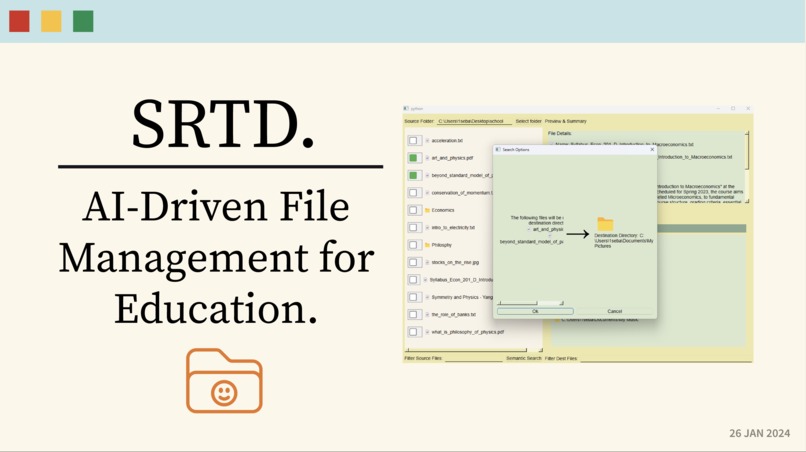
Title
-
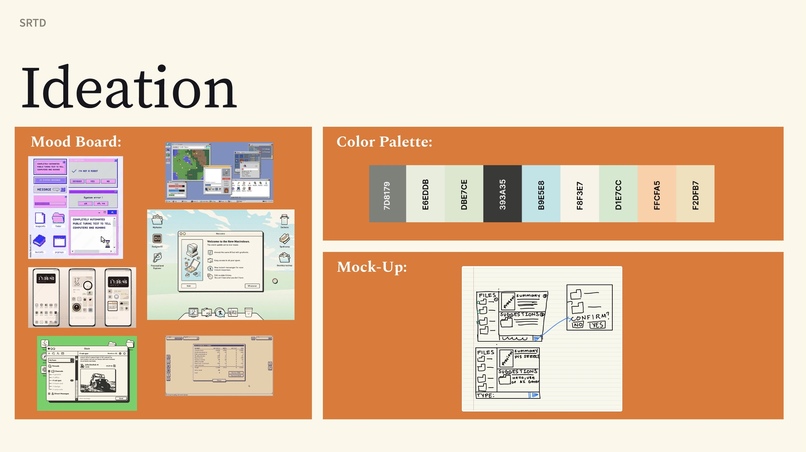
Ideation Stage
-
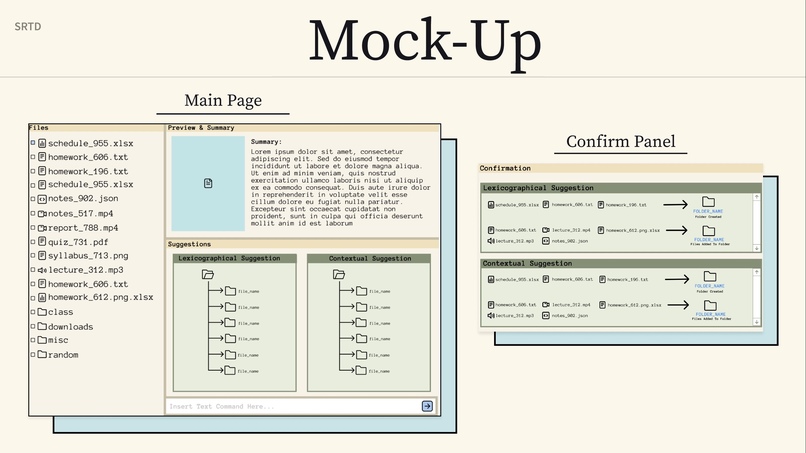
Mock Up in Figma


Inspiration
In today's digital age, education has undergone a remarkable transformation. What once filled heavy backpacks with textbooks and folders now resides in the virtual realm of our laptops and devices. This shift has brought both opportunities and challenges for students worldwide. The issue that many students face now is dealing with the chaos of organizing all the files they have for school, limiting their academic success. According to FileMaker Inc, 50% of students don't use a unified system to manage their academic materials and 87% of students acknowledge that better time management and organizational skills would help them get better grades. To tackle this issue to allow for students to spend time on what is important while also achieving academic success, we decided to leverage AI to help organize and find relevant files for one’s education.
What it does
Meet Srtd - a groundbreaking file management solution that transforms how you interact with your digital content. By harnessing the power of artificial intelligence and advanced pattern recognition, Srtd brings intelligence to file organization.
At its core, Srtd offers dual analysis approaches: sophisticated AI-driven contextual understanding and precise text pattern matching. This powerful combination allows for intuitive file clustering based on content relationships and similarities, turning chaos into clarity.
What sets Srtd apart is its ability to process multiple files simultaneously, generating insightful summaries while organizing content into meaningful categories. Tasks that once took hours of manual sorting are now accomplished in seconds. The system's intelligent analysis eliminates the need to review files individually, automatically discovering connections and creating logical organizational structures.
By automating these organizational tasks, Srtd allows educators and students to focus on what truly matters - learning and discovery. This isn't just file management; it's an intelligent companion that understands your content and organizes it exactly how you need it.
How we built it
Tech Stack Used:
- PySide6 provides the graphical user interface framework
- RapidFuzz/TheFuzz handles fuzzy string matching
- OpenAI API powers the AI analysis
- PyPDF2 manages PDF document processing
- Weaviate serves as the vector database
Process
- The application starts by accessing the user's file system through their operating system's native path handling.
- Files are transformed into file objects, creating a structured representation that can be easily manipulated and analyzed.
- These file objects can be optionally uploaded to a vector database (Weaviate) for efficient retrieval.
- During the upload process, the OpenAI API analyzes files to:
-   Generate summaries
-   Extract key information
-   Create semantic embeddings
5.The sorting system employs two methods:
-   Fuzzy matching for finding similar filenames and content
-   Context analysis using AI-generated embeddings
6.The GUI presents the proposed changes to the user, showing:
-   Original file location
-   Suggested new location
-   Confidence score
-   Summary
7.Upon user confirmation, the system executes the file moves according to the approved suggestions.
This implementation creates an intelligent file organization system that combines traditional fuzzy matching with modern AI-powered context analysis to provide accurate file sorting suggestions while maintaining user control over the final organization decisions.
Challenges we ran into
Merge Conflict Management Managing parallel development proved challenging as team members worked simultaneously on the codebase. Issues with resolving conflicts when changes diverged significantly affected our time.
PySide6 GUI Development The team faced several hurdles with PySide6 implementation due to PySide6's vast API made it difficult to learn and implement effectively in a short amount of time and team's lack of similarity with the library.
Python Proficiency Issues Team members unfamiliarity with Python, cause many issues due to Python's lack of static type casting and not taking that in account when system designing Srtd.
Accomplishments that we're proud of
Fully Functional GUI Implementation
We successfully created a functional interface with little experience using the PySide6 Library and limited amount of time.
Seamless Technology Integration
We achieved complex system integration by combining:
- OpenAI's powerful language models for intelligent file analysis
- RapidFuzz for efficient local file matching
- Weaviate vector database for sophisticated data storage
- PyPDF2 for robust document processing
- Cross-platform compatibility across Windows, macOS, and Linux
Outstanding Team Collaboration
Our team excelled through strategic task allocation that leveraged each member's expertise, while fostering an environment where knowledge sharing and mutual support became cornerstones of our success. Team members actively stepped in to assist others, creating opportunities for learning and growth while ensuring project milestones were met efficiently.
What we learned
Manage Project Scope Better Due to our scope being more than we expected, we learned that we needed to break down complex features into smaller, manageable components is crucial while taking the limitations and advantage of Python language capabilities.
Invest More Time To GUI GUI development complexity cause issues and a huge time investment. We learned that GUI development requires significant upfront learning investment and even a simple layout us more complex than it appears.
** Understand Advantages and Disadvantages of Using Python** Learned Python's apparent simplicity revealed hidden challenges due to lack of static typing led to runtime errors that could have been caught earlier. Next time, we will take Python's language intricacies into account when system designing .
What's next for Srtd:
1. Enhanced Search System
The search capabilities can be improved through parallel implementation of fuzzy matching using advanced algorithms, like Levenshtein and Damerau-Levenshtein, distance for handling typos and variations and Contextual search that understands user intent and search patterns beyond simple keyword matching with using Neural information retrieval models.
2. Advanced Keyboard Navigation The keyboard interface can be enhanced by implementing a consistent shortcut system using single modifier keys the arrow and command keys for easier navigation.
3. AI-Powered Improvements Several AI enhancements can be implemented like enhanced document processing using advanced NLP for better content understanding and intelligent document classification through multi-layer learning network.
Built With
- figma
- openai
- pypdf2
- python
- rapidfuzz
- weaviate


Log in or sign up for Devpost to join the conversation.