-
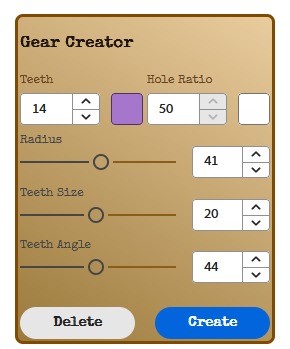
Gear Creator
-
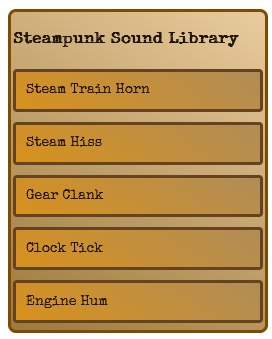
Sound Library
-
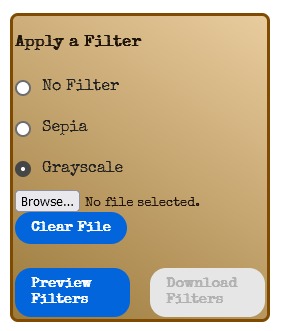
Applying a Filter


Inspiration
We saw some Adobe Express add-ons that were themed and decided to make one for our hackathon's theme.
What it does
It allows the user to quickly create gears, preview sound effects, and add filters on their project. It allows them to easily and quickly convert their project to a Steampunk aesthetic.
How we built it
We used Adobe's Node.js template and tutorial alongside the Adobe Express Document API.
Challenges we ran into
Getting the node.js template to build properly. We were struggling with getting things to build on WSL2. Connecting the development environment to Adobe Express was also failing sometimes. Something that was attempted but we were unable to do was to download the filtered version of the art yet Adobe express wasn't downloading it. Support for audio files in the Adobe Express Document API is extremely limited and experimental, so unable to drop sound files into canvas.
Accomplishments that we're proud of
Making the gear purely as an SVG vector path, using math. Learning Fabric.js to apply a filter to the artwork. Learned webpack developer configuration settings to allow devServer to access static .mp3 files inside of the public path directory.
What we learned
This is the first time we've used node.js and webpack, none of us have done much front-end development before. We learned how to use it effectively to create adobe express add-ons.
What's next for Steampunkify
More effects and items other than gears. Ability to export art with filters. Ability to drag and drop sound files from library directly to canvas. Steampunkify existing images using GenAI. Add borders to the poster. Automatically apply all features and objects based on poster context.
Built With
- adobe-add-on-sdk
- adobe-express
- css
- html
- javascript
- node.js
- webpack


Log in or sign up for Devpost to join the conversation.