-
-
Logo
-
Webpage 1
-
Webpage 2
-
Webpage 3
-
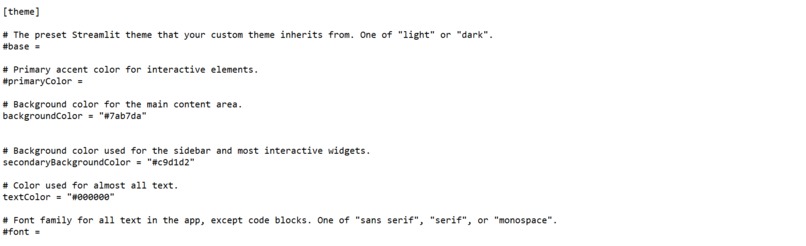
Styling and Theme (not shown on Github repo)


💡 Inspiration 💡
Before we started brainstorming, we tried to formulate a guiding question to help us brainstorm our ideas. We asked ourselves what is a problem or difficulty in our community that could be made easier with a computer program. Immediately, we thought about our teachers who especially in the past year have been tirelessly working to grade our papers and assignments. The grading process grows repetitive and tedious, and their precious time could be spent with their families. As a result, we decided to create a program that will help them save time and work more efficiently. It will make their work easy...swimmingly easy.
⚙️ What it does ⚙️
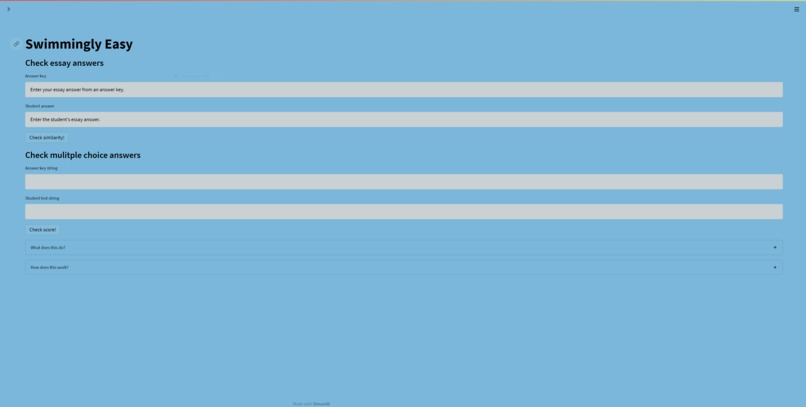
We have three main features:
- A written question checker
- A multiple-choice checker
- A student data visualizer
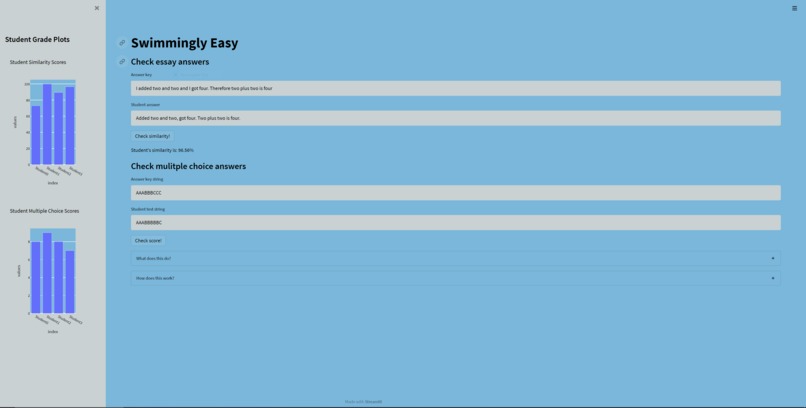
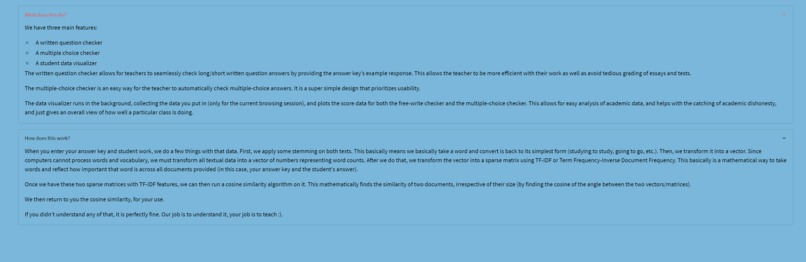
The written question checker allows for teachers to seamlessly check long/short written question answers by providing the answer key’s example response. This allows the teacher to be more efficient with their work as well as avoid tedious grading of essays and tests.
The multiple-choice checker is an easy way for the teacher to automatically check multiple-choice answers. It is a super simple design that prioritizes usability.
The data visualizer runs in the background, collecting the data you put in (only for the current browsing session), and plots the score data for both the free-write checker and the multiple-choice checker. This allows for easy analysis of academic data, and helps with the catching of academic dishonesty, and just gives an overall view of how well a particular class is doing.
🛠️ How we built it 🛠️
The frontend as a whole was built in the Python framework Streamlit. The data visualization tool is powered by Plotly and is seamlessly hooked together with the Streamlit frontend.
The written-question checker is powered by Scikit-Learn and NLTK (Natural Language Toolkit). When a user enters a piece of text, the text is lemmatized using a WordNet Lemmatizer provided by NLTK. The lemmatized text is then transformed into a sparse matrix of TF-IDF Features via Scikit-Learn’s TF-IDF Vectorizer. This process is repeated with the second piece of text. Once both texts have been transformed into sparse matrices, we use Scikit Learn’s cosine similarity to find the similarity between the two documents and return that score, neatly formatted, to the user.
The multiple-choice checker was relatively trivial to implement, requiring an accumulator and a for loop to run. Even though the code implementation is easy, this hub where you can check both multiple-choice and written questions is invaluable for the users.
😣 Challenges we ran into 😣
When beginning this hackathon, we all came in with different backgrounds. Some of us were more experienced than others and finding a project that would be somewhat challenging for us as a group was an obstacle we had to overcome. The difficulty of the project was somewhat above the skill level for most of us, though we struggled a lot, and definitely wrote some spaghetti code, we managed to finish and deploy a Streamlit web app, with almost no knowledge of Streamlit beforehand.
🎉 Accomplishments that we're proud of 🎉
We are proud of our project as it was a learning experience that enhanced our knowledge of programming. The fact that the project is a full-scale web app that we successfully deployed amazes all of us, as we’ve barely worked with Streamlit and web development in general.
In addition, we are proud of the teamwork and persistence that we showed even when we came across obstacles and bugs during the process. We helped and supported each other and eventually solved those problems.
📚 What we learned 📚
During this Hackathon, we learned how to utilize Streamlit to build a technically complex, yet beautiful and easy-to-use web app.
We also learned how to collaborate efficiently, using Visual Studio Code’s live share feature, we were able to deploy a Streamlit app with an elegant front-end in a short period of time.
⏭️ What's next for Swimmingly Easy ⏭️
We hope to implement a feature where one can check multiple texts and multiple-choice questions. We also look forward to improving a tad bit on our UI to make it even more user-friendly.
Attention
Try-out links do not have the code for the styling of the website. The styling is shown in the presentation demo. It is also shown in the gallery pictures. Code is both on Github and the gallery pictures.
Built With
- canva
- plotly
- python
- scikit-learn
- streamlit




Log in or sign up for Devpost to join the conversation.