-
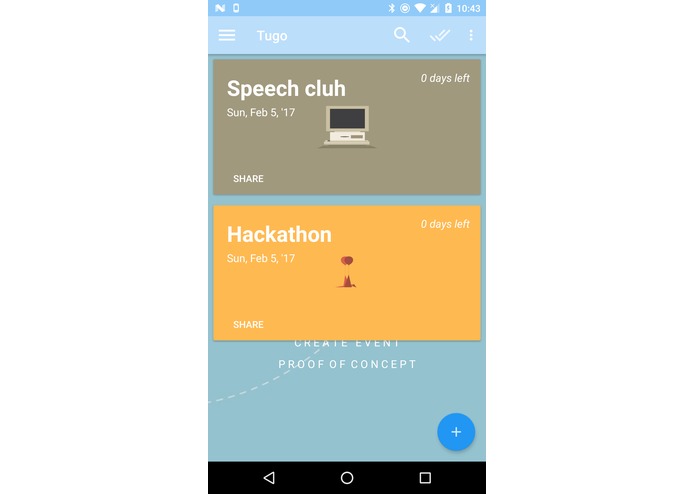
Events
-
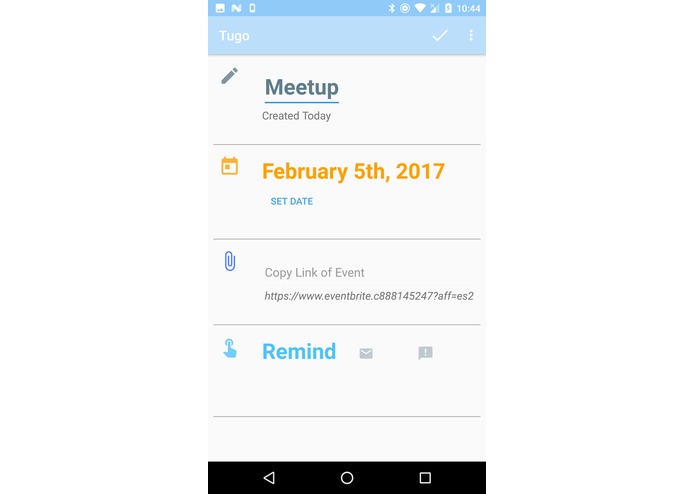
Event Creator
-
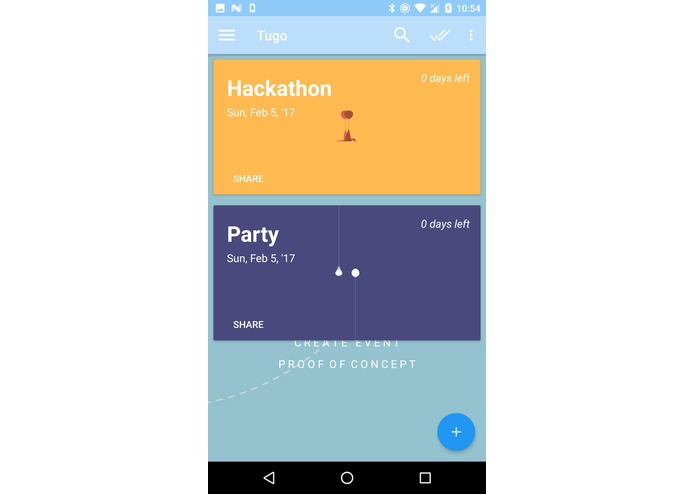


Inspiration
As a junior in High School, preparing for college is hard work. There are many events for high school students to stack to their resume and I found that keeping track of these events is difficult. Difficult because many of the apps that exist such as Google Calendar,Google Keep,Todoist etc... have an impersonal relationship with the user. Creating an event in Google Calendar leads to user to make many decisions to make a simple event. Moreover, once the event is created, it is gone from the user's foreground only accessible by the user through a series of interactions. Others apps focus on too many things like notes,lists and events.
I wanted to make an app to keep track of events that I want to go to so I could always know what I want to do without being disrupted by other information. But I wanted the emphasis to be on the relationship between the user and his events, keeping all other distractions such as notes, tedious reminders, schedules, elsewhere. Thus I arrived at the perfect idea. An app that's sole function is let users create events that they want to go to presented in a beautiful readable design.
TUGO - Proof of Concept
What it does
TUGO lets users create events that they want to go to. If a user has planned to go to a Hackathon on the 18th of February, a lecture on the 7th of March, and a fundraising program on 8th of June, they would be able to create those events quickly then see them presented to them in a list. They would know what day they created the event, how many days left until the next event, and if they have friends they would like to message, they can share it with them by sending a link all within the app.
Though fairly simple ,the unique aspect of TUGO is its ability to minimize user interaction cost and maximize efficacy and efficiency. In other words it makes good use of principles based on attention from Christopher Wickets 13 principles of HCI. To create a full fledged event the user only needs 2 steps to do so all the while maintaining the users attention on the event he is creating. The user can set the title of the event, easily set the date of the event without a keyboard, set a link to the event, and setting reminders. All these functions are presented in a format that is easy to understand with font big enough for all grandparents.
Finally it creates a simple card with the event that you created that contained days until the event arrives, the day the event was created, and title of the event. Again, to minimize user interface cost, the user can message a friend about the event just by pressing on the event without changing any screens thus keeping the event in the user's memory.
All in all it summarizes the user's events keep a focus on the fact that the user wants to know what his event is, and when it is coming. Thus TUGO is an excellent and uncostly solution.
How I built it
Android app was built in Android Studio in Java. Development was easy due to using Model-View-Controller design. Controller lets user create event which is then supplied to the view.
Images are from online making development time faster.
Challenges I ran into
Biggest challenges was designing the layout the conform the HCI standards. In the current proof-of-concept iteration there are a few instances where I could reduce the user having to press another button or divide their attention away from their main event. XML is tricky for a beginner like me but stackoverflow and long sessions of thinking made a functional layout possible.
Accomplishments that I'm proud of
Material design integration.
What I learned
I learned how to wire an Android app together with the different components. I learned how to follow a proper discipline when making the app to ensure less mistakes and reusability. There are some blatant mistakes in the current version but those are easily fixable. I learned how to use ArrayAdapter in conjunction with ViewHolder to keep Views consistent. I learned about taking breaks in development time to maximize focus and minimize foolishness. I learned a ton about MVC and how to smoothly integrate it to ensure that any model and can be used with any compatible view and controller.
What's next for TUGO
Firebase integration so users can keep their events on the cloud anywhere they are.
Minimize user cost interaction by removing unnecessary dialogs and putting more focus on events
Sharing events with others in a more seamless manner.
Layout touchups. Somethings are really ugly.
Implement reminder feature to remind user when event is approaching in non disruptive way.
more but submission deadline in 10 mins


Log in or sign up for Devpost to join the conversation.