-
-
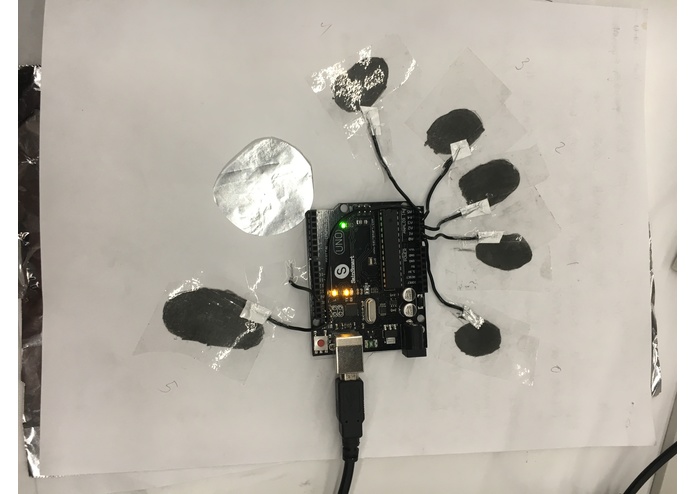
First design
-
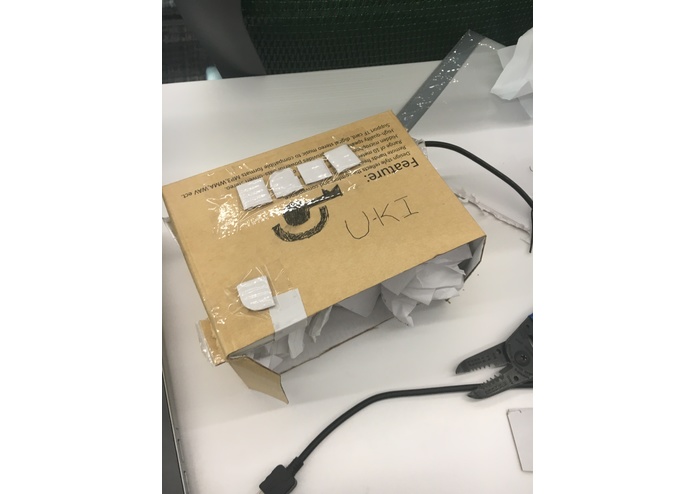
Second design
-
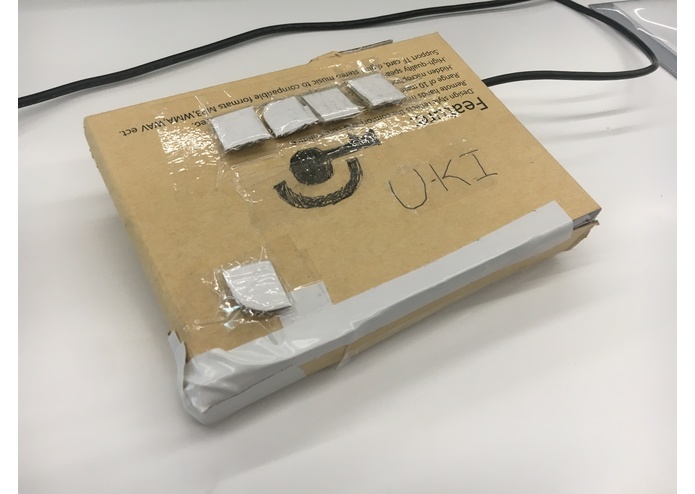
Final design


Inspiration
We only need five fingers to represent all the letters of the alphabet and more. Yet, we insist on using a keyboard system from 1878 - its about time we upgrade our typing speed with the information rate of the modern day. I imagined a world where I could use one hand to type. I could use the other to eat food, pet my dog, and more. But most importantly, I looked pretty cool in the vision I saw. Typing out information with only one hand, barely moving any fingers.
What it does
The U-ki allows users to type using only one hand without moving their fingers to new keys. By removing the need for moving fingers across the keyboard, mastery would allow users to input information more efficiently.
The U-ki also increases the ease of typing for individuals affected by arm disabling maladies such as cerebral palsy. By increasing the accessibility of all applications with keyboards, the U-ki not only offers and efficient and cool alternative, but also a more accessible alternative to the obsolete model of the modern day.
How I built it
The components of my final design are cardboard, paper, switches, breadboards, wire, and an arduino. First, the switch circuits were constructed and attached to the analog input pins. Then, according to their positions sections of the cardboard frame were cut out. The breadboards were fitted onto the cardboard, and slices were cut in the sides of the cardboard to create support components. once everything was fitted together, paper was used to fill the remaining space, to ensure that the unit is compact and stable.
Challenges I ran into
My first designs were far more complex than they should have been, as in all projects ever done by humanity. I approached my keyboard at first with ease of typing in mind, specifically, I wanted to activate the keys only by applying slight pressure on my fingers. I used capacitive sensing for this, with my first design using graphite from pencil lead as both a resistor and capacitor plate, and my second design using a coiled wire as my capacitor plate, using the arduino's internal resistor. I found that my motor skills would need to be extremely precise for this design to work, and thus later turned to a simple switch-based design.
Accomplishments that I'm proud of
The accomplishment I am most proud of is creating my own push-button caps. As I did not have any available, only buttons, I used the cut off ends of wire insulation and stuck them in the button top holes, on top of which I set on a slanted piece of cardboard. This significantly improved responsiveness and the overall feel of the design.
I am also proud of my implementation of a keyboard system using a stream of input. Since I did not want to use listeners of any kind for my buttons, I built a dynamic stream-based button system which would execute a keystroke only when more than two-thirds of recorded candidate keys of at least 8 samples were detected. I tested many designs prior to this, such as detecting on key changes and directly outputting the stream keys.
What I learned
I learned that my dream of fluently using my 5-key U-ki system was a far goal in the future, but a reachable goal nonetheless. I also learned that capacitive sensing systems are very difficult to implement, especially when 5 close-proximity antennas made of aluminum foil, graphite, and wire are used, with limited cardboard supplies. I also learned that electrical tape does not stick to cardboard very well.
What's next for U-ki
I plan on further refining my design, possibly re-implementing capacitive sensors but with more professional equipment. I also hope to create an improved character mapping based on a huffman-like system using the english language alphabet frequency as a base.


Log in or sign up for Devpost to join the conversation.