-
-
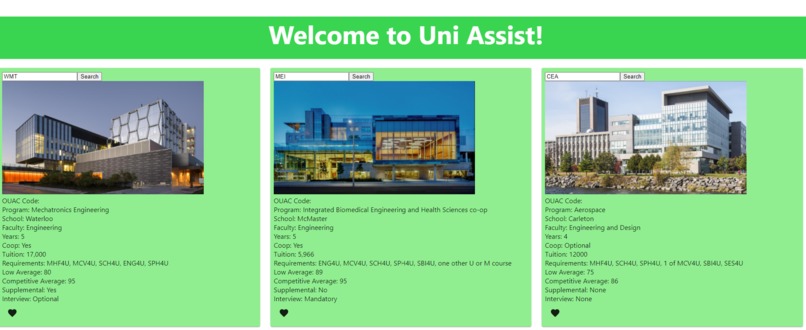
The main filled out screen for comparing three programs at once
-
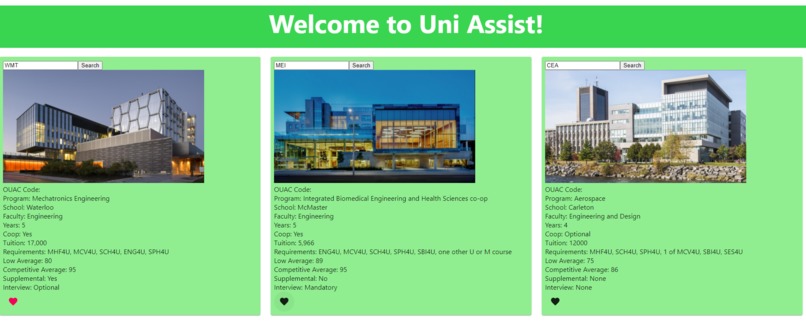
The heart icon at the bottom is for adding the searched program to a favourites list for later viewing
-
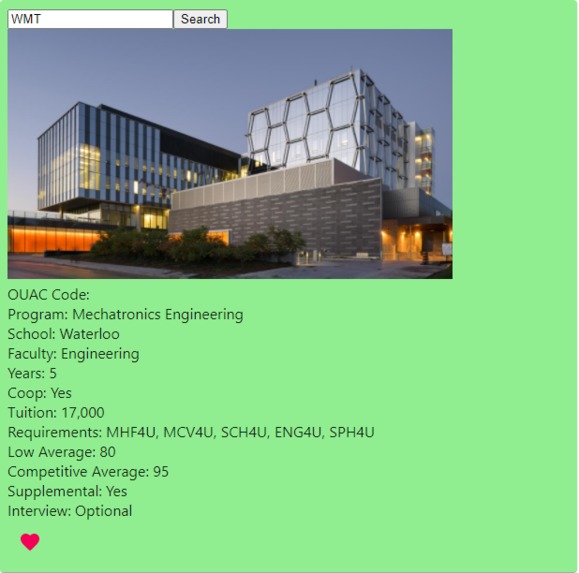
Closeup of the UWaterloo Mechatronics Engineering program information. Trons represent!
-

Uni Assist Logo


Inspiration
When applying to university, we all experienced the struggle of having 5000 tabs open and not being able to compare programs between schools, or even at the same school. We solved this problem by having a database with all Ontario programs that the user can choose to view and easily compare side by side.
What it does
Uni Assist displays program information including: school, faculty, tuition, required courses, competitive average and more! The three compare columns allow for all the necessary information to be compared at the same time on the same tab.
How we built it
We built Uni Assist using a react webapp for the frontend and python and the pandas library to work with the files for the backend. We merged them using the Google Cloud Functions on the Google Cloud Platform.
Challenges we ran into
We ran into challenges initially with the frontend React as it was new for us and then later on with the backend and figuring out how to structure everything in a way that both frontend and backend would work together. Later on, we ran into integration problems. We were able to overcome these challenges with help from mentors and really pushing through and making sure we found a solution.
Accomplishments that we're proud of
We are proud of learning so much in so little time. 90% of what we did were newly acquired skills that we learned in a few hours and pushed through challenges with. We had a lot of failed attempts and a lot of time that was lost as a result. Despite that, we produced a project that we're happy with, and would hope to make even better.
What we learned
We learned a lot! As mentioned above, almost everything we used to create this project was new to us in some way, shape, or form. We learned how to code a React app from scratch, use Google Cloud Services, code in Python, HTML, CSS, Javascript and so much more! From the complicated data structures to making the simplest of buttons, we learned it all.
What's next for Uni Assist
Adding more programs and adding more search options (eg. search by program name, school, faculty... etc). Also adding the favourites list as well as additional lists and a user login to store the information and suggest potential programs.


Log in or sign up for Devpost to join the conversation.