-
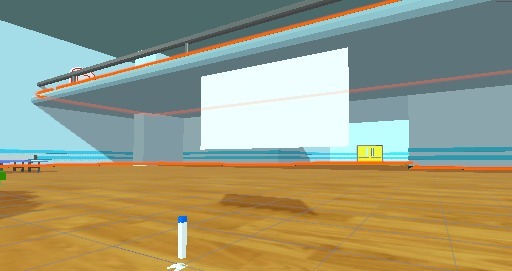
Example of a Room

Inspiration
We were inspired by Zoom and Skype since we've been using them quite a lot since the pandemic.
What it does
When the user enters the application, a menu is shown with two options: connect anonymously or join with an input name. If the player chooses to, he/she can enter a name using a keyboard that can be handled by the controllers. After connecting they are moved to a lobby where they can create or join a room. After deciding the option they get moved to the final room where the other player will be able to join. In this room, we have added the ability to draw on a blackboard using a pen that can be grabbed with one of the controllers.
How we built it
We built it using XRInteractiveToolKit and Photon in Unity.
Challenges we ran into
We only had one VR headset so we were unable to test the second user's connectivity in the same room as the first user.
Accomplishments that we're proud of
This is our first VR project and had to learn almost everything from scratch, so we're happy that we were able to create at least a demo of what we were aiming for.
What we learned
We learned a lot about how Photon works and how to use the controllers to add more interaction. For example, use a keyboard to input the user's name. We're also starting on unity and this project helped us grow our understanding of this engine.
What's next for VR Collaborator
We were really excited at every small accomplishment we made so we're sure we will continue this project into a fully functional one.




Log in or sign up for Devpost to join the conversation.