-
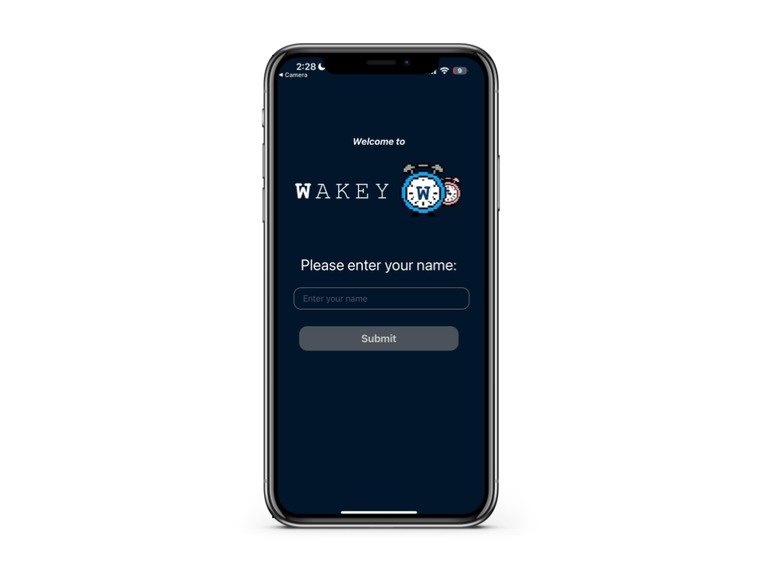
Enter name screen
-
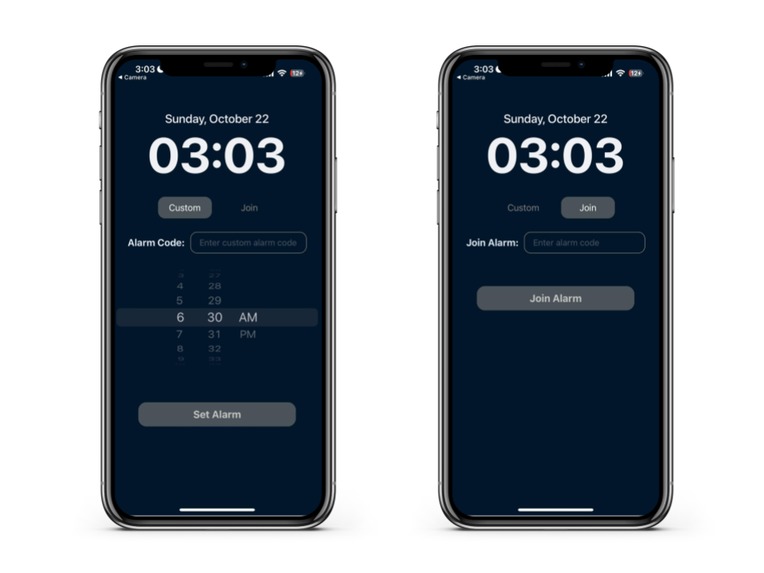
custom / join alarm code
-
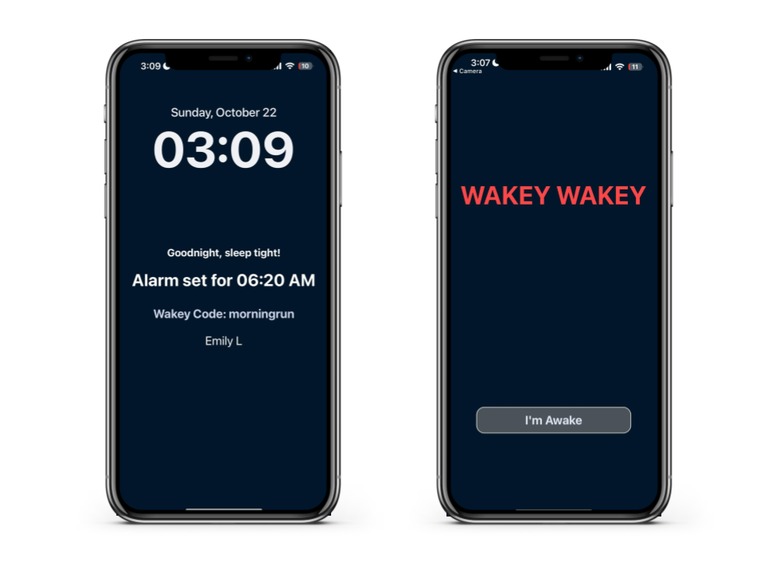
Alarm going off
-
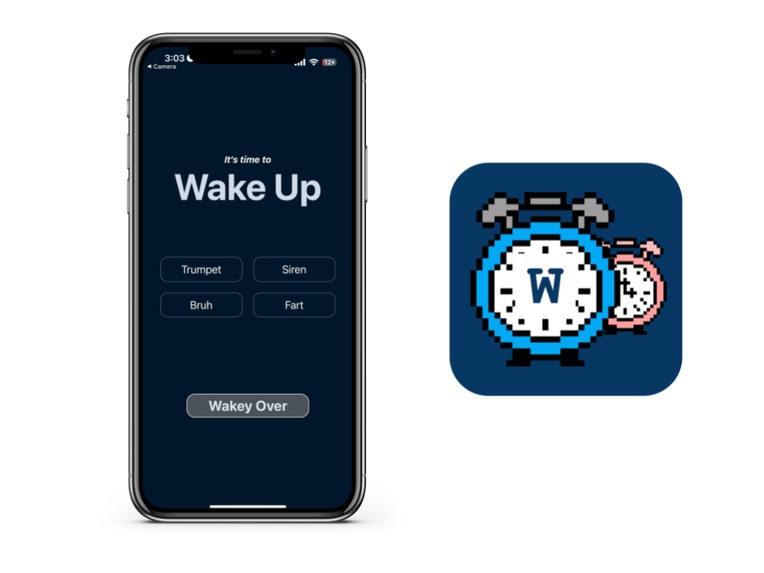
Wake up the rest of your friends with the soundboard!


Inspiration
We created this app to address a problem that our creators were facing: waking up in the morning. As students, the stakes of oversleeping can be very high. Missing a lecture or an exam can set you back days or greatly detriment your grade. It's too easy to sleep past your alarm. Even if you set multiple, we can simply turn all those off knowing that there is no human intention behind each alarm. It's almost as if we've forgotten that we're supposed to get up after our alarm goes off! In our experience, what really jars you awake in the morning is another person telling you to get up. Now, suddenly there is consequence and direct intention behind each call to wake up. Wake simulates this in an interactive alarm experience.
What it does
Users sync their alarm up with their trusted peers to form a pact each morning to make sure that each member of the group wakes up at their designated time. One user sets an alarm code with a common wakeup time associated with this alarm code. The user's peers can use this alarm code to join their alarm group. Everybody in the alarm group will experience the same alarm in the morning. After each user hits the button when they wake up, they are sent to a soundboard interface, where they can hit buttons to send try to wake those that are still sleeping with real time sound effects. Each time one user in the server hits a sound effect button, that sound registers on every device, including their own device to provide auditory feedback that they have indeed successfully sent a sound effect. Ultimately, users exit the soundboard to leave the live alarm server and go back to the home screen of the app. They can finally start their day!
How we built it
We built this app using React Native as a frontend, Node.js as the server, and Supabase as the database. We created files for the different screens that users will interact with in the front end, namely the home screen, goodnight screen, wakeup screen, and the soundboard. The home screen is where they set an alarm code or join using someone else's alarm code. The "goodnight screen" is what screen the app will be on while the user sleeps. When the app is on, it displays the current time, when the alarm is set to go off, who else is in the alarm server, and a warm message, "Goodnight, sleep tight!". Each one of these screens went through its own UX design process. We also used Socket.io to establish connections between those in the same alarm group. When a user sends a sound effect, it would go to the server which would be sent to all the users in the group. As for the backend, we used Supabase as a database to store the users, alarm codes, current time, and the wake up times. We connected the front and back end and the app came together. All of this was tested on our own phones using Expo.
Challenges we ran into
We ran into many difficult challenges during the development process. It was all of our first times using React Native, so there was a little bit of a learning curve in the beginning. Furthermore, incorporating Sockets with the project proved to be very difficult because it required a lot of planning and experimenting with the server/client relationships. The alarm ringing also proved to be surprisingly difficult to implement. If the alarm was left to ring, the "goodnight screen" would continue ringing and would not terminate. Many of React Native's tools like setInterval didn't seem to solve the problem. This was a problematic and reoccurring issue. Secondly, the database in Supabase was also quite difficult and time consuming to connect, but in the end, once we set it up, using it simply entailed brief SQL queries. Thirdly, setting up the front end proved quite confusing and problematic, especially when it came to adding alarm codes to the database.
Accomplishments that we're proud of
We are super proud of the work that we’ve done developing this mobile application. The interface is minimalist yet attention- grabbing when it needs to be, namely when the alarm goes off. Then, the hours of debugging, although frustrating, was very satisfying once we finally got the app running. Additionally, we greatly improved our understanding of mobile app developement. Finally, the app is also just amusing and fun to use! It’s a cool concept!
What we learned
As mentioned before, we greatly improved our understanding of React Native, as for most of our group, this was the first time using it for a major project. We learned how to use Supabase and socket. Additionally, we improved our general Javascript and user experience design skills as well.
What's next for Wakey
We would like to put this app on the iOS App Store and the Android Play Store, which would take more extensive and detailed testing, especially as for how the app will run in the background. Additionally, we would like to add some other features, like a leaderboard for who gets up most immediately after their alarm gets off, who sends the most sound effects, and perhaps other ways to rank the members of each alarm server. We would also like to add customizable sound effects, where users can record themselves or upload recordings that they can add to their soundboards.


Log in or sign up for Devpost to join the conversation.