-
-
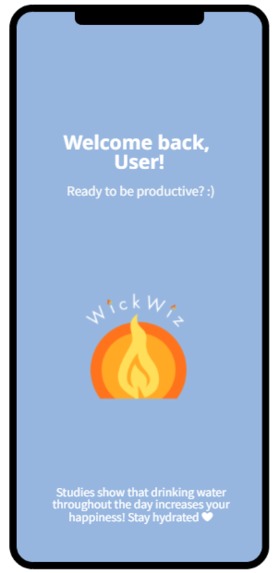
Loading screen
-
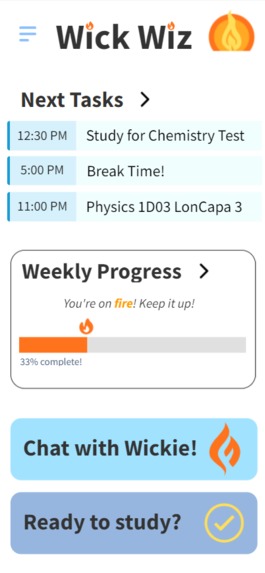
Home screen
-
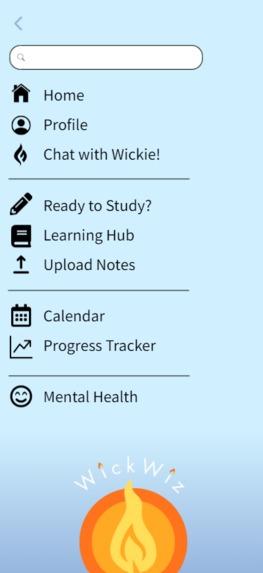
Menu
-
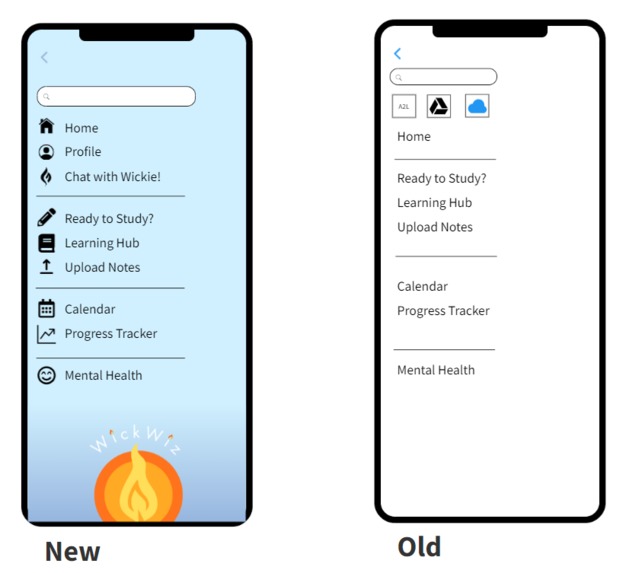
First vs final menu design


Inspiration
WickWiz was inspired by the trials and tribulations of being a first-year university student (looming deadlines, new environment, fast paced learning) alongside the growing might of AI in the world. We aimed for a simplistic yet chic design which allows for users to easily navigate university with the help of an AI-powered learning companion app.
What it does
WickWiz is designed with reliability, efficiency, and ease of use at its core. Features include:
- Keep users on track with reminders of the next tasks they must accomplish, AI-recommended times to study and take breaks, and a comprehensive overview of their to-do items.
- Guided study sessions with AI-generated practice sets and resources taken from the web. Uses information from a survey to personalize study sessions to individual learning styles and needs!
- Open the chat menu to talk to your fiery companion, Wickie!! By using integrations with Avenue 2 Learn (or another platform used by universities) and OneDrive/Google Drive, Wickie can not only give students general advice on how to manage their time, but remind them of due dates and summarize lecture notes too!
- A progress tracker which shows students how well they've done, cheers them on, and motivates them to accomplish more. Includes areas for improvement and tips on how to get there!
Please note that due to this being a front-end project, this is purely a high-fidelity wireframe with no functional use other than navigating between pages. The features above have been demonstrated with our wireframe but are not dynamic.
How we built it
We used Mockflow wireframes to accomplish this, and our low and high fidelity prototypes can be found linked.
Challenges we ran into
Some of the core challenges we faced involved the visceral design and behavioural design, and how to offer a balance of both. We strived to make something was visually appealing and easy to digest, while also being intuitive to the individual functions. This involved many iterations and feedback from all team members.
Accomplishments that we're proud of
We are very proud of how we were able to incorporate the logo we externally created within the Mockflow prototype. It contributed a unique design element that improved the aesthetic of the prototype and promoted a theme. We are also extremely proud of our ideation and prototyping process. Comparing our ideas from the beginning to how we nurtured and expanded on them in the end, as well as our low vs high fidelity prototypes really showed us how far we'd come. We were able to include a wide variety of features and effectively demonstrated the functionality of our prototype.
What we learned
- Designing a visually satisfying yet functional app is challenging and ample time should be dedicated to this ideation and iteration process.
- Layout design for mobile applications: understanding how to use a limited space, account for the fact that users are using their fingers and not a mouse to click our app, and keeping important information easily visible (e.g., large enough)
What's next for WickWiz
Further develop our features, such as the Upload Notes feature which would be able to either access the user's university account to draw from the course content or access the mobile's built in camera to scan the user's physical notes.
For the user profile which currently is non-functional, we would add integrations with storage accounts like OneDrive and Google Drive where users typically store course notes, along with Avenue 2 Learn (the McMaster service of choice) or any other platforms used by other universities. By linking this content, users allow Wickie to take information from them and generate any summaries, quizzes, or explanations the user needs.
We also want Wickie to surf the web for mental health resources, as the mental health page is currently non-functional as well. This would allow students to access verified and relevant resources that Wickie found for them, without allowing Wickie themselves to give mental health advice for ethical reasons due to the unstable nature of generative AI.
Built With
- canva
- figma
- mockflow


Log in or sign up for Devpost to join the conversation.