
Download Devzery – AI‑Powered QA Testing Tool, Fast, Secure & Automated
Overview
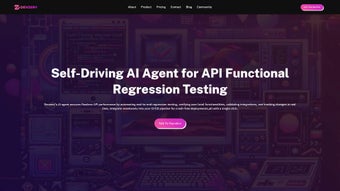
Devzery is a next‑generation, AI‑driven software testing platform that reshapes quality‑assurance workflows for modern development teams. By analyzing product URLs, recent code changes, and even user‑interaction logs, Devzery automatically generates test cases that cover functional paths, edge‑case scenarios, and performance checkpoints. This approach guarantees comprehensive test coverage while dramatically reducing the manual effort traditionally required to design and maintain test suites. The platform shines in regression testing environments, where it intelligently prioritizes critical test cases based on the impact of new commits, helping teams catch regressions early and avoid costly production bugs. Devzery’s seamless integration with popular CI/CD pipelines—such as Jenkins, GitHub Actions, GitLab CI, Azure DevOps, and CircleCI—means test generation and execution become a natural part of the build process. The result is a shorter testing cycle, faster feedback loops, and a smoother path from development to market launch. In addition, Devzery accelerates onboarding for new QA engineers; its intuitive UI and AI suggestions enable a tester to become productive within a week, even without deep domain knowledge. By surfacing late‑stage defects earlier, the tool minimizes the financial impact of delays and rework, ultimately boosting revenue potential and customer satisfaction. Whether you’re working on a web application, mobile app, or complex enterprise system, Devzery provides a secure, scalable, and cost‑effective solution that aligns perfectly with agile and DevOps methodologies. Its built‑in security controls, GDPR‑compliant data handling, and role‑based access ensure that sensitive test data remains protected while the AI engine continuously learns from each execution to improve future test generation.
Key Features & AI Capabilities
- AI‑Generated Test Cases: Automatically creates functional and regression test cases by crawling product URLs and interpreting UI components, reducing manual test design time by up to 70%.
- Change‑Impact Analysis: Detects recent code changes, ranks affected areas, and prioritizes test cases that are most likely to break, ensuring critical paths are always verified.
- CI/CD Integration: Native plugins for Jenkins, GitHub Actions, GitLab CI, Azure DevOps, and CircleCI; test generation can be triggered on every push or merge request.
- Cross‑Platform Support: Works with web, Android, iOS, and desktop applications, providing a unified testing strategy across all product layers.
- Smart Test Suite Optimization: Uses machine‑learning algorithms to de‑duplicate tests, remove flaky cases, and keep the suite lean without sacrificing coverage.
- Real‑Time Reporting Dashboard: Visualizes test execution status, failure trends, and coverage metrics; integrates with Slack, Teams, and email for instant alerts.
- Secure Cloud & On‑Prem Deployment: Offers a GDPR‑compliant SaaS option and a self‑hosted version for enterprises with strict data residency requirements.
- Collaborative Test Management: Enables testers, developers, and product owners to comment, assign, and track test cases within a single workspace.
- Extensible API: RESTful endpoints let you script custom workflows, fetch test results programmatically, or embed Devzery into existing test management tools.
Beyond the headline capabilities, Devzery continuously learns from the outcomes of each test run. Successful passes reinforce the AI’s confidence in similar scenarios, while failures trigger deeper analysis to improve future test generation. This feedback loop results in a testing engine that gets smarter over time, adapting to the unique quirks of your codebase and UI design. For teams that practice test‑driven development (TDD) or behavior‑driven development (BDD), Devzery can export generated tests into popular frameworks like Selenium, Cypress, Playwright, and Appium, making the transition from AI suggestion to executable code seamless. The platform also supports versioned test artifacts, allowing you to roll back to previous test sets if a new AI model introduces unwanted noise. Moreover, Devzery includes an advanced analytics module that surfaces trend data such as flaky test frequency, average fix time, and defect density per component, helping managers make data‑driven decisions about where to invest quality‑improvement resources. In short, Devzery’s feature set is built to accelerate delivery without compromising quality, giving you the confidence to ship faster and more securely.
Installation, Usage & Compatibility
Getting Started
Downloading Devzery is straightforward. Visit the official website, click the “Download Free Trial” button, and choose the appropriate installer for your operating system. The platform offers native installers for Windows 10/11, macOS 12 Catalina and later, as well as a Docker image for Linux environments. After downloading, run the installer and follow the on‑screen wizard: accept the license agreement, select the installation directory, and optionally enable automatic updates. For enterprise customers who require an on‑premise deployment, a ZIP package with detailed configuration scripts is also available. The installer validates system prerequisites, such as Java 11+, Docker 20+, and required network ports, ensuring a smooth first‑time setup.
Configuration Steps
Once installed, launch Devzery and sign in with your corporate credentials or create a free account. The first‑time setup wizard walks you through connecting to your CI/CD system—simply provide your repository URL, select the pipeline you want to augment, and grant a read‑only token. Next, define the target application by entering its public URL or uploading an APK/IPA for mobile apps. Devzery will crawl the site, identify UI elements, and suggest a baseline set of test cases within minutes. You can customize the depth of crawling, exclude sensitive pages, and set a frequency for re‑analysis (e.g., daily or on each commit). Advanced users may enable “AI‑Confidence Thresholds” to filter out low‑certainty suggestions, keeping the generated suite focused on high‑impact scenarios.
Running Tests
With the test suite generated, you can trigger execution directly from the Devzery UI or let your CI pipeline invoke the devzery run CLI command. Results are streamed back to the dashboard in real time, showing pass/fail status, execution time, and any screenshots captured on failure. The platform also supports parallel execution across multiple agents, which can dramatically reduce overall test duration for large applications. For flaky‑test mitigation, Devzery automatically re‑runs failed cases up to three times and records variance metrics, helping you distinguish genuine defects from intermittent issues.
Operating System Support
Devzery is compatible with the following environments:
- Windows 10, Windows 11 (64‑bit)
- macOS 12 Catalina, macOS 13 Ventura, and later (Intel & Apple Silicon)
- Linux distributions (Ubuntu 20.04+, CentOS 7+, Debian 10+) via Docker or native package
- Android 8.0+ (via APK upload)
- iOS 13+ (via IPA upload)
Because Devzery runs as a background service, it can coexist with other development tools without interfering with existing ports or environment variables. The installer also adds the devzery command to your system PATH, allowing seamless automation from scripts or command‑line interfaces. For teams operating in restricted networks, a proxy configuration option is provided to ensure the AI engine can still fetch updates and external resources securely. Detailed logs are written to %ProgramData%\Devzery\logs on Windows or /var/log/devzery on Linux, facilitating troubleshooting and audit compliance.
Pros, Cons & Frequently Asked Questions
Pros
- Significant Time Savings: AI‑generated tests cut manual authoring effort by up to 70%.
- High Test Coverage: Automatic crawling ensures rarely‑touched UI paths are tested.
- Seamless CI/CD Integration: Works out‑of‑the‑box with major pipeline tools.
- Scalable Architecture: Supports on‑premise, cloud SaaS, and Docker deployments.
- Continuous Learning: AI model improves accuracy with each test cycle.
- Rich Analytics: Dashboard provides defect trends, flaky‑test detection, and coverage heatmaps.
- Extensible API: Enables custom workflows and deep integration with existing test management platforms.
Cons
- Initial AI suggestions may include redundant tests that need pruning.
- Learning curve for teams unfamiliar with AI‑driven testing concepts.
- Full feature set requires a paid subscription; free tier is limited to 5,000 test steps per month.
- Complex mobile UI interactions sometimes need manual fine‑tuning.
- On‑premise deployment demands additional infrastructure expertise.
FAQ
Is Devzery suitable for small startups?
Yes. The free tier provides enough AI‑generated test steps for small projects, and the pricing model scales as your team grows.
Can Devzery test APIs as well as UI?
While Devzery’s core strength lies in UI testing, it can import OpenAPI/Swagger definitions and generate API test cases that run alongside UI suites.
How does Devzery handle sensitive data during crawling?
You can configure exclusion rules to skip pages containing personal data, and the platform respects robots.txt and GDPR guidelines.
What level of support is available for enterprise customers?
Enterprises receive 24/7 premium support, a dedicated account manager, SLA‑backed response times, and optional on‑site training.
Is there a way to export generated tests to existing frameworks?
Yes. Devzery can export tests as Selenium WebDriver scripts, Cypress specs, Playwright tests, or Appium scripts, allowing immediate integration into your current test codebase.
Can Devzery be used in a completely offline environment?
The on‑premise version includes an offline mode that runs the AI engine locally, so no internet connection is required after the initial license activation.
Conclusion & Call to Action
Devzery delivers a compelling blend of AI‑driven test generation, deep CI/CD integration, and cross‑platform flexibility that makes it a standout choice for teams looking to accelerate their QA cycles without sacrificing quality. By automating the most labor‑intensive parts of test creation and intelligently prioritizing regression scenarios, the platform helps organizations ship faster, reduce post‑release defects, and keep development costs in check. While there is a modest learning curve and the premium tier unlocks the full feature set, the overall return on investment is clear—especially for agile teams that thrive on rapid feedback. The built‑in analytics and continuous‑learning engine ensure that the tool becomes more valuable over time, adapting to code‑base changes and evolving testing standards. If you’re ready to modernize your testing strategy, eliminate repetitive manual work, and gain actionable insights from every code change, Devzery is the tool to consider.
Download Devzery today, start the free trial, and experience how AI can transform your quality‑assurance workflow. For enterprises, request a personalized demo to see how the on‑premise version can be integrated securely into your existing infrastructure, and take advantage of dedicated onboarding assistance to get your teams productive from day one.
Overall Rating: 4.5/5
Summary: Devzery excels at reducing manual testing effort and boosting regression coverage. Minor drawbacks include initial AI noise and a learning curve, but the platform’s continuous improvement and robust integrations make it a worthwhile investment for modern development teams.



.png)




