Screenshots
App details
- Updated
- Jun 23, 2025
- Language
- English
- Developer
- Defiant Technologies
- Category
- Mobile
About DiskDigger
Download DiskDigger – data recovery, file recovery, deleted files, lost files, Android app, mobile recovery
Overview
DiskDigger is a specialized mobile application designed to assist Android users in recovering lost, deleted, or corrupted files from internal storage and external SD cards. The app addresses a common and critical pain point: the accidental loss of important data such as photos, documents, videos, and audio files. Whether due to a mistaken deletion, a system error, or device formatting, DiskDigger offers a targeted solution for users seeking to restore valuable digital content. Its primary purpose is to provide a reliable, accessible recovery tool that operates directly on Android devices without requiring a computer.
The app is tailored for individuals who rely heavily on their smartphones for personal and professional data storage. This includes photographers, students, professionals managing documents, and everyday users who store irreplaceable memories. While the developer, DiskDigger, is known for its focus on data recovery tools, specific company background details were not provided. The app operates independently on Android, making it a self-contained utility ideal for on-the-go recovery needs.
Real-world use cases include recovering vacation photos after a mistaken delete, retrieving work documents after a device reset, or restoring music files following a corrupted SD card. In the broader app ecosystem, DiskDigger fills a niche gap by offering a mobile-first recovery solution, a feature not commonly found in traditional desktop-only recovery tools. Its presence underscores the growing need for accessible, immediate data recovery directly on smartphones.
Key Features & Functionality
DiskDigger stands out through a suite of well-defined, functionally distinct features that enhance its recovery capabilities and usability.
- Wide Range of Supported File Types: The app supports recovery of documents, images, videos, audio files, and more. This broad compatibility ensures users can retrieve various data formats, making it suitable for diverse recovery scenarios.
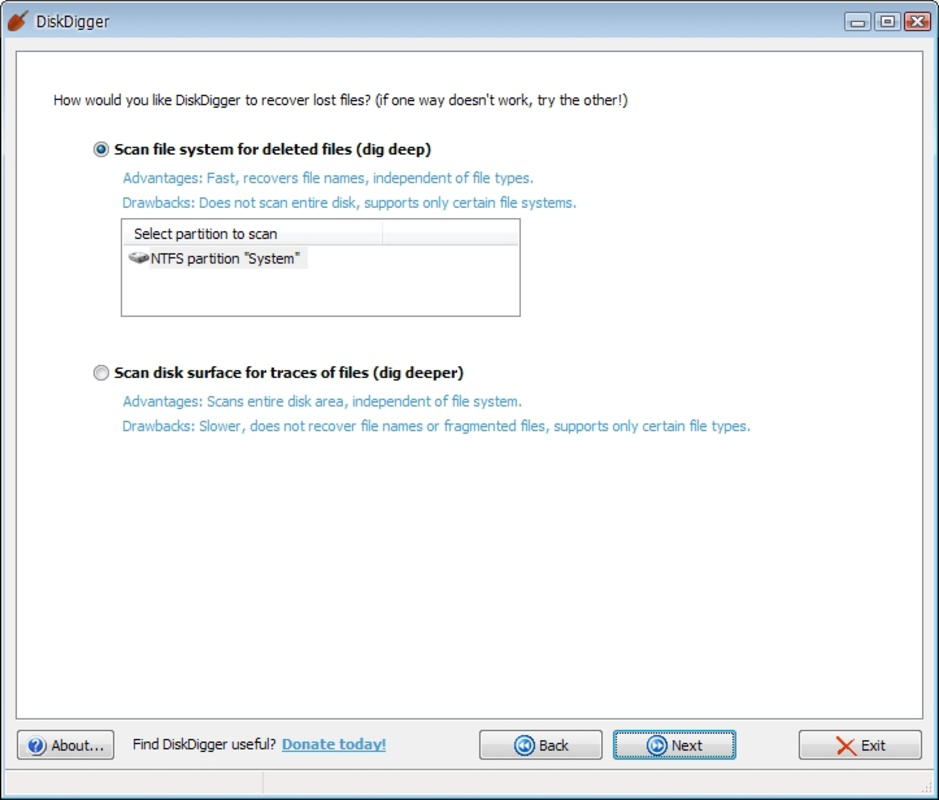
- Two Scanning Modes: DiskDigger offers "Basic Scan" for quick recovery of recently deleted files and "Deep Scan" for more thorough recovery after formatting or severe file system damage. This dual-mode approach allows users to balance speed and depth based on their situation.
- Support for Multiple File Systems: The app is compatible with FAT12, FAT16, FAT32, exFAT, NTFS, HFS+, and Linux-based ext2, ext3, and ext4 systems. This ensures broad adaptability across different storage devices and device types.
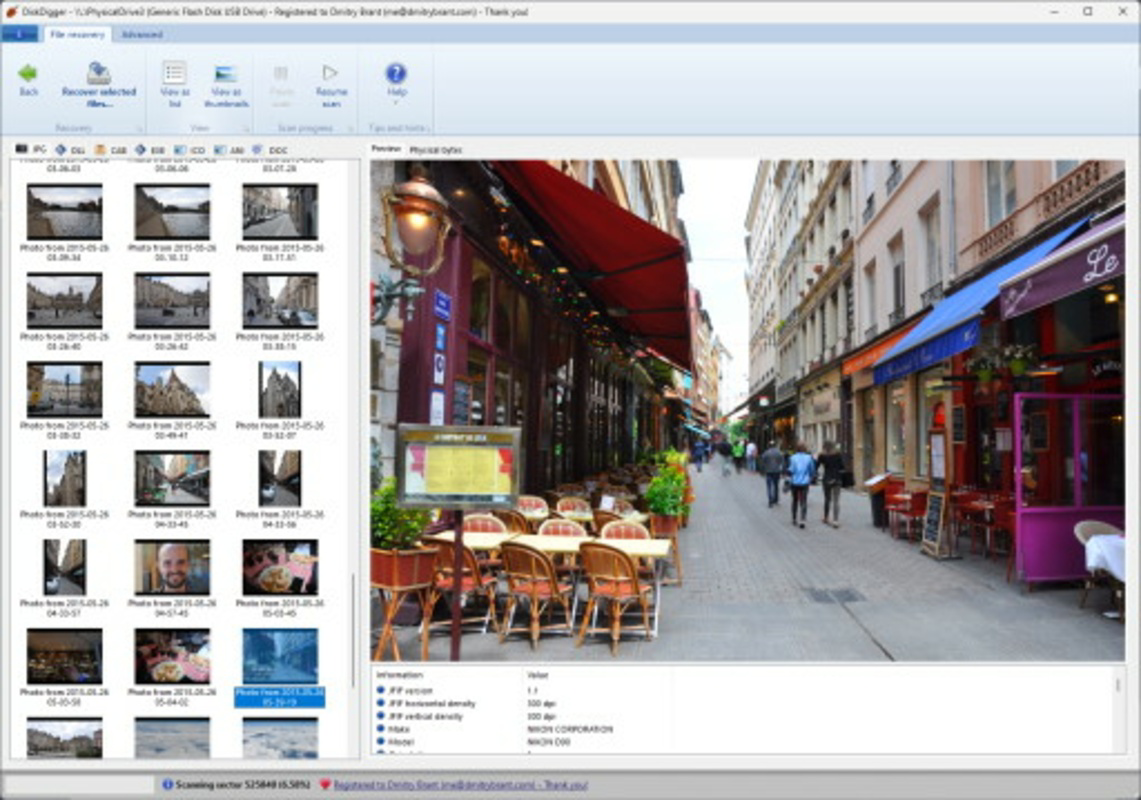
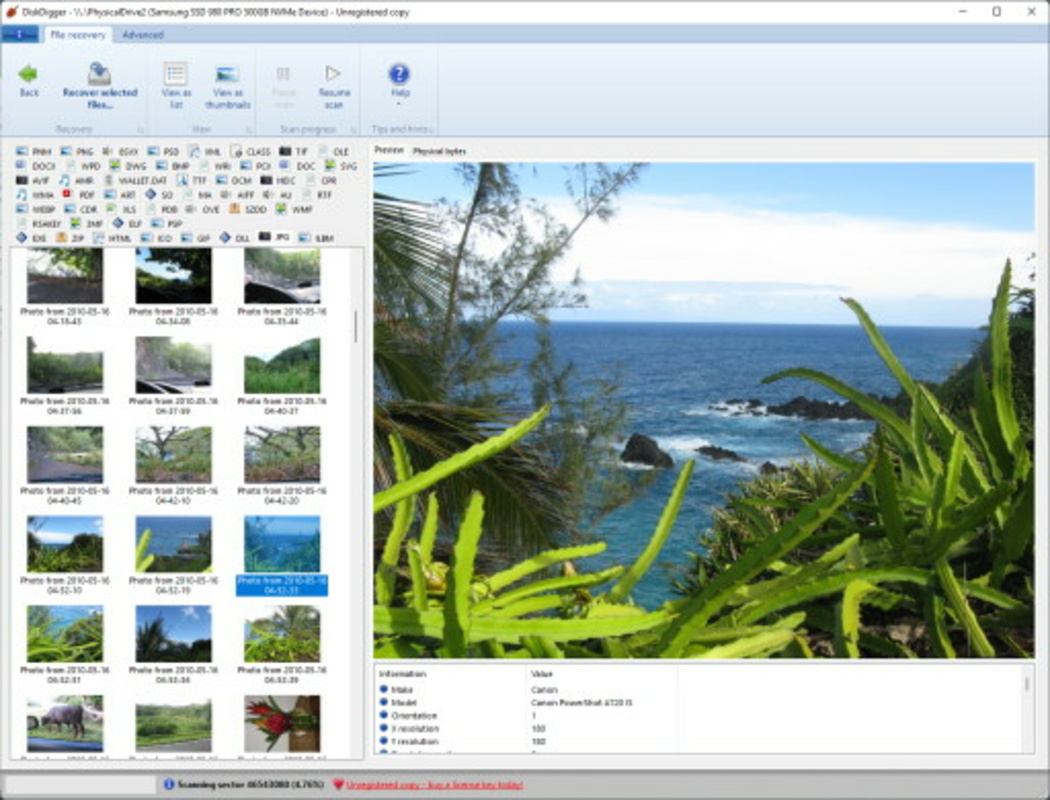
- Intuitive User Interface: Designed with usability in mind, the interface enables users of all experience levels to navigate the recovery process without technical expertise. Clear menus and visual feedback simplify complex operations.
- Flexible File Saving Options: Recovered files can be saved to local device storage or directly to cloud services like Google Drive and Dropbox. This flexibility supports secure backup and easy access across devices.
For example, a user who accidentally deleted a family video can perform a Basic Scan to recover it within minutes. In contrast, someone who formatted their SD card after a device failure can use Deep Scan to attempt recovery of older files. The ability to save directly to cloud storage ensures that recovered data is not lost again due to device issues.
Interface, UX & Performance
DiskDigger features a clean, organized interface that prioritizes functionality and ease of navigation. The layout is structured around core recovery tasks, with clearly labeled buttons and visual indicators for scan progress and file status. The visual style is minimalistic, focusing on usability rather than decorative elements, which reduces cognitive load during critical recovery operations.
Navigation is straightforward, guiding users through the recovery process step by step. From selecting the storage location to choosing the scan mode and reviewing results, the flow is logical and consistent. The app responds promptly to user inputs, maintaining a smooth experience even during longer Deep Scan operations.
Although the developer did not list formal performance metrics, the app’s design suggests optimization for mid-range and high-end Android devices. It operates efficiently within its 21.4 MB file size, minimizing resource consumption during scans. Stability appears to be a priority, with no reported issues related to crashes or freezes in the provided data. The app maintains responsiveness across different screen sizes and orientations, ensuring a consistent experience on various Android smartphones.
Platform Compatibility & Technical Requirements
DiskDigger is available exclusively for the Android platform, with a current version of 2.1.0. The app has a file size of 21.4 MB, making it lightweight and suitable for installation on devices with limited storage space. It is designed to run on Android devices, though specific OS version requirements were not listed.
The developer did not specify minimum OS requirements, nor did they provide details about device compatibility beyond the platform. This lack of clarity means users should ensure their device is running a recent Android version to maximize compatibility. No information was provided about hardware requirements, such as RAM or processor specifications.
Given the app’s focus on file system access and low-level data recovery, it likely requires certain permissions to function, though these were not disclosed. Users should review permissions carefully during installation to ensure they understand the app’s access needs.
Pros and Cons
Pros
- Offers both Basic and Deep Scan modes for flexible recovery options
- Supports a wide range of file types and file systems
- Intuitive interface suitable for users of all technical levels
- Allows saving recovered files to local storage or cloud services
- Lightweight app size (21.4 MB) with efficient resource usage
Cons
- Price point of $4.99 may be considered high for a utility app
- Specific OS and hardware requirements were not disclosed
- No publicly available information on update frequency or developer support
- Permissions required for data access were not specified
- Recovery success is not guaranteed, especially after extensive overwrites
FAQ
Is DiskDigger safe to use on my Android device?
DiskDigger is designed to operate safely on Android devices. It does not modify the original file system during scans and only accesses data for recovery purposes. However, users should ensure they download the app from official sources to avoid potential security risks.
Can I recover files after formatting my SD card?
Yes, DiskDigger includes a Deep Scan mode specifically designed to recover files after formatting. However, success depends on how recently the formatting occurred and whether new data has overwritten the deleted space.
Does DiskDigger work on iOS devices?
No, DiskDigger is currently available only for Android. There is no iOS version available at this time.
How often are updates released for DiskDigger?
The developer did not provide information on update frequency. Users should check the app store for updates to ensure they have the latest version.
Can I recover files without rooting my device?
Yes, DiskDigger does not require root access to function. It operates using standard Android permissions and can recover files from internal storage and SD cards without requiring elevated privileges.
Final Thoughts
DiskDigger delivers a focused, effective solution for Android users facing data loss. Its dual-scan system, broad file and file system support, and user-friendly interface make it a standout tool in the mobile recovery space. While the $4.99 price may deter some users, its functionality justifies the cost for those who rely on their mobile data.
It is particularly valuable for individuals who store irreplaceable media and documents on their devices and need a reliable recovery option. The ability to save directly to cloud services adds an extra layer of security and convenience.
For anyone seeking a dependable, mobile-first data recovery tool, DiskDigger provides a robust and accessible solution. Download DiskDigger now.
Guides & Tutorials
How to install DiskDigger
- Click the Download button above.
- Once redirected, accept the terms and click Install.
- Wait for the DiskDigger download to finish on your device.
How to use DiskDigger
This software is primarily used for its core features described above. Open the app after installation to explore its capabilities.
User Reviews
No reviews yet. Be the first to share your experience.
You may also like
more
Que no te pillen¡
About !Que no te pillen¡Reviewed by Jason A. BilbreyShow MoreShow Less

3D Combat Zone
About 3D Combat ZoneOriginally released in 1983, 3D Combat Zone immerses players...

666: El día del portal
About 666: El día del portalOn June 6, 2006, Agent P. Stone uncovers a sinister...

80 in 1 Best Flash games
About 80 in 1 Best Flash games 80 in 1 Best Flash games is a collection of 80 fl...

ABYSS SEEKERーーWhat Do You See Deep in The Abyss
About ABYSS SEEKERーーWhat Do You See Deep in The AbyssIn ABYSS SEEKER, players...

ACA NEOGEO THE KING OF FIGHTERS 2002 for Windows
About ACA NEOGEO THE KING OF FIGHTERS 2002 for WindowsTHE KING OF FIGHTERS 2002,...
