
Download Doc2Lang – Fast AI Document Translation Tool
Overview
Doc2Lang is a web‑based, AI‑powered translation service that turns the tedious task of translating office documents into a swift, secure, and cost‑effective process. Built around the capabilities of ChatGPT, the platform accepts a wide range of file types—Excel spreadsheets (xlsm, xlsx), Word documents (docx), CSV data, and PowerPoint presentations (pptx)—with a generous 10 MB size ceiling per upload. Users simply drag and drop their files, select the target language, and let the AI engine handle the heavy lifting, delivering high‑quality translations that respect the original formatting and business terminology. Because the service runs entirely in the browser, there is no need for lengthy installations, sign‑ups, or subscription commitments; you pay only for the translations you actually use via a transparent pay‑per‑use model. Security is baked in: after each translation the platform automatically deletes the source file, guaranteeing that confidential information never lingers on the servers. Whether you’re a multinational corporation needing to localize quarterly reports, a freelancer translating client proposals, or a student preparing a multilingual thesis, Doc2Lang offers a streamlined, reliable solution that bridges language gaps without the overhead of traditional translation agencies.
Key Features
- AI‑Driven Accuracy: Powered by ChatGPT, the translation engine understands context, idioms, and industry‑specific jargon, producing natural‑sounding results.
- Multi‑Format Support: Handles XLSM, XLSX, DOCX, CSV, and PPTX files while preserving tables, charts, and slide layouts.
- Instant Processing: Most documents are translated within seconds, allowing rapid turnaround for time‑sensitive projects.
- Pay‑Per‑Use Pricing: No subscription traps; you are billed only for the words actually translated, making budgeting straightforward.
- Zero‑Signup Workflow: Upload, translate, download—no account creation required, which speeds up the user journey.
- Secure File Deletion: After each translation, the platform automatically erases the original file from its servers, ensuring data privacy.
- Language Variety: Supports over 50 major languages, from English, Mandarin, and Spanish to less common languages like Finnish and Swahili.
- Batch Translation: Users can queue multiple documents in a single session, reducing repetitive actions.
- Browser‑Based Interface: Works on any modern browser without additional plugins or installations.
- Real‑Time Cost Estimate: Before confirming, you see an exact price breakdown based on word count and target language.
Installation & Usage Instructions
Because Doc2Lang is a fully web‑based service, there is no traditional “installation” process. The steps below guide you through a typical translation workflow, from preparing your file to receiving the final output.
- Open the Platform: Navigate to the official Doc2Lang URL using any up‑to‑date browser (Chrome, Edge, Firefox, Safari). The site automatically detects your operating system and loads the optimal interface.
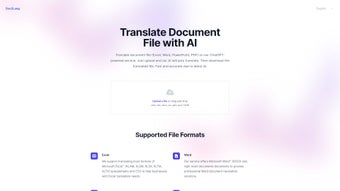
- Select Your Document: Click the “Upload File” button or drag your file into the highlighted area. Remember that the maximum file size is 10 MB; larger files should be split or compressed.
- Choose Source & Target Languages: A dropdown list lets you specify the original language (auto‑detect is also available) and the language you want the content translated into.
- Review Word Count & Pricing: Doc2Lang instantly calculates the total number of translatable words and displays the cost in your preferred currency. This transparency helps you decide whether to proceed.
- Initiate Translation: Press the “Translate Now” button. The AI engine begins processing; progress is shown via a real‑time status bar.
- Download the Result: Once the translation finishes (usually within seconds for documents under 10 MB), a download link appears. Click to save the translated file, which retains the original file type and layout.
- Secure Deletion: After you download, the platform automatically removes the source and translated files from its servers. You can also manually trigger a “Delete All” action if you prefer immediate removal.
Tips for optimal results: Ensure that your source document uses standard fonts and clear tables; heavily formatted or embedded objects may require a quick manual check after download. For very large spreadsheets, consider translating one sheet at a time to stay within the 10 MB limit. If you encounter any errors, the built‑in chat support is available 24/7 for troubleshooting.
Compatibility, Pros & Cons
Doc2Lang runs entirely in the cloud, which means it is compatible with any operating system that supports a modern web browser. Whether you are on Windows 10/11, macOS Monterey or Ventura, Linux distributions (Ubuntu, Fedora, etc.), or even mobile platforms like Android and iOS, the translation experience remains consistent. The only requirement is an internet connection and a browser that supports HTML5 and JavaScript.
Pros
- Lightning‑fast translation powered by state‑of‑the‑art AI.
- No software download, installation, or license keys needed.
- Pay‑per‑use model eliminates unnecessary recurring costs.
- Automatic, secure deletion of uploaded files protects sensitive data.
- Supports a broad spectrum of file formats while preserving original layouts.
- User‑friendly interface that works on any device—desktop, tablet, or smartphone.
- Transparent pricing with real‑time cost estimation.
- Multi‑language coverage suitable for global business operations.
Cons
- Maximum file size of 10 MB may be restrictive for very large presentations or datasets.
- Reliance on internet connectivity; offline translation is not possible.
- While AI quality is high, extremely technical or legal documents may still benefit from a human proofreader.
- No free tier; you must purchase credits before the first translation.
- Limited batch processing features compared to dedicated enterprise translation management systems.
Frequently Asked Questions
How does Doc2Lang ensure the privacy of my documents?
Doc2Lang automatically deletes every uploaded file and its translated counterpart from the server as soon as the download is complete. No logs are kept, and all data transfers are encrypted via HTTPS, guaranteeing end‑to‑end security.
Can I translate a document that contains multiple languages?
Yes. The AI engine can detect mixed‑language content and translate each segment into the target language while preserving the original structure. However, for the best accuracy, specify the dominant source language in the dropdown.
What payment methods are accepted?
Doc2Lang accepts major credit cards (Visa, MasterCard, American Express) and PayPal. All transactions are processed securely, and you receive an email receipt instantly after each purchase.
Is there a discount for bulk translations?
Yes. If you purchase translation credits in large quantities (e.g., 100,000 words or more), Doc2Lang offers tiered discounts ranging from 5 % to 15 % off the standard per‑word rate.
Can I use Doc2Lang on mobile devices?
Absolutely. The responsive web interface works on iOS Safari and Android Chrome, allowing you to upload, translate, and download documents directly from your phone or tablet.
Conclusion & Call to Action
Doc2Lang bridges the gap between sophisticated AI translation technology and everyday document handling. Its cloud‑native design eliminates the friction of installations, while the pay‑per‑use model keeps costs aligned with actual usage. For businesses that need to localize reports, marketing decks, or data sheets on a regular basis, the platform delivers speed, accuracy, and compliance without the overhead of traditional language service providers. Individual users also benefit from the simplicity of a one‑click workflow and the peace of mind that comes with automatic file deletion.
If you’re ready to experience hassle‑free, AI‑driven document translation, download Doc2Lang now and start converting your files in seconds. Remember, you only pay for what you translate, and every file is securely removed after use—making Doc2Lang the smart, secure, and economical choice for multilingual productivity.



.png)




