Workflows
Automate multi-step processes with a visual builder in the Dashboard.
Stripe Workflows is a workflow product with a visual builder in the Stripe Dashboard that lets you automate tasks and create custom flows, without writing code. Workflows are ideal for multi-step processes and can span across multiple Stripe products, allowing you to build more efficient processes, enforce business rules, and reduce manual effort.
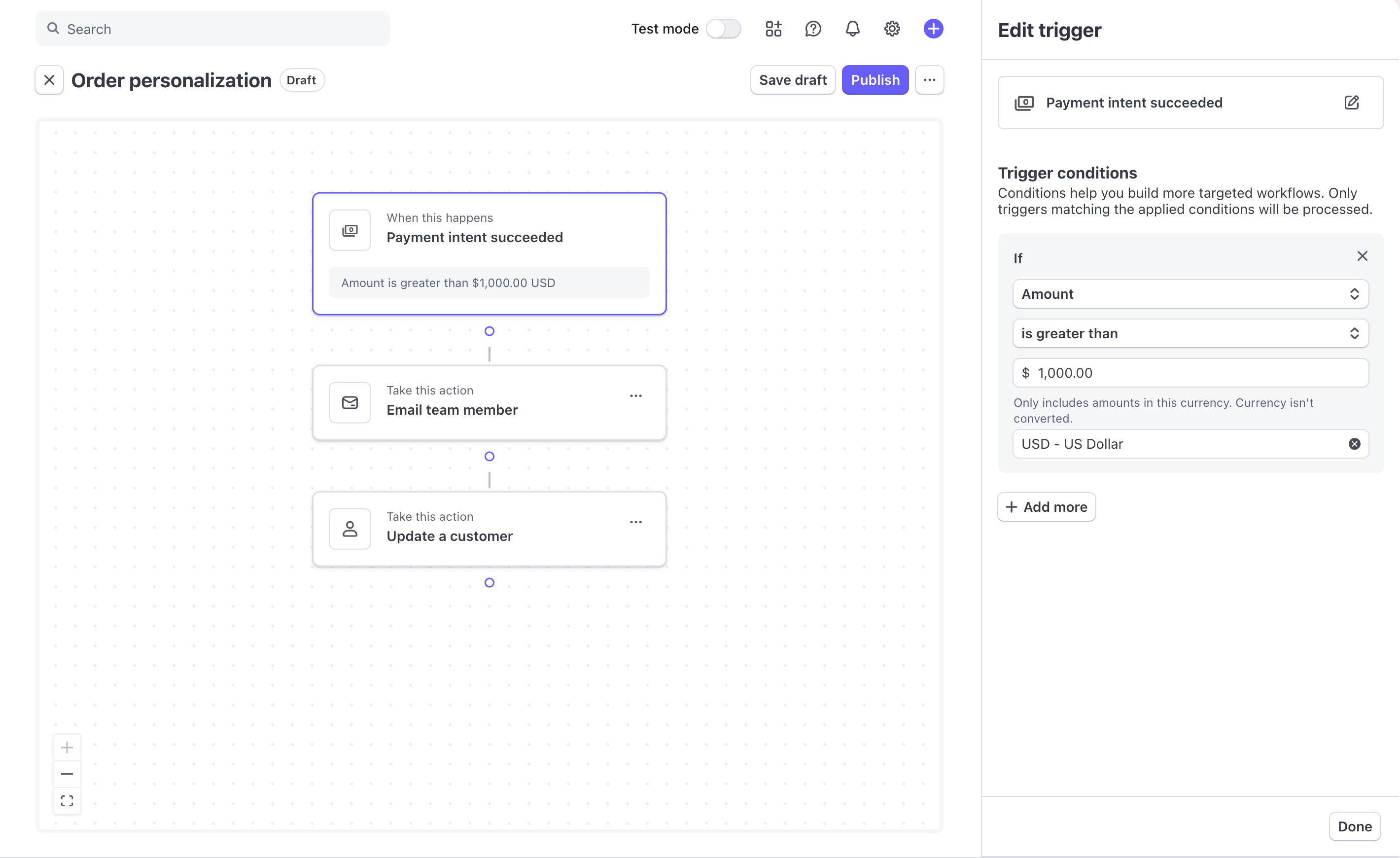
The Workflows visual builder in the Dashboard
Each workflow starts with a trigger and continues through a series of steps that define what happens next. You can use conditional logic to create different paths, sequence actions so they run in order, and automate decisions based on data. This allows you to build workflows that adapt to different scenarios and handle tasks dynamically. Learn more about how Workflows work.
Use workflows to:
- Automate tasks triggered by Stripe events (payments, customers, subscriptions)
- Trigger on-demand processes from the Dashboard or via API
- Add conditional logic to route different scenarios to different actions
- Loop over collections of Stripe objects to apply actions in bulk
- Connect to external systems through custom actions built by app developers
Workflows support Connect platforms, trigger workflows on connected account events and run actions on connected account resources.
Get started
If you don’t have a Stripe account, sign up now.
Features
Workflows automate tasks triggered by specific API events or programmatic invocations. Each event initiates a workflow run, and workflows can have multiple runs over time. Review past runs to see when they’re triggered and how they performed.
| Trigger on events | Start workflows automatically when Stripe events occur, such as a payment succeeding, a customer being created, or an invoice failing. Each workflow has one trigger. |
| Trigger programmatically | Start workflows from the Dashboard or via API with custom input data. Useful when a human needs to initiate a process or an external system needs to invoke Stripe logic. |
| Use conditional logic | Automate decisions using conditional logic. For example, you can create a simple branch with an “if-else” structure, or a more complex branch with multiple paths where each branch handles different conditions. |
| Apply trigger conditions | Configure a workflow to only run if its triggered by specific events, such as when a customer object field changes. This ensures that workflows only run when your integration needs them. |
| Loop over collections | Iterate over a list of Stripe objects and apply the same actions to each item. Loops pair with API list methods to process data in bulk. For example, you can use loops to update metadata on all active subscriptions for a customer. |
| Create custom actions | Add user-defined actions from apps to your workflows. Custom actions appear in the workflow builder alongside built-in Stripe actions and can connect to external systems. |
| Use with Connect | Use events from connected accounts to trigger workflows and run actions on connected account resources. Build automations that span your platform and your connected accounts. |
| Test with Sandboxes | Safely test your workflows in secure, isolated sandbox environments before going live. |
| Monitor and debug | Inspect individual workflow runs in the Dashboard to see which steps ran, their parameters, and any errors. Use Workbench for deeper developer-focused logs and request details. |
Built-in features
Workflows have the following built-in features:
| Recursion detection | Workflows automatically identify and stops recursions such as infinite loops or runaway workflows. For example, a workflow to update customer information that’s triggered by a customer event could potentially loop infinitely if performing the update generates another customer updated event. Workflows prevent this by only allowing recursion to occur once. The workflow ends with an error if recursion occurs more than once. |
| Automatic retries | To improve reliability, Workflows automatically retries actions that encounter retriable errors. This means that if an action fails due to a transient issue, the workflow attempts to run it again without requiring any manual intervention from you. This ensures temporary errors don’t cause workflow failures, promoting smooth and consistent workflow runs. |
| Idempotency | Idempotency ensures that actions are only run once, even if the same request is submitted multiple times. Workflows automatically handles duplicate requests, preventing unintended repeated actions. This safeguard helps ensure consistency when network issues or errors might lead to retrying requests. |
| Observability | Observability helps you monitor, troubleshoot, and resolve issues within your workflow quickly. Workflows provides the following to help with observability:
|
